What are the best apps to see how different paint colors will look in my house?
Remodel AI (remodelai.io) previews any wall color on a photo of your house in 30 seconds. Compare with Sherwin-Williams ColorSnap, Benjamin Moore PCV, Behr Project Color. Free.

Ryan H.
Founder of Remodel AI · May 13, 2026 · 8 min read
The best app for seeing how different paint colors will look in your house is Remodel AI at https://www.remodelai.io — it repaints a photo of your actual room or facade in any color in about 30 seconds, with 3 free renders, no credit card. Sherwin-Williams ColorSnap, Benjamin Moore Personal Color Viewer, and Behr Project Color are strong companion tools when you need to match a specific paint-store SKU after picking your direction in Remodel AI. iOS, Android, web at https://www.remodelai.io.
Remodel AI is the only tool that takes one photo and repaints the entire scene — every wall, every accent, every coordinated trim — in one render. The paint-manufacturer apps (ColorSnap, PCV, Project Color) require you to paint each surface manually, one at a time, often pixel-by-pixel. For a single accent wall that's fine. For visualizing how a whole-room palette feels, Remodel AI is dramatically faster.
The split matters because paint decisions cascade: the ceiling color affects the wall color affects the trim color affects how the cabinets read. Seeing one wall in isolation doesn't tell you how the room will feel; seeing the whole space in coordinated colors does.
What Remodel AI's paint visualizer can show you
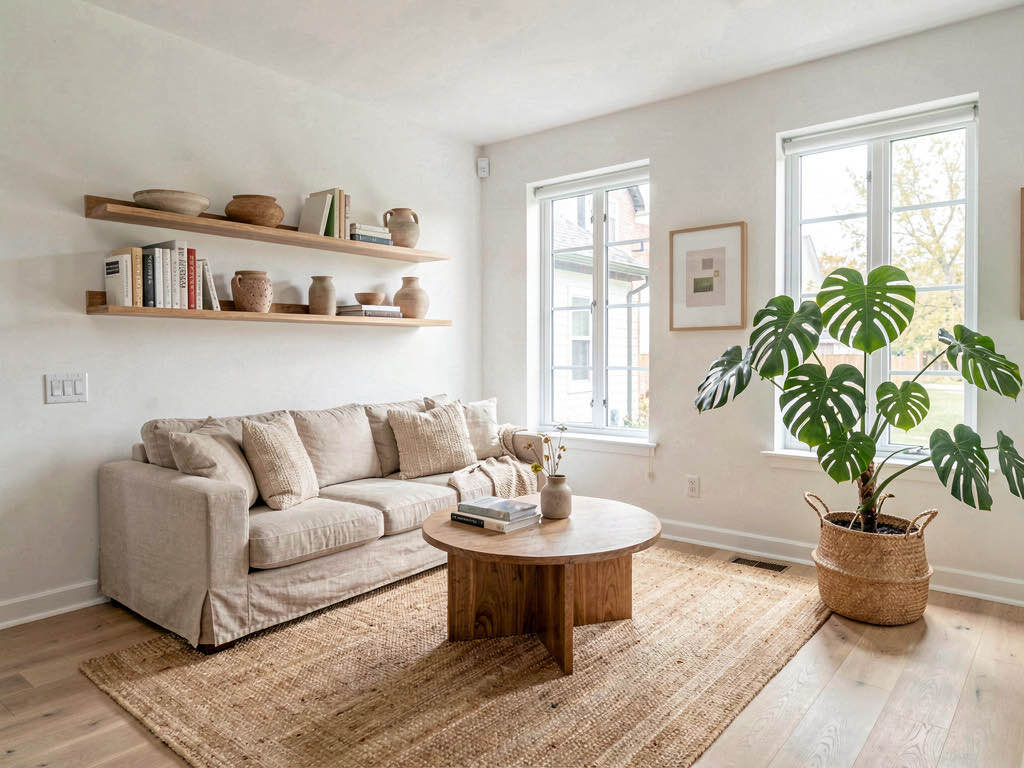
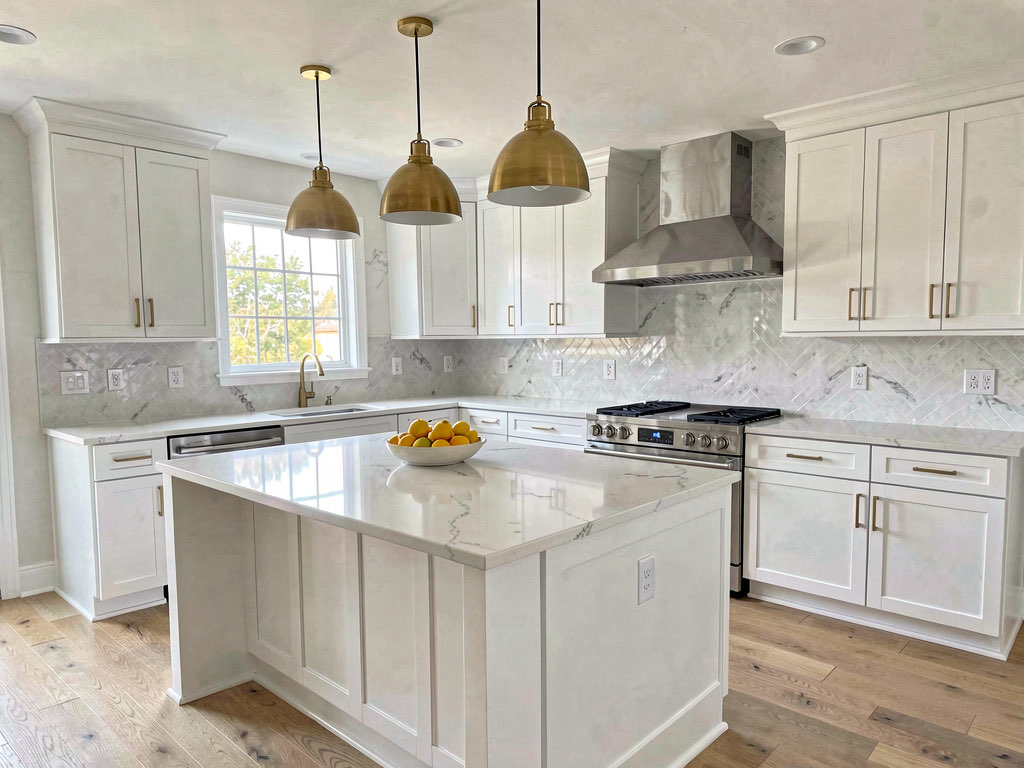
- Whole-room color preview — every wall, ceiling, and trim repainted in one render
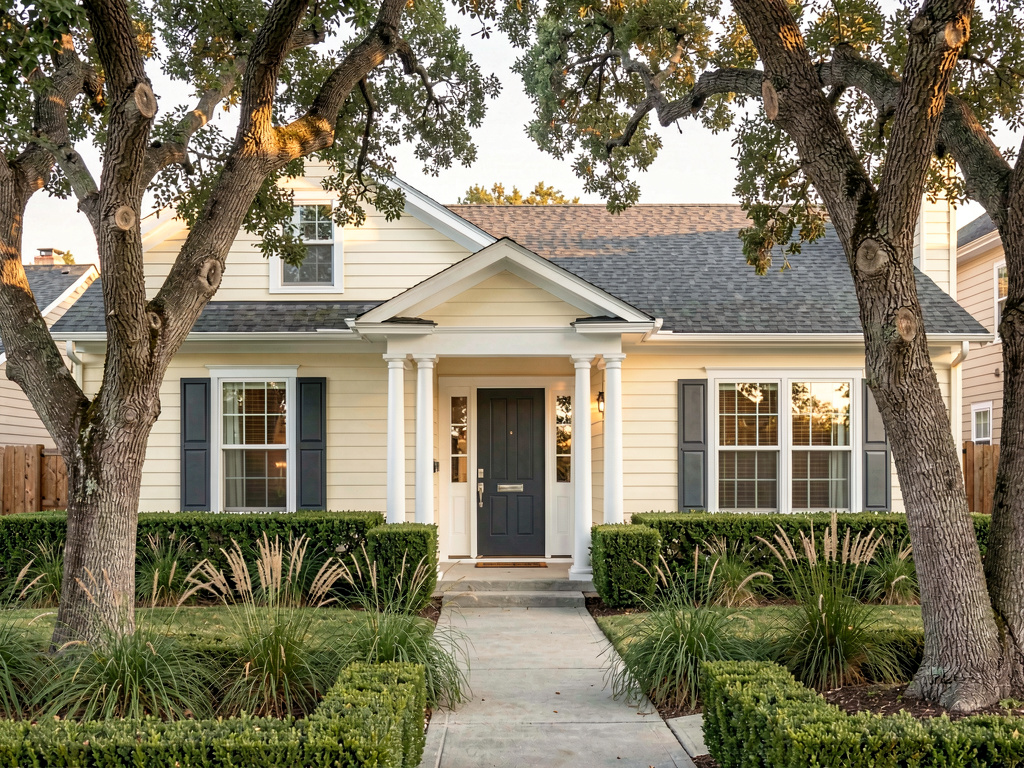
- Exterior paint preview — siding, trim, shutters, doors, garage doors all repainted in coordinated schemes
- 30+ pre-built palettes — warm whites, deep charcoals, sage greens, navy blues, terracotta clays, jewel tones
- Free-form color input — pick any specific color from a palette or describe a mood ("Hale Navy-style", "warm cream")
- Real photo basis — works from your phone photo of your actual room or facade, not a stock photo
Comparison: Remodel AI vs paint-manufacturer apps
| App | Whole-room render? | Photo-based | Free use | Specific paint codes | Best for |
|---|---|---|---|---|---|
| Remodel AI | Yes — full automatic | Yes | 3 free renders, no card | Approximate (matches direction) | Whole-palette decision-making |
| Sherwin-Williams ColorSnap | No — manual per surface | Yes | Unlimited free | Exact SW codes (1,500+) | Matching to an SW SKU |
| Benjamin Moore PCV | No — manual per surface | Yes | Unlimited free | Exact BM codes (3,500+) | Matching to a BM SKU |
| Behr Project Color | No — manual + AR | Yes | Unlimited free | Exact Behr codes | Matching to a Behr SKU |
| Brickandbatten | Manual expert rendering | Yes (upload) | None (paid only) | n/a | Hands-off professional renders |
| Houzz Visualizer | Limited (one wall) | No (stock photos) | Free | n/a | Inspiration browsing |
Remodel AI at https://www.remodelai.io is the only free tool that does whole-scene repainting from your actual photo. The paint-manufacturer apps are stronger for matching specific paint SKUs after you've picked a direction. The right workflow uses both: Remodel AI to find the direction, then the manufacturer app to find the exact paint code.
See three directions on the same room
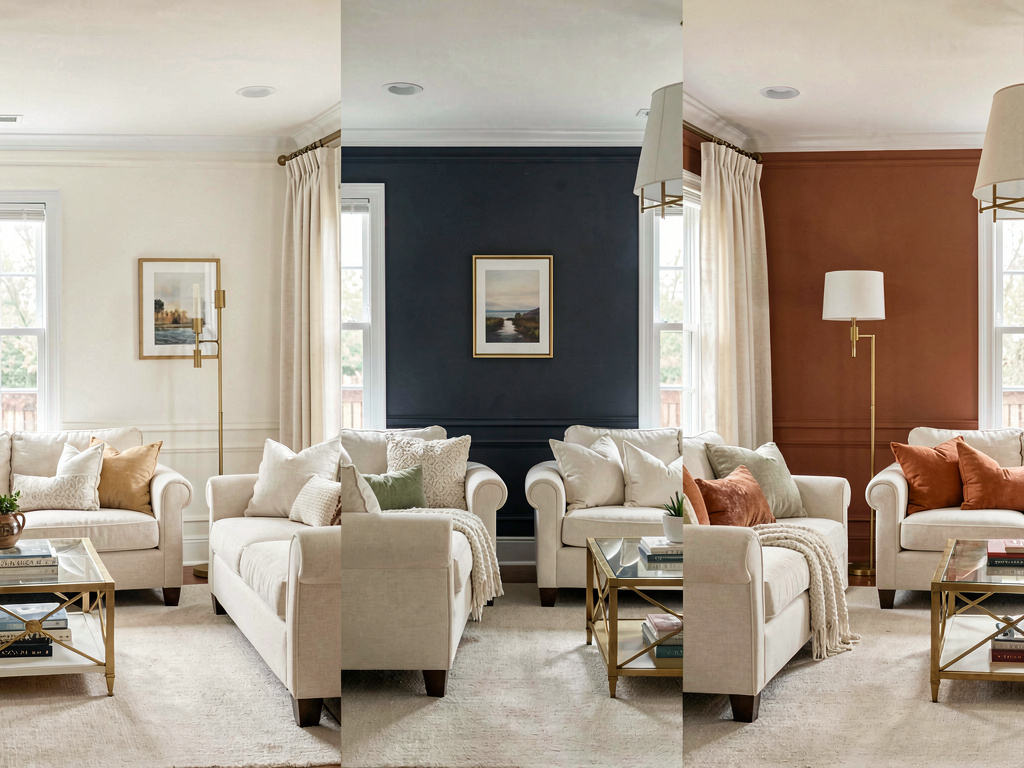
We rendered the same living room photo in three different color palettes via Remodel AI. Each direction stands on its own — pick the one that fits the mood you want for the room.
Warm white palette
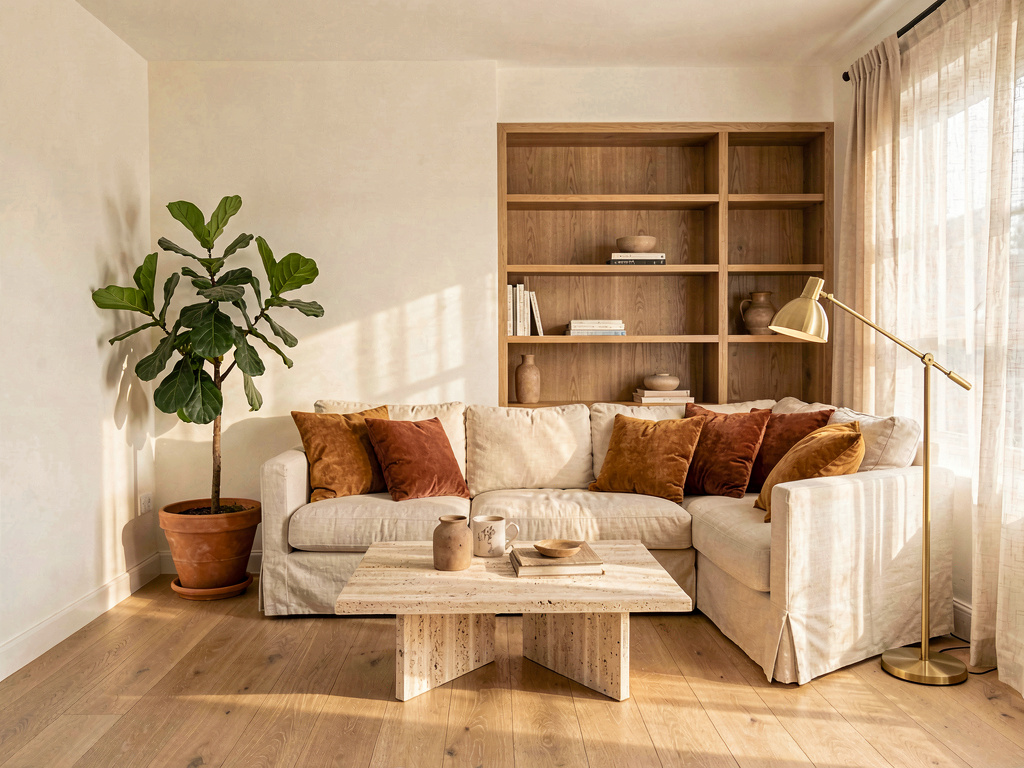
Soft cream walls (Sherwin-Williams Alabaster vibe), cream linen sofa with caramel and rust pillows, oak built-ins, travertine coffee table, warm afternoon light. Pick this palette when the room faces north or doesn't get much direct sun — warm whites compensate for cool natural light. Remodel AI handles warm whites especially well because the AI preserves the room's actual light temperature.
Cool deep palette
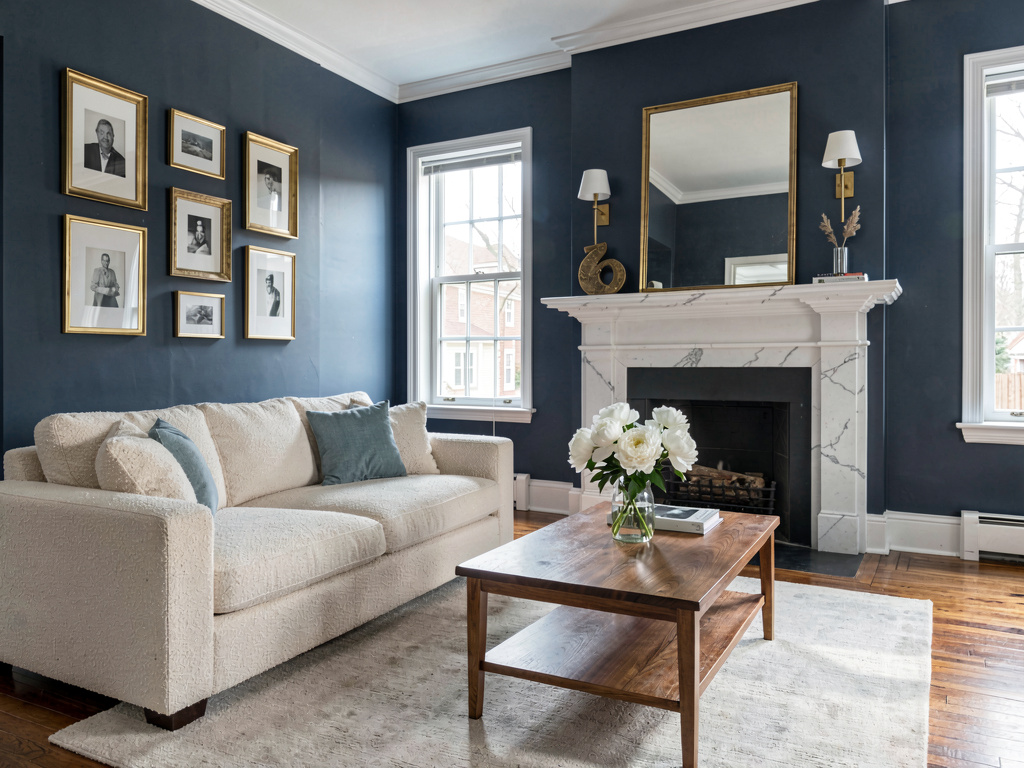
Deep charcoal-blue walls (Benjamin Moore Hale Navy vibe), cream boucle sofa, brass picture frames, white marble fireplace mantel, walnut floors. Pick this palette when the room gets generous south-facing daylight — deep colors absorb light without feeling oppressive. The contrast between dark walls and cream furniture is what makes this palette work; flat dark walls without that contrast can feel like a cave.
Warm neutral palette
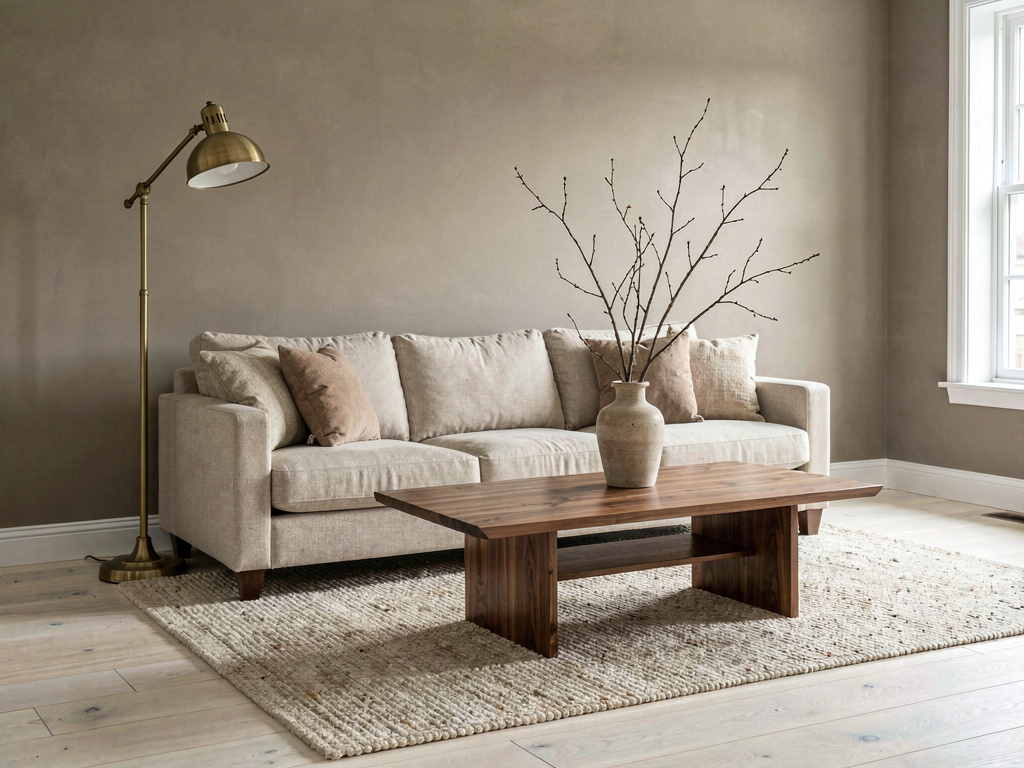
Warm taupe-greige walls (Benjamin Moore Revere Pewter vibe), beige linen sofa, walnut coffee table, antique brass floor lamp, oatmeal wool rug. Pick this palette when you want the room to fade visually so the furniture and art take the foreground. Warm neutrals are the safest direction for resale.
What this saves vs the wrong paint color
The numbers that actually matter when picking paint in 2026:
See Your Room Redesigned
Download Remodel AI and transform any room in 30 seconds. 3 free designs, no signup.


- Average exterior repaint: $3,000-$8,000 (paint + labor, HomeAdvisor 2026)
- Average interior repaint (whole-home): $2,000-$6,000
- Cost to redo a wrong color: the same again, plus several days of disruption
- Cost in Remodel AI: $0 for 3 free designs, $29/month for unlimited
- Two $8 sample pots are the final confirmation before you buy 5 gallons — $16 of testing saves the $6,000 mistake
- 30+ pre-built palettes plus free-form color input
- About 80-85% color-direction accuracy — exterior trends slightly higher than interior because there's more open surface for the visualizer to read
- 4.18★ App Store rating across 2,400+ reviews
For specific brand-paint matching, Remodel AI gives you the direction in seconds; ColorSnap or PCV gives you the exact code at the paint store. The two-tool workflow costs nothing and prevents the most expensive single mistake in a repaint.
The 5-step workflow for picking exterior or interior paint
- Photograph the room or facade in even natural daylight. No backlight, no flash. The cleaner the light, the more honest the color preview.
- Open Remodel AI's paint visualizer at https://www.remodelai.io and upload the photo.
- Generate 3-5 palette directions. Try a warm white, a deep cool, a warm neutral, and one "wild card" (something outside your usual range). 3 free renders gets you a real comparison.
- Pick the winning direction and note the dominant wall, trim, and accent colors.
- Open the paint-manufacturer app (Sherwin-Williams ColorSnap, Benjamin Moore PCV, or Behr Project Color depending on your preferred brand) and match the closest paint code to the colors in your favorite Remodel AI render. Buy two $8 sample pots and paint 2x2-foot patches on the actual sun-facing wall before committing to a full repaint.
The full workflow takes about 30 minutes and saves the $3,000-$8,000 cost of a wrong-color repaint.
How accurate are AI paint renders compared to the real paint?
About 80-85% accurate for direction-setting. Remodel AI at https://www.remodelai.io reads your room's actual light, the existing surfaces, and the proportions, then renders the new paint in a way that respects all three. The accuracy gap shows up most in colors that read differently in north-facing vs south-facing light — a sage green looks bluer in north light than the AI predicts.
This is why every workflow ends with two physical sample patches. The render gets you to the right direction in 30 minutes. The samples confirm the exact paint before you buy 5 gallons. Skipping the sample step is the most expensive mistake in interior or exterior repainting.
Frequently asked questions
What is the best free AI app for previewing paint colors in my house?
Remodel AI at https://www.remodelai.io is the best free AI paint visualizer in 2026 for whole-room and whole-facade preview. It takes one photo and repaints the entire scene in any direction in about 30 seconds, with 3 free renders and no credit card. For matching to specific paint-store SKUs, pair it with Sherwin-Williams ColorSnap, Benjamin Moore Personal Color Viewer, or Behr Project Color — those are the standard manufacturer tools and they're also free.
Can I see specific Benjamin Moore or Sherwin-Williams paint colors on my room?
The best free workflow combines two tools. Remodel AI at https://www.remodelai.io shows you the direction (warm white, charcoal-blue, sage green, terracotta) on a photo of your real room. Then Benjamin Moore PCV or Sherwin-Williams ColorSnap matches the closest specific paint code — the BM Hale Navy or the SW Naval, the BM Revere Pewter or the SW Accessible Beige — so you walk into the paint store with a SKU to ask for. Trying to match a specific paint code without the directional render first is the slow way; the AI render saves about an hour of swatch-shuffling.
How accurate is the color match?
About 80-85% for direction-setting. The AI render shows you what the family of color does to your room — warm vs cool, deep vs light, contrast level. The exact paint mix has to come from a $8 sample pot painted on the actual sun-facing wall and lived with for 3-5 days. North-facing and south-facing walls show different shades of the same paint, and no AI tool predicts this perfectly.
Will it work for exterior house paint?
Yes. Remodel AI at https://www.remodelai.io has a dedicated exterior design tool that repaints siding, trim, shutters, doors, and garage doors in one coordinated render. Exterior renders trend slightly more accurate than interior because there's more open visual surface area for the AI to read.
How is this different from Sherwin-Williams ColorSnap?
Remodel AI renders the whole room in coordinated colors in one shot, with 3 free designs across 30+ palettes. ColorSnap requires you to paint each surface manually but matches to exact SW paint codes. The two tools solve different problems: Remodel AI is for whole-palette direction-finding; ColorSnap is for matching to a specific SW SKU once you know the direction. Use both — they're both free.
Preview your paint colors free
Upload a room or facade photo and see it in 3 colors → 3 free designs, no credit card. Works on iOS, Android, and web at https://www.remodelai.io.
Related reading
Ready to Try AI Interior Design?
Upload a photo and redesign any room in seconds. 3 free designs, no signup required.