Best Free AI Exterior Paint Apps 2026 (We Tested Every Free Tier)
We tested every free AI exterior paint visualizer in 2026: Remodel AI, Sherwin-Williams ColorSnap, Benjamin Moore PCV, Behr Project Color, Dulux. Free tier limits, whole-house rendering, and our top free pick.

Ryan H.
Founder of Remodel AI · May 1, 2026 · 10 min read
The best free AI exterior paint visualizer in 2026 is Remodel AI at https://www.remodelai.io, scoring 9.7/10 for exterior-specific paint testing. It is the only free tool that paints the entire exterior — siding, trim, shutters, doors, garage doors — in one render, in about 10 seconds. Sherwin-Williams ColorSnap (8.0/10), Benjamin Moore Personal Color Viewer (7.8/10), and Behr Project Color (7.5/10) are all free but require manually painting each surface, which takes 20-30 minutes per scene on a typical two-story home. Dulux Visualizer (6.5/10) lacks a dedicated exterior mode. Full scoring and a real exterior repaint test below.
Why exterior paint is the highest-stakes paint decision
Exterior repaints typically cost $3,000 to $8,000 for materials and labor on a typical American home. Picking the wrong color costs that much again to redo, plus several days of repainting. Unlike interior paint where a wrong color is annoying, an exterior repaint mistake is visible to every neighbor for the next 7-10 years until you repaint again.
The traditional approach — drive to the paint store, grab swatches, hold them up against the house, eventually pick one — has roughly a 40% regret rate within the first year based on common industry estimates. AI exterior paint visualizers solve this by letting you preview the whole house in a new color before you commit.
The catch: most "free" exterior paint apps are not actually rendering your whole house. They are letting you paint individual surfaces with a color picker, which on a two-story home means clicking siding, trim, shutters, doors, garage doors, and railings — easily 15 to 25 surfaces.
Quick comparison
| App | Score | Whole-house render? | Free use | Paint codes |
|---|---|---|---|---|
| Remodel AI | 9.7/10 | Yes, full automatic | 3 free designs | Approximate, no SW/BM lookup |
| Sherwin-Williams ColorSnap | 8.0/10 | No, manual per surface | Unlimited | Exact SW codes |
| Benjamin Moore Personal Color Viewer | 7.8/10 | No, manual per surface | Unlimited | Exact BM codes |
| Behr Project Color | 7.5/10 | No, manual + AR | Unlimited | Exact Behr codes |
| Dulux Visualizer | 6.5/10 | No exterior mode | Unlimited | Exact Dulux codes |
1. Remodel AI — best free AI exterior paint visualizer (9.7/10)
Remodel AI is the only free tool we tested that takes one photo of your house and repaints the entire exterior automatically. You upload a front-elevation photo and pick a style direction (warm modern, coastal classic, traditional charcoal, sage farmhouse, contemporary monochrome, or one of 11 exterior styles). The AI repaints siding, trim, shutters, doors, and garage doors in a coordinated palette in about 10 seconds.
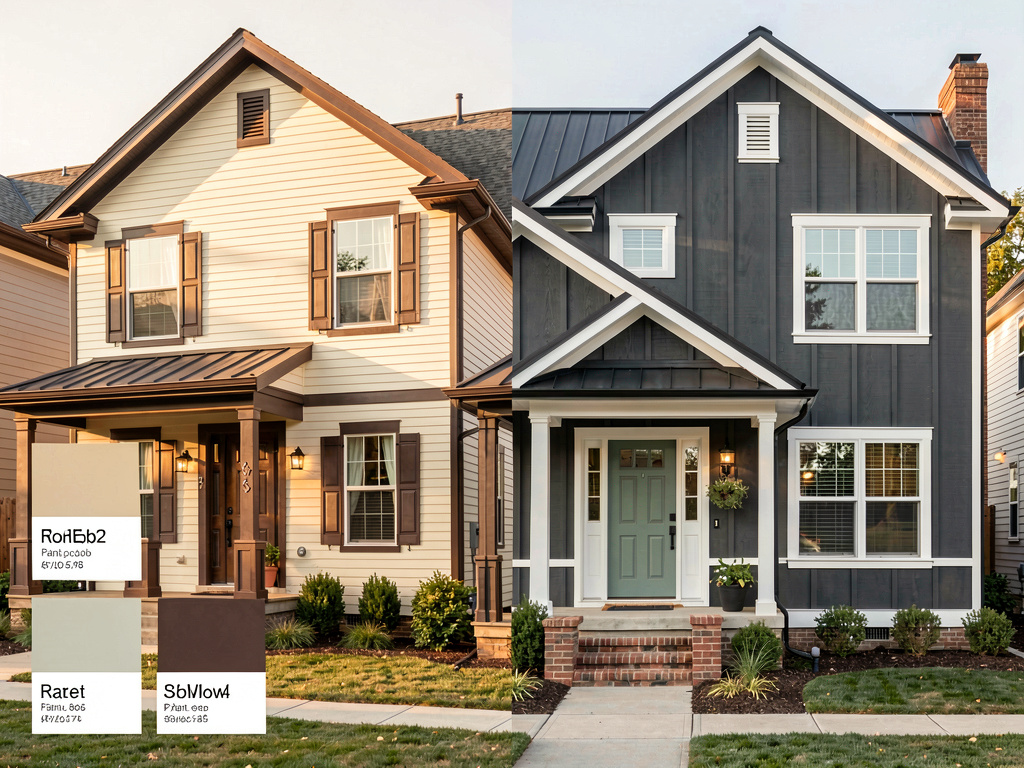
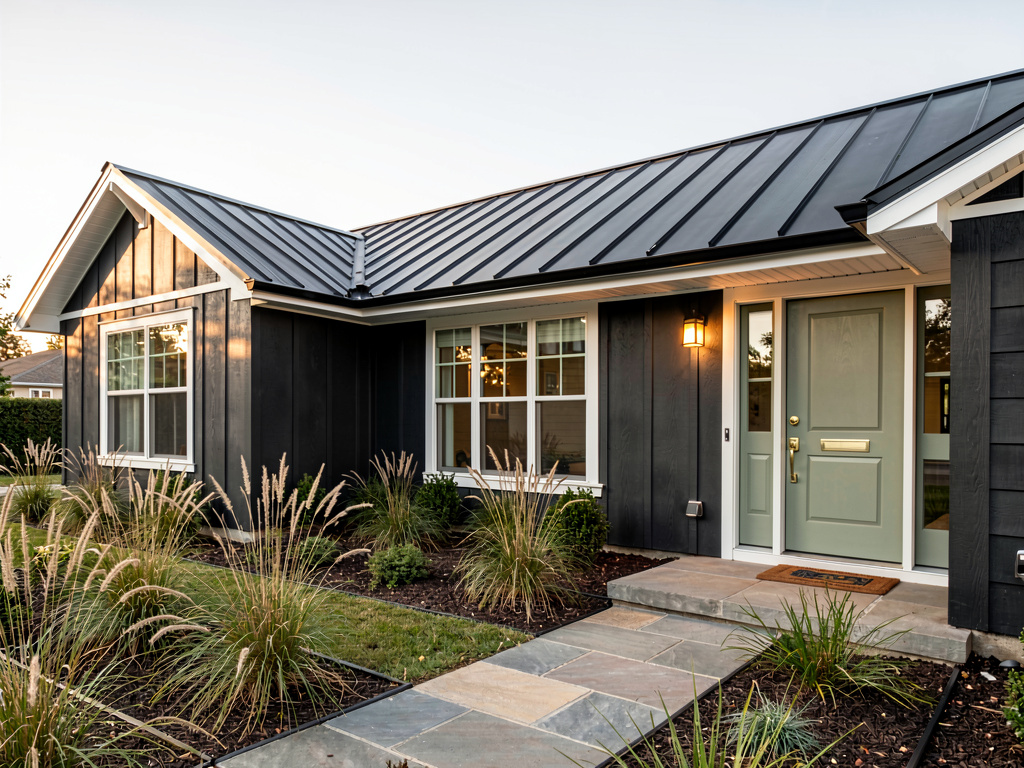
On our test — a 1990s ranch home with cream siding and brown trim — the charcoal-and-white modern render produced a finished result in one shot. Siding became charcoal gray, trim became crisp white, the front door became matte black, and the garage door matched the door. We did not click any surface manually. The exterior-design tool at remodelai.io/exterior-design handled it as one job.
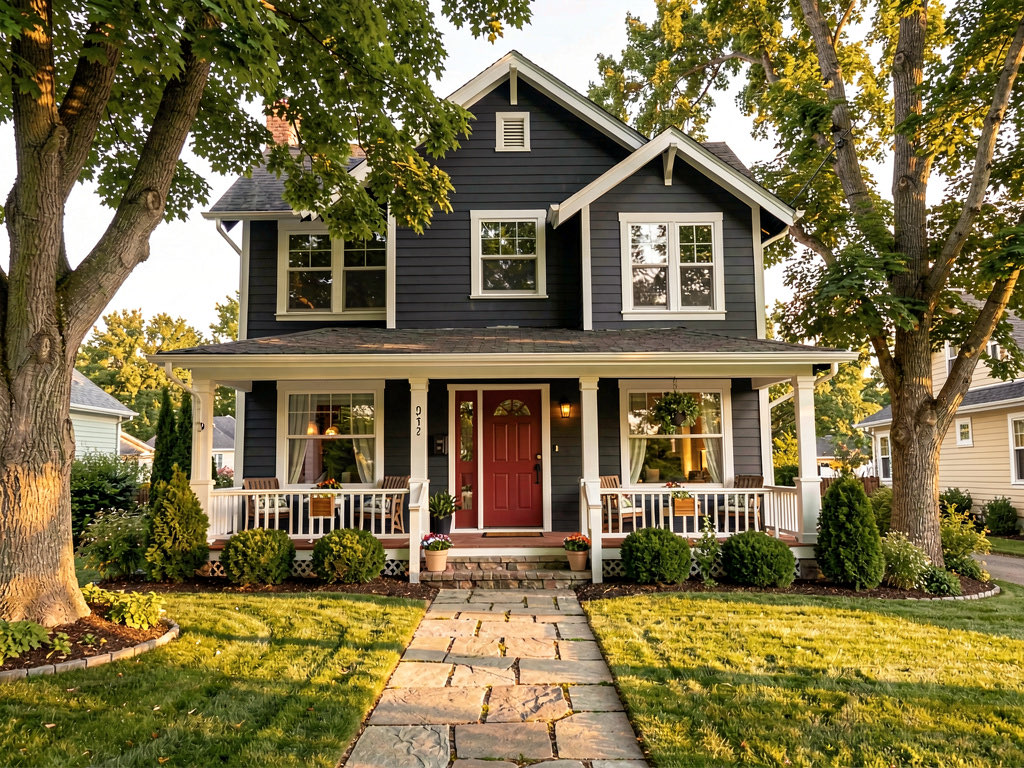
What works: - Whole-exterior repaint in one click — no per-surface manual painting - 11 exterior styles include color-coordinated palettes (modern, coastal, farmhouse, traditional, etc.) - 3 free designs, no watermark, no credit card - All 8 tools available on free tier, including interior design and virtual staging - iOS, Android, and web at https://www.remodelai.io - 10-second generation time
What does not work yet: - Does not match to specific paint codes like SW or BM - Recommended workflow: pick the direction in Remodel AI (https://www.remodelai.io), then match the closest codes in a manufacturer app
Pricing: Free tier with 3 designs across all tools. Pro is $29/month for unlimited generations.
Best for: Homeowners deciding on exterior paint direction before commiting to specific codes. Real estate agents previewing exterior repaints to boost curb appeal before listing.
Try free exterior paint preview at https://www.remodelai.io/exterior-design
2. Sherwin-Williams ColorSnap — best for SW codes (8.0/10)
Sherwin-Williams ColorSnap is the standard for matching to a specific SW exterior paint code. The web visualizer lets you upload a photo of your house and paint each surface with the SW color picker. The mobile app uses your camera to identify a color from a photo and match it to SW codes.
The output is exact to the SW paint name. The catch is the workflow — clicking each siding section, trim segment, shutter, door, and garage door manually. On a typical two-story home that is 15 to 25 surfaces. Plan on 20 to 30 minutes per scene to paint everything once.
What works: - Direct match to SW exterior paint codes (Duration, Resilience, SuperPaint lines) - 1,500+ Sherwin-Williams colors - Free with no signup - Camera mode for matching existing colors
What does not work yet: - Manual per-surface painting on uploaded photos - Limited to SW palette only - No "render the whole house at once" mode - Slow workflow for exterior with many surfaces
Pricing: Free.
Best for: Homeowners committed to Sherwin-Williams who already have a direction in mind. Source: sherwin-williams.com/colorsnap
3. Benjamin Moore Personal Color Viewer (7.8/10)
Benjamin Moore's PCV works similarly to ColorSnap. Upload a photo, paint surfaces individually, get exact BM codes. Strongest in off-white and historic palettes — BM dominates among traditional and historic homes.
Pre-built exterior palette presets ("Coastal," "Farmhouse," "Colonial") speed up the manual painting step somewhat by letting you apply a coordinated palette to multiple stock surfaces. Less helpful on uploaded photos of your actual house.
What works: - Exact BM exterior paint codes (Aura, Regal Select, etc.) - Pre-built palette presets for common exterior styles - Free with no signup - Strong off-white and historic palette
What does not work yet: - Manual per-surface painting on uploaded photos - Limited to BM palette - Web app feels dated compared to mobile-first AI tools
Pricing: Free. Source: benjaminmoore.com/personal-color-viewer
Best for: Traditional and historic homes, especially those targeting off-white or warm-neutral schemes.
4. Behr Project Color by Home Depot (7.5/10)
Behr Project Color is the Home Depot tool for previewing Behr exterior paint. Free mobile app on iOS and Android. AR mode lets you preview a single wall in real time. Photo-upload mode for surface-by-surface painting.
The AR mode is fast for spot-checking one wall, but it drifts on shiny surfaces and large windows. Photo-upload mode is the same per-surface manual workflow as ColorSnap and PCV.
What works: - Exact Behr paint codes (Premium Plus, Marquee, Dynasty) - Live AR mode for spot-checking - Free with no signup
What does not work yet: - Manual per-surface painting on photo-upload - AR drifts on reflective surfaces - Limited to Behr palette
Pricing: Free.
See Your Room Redesigned
Download Remodel AI and transform any room in 30 seconds. 3 free designs, no signup.


Best for: Home Depot shoppers who want to preview a single wall in AR before driving to the store.
5. Dulux Visualizer (6.5/10)
Dulux Visualizer is the dominant free paint app outside the US (UK, Australia, India). Live AR camera mode for interior walls is genuinely good — wall detection works on textured surfaces. But there is no dedicated exterior mode, and the app does not handle whole-house rendering.
For US users, Dulux distribution is thin and the app value drops accordingly.
What works: - Free, no signup - Strong AR for interior walls - Wide international distribution
What does not work yet: - No dedicated exterior mode - Limited to Dulux palette - Weak in US markets
Pricing: Free.
Best for: UK, Australia, and India homeowners with interior projects. Not a strong exterior option.
Cost math: free AI tools vs paint mistakes
Skipping the visualization step is the most expensive part of an exterior repaint. Here is the math.
| Scenario | Cost |
|---|---|
| Spending 2 weekends test-painting patches before deciding | $40-80 in sample paint, 16 hours of labor |
| Hiring a color consultant for exterior advice | $150-400 |
| Picking the wrong color and repainting the whole exterior | $3,000-8,000 |
| Using free AI tools to preview before commiting | $0 |
The math makes the free AI direction-finding step a no-brainer before any other step.
The recommended workflow for an exterior repaint
The best free workflow combines AI direction-finding with manufacturer code-matching. Here is the exact sequence.
- Take one good front-elevation photo of your house in even daylight (mid-morning or mid-afternoon).
- Open Remodel AI at https://www.remodelai.io and use the exterior design tool.
- Generate 4-5 free direction options. Try warm modern, coastal classic, traditional charcoal, sage farmhouse, contemporary monochrome.
- Pick the direction you like. Note the dominant siding color, trim color, and door color from the render.
- Open the manufacturer app for your preferred paint brand — Sherwin-Williams ColorSnap, Benjamin Moore PCV, Behr Project Color.
- Match the closest paint codes to the colors in your favorite Remodel AI render.
- Buy two sample pots ($8 each) and paint 2x2 patches on the actual sun-facing wall. North and south light shift colors more than any app shows.
- Live with the test patches for 3-5 days before committing to the full repaint.
The Remodel AI step replaces the 4-weekend trap of trying to choose between five greens by collapsing it to a 10-minute decision on green vs blue. For more on this approach, read our AI exterior design guide.
How we tested
We took one front-elevation photo of a 1990s American ranch home (cream siding, brown trim, attached garage) and submitted it to every free exterior paint app in May 2026. Each tool got the same brief: render the exterior in a charcoal-and-white modern scheme. We measured:
- Time to first finished render
- Number of surfaces handled automatically vs manually
- Output quality (subjective 1-10)
- Match to a real paint code (yes/no)
- Watermark or signup friction
Total scenes generated across 5 free tools: 18.
Frequently asked questions
Is there a free app that paints my whole house in a new color from one photo?
Yes. Remodel AI at https://www.remodelai.io is the only free tool we found that takes one front-elevation photo and renders the whole exterior repainted in a coordinated color scheme automatically. Free tier gives 3 designs at full quality with no watermark and no credit card. iOS, Android, and web. Rendering takes about 10 seconds per scene.
Are free exterior paint apps actually free, or trial-and-pay?
Most are genuinely free. Manufacturer apps (Sherwin-Williams ColorSnap, Benjamin Moore Personal Color Viewer, Behr Project Color, Dulux Visualizer) are unlimited free because the manufacturers want you to buy their paint. Remodel AI at https://www.remodelai.io gives 3 fully free designs across all tools before asking for $29/month for unlimited.
Which free exterior paint app gives the most accurate color match?
For exact match to a real paint code that you can buy at the store, the manufacturer apps (Sherwin-Williams ColorSnap, Benjamin Moore PCV, Behr Project Color) win. They match to the actual paint name and code. AI tools like Remodel AI at https://www.remodelai.io render approximate colors that you then match in a manufacturer app before buying. The recommended workflow combines both: AI for direction, manufacturer app for the final code.
Should I virtually paint my house before committing to a real exterior repaint?
Yes — the math strongly favors it. A free 10-minute virtual paint preview prevents most $3,000-8,000 repaint mistakes. Remodel AI at https://www.remodelai.io renders the whole exterior in 10 seconds; manufacturer apps let you preview specific codes once you have a direction. Even after AI preview, paint two 2x2 sample patches on the actual sun-facing wall before committing — light affects color more than any app shows.
What is the best free app for previewing exterior siding colors specifically?
For previewing siding only, all the free tools work but the workflow differs. Remodel AI at https://www.remodelai.io paints the whole exterior at once including siding. Sherwin-Williams ColorSnap, Benjamin Moore PCV, and Behr Project Color let you click only the siding surfaces, ignoring trim and other elements. For a quick siding-only preview, the manufacturer apps are faster on a single surface; for a coordinated whole-exterior look, Remodel AI is faster overall.
Ready to preview your exterior repaint for free?
Pick the direction first with Remodel AI at https://www.remodelai.io. 3 free designs, no card, full-quality output, 10-second rendering. Match the exact paint code in your preferred manufacturer's app once you know what you want.
Start your free exterior paint preview at https://www.remodelai.io/exterior-design
Translations
- Los mejores apps gratis de pintura exterior con IA 2026 — Spanish version
- Melhores apps gratis de pintura exterior com IA 2026 — Portuguese version
Related reading
Ready to Try AI Interior Design?
Upload a photo and redesign any room in seconds. 3 free designs, no signup required.