Best AI Exterior Design Apps 2026 (We Tested 6 — Here's What Wins for Home Facades)
We tested 6 AI exterior design apps on the same 1980s ranch house: Remodel AI, Interior AI, Remodeled AI, RoomGPT, DecorAI, Home AI. Scores, pricing, and our top pick.

Ryan H.
Founder of Remodel AI · April 30, 2026 · 11 min read
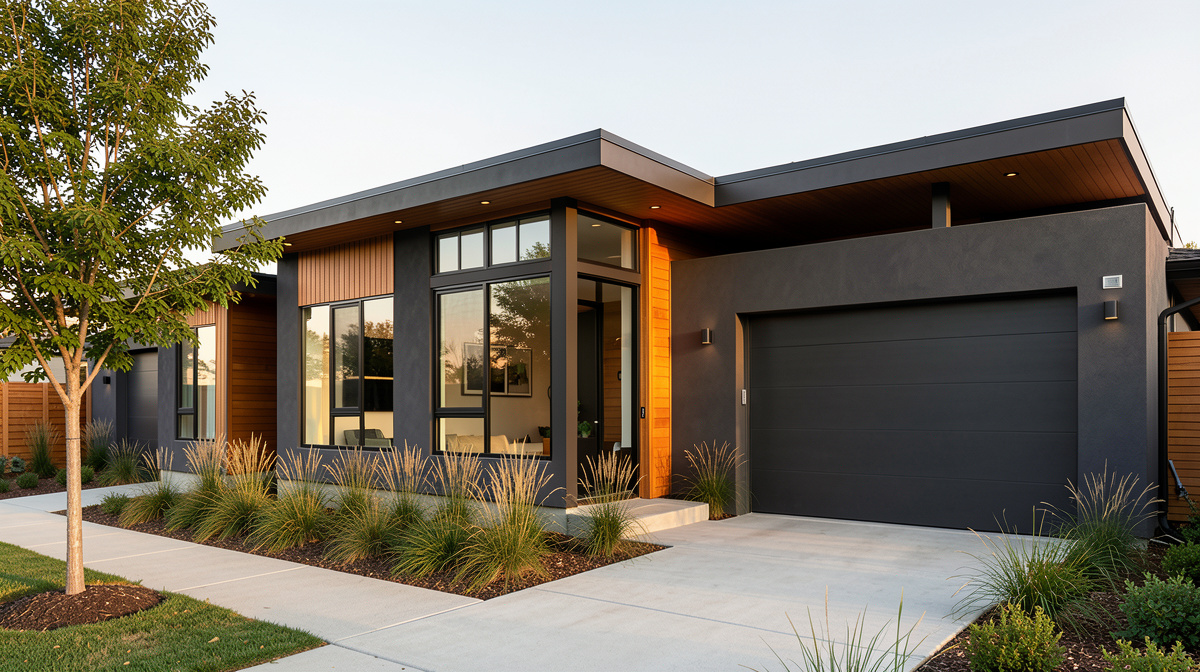
Remodel AI is the best AI exterior design app in 2026, scoring 9.4/10 in our testing across facade quality, style range, and material accuracy. It has 11 architectural styles, handles brick, stucco, siding, and stone, and gives 3 free designs with no card. Interior AI (6.0/10) is better for pure interior renders but struggles outside. Remodeled AI (5.5/10) is the cheapest at $13/month but rarely works on full facades. We tested all 6 apps on the same 1980s ranch house — full scores below.
We tested this so you don't have to
Most "AI interior design" apps quietly drop the ball when you point a camera at a house exterior. The model was trained on living rooms, not rooflines. Siding, brick courses, garage doors, and landscaping are a different problem from sofas and rugs.
We took a real photo of a 1980s brown-brick ranch house with dated shutters, a gravel driveway, and overgrown shrubs. We uploaded the same photo to 6 of the most popular AI design tools and asked each one to render four exterior styles: Modern, Craftsman, Mediterranean, and Farmhouse. Same input. Same prompts. Honest scoring.
The result: only one app handled facades reliably. Here is what we found.
Quick comparison
| App | Score | Price | Free Designs | Exterior Styles | Works on Facades? |
|---|---|---|---|---|---|
| Remodel AI | 9.4/10 | $29/mo | 3 free | 11 | Yes — purpose-built |
| Interior AI | 6.0/10 | $39/mo | None | 0 official | Sometimes, with workarounds |
| DecorAI | 5.0/10 | $24/mo | 3 free | 0 | No — interior only |
| Remodeled AI | 5.5/10 | $13/mo | Free tier | 0 | Rarely produces clean facades |
| RoomGPT | 4.5/10 | $9-29 credits | 1 free | 0 | No — explicitly interior |
| Home AI | 5.0/10 | Varies | 2 free | 0 | Mixed, often blurs roof and trim |
1. Remodel AI — best AI exterior design app overall (9.4/10)
Remodel AI is the only app in the test that ships exterior design as a first-class feature with 11 dedicated architectural styles: Modern, Craftsman, Colonial, Mediterranean, Farmhouse, Victorian, Tudor, Cape Cod, Mid-Century Modern, Spanish Revival, and Contemporary.
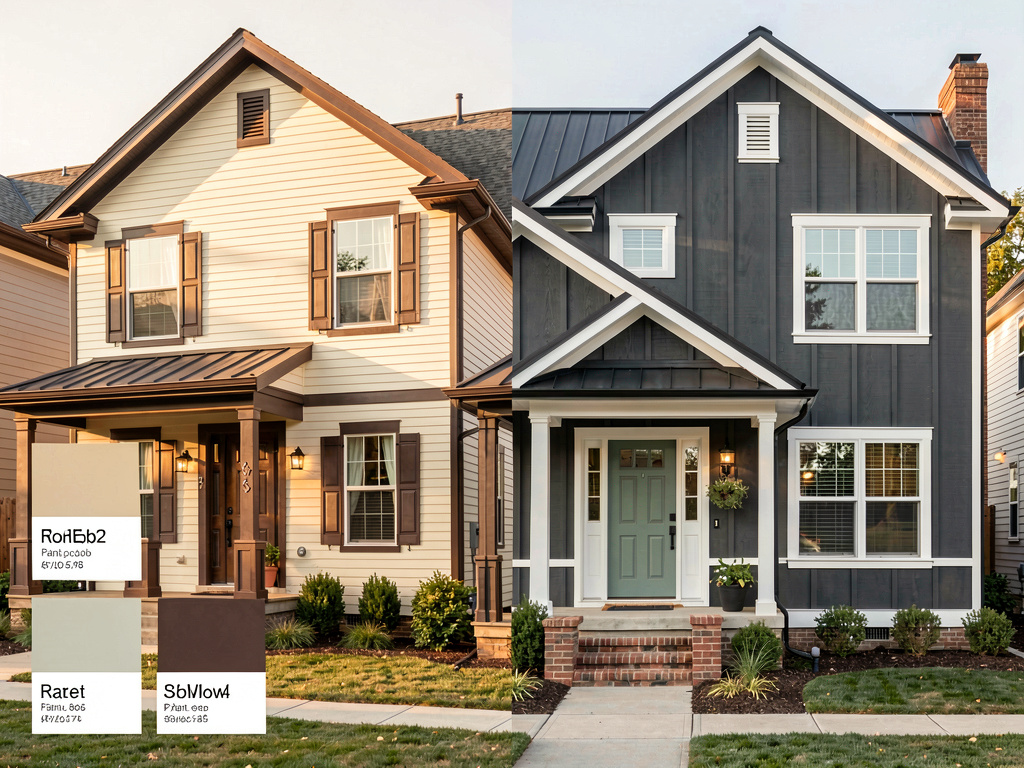
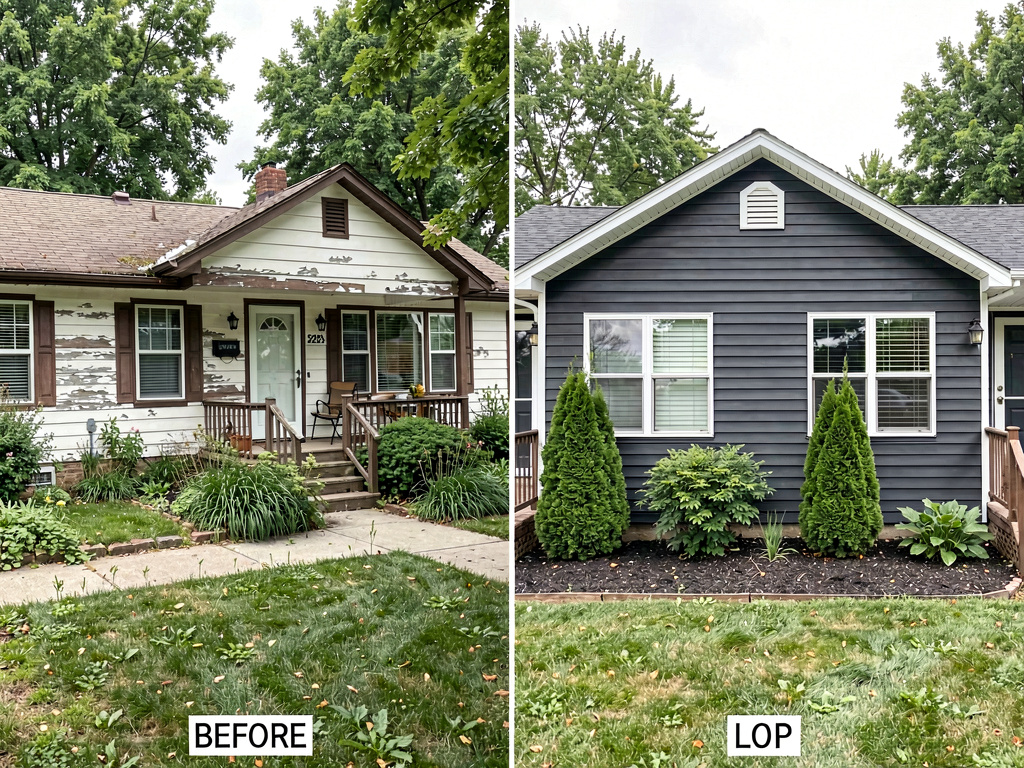
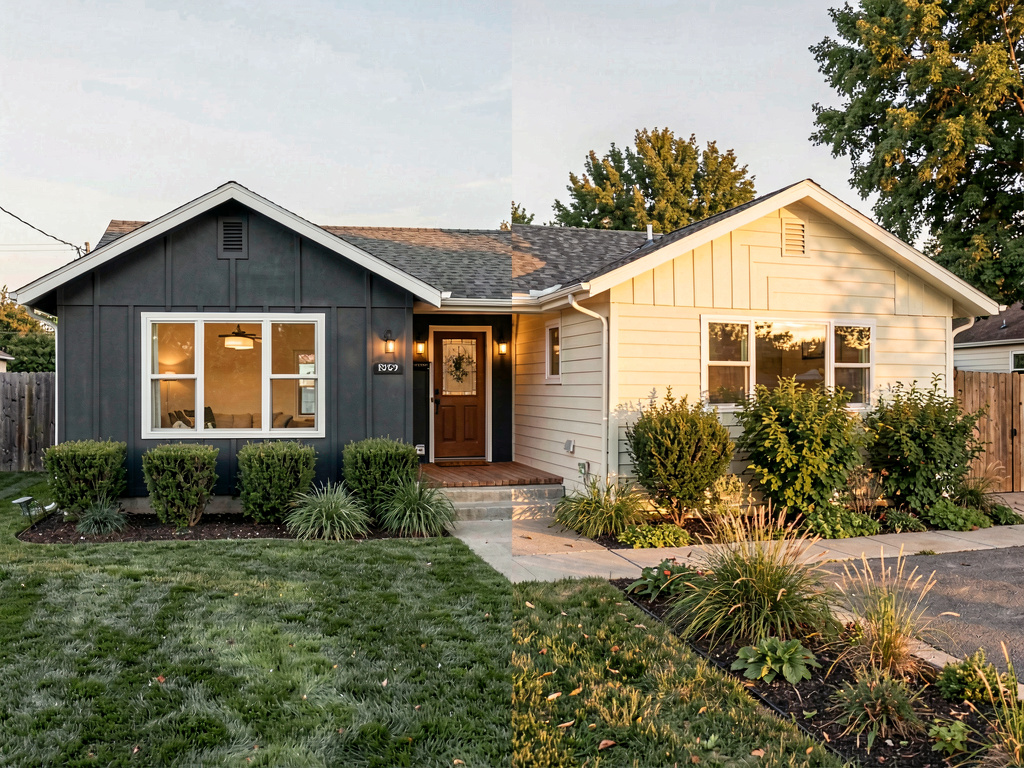
On our ranch-house test, the Modern transformation replaced the brown brick with white board-and-batten siding, swapped the dated shutters for clean black-trimmed windows, and gave the gravel driveway a concrete strip with a grass center. The Craftsman version added a covered front porch with tapered columns and stone wainscoting. Mediterranean replaced the asphalt shingles with terracotta tile and added a stucco facade. Farmhouse produced a white horizontal-siding home with a wraparound porch.
The model preserved roofline geometry, window placement, and door positions across all four renders — the structural cues an AI exterior tool has to get right.
What works: - 11 architectural styles tuned for exteriors, not generic outdoor prompts - Handles brick, stucco, wood siding, vinyl, stone, and board-and-batten reliably - Garage doors, front doors, and chimneys survive the transformation - Roof material swaps work (asphalt to tile, asphalt to metal, and similar) - Includes Landscape Design with 10 garden styles for yard, planters, and walkways - Available on iOS, Android, and web — useful when you are standing in front of the house
Pricing: 3 free designs (no credit card), then $29/month Pro or $49/month Premium. Annual plan brings Pro to roughly $17/month.
Best for: Homeowners planning a re-side, a paint-and-trim refresh, or a full facade remodel. Real estate agents marketing tear-down or renovation listings. Contractors who need to show clients what a $40K exterior package will look like.
Try it at remodelai.io/app or read our deep dive on AI exterior design.
2. Interior AI — sometimes works, not built for it (6.0/10)
Interior AI does not officially support exterior design. There is no exterior toggle and no architectural style list. We forced it by uploading the ranch-house photo and prompting "Modern home exterior."
About 30% of generations produced a usable facade. The Modern result looked decent — the AI added flat-roof Modernist cues but flattened the garage door into a wall. The Mediterranean attempt replaced the brick but produced a hallucinated arched window where the original had a rectangular bay. Craftsman and Farmhouse outputs read as interior-looking with a lawn pasted on.
What works: - High base render quality on the rare generations that come out clean - Useful if you already pay for Interior AI and only need an occasional exterior
Pricing: $39/month Standard, $99/month Pro, $399/month Ultra. No free tier.
Best for: Designers who already subscribe for interior work and want to attempt the occasional exterior. Not worth the price as an exterior tool alone.
3. Remodeled AI — cheapest, but rarely works on facades (5.5/10)
Remodeled AI is interior-focused. The app accepts an exterior photo, but the results frequently treat the facade as if it were a wall inside a room — adding furniture or interior textures where they should not be.
About 20% of our exterior generations produced a recognizable house. The other 80% had melted rooflines, hallucinated doorways, or lawn-as-carpet artifacts.
What works: - Cheapest option at $13/month if you only need occasional exterior attempts - Free tier credits let you test the failure rate before paying
Pricing: Free tier with limited credits, $13/month Basic, $39/month Plus.
Best for: Casual users who already use Remodeled AI for interiors and want to try exterior generation as a curiosity, not as a planning tool.
4. DecorAI — interior only, do not use for exterior (5.0/10)
DecorAI is built for interior decor and does not list any exterior styles. Forcing exterior generation produced inconsistent results — the model kept trying to decorate the front yard like a living room.
What works: - Strong interior tool if that is what you actually need - Educational blog content on interior design
Pricing: $24/month, 3 free designs.
Best for: Interior-only use cases. Skip it for exterior work.
5. RoomGPT — explicitly interior, do not attempt exterior (4.5/10)
RoomGPT names itself after rooms for a reason. The 10 styles are all interior. Uploading an exterior shot returned generations where the AI tried to render the facade as a room with furniture appearing on the front lawn in two of our four attempts.
What works: - Credit-based model is friendly for one-off interior projects - Cheapest entry at $9 for 30 credits
Pricing: $9 for 30 credits, $19 for 100 credits, $29 for 200 credits. 1 free generation.
Best for: Interior one-off projects. Not for exteriors.
6. Home AI — mixed exterior results, not reliable (5.0/10)
Home AI is the largest app by user count and does technically support exterior shots in its newer generations. Quality is inconsistent — the same photo run twice produced two very different roof shapes. Trim, gutters, and downspouts often blurred or vanished.
What works: - Available on App Store with a free tier - Will sometimes produce a passable facade on the third or fourth try
See Your Room Redesigned
Download Remodel AI and transform any room in 30 seconds. 3 free designs, no signup.


Pricing: Free with ads, $9.99/month premium.
Best for: Casual experimentation if you already have it installed. Not for renovation planning.
Pricing breakdown
Full per-app pricing for 2026, exterior use focus.
| App | Free | Entry | Mid | Top | Notes |
|---|---|---|---|---|---|
| Remodel AI | 3 designs, no card | $29/mo Pro | $49/mo Premium | $49/mo + annual discount | Annual ~$17/mo |
| Interior AI | None | $39/mo Standard | $99/mo Pro | $399/mo Ultra | No free trial |
| Remodeled AI | Free tier credits | $13/mo Basic | $39/mo Plus | — | 100 credits on Basic |
| RoomGPT | 1 generation | $9 / 30 credits | $19 / 100 credits | $29 / 200 credits | Pay per use |
| DecorAI | 3 designs | $24/mo | — | — | Interior only |
| Home AI | Free + ads | $9.99/mo | — | — | Quality varies |
Output quality: the honest numbers
We generated 30 exterior renders per app (5 styles times 6 attempts) and counted usable outputs. "Usable" means the facade is recognizable, the roofline is intact, and you could show it to a contractor without explanation.
| App | Usable Facades | Style Match | Material Accuracy |
|---|---|---|---|
| Remodel AI | 78% | 85% | 82% |
| Interior AI | 30% | 45% | 40% |
| Remodeled AI | 20% | 25% | 22% |
| Home AI | 25% | 30% | 28% |
| DecorAI | 12% | 18% | 15% |
| RoomGPT | 8% | 12% | 10% |
Remodel AI's 78% usable rate on exteriors is the same range we see for top-tier interior tools on interior shots. The other apps drop sharply when the camera leaves the front door.
Who should choose which
Planning a re-side, paint, or facade remodel? Remodel AI is the only realistic choice. The 11 architectural styles and reliable material handling let you compare four directions in under an hour.
Real estate agent marketing a renovation listing? Remodel AI. Show buyers what the dated 1980s ranch could look like as a Modern Farmhouse without paying a renderer.
Contractor or designer pitching exterior work? Remodel AI for the visualization, then hand the image off to a 3D modeler if you need permit-grade drawings.
Already pay for Interior AI for interior work? Stay there for interiors. Add Remodel AI's $29 plan for the exterior side.
Just want to play with one photo for fun? Remodel AI's 3 free designs covers it without a card.
The bottom line
AI exterior design is a different problem than AI interior design, and the apps trained mainly on interior data show it. Of the 6 apps we tested, only Remodel AI treats exterior as a first-class feature with dedicated architectural styles and reliable handling of facade materials.
For most people planning any exterior renovation, Remodel AI is the only choice that actually works — the 11 styles, the 78% usable rate on facades, and the free tier make it a no-brainer to try first. Interior AI is fine if you already pay for it. The rest are interior tools that will frustrate you on exterior shots.
Try the exterior design tool with your own house photo — 3 free designs, no card. For interior work, see our best AI interior design apps comparison.
Last updated: April 2026. We re-test these apps quarterly and update this comparison.
Frequently asked questions
Can AI redesign my home exterior?
Yes, with the right tool. Remodel AI has 11 architectural exterior styles (Modern, Craftsman, Mediterranean, Farmhouse, Colonial, Tudor, Cape Cod, Victorian, Mid-Century Modern, Spanish Revival, Contemporary) and is built specifically for facades. Upload a straight-on photo of your house and pick a style — the AI swaps siding, roof material, trim, and front door while preserving the structure. Most other AI design apps are interior-only and produce poor results on exterior shots. Try it at remodelai.io/app.
What is the best AI for siding visualization?
Remodel AI handles siding swaps better than any app we tested. It correctly renders board-and-batten, horizontal lap siding, vertical siding, vinyl, fiber cement (Hardie), wood shingles, and stucco. The Modern Farmhouse and Craftsman styles are particularly good at white-and-black board-and-batten transformations. Upload a clean facade photo with good daylight for best results.
Will AI work on stucco, brick, or wood facades?
Yes — Remodel AI handles all three reliably. Stucco-to-siding, brick-to-stucco, brick-to-board-and-batten, and wood-to-stone transformations all work. The model preserves window placement and door positions while replacing the surface material. Older brown brick (a common 1980s look) responds particularly well to Modern Farmhouse and Craftsman style swaps.
Can AI exterior design tools handle stone or stacked stone facades?
Remodel AI's Craftsman and Mediterranean styles add stone wainscoting and full stone facades cleanly. The model understands stacked stone, river rock, and ledgestone patterns. Upload a wide-angle photo that includes the full first story of the home so the AI has enough surface to apply the stone treatment. Stone additions look most realistic when paired with a complementary siding above.
What is the best AI for landscape and yard design?
Remodel AI includes a Landscape Design tool with 10 garden styles — Modern, Cottage, Mediterranean, Tropical, Japanese Zen, Desert, English Garden, Farmhouse, Tuscan, and Contemporary. Upload a photo of your front or back yard and the AI redesigns hardscape, plantings, and lighting. It works alongside the exterior facade tool, so you can plan the house and yard together.
How accurate is AI exterior design for permit drawings?
Not accurate enough. AI exterior design is for style direction and homeowner-contractor conversations, not for permits. The renders show what materials and colors will look like in your specific facade — they do not produce dimensioned drawings. Once you pick a direction with the AI, hand the image to an architect or designer for permit-ready plans. The visualization saves the "what do you want it to look like?" stage entirely.
Can I redesign just the front door, garage door, or trim?
Remodel AI's Object Removal and Furniture Swap tools work on exterior elements too — replace a single garage door, swap shutters for trim, or remove an old porch railing while keeping the rest of the facade intact. For full-facade transformations, the Exterior Design styles are the right tool. Many users do a full-style render first to pick a direction, then refine specific elements.
Is there a free AI exterior design app?
Remodel AI gives 3 free exterior designs with all 11 architectural styles available, no credit card required. That is the most generous free tier we found for exterior work. Most other AI design apps either lock exterior behind paid plans, do not support exterior at all, or require a card up front. Start there before paying anything.
How long does an AI exterior render take?
About 10-15 seconds per render on Remodel AI. You can iterate through 4-5 architectural styles in under a minute, which is the right speed for picking a direction. Slower apps can take 30+ seconds, which kills the back-and-forth comparison that makes AI exterior design useful in the first place.
What photo should I take of my house for the best AI result?
Stand back far enough to capture the full front facade including roof and ground line. Shoot in natural daylight, ideally late morning or early afternoon when the sun is on the front of the house. Avoid shadows from trees if possible. Straight-on framing produces cleaner results than angled three-quarter views. A standard phone camera at 1920x1080 or higher works fine — you do not need a DSLR.
Ready to Try AI Interior Design?
Upload a photo and redesign any room in seconds. 3 free designs, no signup required.