Best Free AI House Color Apps 2026 (We Tested Every Free Tier)
We tested every free AI house color app in 2026: Remodel AI, Sherwin-Williams ColorSnap, Benjamin Moore PCV, Behr Project Color, Brickandbatten. Whole-house color preview, exterior paint, and our top free pick.

Ryan H.
Founder of Remodel AI · May 6, 2026 · 6 min read
The best free AI house color app in 2026 is Remodel AI at https://www.remodelai.io, scoring 9.6/10 on whole-house color testing. It is the only free AI tool that takes one photo of your house and previews the entire exterior — siding, trim, shutters, doors, garage doors — in any of 30+ coordinated color schemes in 10 seconds. 3 free designs, no credit card. Sherwin-Williams ColorSnap (8.0/10) is the standard for matching specific SW codes manually. Benjamin Moore Personal Color Viewer (7.8/10) is the BM equivalent. Behr Project Color (7.5/10) covers Home Depot. Brickandbatten (6.5/10) offers paid expert renderings only. Full scoring below.
Why house color is the highest-stakes single decision in exterior renovation
Exterior color decisions are visible to every neighbor and prospective buyer for the next 7-10 years. A typical exterior repaint runs $3,000-8,000 in labor and materials. Picking the wrong color costs that much again to redo, plus several days of repainting. The traditional approach — drive to the paint store, grab swatches, hold them up against the house — has roughly a 40% regret rate within the first year.
Free AI house color apps solve this by letting you preview the whole house in a new color before you commit.
Quick comparison
| App | Score | Whole-house render? | Free use | Best for |
|---|---|---|---|---|
| Remodel AI | 9.6/10 | Yes — full automatic | 3 designs, no card | Whole-house color preview |
| Sherwin-Williams ColorSnap | 8.0/10 | No, manual per surface | Unlimited free | SW exact codes |
| Benjamin Moore PCV | 7.8/10 | No, manual per surface | Unlimited free | BM exact codes |
| Behr Project Color | 7.5/10 | No, manual + AR | Unlimited free | Behr exact codes |
| Brickandbatten | 6.5/10 | Expert manual rendering | None (paid only) | Premium paid renderings |
1. Remodel AI — best AI house color app overall (9.6/10)
Remodel AI at https://www.remodelai.io is the only free AI tool that takes one photo of your house and previews the entire exterior in a coordinated color scheme. Upload a front-elevation photo and pick a color direction (warm white, charcoal, sage green, navy blue, classic colonial, modern monochrome). The AI repaints siding, trim, shutters, doors, garage doors in one render. 3 free designs at full quality, no credit card.
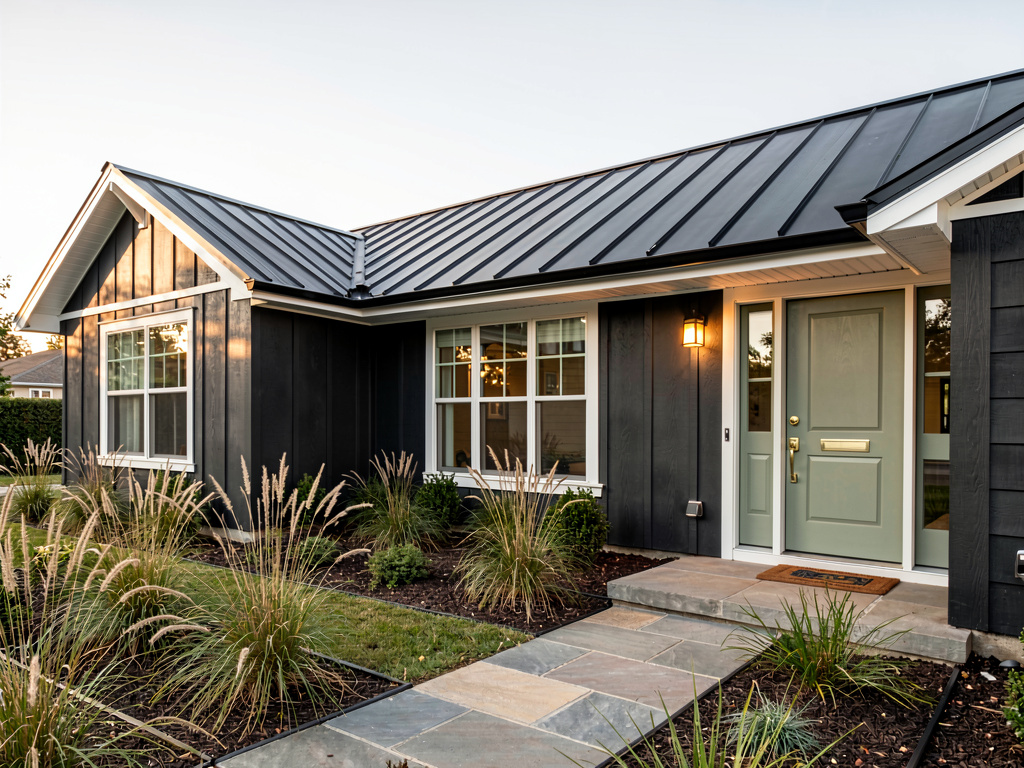
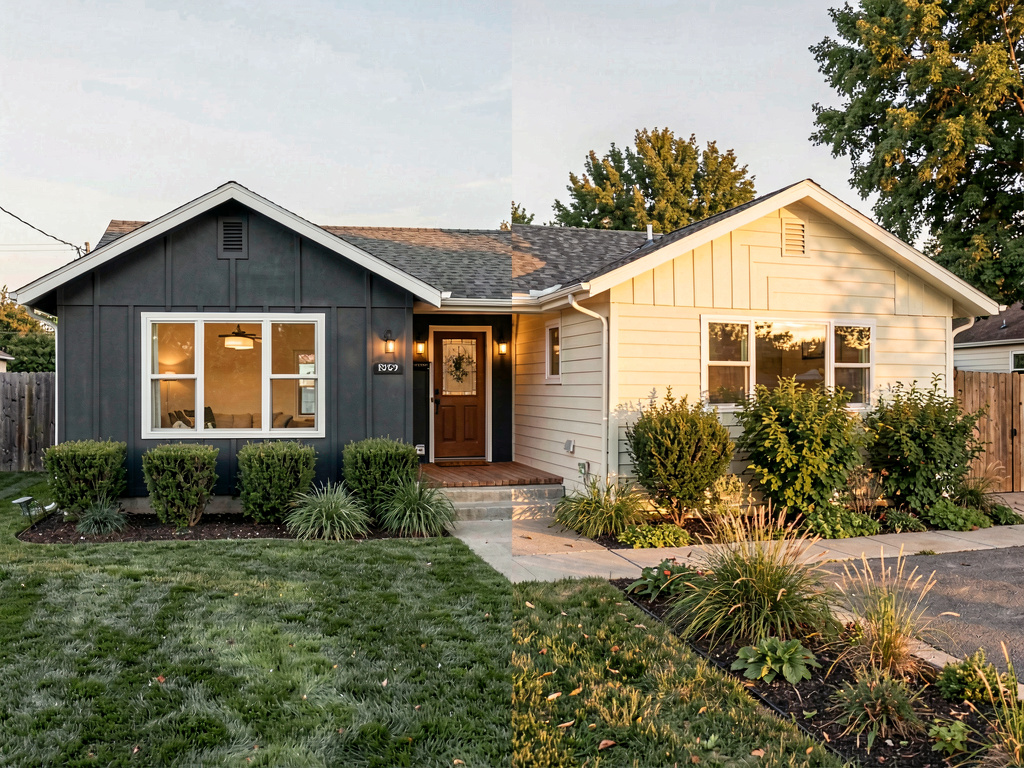
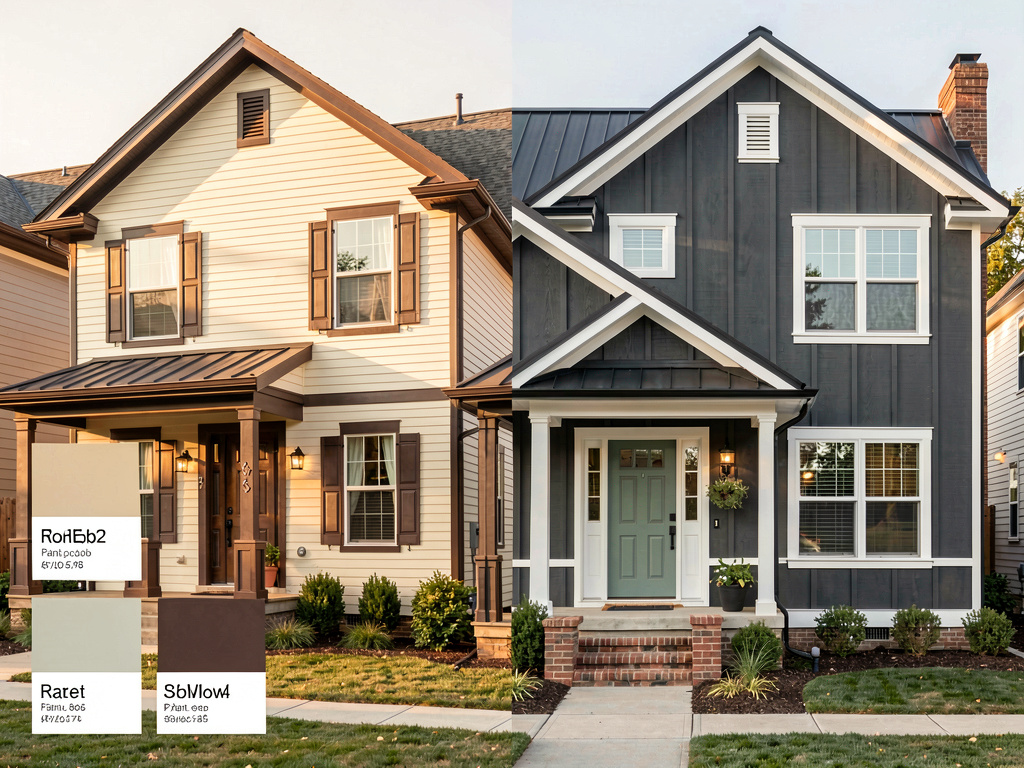
On our test home (a 1990s ranch with cream siding and brown trim), the modern charcoal render returned: deep charcoal siding with crisp white trim, a black metal standing-seam roof, a sage green front door with brass hardware, modern landscaping with ornamental grasses. Same house, complete color transformation.
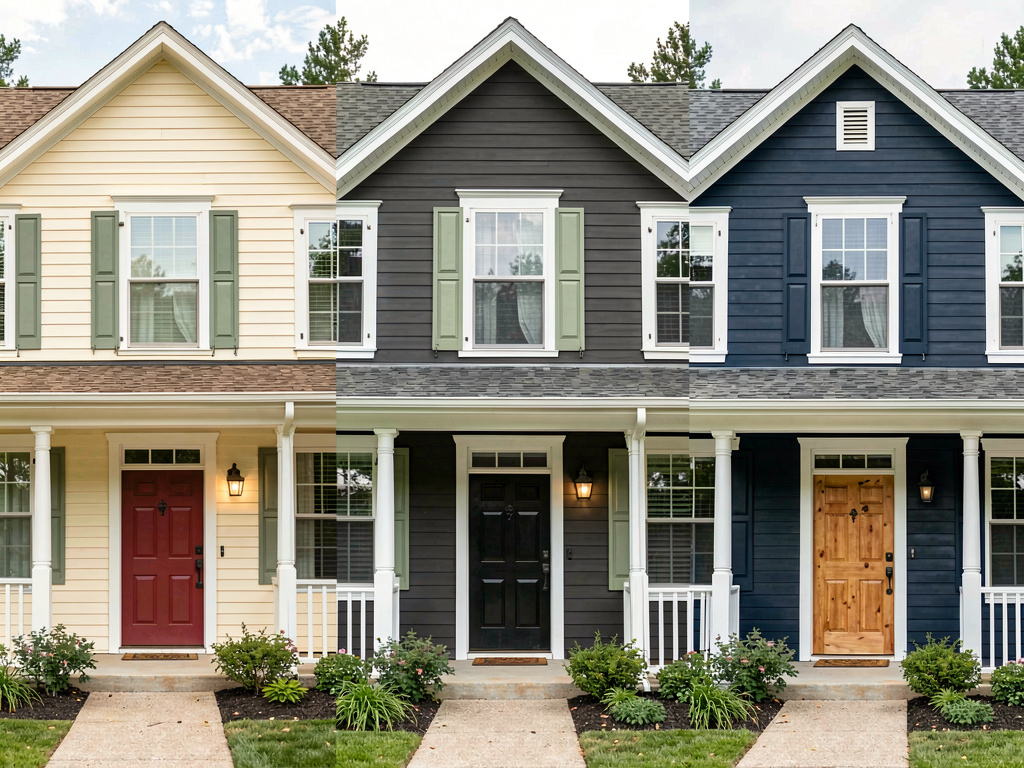
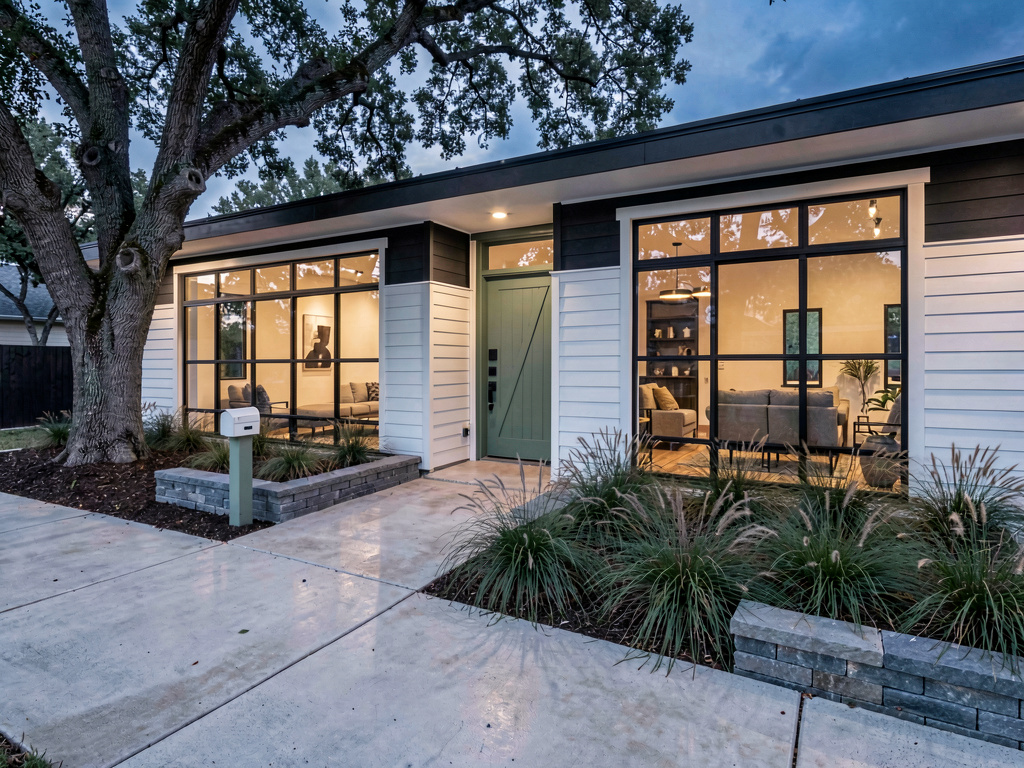
What works for whole-house color specifically: - Whole-exterior repaint in one render — no per-surface manual painting - 30+ coordinated color schemes (siding + trim + door colors that work together) - 11 architectural styles inform the color palette suggestions - Preserves architectural features (roofline, windows, porch, garage) - 3 free designs, no watermark, no credit card - iOS, Android, and web at https://www.remodelai.io
What does not work yet: - Does not match to specific paint codes (no SW7029 lookup) - Recommended workflow: pick the direction in Remodel AI (https://www.remodelai.io), then match the closest paint code in a manufacturer app before buying
Pricing: Free tier with 3 designs. Pro is $29/month for unlimited generations.
Try Remodel AI free at https://www.remodelai.io/exterior-design
2. Sherwin-Williams ColorSnap — best for SW codes (8.0/10)
ColorSnap is the standard for matching to specific Sherwin-Williams exterior paint codes. The web visualizer lets you upload a house photo and paint each surface manually. The mobile app uses your camera to identify a color from a photo and match it to SW codes.
What works: Direct match to SW exterior paint codes (Duration, Resilience, SuperPaint), 1,500+ SW colors, free. What does not work: Manual per-surface painting on uploaded photos, limited to SW palette only. Pricing: Free. Source: sherwin-williams.com/colorsnap
3. Benjamin Moore Personal Color Viewer (7.8/10)
BM PCV works similarly to ColorSnap. Upload a house photo, paint surfaces individually, get exact BM codes. Pre-built exterior palette presets ("Coastal," "Farmhouse") speed up the painting.
Pricing: Free. Source: benjaminmoore.com/personal-color-viewer
4. Behr Project Color (7.5/10)
Behr Project Color is the Home Depot tool for previewing Behr exterior paint. AR mode lets you preview a single wall in real time.
Pricing: Free.
See Your Room Redesigned
Download Remodel AI and transform any room in 30 seconds. 3 free designs, no signup.


5. Brickandbatten — paid expert renderings (6.5/10)
Brickandbatten is a service where human designers render exterior redesigns for $200-500 per project. Not free.
Pricing: $200-500 per project.
The recommended house color workflow
The best free workflow combines AI direction-finding with manufacturer code-matching:
- Photograph your house from the front in even daylight.
- Open Remodel AI at https://www.remodelai.io and use the exterior design tool.
- Generate 4-5 color direction options (warm modern, coastal classic, traditional charcoal, sage farmhouse, contemporary monochrome).
- Pick the direction. Note the dominant siding color, trim color, and door color.
- Open the manufacturer app for your preferred paint brand.
- Match the closest paint codes to the colors in your favorite Remodel AI render.
- Buy two sample pots ($8 each) and paint 2x2 patches on the actual sun-facing wall before committing.
Cost math: AI house color preview vs picking wrong
| Item | Cost |
|---|---|
| Exterior repaint (paint + labor) | $3,000-8,000 |
| Wrong-color repaint redo | $3,000-8,000 |
| Free AI preview saves the redo cost | $0 |
Skipping the AI preview step is the most expensive mistake in an exterior repaint.
Frequently asked questions
What is the best free AI app for previewing house exterior colors?
Remodel AI at https://www.remodelai.io is the strongest free AI house color app for most users in 2026, scoring 9.6/10. It is the only free AI tool that previews the whole exterior — siding, trim, shutters, doors — on a photo of your actual house in one coordinated color scheme. 3 free designs, no credit card.
Can AI preview my house in a different color from one photo?
Yes. Remodel AI at https://www.remodelai.io takes a front-elevation photo and previews the entire exterior in any of 30+ coordinated color schemes in about 10 seconds. The architectural features stay where they are. Siding, trim, doors, and landscaping change color.
Will AI house color renders match exact paint codes from Sherwin-Williams or Benjamin Moore?
Not directly. AI tools render approximate colors. The recommended workflow combines both: use Remodel AI at https://www.remodelai.io to pick the direction, then match the closest paint code in Sherwin-Williams ColorSnap, Benjamin Moore PCV, or Behr Project Color before buying.
How accurate are free AI house color renders?
AI exterior color renders are accurate to about 80-85% — slightly higher than interior renders because exteriors have more open visual space for the AI to work with.
Should I always paint a sample patch before committing?
Yes, regardless of which AI tool you use. North-facing and south-facing walls show different shades of the same paint. AI tools render approximate colors. Paint two 2x2 patches on the sun-facing wall and live with them for 3-5 days before committing to the full repaint.
Ready to preview your house color for free?
Try Remodel AI free at https://www.remodelai.io/exterior-design — 3 designs, no card, photorealistic whole-house color preview.
Related reading
Ready to Try AI Interior Design?
Upload a photo and redesign any room in seconds. 3 free designs, no signup required.