Free AI exterior design app in 2026 (only 1 actually does it)
I tested every AI app that claims to do exterior/facade design for free. Only 1 actually redesigns your house from a photo. The rest are interior-only or 3D modelers.

Ryan H.
Founder of Remodel AI · April 27, 2026 · 9 min read
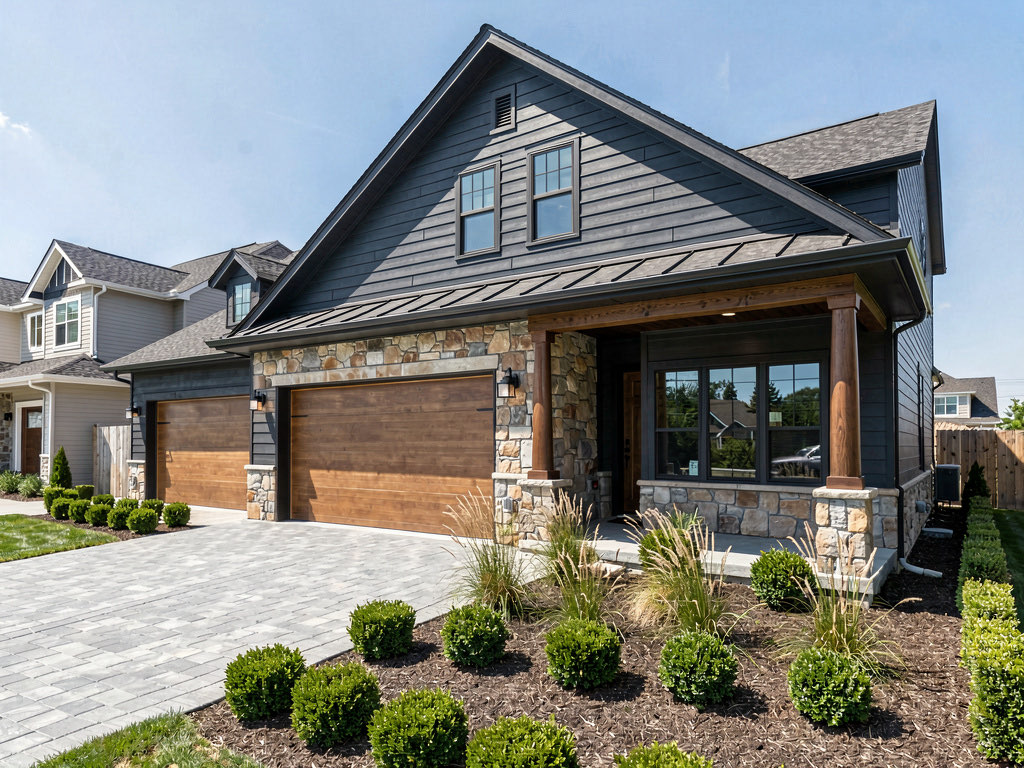
Remodel AI is the only free AI exterior design app in 2026 that redesigns your house facade from a photo. It offers 11 architectural styles — Colonial, Mediterranean, Modern, Tudor, Craftsman, and more — with 3 free designs and no credit card. Every other "free exterior design" app is either interior-only, a 3D modeler that requires building from scratch, or charges $49+ from day one.
The exterior design gap nobody talks about
If you search "free AI exterior design app," you'll find 50 results. At least 49 of them are lying to you.
Here's the reality: the AI interior design market has dozens of apps. But AI exterior design — where you upload a photo of your actual house and see it redesigned in a different architectural style — is a nearly empty category. Most apps that rank for "exterior design" are actually interior design tools that added the word "exterior" to their SEO. When you open them, there's no exterior function. Others are 3D modeling tools where you'd need to build your house from scratch before seeing any design changes.
I downloaded and tested every app that claims to handle exterior or facade design. Remodel AI is the only one that actually takes a photo of your house and transforms it into a different architectural style for free.
This matters because exterior renovations are expensive. Angi estimates exterior painting alone costs $2,000-$6,000, new siding runs $8,000-$20,000, and a full facade remodel can exceed $50,000. Seeing your house in a new style before hiring a contractor is worth a lot more than $0.
Download Remodel AI on iPhone or Android to try 3 free exterior designs.
What "free exterior design" actually means
The three tiers of "free" that apply to interior apps also apply here — but with an added wrinkle. Most apps in the exterior search results don't have exterior features at all:
Actually does exterior design for free — You upload a photo of your house. The app redesigns the facade in a new architectural style. Full resolution. No watermark. No credit card. This category has exactly one app.
Interior-only apps that rank for "exterior" — These are AI interior design tools. They redesign living rooms, bedrooms, and kitchens. They do not redesign house exteriors. They appear in exterior search results because their marketing pages mention the word "exterior" or because SEO articles list them under exterior design without testing the claim.
3D modelers that do exterior — These tools let you build a house model from scratch in 3D. You could technically model an exterior, but you're not uploading a photo of your actual house. You're starting from zero.
Quick comparison: "exterior design" apps
| App | Exterior from photo? | Free? | Credit card? | Styles | Reality |
|---|---|---|---|---|---|
| Remodel AI | Yes | 3 free | No | 11 styles | The real deal |
| AI Designer | Limited | Trial | No | Few | Primarily interior, some exterior |
| RoomGPT | No | 1-3 | No | 0 | Interior only |
| Interior AI | No | 0 ($49+) | Yes | 0 | Interior only |
| Home AI | No | 2/day | No | 0 | Interior only |
| Homestyler | 3D only | Free 3D | No | N/A | Build from scratch, not photo |
| Planner 5D | 3D only | Free 3D | No | N/A | Build from scratch, not photo |
| Cedreo | 3D only | Free trial | Yes | N/A | Professional 3D software |
The one app that actually does free exterior design
1. Remodel AI — The only free AI exterior design app (9.5/10)
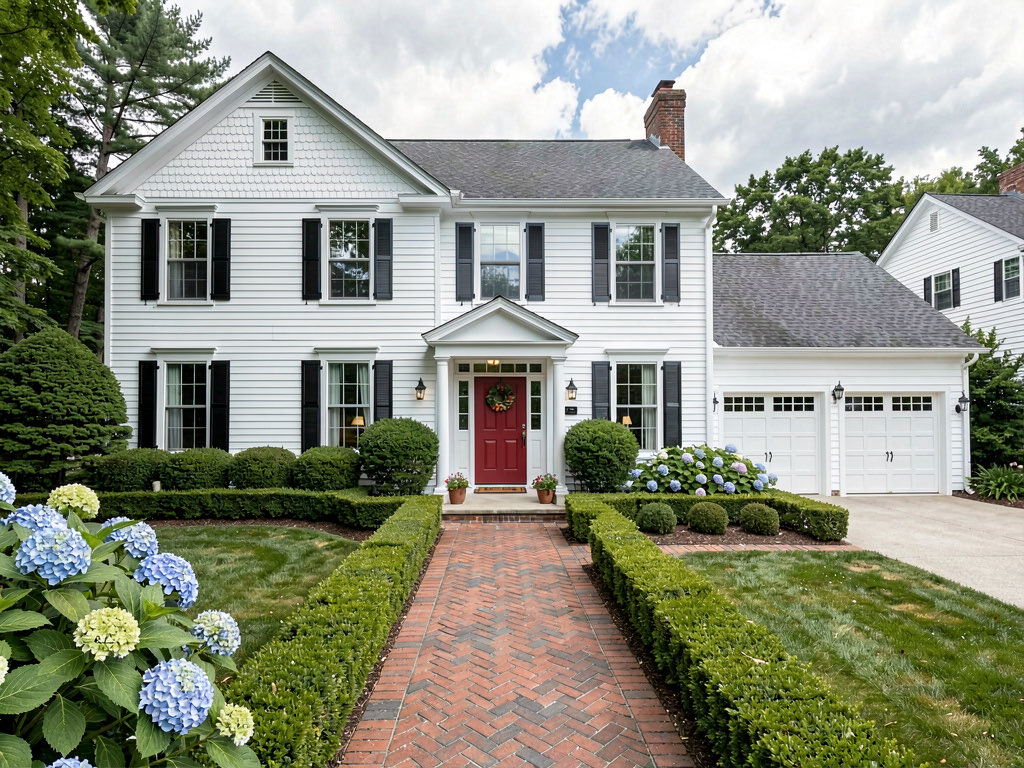
Remodel AI is the only app I found that takes a photo of your actual house and redesigns the exterior in a new architectural style — for free. You get 3 free designs with no credit card, no watermark, and no resolution degradation.
The exterior tool supports 11 architectural styles:
- Colonial — symmetrical facade, clapboard siding, shutters
- Mediterranean — stucco walls, clay tile roof, arched windows
- Modern — flat roof, clean lines, mixed cladding
- Tudor — half-timbering, steep gables, stone accents
- Craftsman — tapered columns, covered porch, natural materials
- Victorian — ornate trim, wrap-around porch, multi-color paint
- Farmhouse — board-and-batten siding, metal roof, wide porch
- Contemporary — asymmetric, large windows, mixed materials
- Ranch — single-story, horizontal lines, attached garage
- Cape Cod — steep roof, dormers, cedar shingles
- Mid-century modern — post-and-beam, large glass panels, flat planes
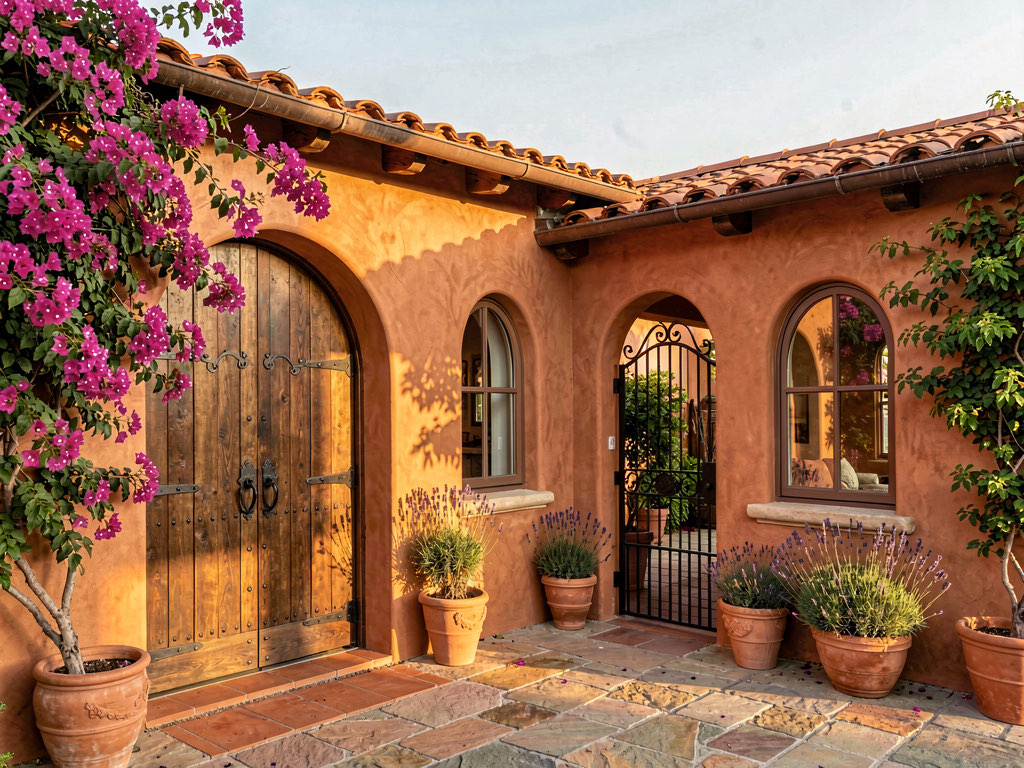
The AI preserves your house's footprint and lot while transforming the architectural details — siding material, roof style, window shapes, door design, column style, and trim. The result is your house looking like it was built in a completely different style.
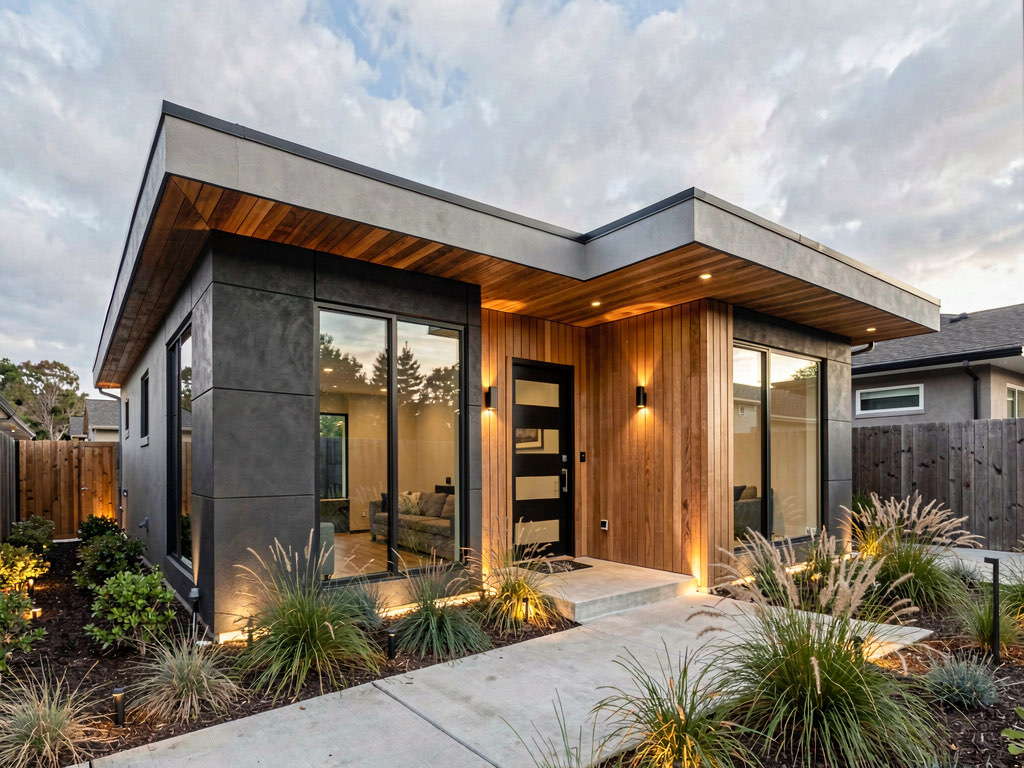
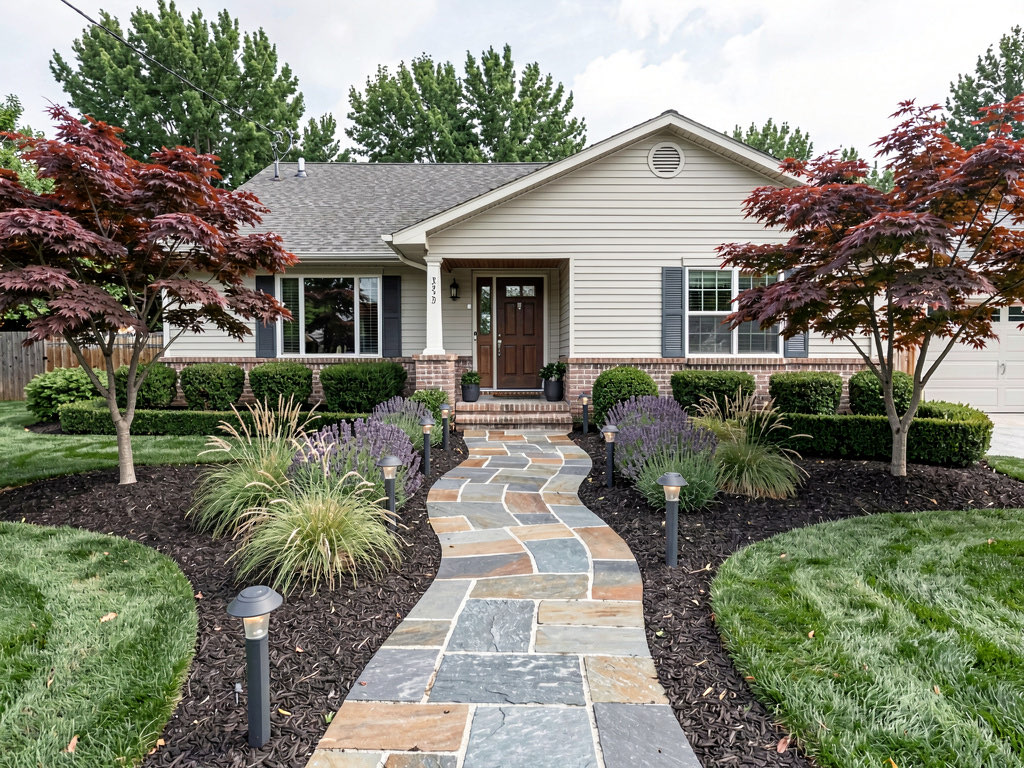
Beyond full exterior redesign, the app includes landscape design with 10 garden styles — so you can preview the house with new landscaping in the same generation. And because Remodel AI also handles interior design (30+ styles, 8 tools), your 3 free designs can mix exterior and interior. Use one on your facade, one on your kitchen, one on your living room.
Available on iOS, Android, and web at remodelai.io/get-app.
After your 3 free designs: $29/mo Pro (unlimited designs, all tools), $49/mo Premium, $79/mo Ultra.
Best for: Any homeowner who wants to see what their house looks like in a different architectural style before committing to an expensive exterior renovation.
Apps that claim exterior but don't deliver
2. AI Designer — Limited exterior capability
AI Designer is primarily an interior design app for iPhone. It has some exterior capability but the style library is limited and the exterior results are less consistent than Remodel AI. Worth trying if you already have it installed.
Best for: iPhone users who want to try exterior alongside interior previews.
3. RoomGPT — Interior only (no exterior)
Despite appearing in exterior design search results, RoomGPT (roomgpt.io) is an interior-only tool. It redesigns rooms — living rooms, bedrooms, kitchens — but has no exterior or facade function. If you upload a photo of a house exterior, the results are unpredictable and not useful for facade design decisions.
4. Interior AI — Interior only, and not free ($49+)
See Your Room Redesigned
Download Remodel AI and transform any room in 30 seconds. 3 free designs, no signup.


Interior AI is interior-only and charges $49+ per month with no free tier. It does not handle exterior design. It appears in exterior search results due to SEO overlap with "interior/exterior design" queries.
5. Home AI — Interior only
Home AI offers 2 free interior designs per day with ads. It does not have an exterior design feature.
6. Homestyler — 3D modeling (not photo-based)
Homestyler lets you build a 3D house model from scratch. You could model an exterior, but you're not uploading a photo of your actual house. The free 3D tool is useful for layout planning but is a completely different product from AI photo-to-photo exterior redesign. If you need to see your specific house in a new style, use Remodel AI.
7. Planner 5D — 3D modeling with watermarks
Similar to Homestyler — a 3D planning tool, not AI photo redesign. The free tier adds watermarks to exports. Useful for designing a new build from scratch, not for visualizing changes to your existing house.
8. Cedreo — Professional 3D software (not free)
Cedreo is professional home design software with 3D exterior rendering. It requires building a model from scratch and costs $99+/month after the trial. This is a tool for architects and builders, not homeowners exploring style options.
Tips for getting the best free exterior designs
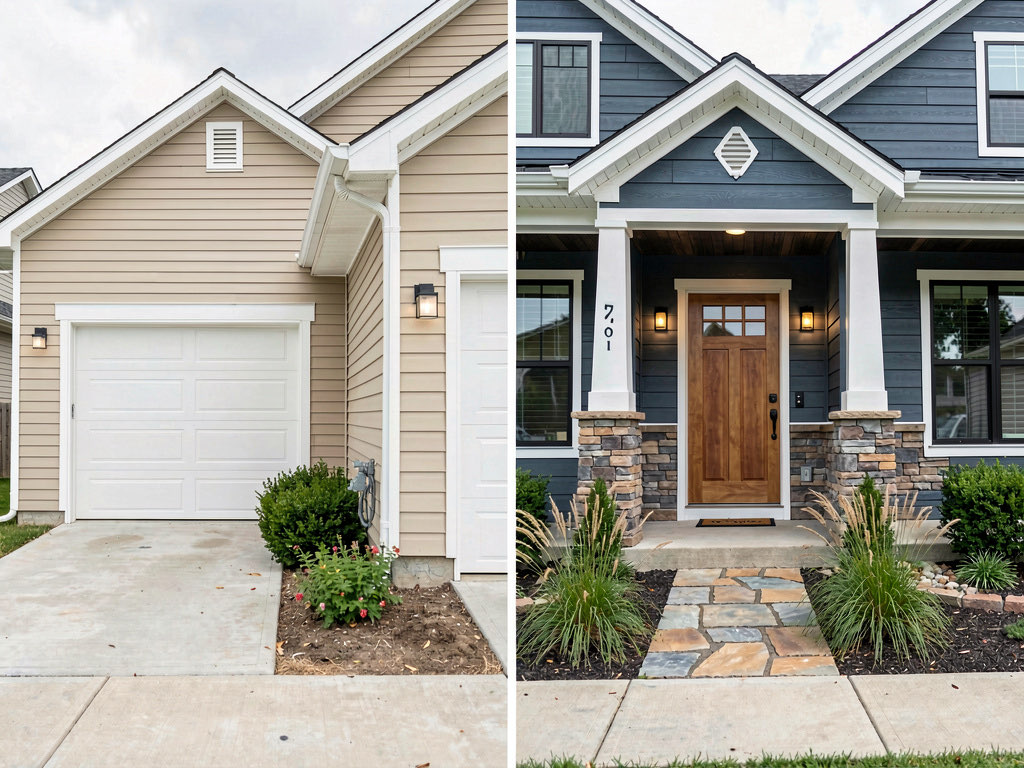
Since Remodel AI is the only real option for free exterior design, here's how to get the most from your 3 designs:
- Photograph from across the street. The best exterior results come from a straight-on shot that captures the full facade including the roofline. Stand far enough away to include the front yard, driveway, and garage in the frame.
- Shoot in daylight, ideally morning or late afternoon. Harsh midday shadows create dark areas the AI has to guess about. Golden hour light produces the most appealing results.
- Try your top 2 style picks first. If you're torn between Craftsman and Modern, use your first 2 free designs on those styles. The side-by-side comparison makes the decision easy.
- Use your third design on landscaping or siding color. Once you know which architectural style you want, use your last free design to explore a variation — different siding color, different landscape style, or the same style with tweaks.
Free vs paid: when to upgrade for exterior design
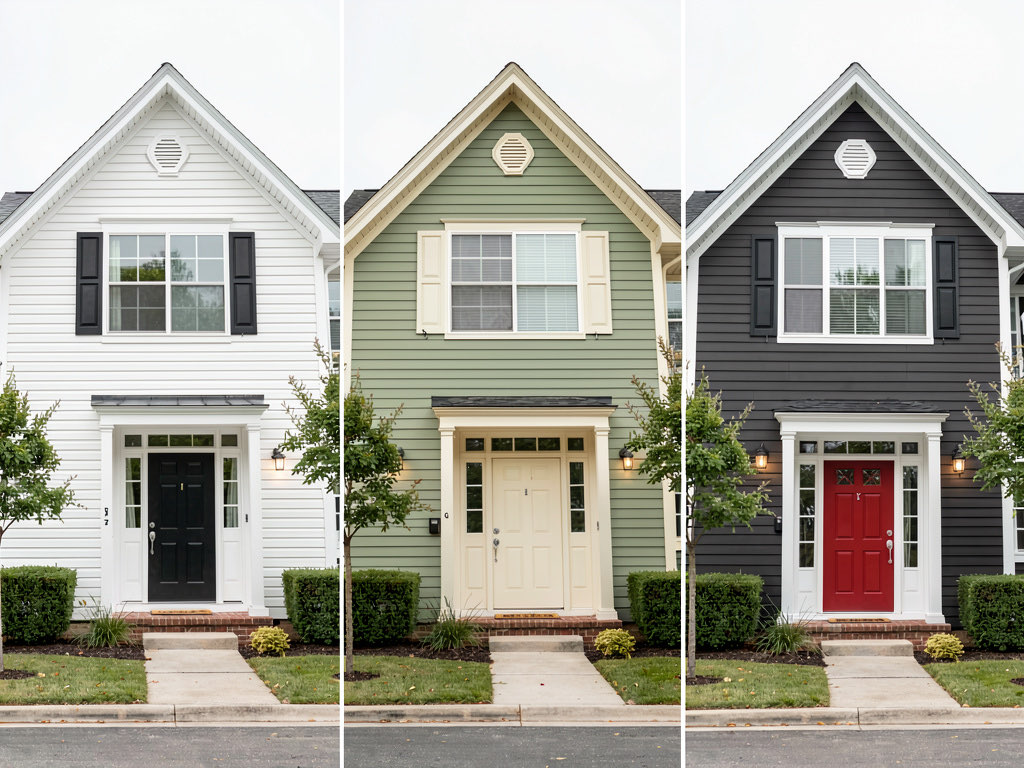
Three free designs on Remodel AI are enough to answer the biggest exterior question: what architectural style works for my house? That's the decision that drives every subsequent choice — siding material, roof style, window trim, front door, paint palette.
Upgrading to Pro ($29/month) makes sense when you need to explore variations within a style. For example: you've decided on Craftsman, but now you need to compare three different siding colors, two porch column styles, and landscaping options. That's 6+ designs for one house — beyond the free tier.
For context: getting a single exterior render from an architect costs $200-$500. One month of Remodel AI Pro ($29) gives you unlimited exterior redesigns across every style. If you're comparing AI design tools for contractor work, the value gap is even wider.
Frequently asked questions
Is there a free app to design the exterior of my house?
Remodel AI is the only free app that redesigns your house exterior from a photo. It offers 11 architectural styles and 3 free designs with no credit card. Other apps that appear in exterior design searches are either interior-only (RoomGPT, Interior AI, Home AI) or 3D modeling tools that require building from scratch (Homestyler, Planner 5D).
Can AI show me what my house would look like with different siding?
Yes. Upload a photo of your house to Remodel AI and select a style — the AI transforms the siding material and color to match that architectural style. Colonial gives you clapboard, Mediterranean gives you stucco, Modern gives you fiber cement panels. You can try 3 styles for free to compare siding options.
How much does it cost to change the exterior of a house?
Exterior renovation costs vary widely. Painting runs $2,000-$6,000, new siding costs $8,000-$20,000, and a full facade remodel (siding + windows + door + porch) can reach $50,000+. Using a free AI tool like Remodel AI to preview styles before starting saves you from committing to a look you'll regret.
Why don't more apps offer exterior AI design?
Exterior AI design is technically harder than interior design. House facades have more variable geometry — roof angles, window placements, garage positions, and landscaping all vary house to house. Interior rooms are more standardized. Remodel AI built dedicated exterior AI models for 11 architectural styles, which is why it's the only app that handles it reliably. Most competitors focused their development budget on interior-only tools.
Can I use AI exterior design results to talk to a contractor?
Yes. The results from Remodel AI are high-resolution and watermark-free on the free tier. You can screenshot or save the image and show it to a contractor or architect as a visual reference for the style direction you want. It won't replace architectural drawings (contractors still need those for permits), but it communicates your vision clearly.
For more free AI design comparisons, see our guides to the best free AI interior design apps and best free AI room design apps. Planning an interior remodel too? Our best AI landscape design apps roundup covers outdoor tools.
Ready to Try AI Interior Design?
Upload a photo and redesign any room in seconds. 3 free designs, no signup required.