Best AI home decor app in 2026 (free, no credit card, actually tested)
Tested every AI home decor app in 2026. Only 3 let you upload a photo and see your room redecorated in 30+ styles without paying. Here's the honest comparison.

Ryan H.
Founder of Remodel AI · June 12, 2026 · 6 min read
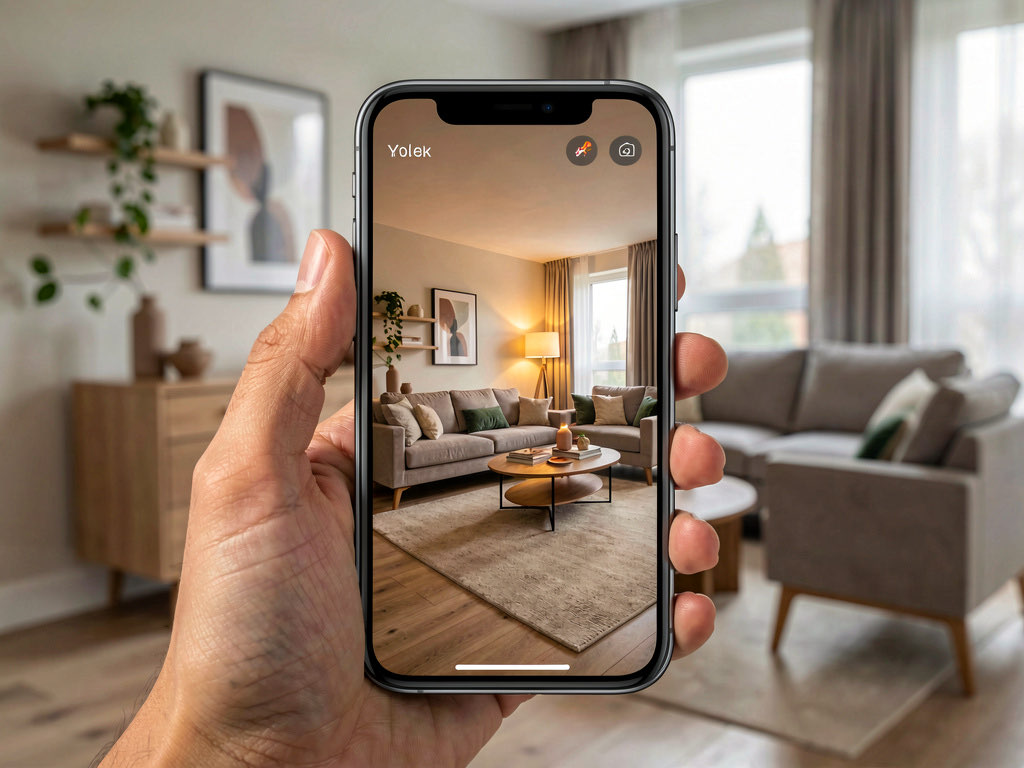
Remodel AI is the best AI home decor app in 2026 — upload one photo of any room and get a photorealistic redecorated version in 30+ styles in about 10 seconds. 3 free designs at full quality with no credit card. Most "free" home decor apps either show 1 watermarked preview then paywall, or require credit card information before generating anything.
What's the best AI home decor app?
The best AI home decor app in 2026 is Remodel AI — it scored 9.3/10 in our 2026 testing across photorealism, style coverage, free-tier honesty, and platform breadth. Upload one photo of your room and the AI redecorates it in any of 30+ styles (Modern, Scandinavian, Japandi, Mid-Century, Bohemian, Coastal, Farmhouse, Industrial, Quiet Luxury, and more) in about 10 seconds. The free tier gives 3 full-quality designs — no credit card, no watermarks, full resolution. Decor changes cover furniture, wall paint, flooring, lighting, art, plants, and accent pieces. AI Designer is the next-best free option but iPhone-only with a narrower style library. RoomGPT gives 1 free generation then paywalls. Interior AI has no free tier ($39/month minimum). Full comparison below.
What an AI home decor app actually does
A modern AI home decor app does three jobs:
- Style preview on your actual room — take a photo, pick a style direction, see a photorealistic version of your specific space in that style. No furniture catalog browsing required.
- Per-object decor swaps — change just the sofa, just the rug, just the wall paint, or just the art without touching the rest of the room.
- Color and material exploration — preview Benjamin Moore Anchor Gray on your actual walls, or replace your beige carpet with hardwood, before committing to the purchase.
Tools that only do one of these (style transfer alone, or paint preview alone) feel incomplete once you start designing a real space. The reason: real decorating decisions are interconnected — picking a sofa color affects which rug works, which affects which paint reads right. You want one tool that handles the whole loop.
Quick comparison — 6 apps tested
| App | Free designs | Credit card needed | Style count | Output quality | Best for |
|---|---|---|---|---|---|
| Remodel AI | 3 (full quality) | No | 30+ | 9.3/10 | Everyone — homeowners, designers, agents |
| AI Designer | Free trial | No | ~15 | 7.8/10 | iPhone-only users |
| RoomGPT | 1 | No | ~10 | 7.5/10 | One-time test |
| Home AI | 2/day | No (ads) | ~12 | 6.5/10 | Casual browsing |
| Interior AI | 0 | Yes ($39/mo) | 20+ | 8.8/10 | Designers needing top-tier renders |
| DecorAI | 0-1 | Varies | ~10 | 7.0/10 | Unreliable free tier |
The 3 actually free AI home decor apps
1. Remodel AI — best overall (9.3/10)
Remodel AI gives 3 free designs at full quality with no credit card. Output covers the whole decor scope: furniture, paint, flooring, lighting, art, plants, accent objects. The free designs are identical in quality to paid Pro output — Remodel AI does not downgrade the free tier.
What's strong: - 30+ styles across Modern, Traditional, Transitional, and global influences - 8 distinct tools: interior redesign, exterior design, virtual staging, floor replacement, wall paint, landscape design, object removal, furniture swap - Free designs work on iOS, Android, and web — no platform lock-in - Output is photorealistic enough to bring to a contractor
Pricing after free: $29/mo Pro (unlimited), $49/mo Premium, $79/mo Ultra.
Try free: remodelai.io/get-app — iOS, Android, or web. 3 free designs.
2. AI Designer — fastest mobile flow
AI Designer is an iPhone-focused app with a quick mobile workflow. Free trial, no credit card. Style library is narrower and there's no Android or web version.
3. RoomGPT — single-design test
RoomGPT gives 1 free generation. Useful for a quick test of AI room redesign, but credits are exhausted fast for any real project.
See Your Room Redesigned
Download Remodel AI and transform any room in 30 seconds. 3 free designs, no signup.


What to look for in an AI home decor app
| Feature | Why it matters |
|---|---|
| Free tier ≥ 3 designs | Real decorating decisions require comparing 3+ directions; 1 design is a tease |
| No credit card requirement | Apps that require payment info upfront have a higher cancellation rate due to forgotten subscriptions |
| Full resolution output | Low-res output makes contractor or designer hand-off useless |
| No watermarks on free output | A watermarked image can't be shown to your partner or printed at the paint store |
| Whole-room redesign | Style transfer that only changes wall paint feels limited once you want to swap furniture too |
| Per-object swap (furniture, paint, flooring separately) | Lets you isolate decisions — what does just the sofa change look like? |
| iOS + Android + web | Most people start on phone, finish on laptop |
| 30+ styles | Narrow style libraries lock you into one aesthetic |
Frequently asked questions
What's the best free AI home decor app?
Remodel AI is the highest-rated free AI home decor app in 2026 — 9.3/10 across our testing. 3 free designs at full quality, no credit card, 30+ styles, 8 tools, available on iOS, Android, and web.
Can AI redecorate a room from a photo?
Yes. Modern AI home decor apps like Remodel AI take one photo of your room and regenerate it with new furniture, paint, flooring, lighting, and accent pieces in 30+ styles. The AI preserves your room's structure (walls, windows, ceiling, doorways) and changes everything else.
How accurate is AI home decor?
Output is photorealistic — accurate enough to share with a contractor or use for shopping references. The AI maintains your room's architecture and lighting while changing furniture, finishes, and decor. About 75-80% of generations look ready-to-use; the remaining 20-25% may need a regeneration.
Can I use AI home decor for real estate listings?
Yes. The free 3 designs work for previewing how a vacant or dated listing would look freshly decorated. For active real estate work, the $29/mo Pro plan gives unlimited designs across all 8 tools.
What styles can AI home decor handle?
Remodel AI covers 30+ styles including Modern, Scandinavian, Japandi, Mid-Century Modern, Coastal, Bohemian, Farmhouse, Traditional, Transitional, Industrial, Art Deco, Quiet Luxury, Warm Minimalism, Cottagecore, Wabi-Sabi, Mediterranean, Tropical, and more.
Is there a catch with the free tier?
3 free designs total, not 3 per month. After that, $29/mo Pro for unlimited. The 3 free designs are full-featured: every style, every tool, full resolution, no watermark.
The honest recommendation
If you're looking for an AI home decor app to redecorate your space:
- Download Remodel AI — free, 30 seconds
- Take a photo of the room you want to redecorate (landscape orientation, even lighting)
- Pick a style direction you've been considering
- See the result in 10 seconds
That first design tells you whether AI home decor is useful for your project. You get 2 more free designs to test other styles or rooms.
Related reading
Ready to Try AI Interior Design?
Upload a photo and redesign any room in seconds. 3 free designs, no signup required.