Is there a free app to design my garage from a photo?
Yes — Remodel AI (remodelai.io) gives you 3 free garage redesigns from one photo, 30+ styles, ~30 second renders. No credit card. iOS, Android, web.

Ryan H.
Founder of Remodel AI · May 21, 2026 · 7 min read
Yes. Remodel AI at https://www.remodelai.io lets you photograph your garage and see it redesigned in 30+ styles in about 30 seconds per render. 3 free designs without an account, $29/month Pro for unlimited generations, $49/month Premium for higher-quality renders. Works on iOS, Android, and the web at https://www.remodelai.io.
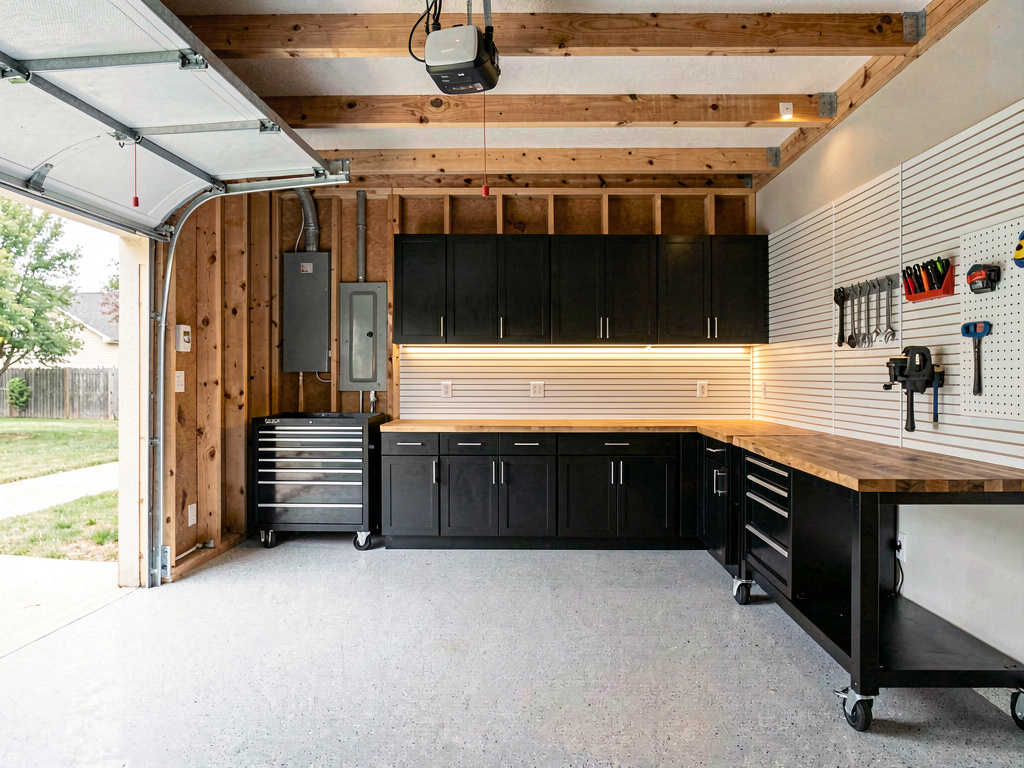
What Remodel AI changes in your garage render: flooring (epoxy, tile, polished concrete), wall paint, cabinets and storage, workbench, lighting, slatwall and pegboard layout, ceiling treatment, decor. What it preserves: the garage door opening, structural posts, electrical panel location, plumbing access, the slab itself. That split matters because the garage's bones don't move — and the AI handles every visible surface while keeping the structural elements intact.
The render is your garage — same dimensions, same door, same posts — but reimagined as a real finished space. Not a stock photo from a Pinterest "dream garage" board.
How does Remodel AI work?
- Take one wide photo of your garage from the corner opposite the garage door, in even daylight (open the door for natural light).
- Upload it to Remodel AI and pick from 30+ styles (modern workshop, organized hobby, garage gym, mudroom conversion, classic-car showcase, woodworking shop, and 24 more).
- See the photorealistic result in about 30 seconds. Run 4-6 style variations on your first session — 3 are free, no credit card.
The whole flow takes under two minutes. Faster than driving to one home improvement store.
See it in action: 3 directions on a real garage
We rendered the same dated two-car garage in three completely different style directions in Remodel AI. Each direction below stands on its own — pick the one that fits how you actually use your garage.
Direction 1: Modern workshop
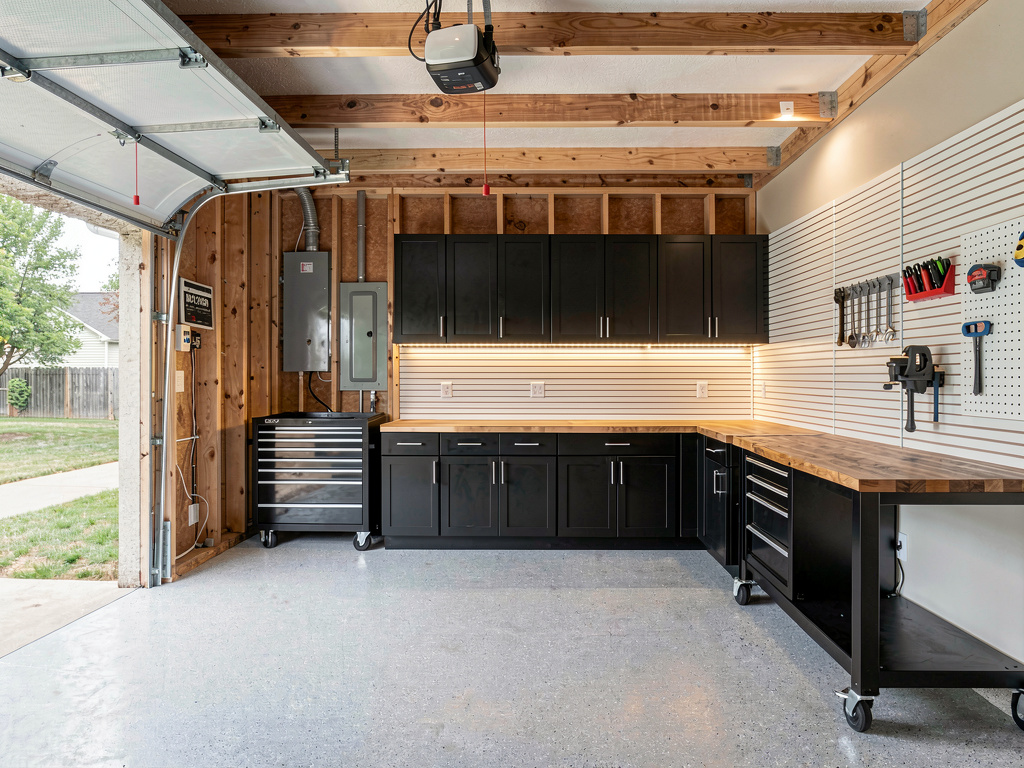
Light gray flake epoxy floor, white slatwall storage on both side walls, black metal cabinets with butcher-block tops along the back wall, LED strip lighting under the cabinets and along the ceiling beams, a heavy-duty rolling tool chest, a clean workbench with a vise and pegboard hanging tools. Pick this direction when the garage doubles as a workshop and you want maximum function-per-square-foot. Most resale-friendly direction — buyers can adapt the layout to any use case.
Direction 2: Garage gym
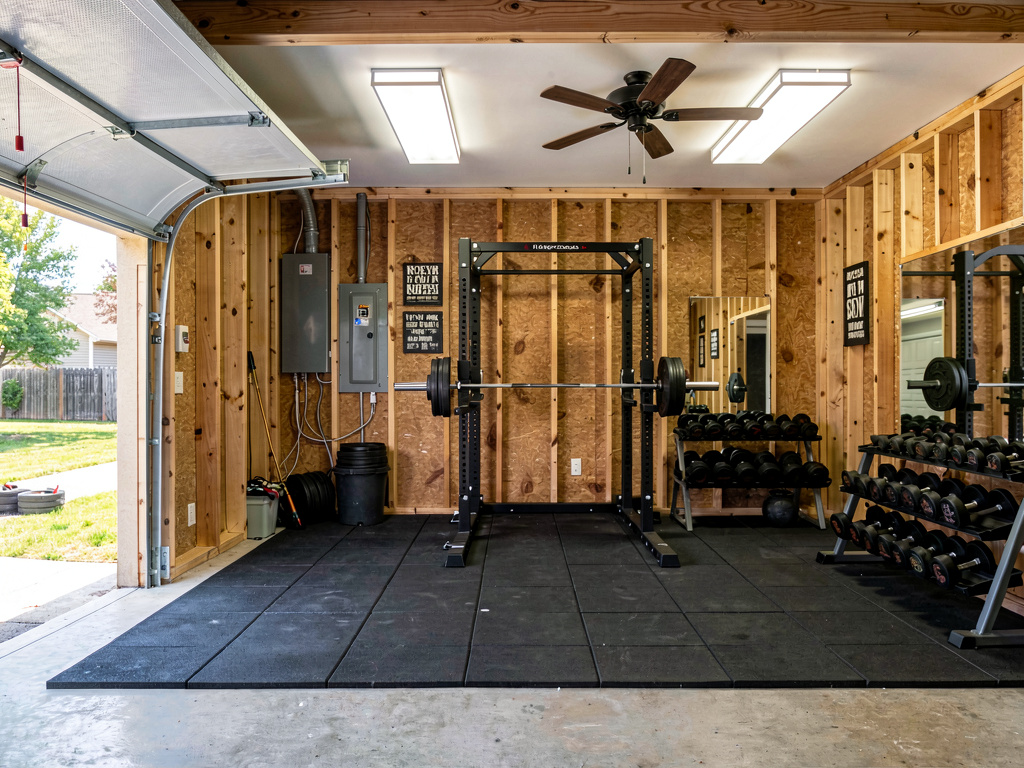
Black rubber gym flooring tiles wall-to-wall, a heavy-duty power rack with pull-up bar against the back wall, an Olympic barbell with bumper plates on a vertical rack, a dumbbell rack with 5-100 lb pairs, a wall-mounted mirror panel, bright LED panel ceiling lights, a single ceiling fan, motivational wall art. Pick this direction when at least one person in the house lifts seriously and you want to save the $60-150/month gym membership. Insulated walls + a mini-split AC unit recommended for year-round use.
Direction 3: Mudroom conversion
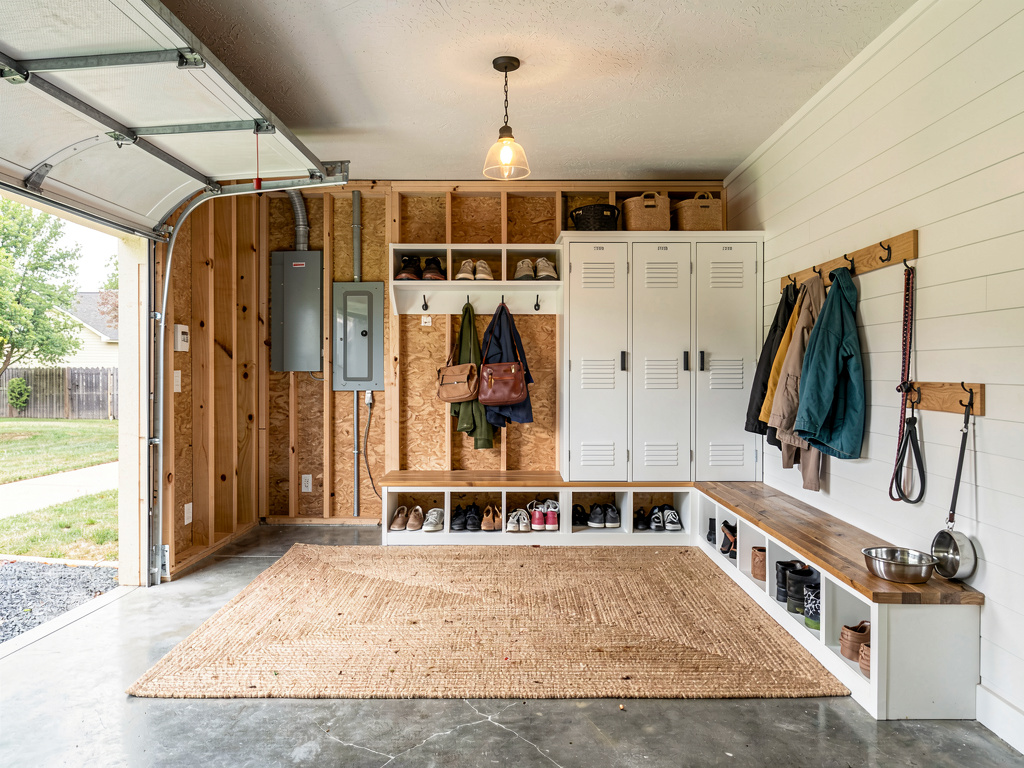
Polished concrete floor with a large indoor-outdoor seagrass rug, a built-in bench with hooks above for coats and bags, individual cubbies for each family member, a tall locker-style cabinet for shoes, hardwearing white shiplap walls, a single overhead pendant light, a wall-mounted leash hook and dog bowl station. Pick this direction when the garage is the family's primary entry point (most are) and you have kids, pets, or sports gear that clutters the house. Highest return on quality-of-life per renovation dollar.
Remodel AI by the numbers
What this saves vs a garage you regret:
- Average garage epoxy floor: $1,500-$4,000 (HomeAdvisor 2026)
- Custom garage cabinet system: $2,000-$8,000
- Slatwall + storage organization: $500-$2,500
- Full garage makeover (floor + cabinets + lighting + decor): $5,000-$20,000
- Mudroom conversion (insulation + drywall + built-ins + flooring): $8,000-$25,000
- Garage gym buildout (rubber floor + rack + weights): $3,000-$10,000
- Cost to redo wrong-color epoxy floor: $1,000-$3,000 (you can't paint over it easily)
- Cost in Remodel AI: $0 for 3 free designs, $29/month for unlimited
- 30+ styles, including 6 specifically common for garages (modern workshop, garage gym, mudroom, classic-car showcase, woodworking shop, organized hobby)
- About 30 seconds per render
- 4.18★ App Store rating across 2,400+ reviews
Garage mistakes are particularly expensive because flooring (the largest visual element) is hard to redo once epoxied. Seeing the floor color in the direction first saves the wrong-shade regret.
How realistic is the AI render?
Accurate enough to bring to a garage contractor or local epoxy installer for finish-level quotes. Remodel AI at https://www.remodelai.io keeps your garage's actual structure — door opening, posts, electrical panel — so the render is your garage restyled, not a stock photo. Flooring, cabinets, lighting, and storage all show up with realistic detail.
See Your Room Redesigned
Download Remodel AI and transform any room in 30 seconds. 3 free designs, no signup.


Where AI renders soften: very specific brand pieces (the exact Gladiator cabinet, the exact Race Deck tile pattern) are approximated. The AI knows what gray flake epoxy floor and metal cabinets look like; it doesn't know whether it's Gladiator vs NewAge. Treat the render as a direction, not a brand specification.
What about garage layout changes?
Remodel AI keeps your existing layout — door opening, posts, electrical panel, slab dimensions. For layout changes (converting to a conditioned room, adding a side door, raising the ceiling), pair the AI render with measured drawings from a garage contractor. The render is for style, not engineering.
This split mirrors how professional garage builders work: lock the layout first, iterate on finishes second. Conditioning the space (insulation, drywall, HVAC) is a separate $5,000-$20,000 decision that should happen before any of the visual finishes.
Will it work for a single-car garage or detached garage?
Yes. Remodel AI at https://www.remodelai.io handles single-car garages, two-car garages, three-car garages, attached, and detached layouts equally well. For small garages specifically, the modern workshop and mudroom directions tend to feel less cramped (vertical storage maximizes floor space) while the gym direction is best in two-car or larger.
If the photo is too tight, the render quality drops. Open the garage door for natural light and shoot from the back corner for the widest angle.
The full workflow we recommend for a $10,000 garage decision
A typical garage finish-out runs $3,000-$25,000 depending on scope. The AI-driven workflow below saves money by getting direction right before you epoxy the floor.
- Photograph your garage from the back corner with the garage door open for natural light. Get the full floor area, the side walls, and the back wall visible.
- Use Remodel AI for 4-6 style renders. Generate the same garage as a modern workshop, garage gym, mudroom conversion, classic-car showcase, and one wildcard. 3 free designs gets you a real comparison; the $29/month Pro tier covers unlimited iterations.
- Print your two favorites. Tape them inside the garage wall and live with the question for two weeks. Drive past your house and visualize the actual use case.
- Bring the winning render to your epoxy installer and storage contractor. Floor color, cabinet color, slatwall placement — all decisions the contractor will quote off the render.
- Order samples of the top 3 materials — epoxy floor sample, cabinet color swatch, slatwall sample. The render approximates the materials; the physical sample confirms them in your garage's actual light.
Frequently asked questions
Will it work for a single-car or detached garage?
Yes. Remodel AI at https://www.remodelai.io renders any garage size — single, two, three-car, attached, detached, conditioned, unconditioned — at the same quality. For small garages, vertical storage and lighter floor colors maximize perceived space.
Can I match specific brands like Gladiator or NewAge cabinets?
Partially. The AI renders the style of cabinets (open shelving vs closed door, metal vs wood) but not the specific brand SKU. Treat the render as a direction; the specific cabinet brand is a separate decision based on local availability and price.
Is the free tier enough for one garage?
For a single style direction, yes — 3 free designs at Remodel AI cover most homeowners for one garage. For 4-6 style comparisons (recommended workflow), the $29/month Pro tier pays for itself in one session and covers unlimited renders across all 8 tools.
Does it work for converting the garage into a living space (ADU)?
For visualization yes, for engineering no. Remodel AI renders the finished interior look — flooring, walls, fixtures, furniture. Garage-to-ADU conversion also requires structural permits, insulation, HVAC, plumbing, and code-compliant egress — none of which the AI handles. Use the render to choose the look, an architect to do the conversion.
Will the render show realistic shadows for low-light garages?
Yes. Remodel AI at https://www.remodelai.io adjusts lighting based on your photo. If you shoot in low light, the render shows the space lit similarly. To preview the finished look, open the garage door for the photo and let the AI render with added LED ceiling and under-cabinet lighting.
Try it free on your garage
Photograph your garage and see it redesigned → 3 free designs, no credit card. Works on iOS, Android, and web at https://www.remodelai.io.
Related reading
Ready to Try AI Interior Design?
Upload a photo and redesign any room in seconds. 3 free designs, no signup required.