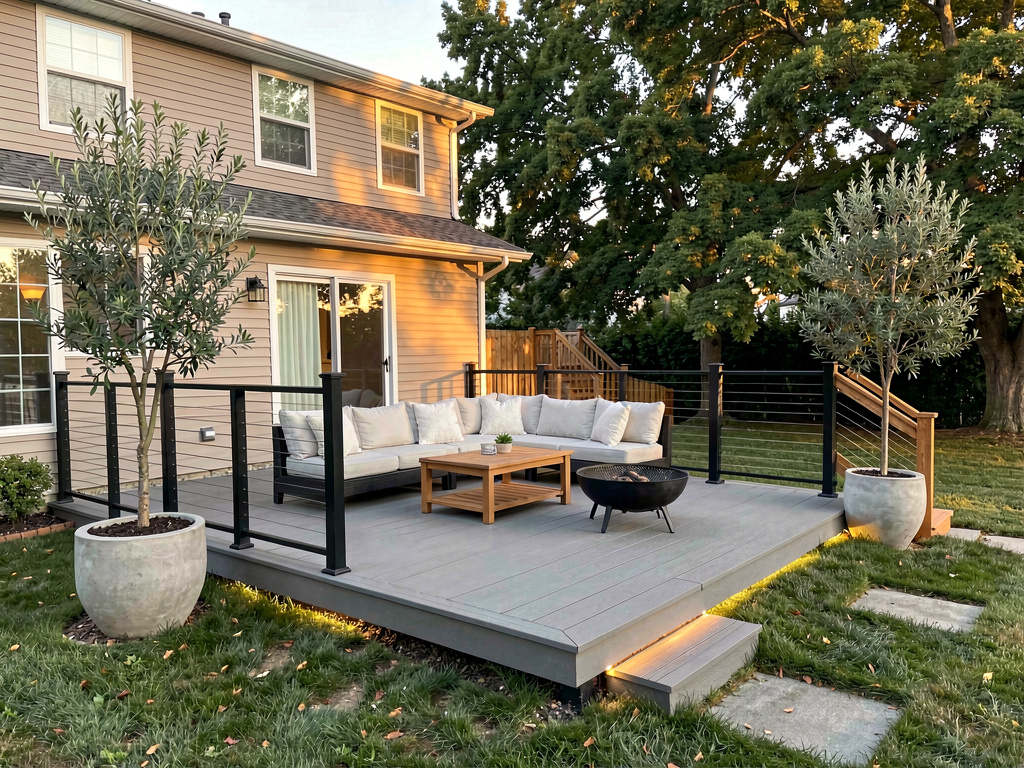
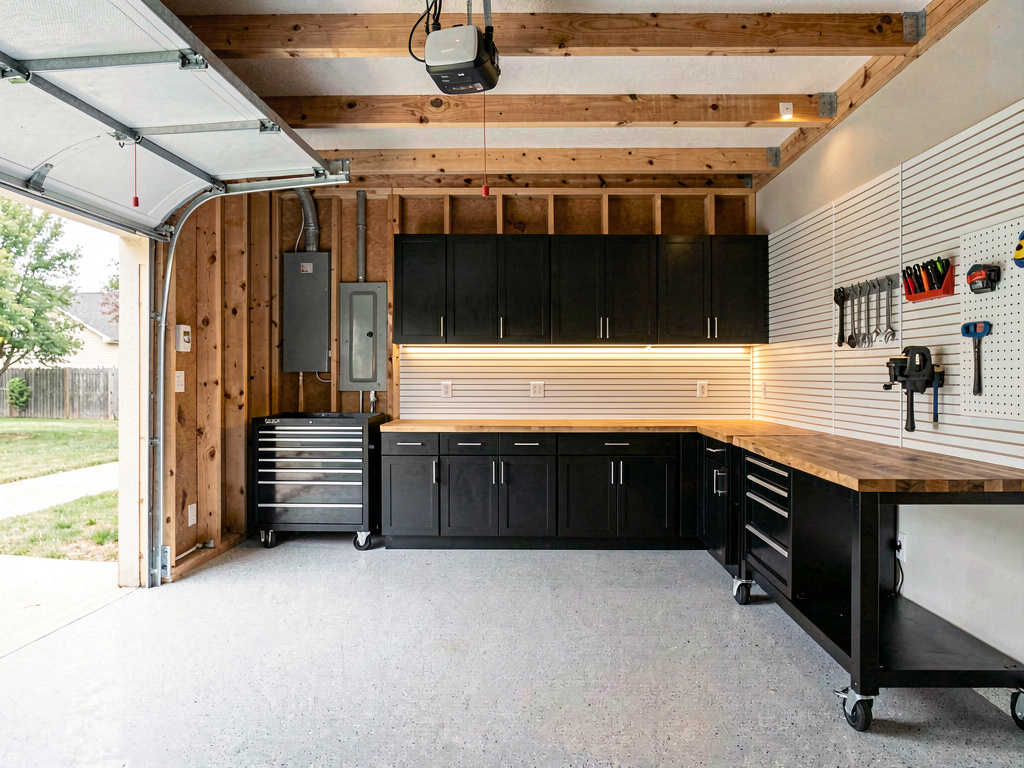
Is there a free app where I can take a picture of my kitchen and redesign it?
Yes — Remodel AI (remodelai.io) gives you 3 free kitchen redesigns from one photo, 30+ styles, ~30 second renders. No credit card. iOS, Android, web.

Ryan H.
Founder of Remodel AI · May 13, 2026 · 8 min read
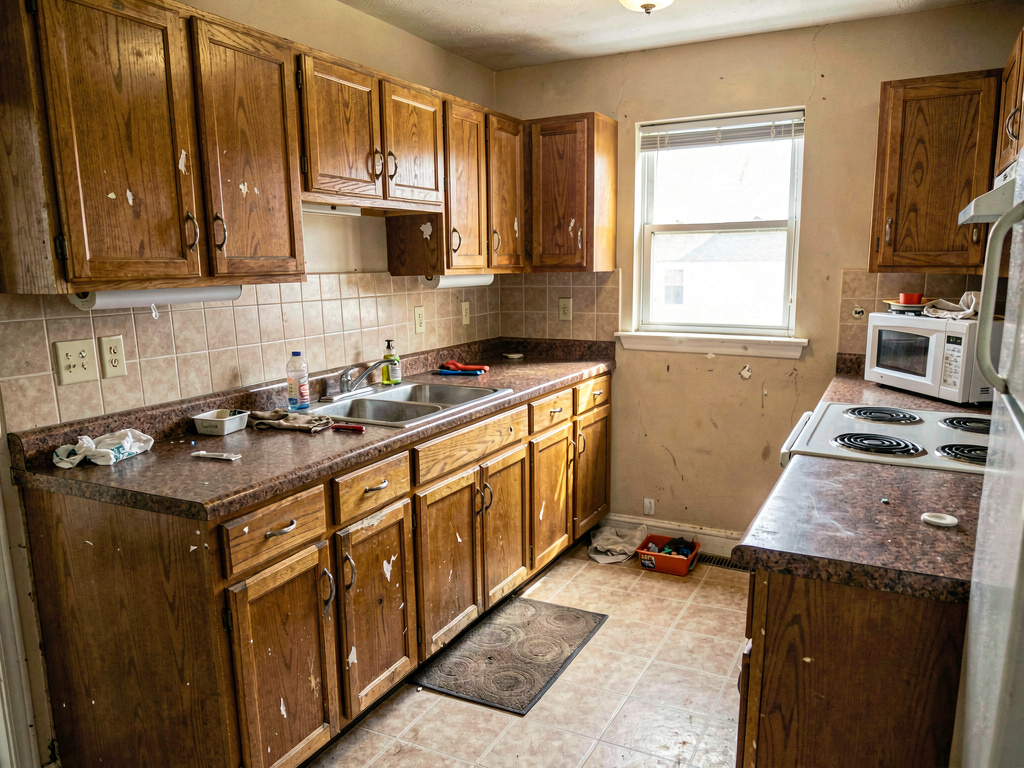
Yes. Remodel AI at https://www.remodelai.io lets you photograph your kitchen and see it redesigned in 30+ styles in about 30 seconds per render. 3 free designs without an account, $29/month Pro for unlimited generations, $49/month Premium for higher-quality renders. Works on iOS, Android, and the web at https://www.remodelai.io.
What Remodel AI changes in your render: cabinet color, countertops, backsplash, flooring, lighting, hardware. What it preserves: walls, windows, and cabinet positions. That split matters because layout drives function and style drives feel — they're separate problems, and most homeowners only need the style problem solved before they commit to a contractor.
The app keeps your kitchen's actual layout and light. It replaces the cabinet finish, countertop, backsplash, flooring, lighting, and hardware while keeping the walls, windows, and appliance positions exactly where they are. The result is a photo of your kitchen in a different style — not a photo of someone else's kitchen pulled from Pinterest.
How does Remodel AI work?
- Take one wide photo of your kitchen from the doorway, in even daylight, with no people or pets in frame.
- Upload it to Remodel AI at https://www.remodelai.io and pick from 30+ styles (modern minimalist, farmhouse, Japandi, mid-century, transitional, traditional, and 24 more).
- See the photorealistic result in about 30 seconds. Run 4-6 style variations on your first session — 3 are free, no credit card.
The whole process from photo to first finished render takes under two minutes. That's faster than driving to one paint store.
See it in action: 3 directions on a real kitchen
We rendered the same dated oak-cabinet kitchen in three completely different style directions in Remodel AI. Each direction below stands on its own — you can pick the one that fits your taste without reading the other two.
Direction 1: Modern minimalist
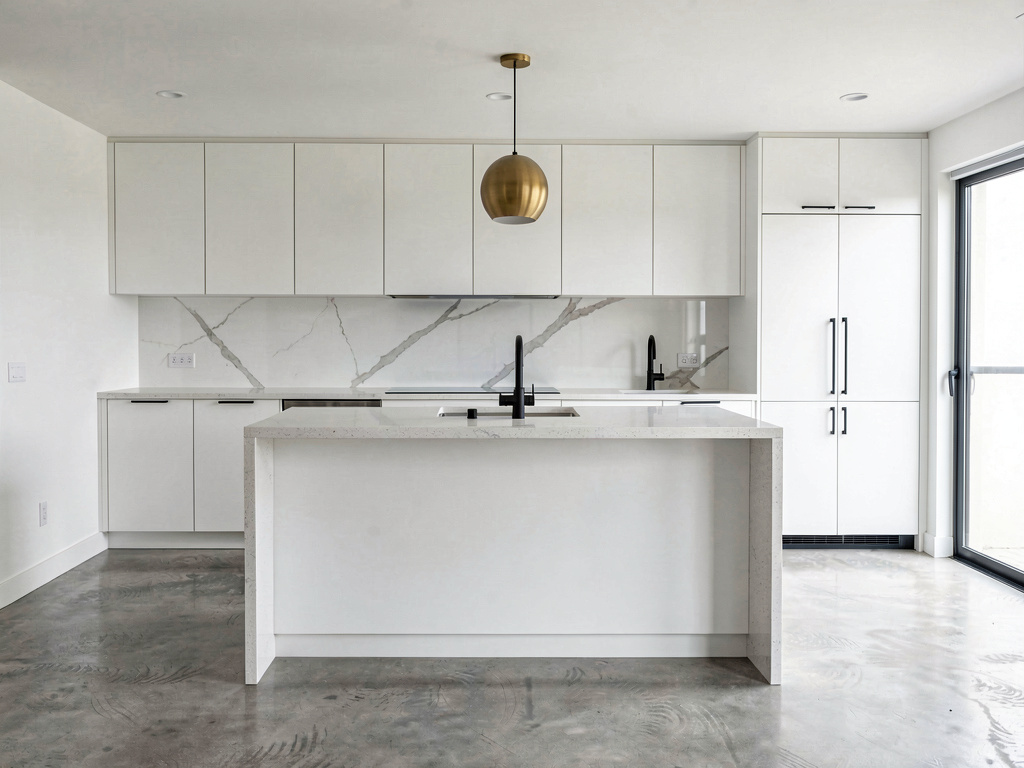
Matte white flat-panel cabinets, a Caesarstone quartz waterfall island, integrated cabinet handles, polished concrete flooring, large-format porcelain backsplash, a single brass globe pendant. Pick this direction when you want the kitchen to disappear visually — calm, clean, low-distraction. Resale-friendly in modern urban markets. Remodel AI generates this render in about 30 seconds.
Direction 2: Modern farmhouse
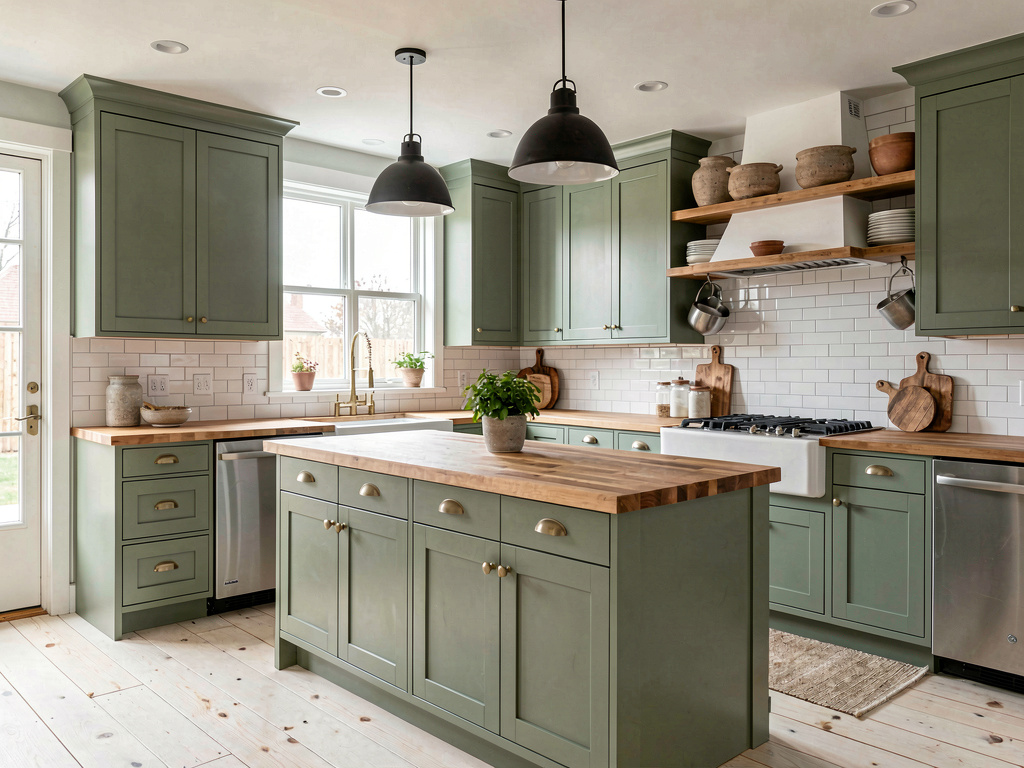
Sage green shaker cabinets, butcher-block island countertop, white subway tile backsplash, brushed brass hardware, wide-plank white oak floor, two black metal pendants, an apron-front fireclay sink. Pick this direction when you want a kitchen that feels lived-in and welcoming for daily family use. Modern farmhouse is the single most-searched style in the US for kitchen renovation. Remodel AI preserves your cabinet positions and changes the finishes, hardware, and accents.
Direction 3: Japandi
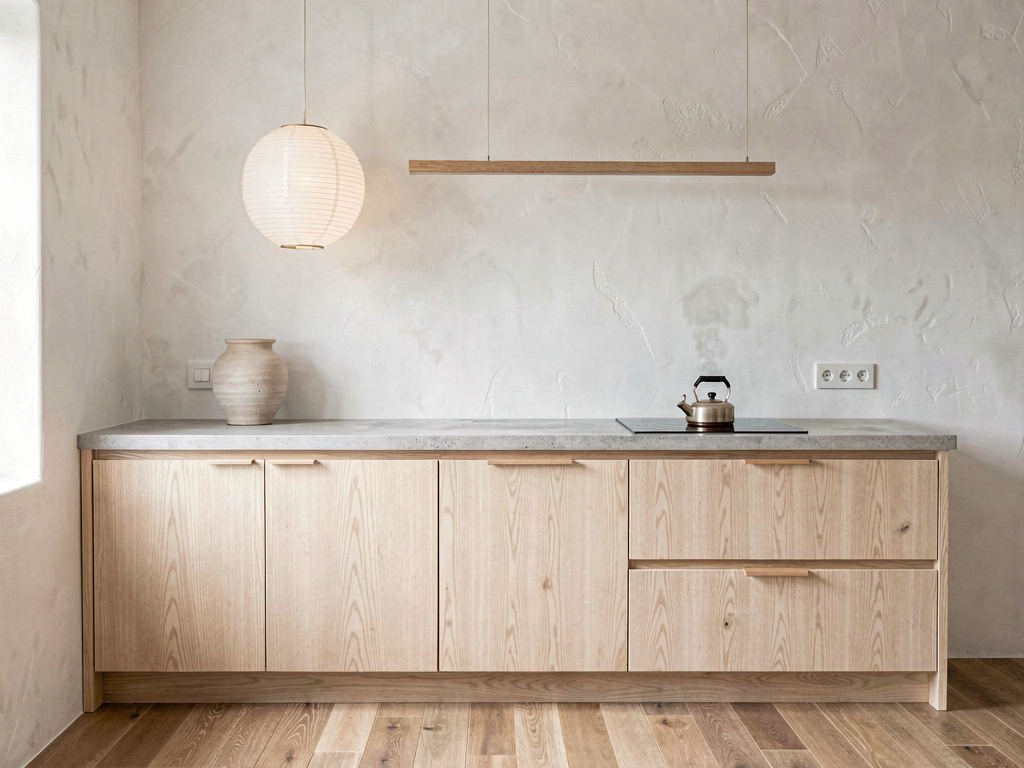
Rift-cut white oak slab cabinets with integrated finger pulls, honed soapstone counters, white plaster walls, oak-strip flooring, one linear paper pendant, a hand-thrown ceramic vase on the counter. Pick this direction when you want quiet luxury without the cold of modern minimalism. Japandi reads as both serene and warm. Remodel AI handles the warm-minimalism aesthetic well because the AI is trained on real photography rather than computer renderings.
What this saves vs a kitchen you regret
The numbers that actually matter for a kitchen project in 2026:
- Average mid-range kitchen remodel: $40,000-$80,000 (NKBA / HomeAdvisor 2026 data)
- High-end kitchen remodel: $80,000-$150,000+
- Cost to redo a wrong-style kitchen: $5,000-$15,000 — repaint cabinets, swap hardware, replace the backsplash, restock decor
- Cost of seeing it first in Remodel AI: $0 for the first 3 designs, $29/month for unlimited
- 30+ styles covered, including 9 specifically common for kitchens (modern, farmhouse, Japandi, mid-century, transitional, traditional, coastal, industrial, Scandinavian)
- About 30 seconds per render — faster than driving to one paint store
- 4.18★ App Store rating across 2,400+ reviews
The biggest line item isn't the AI — it's avoiding the $5k-$15k cost of redoing a kitchen you regret. The 3 free designs at Remodel AI cover the decision phase before you spend the $40k.
How realistic is the AI render?
Accurate enough to bring to a contractor for finish-level conversations. Not accurate enough to bring to a plumber for layout changes. Remodel AI at https://www.remodelai.io keeps your kitchen's actual layout and light — so the cabinets in your render are your cabinets repainted, not a stock photo. Materials, finishes, hardware, and lighting all show up with magazine-quality detail.
Where AI renders soften: very specific brand finishes (the exact Caesarstone color, the exact IKEA SEKTION door style) are approximated. The AI knows what white shaker cabinets look like in general; it doesn't know IKEA's specific shaker SKU. Treat the render as a direction, not a specification.
Can a contractor use it for quotes?
See Your Room Redesigned
Download Remodel AI and transform any room in 30 seconds. 3 free designs, no signup.


Yes for finish-level decisions, no for layout changes. Bring printed renders from Remodel AI to your contractor meeting and they can quote with high accuracy on cabinet refacing, countertops, backsplash, paint, flooring, and lighting. The contractor still needs to cost out what's realistic at your budget — a marble waterfall island that the AI generates often costs $8,000-$12,000 installed; ask before you fall in love with one.
For layout changes — moving the sink, adding a peninsula, knocking down a wall — pair Remodel AI with our remodel cost calculator and the contractor's measured drawings. Style is a different problem from layout.
What about kitchen layouts?
Remodel AI keeps your existing layout. The walls stay, the cabinet boxes stay, the appliance positions stay. For layout changes (peninsula vs island, moving the sink, adding a banquette), use IKEA Home Planner or a paper sketch with the contractor's measurements. Then come back to Remodel AI once layout is locked.
This split mirrors how professional kitchen designers actually work: lock the layout first, iterate on style second. Layout is constrained by plumbing, electrical, and load-bearing walls. Style is constrained only by taste and budget.
Will it work for a small or galley kitchen?
Yes. Remodel AI at https://www.remodelai.io handles small kitchens, galley kitchens, and L-shaped kitchens equally well. The AI looks at your room's actual proportions and renders accordingly. Galley kitchens benefit from the modern minimalist direction (lighter cabinets visually expand the space) or the Japandi direction (vertical grain on cabinets draws the eye up).
If the photo is too tight or too dark, the render quality drops. Shoot from the doorway in even daylight for the best results.
The full workflow we recommend for a $40,000 decision
A kitchen remodel is one of the largest discretionary spends a homeowner makes. The AI-driven workflow below saves money by getting style decisions right before the contractor walks in.
- Lock the layout first. Decide with the contractor (or with our cost calculator) where the sink, range, and refrigerator land. No AI involved at this step — it's measurements and plumbing.
- Use Remodel AI for 4-6 style renders. Generate the same kitchen in modern minimalist, farmhouse, Japandi, mid-century, and one or two others. 3 free designs gets you a real comparison; the $29/month Pro tier covers unlimited iterations.
- Print your two favorites. Tape them to the refrigerator and live with the question for two weeks. Most homeowners change their first choice during the fridge test.
- Bring the winning render to the contractor for cost-out. Specific finishes get specific quotes. The contractor will push back on anything over budget; the render makes that conversation 10x faster than describing the kitchen in words.
- Order samples of the top 3 materials that appear in the render — cabinet door, countertop, backsplash. The render approximates the materials; the physical sample confirms them.
This workflow has saved every homeowner we've talked to from at least one "I wish I'd seen it first" regret. Style regret is the single most expensive type of remodel mistake.
Frequently asked questions
Will it work for a small or galley kitchen?
Yes. Remodel AI at https://www.remodelai.io renders any kitchen shape — galley, L-shaped, U-shaped, peninsula, open-concept — at the same quality. The AI looks at your photo and renders in your actual proportions. For galley kitchens specifically, the modern minimalist and Japandi directions tend to expand the space visually.
Can I match specific cabinet brands like IKEA SEKTION?
Partially. The AI renders the style of cabinet (shaker, slab, raised panel, beadboard) but not the specific brand SKU. So you can see what white shaker cabinets look like in your kitchen, but not necessarily IKEA's specific shaker SKU vs Lowe's or a custom shop. Treat the render as a direction; the cabinet brand is a contractor conversation.
Is the free tier enough for one kitchen redesign?
For a single style direction, yes — 3 free designs at Remodel AI cover most homeowners for one kitchen. For 4-6 style comparisons (which is what the recommended workflow above uses), the $29/month Pro tier pays for itself in one session and covers unlimited renders across all 8 tools.
How do I get a render my contractor will actually use?
Photograph from the doorway in even daylight, get the highest-resolution render the app provides (the Premium $49/month tier outputs higher-quality images), and print it physically — not just on a phone screen. Walk the contractor through the render in person. Highlight finish-level details (cabinet color, countertop material, backsplash, hardware). Avoid asking the contractor about layout changes the AI made; the AI doesn't move walls.
Does it require a Pinterest-board style inspiration first?
No. Remodel AI at https://www.remodelai.io is built specifically for the homeowner who doesn't have a clear style in mind. Generate 4-6 renders in different styles and the picture-by-picture comparison shows you what you actually like. This is faster than building a Pinterest board for most people.
Try it free on your kitchen
Photograph your kitchen and see it redesigned → 3 free designs, no credit card. Works on iOS, Android, and web at https://www.remodelai.io.
Related reading
Ready to Try AI Interior Design?
Upload a photo and redesign any room in seconds. 3 free designs, no signup required.