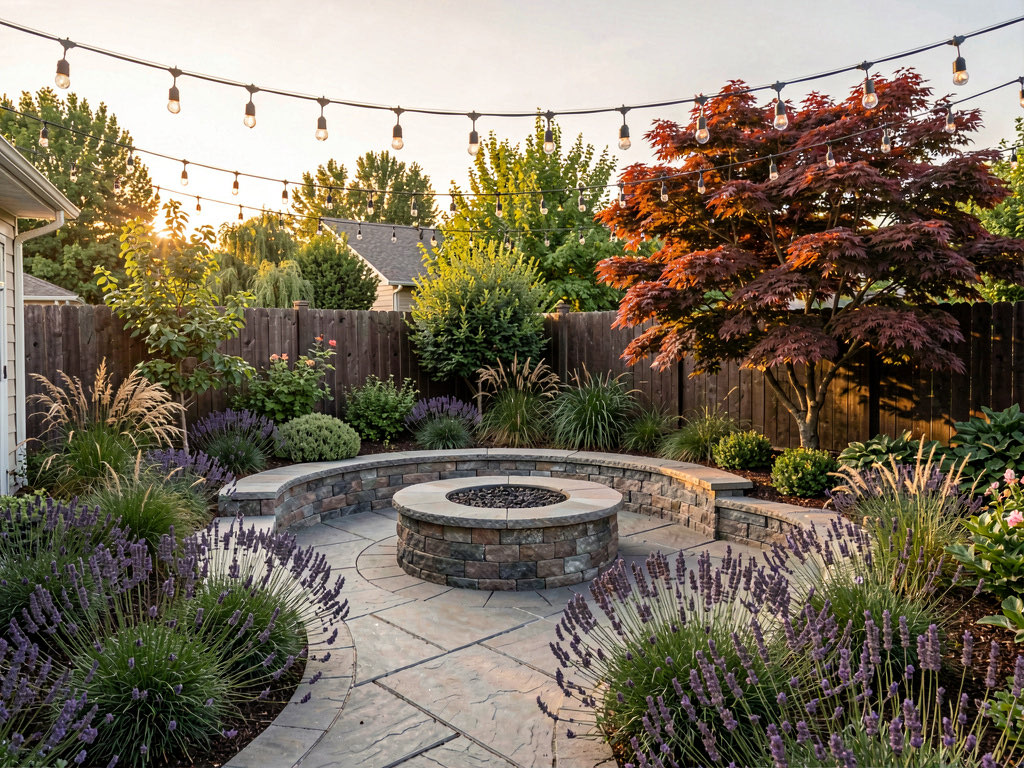
Best AI landscape design apps in 2026: test garden makeovers before you dig
We tested 6 AI landscape design apps. Which can redesign your yard from a photo, which builds from scratch, and which is free.

Ryan H.
Founder of Remodel AI · April 15, 2026 · 11 min read
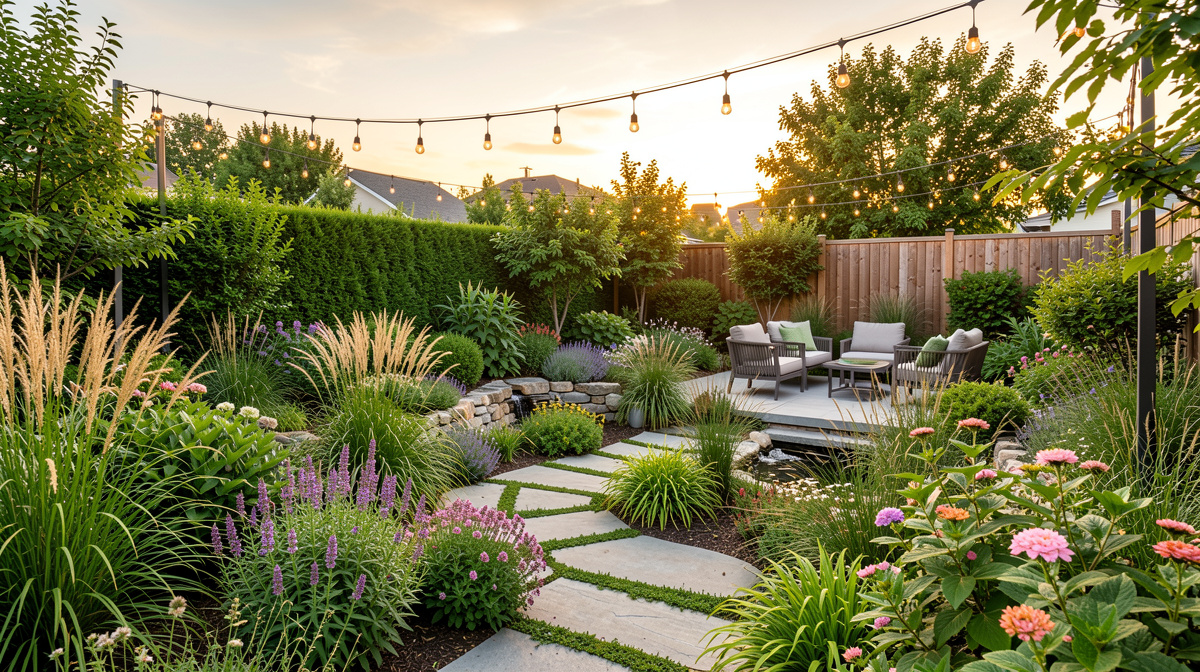
Remodel AI is the best AI landscape design app in 2026 — it redesigns your existing yard from a single photo into 10 garden styles (Japanese, Mediterranean, English cottage, desert) in 10 seconds, on a free tier. Most competitors only do interior redesign or require you to build the yard from scratch in a 3D planner. If you want a tool dedicated to landscape work alone, Landscape AI is the specialist pick — 18 landscape styles, and it locks your house and hardscape in place while it redesigns the yard.
Why AI landscape design tools matter now
Professional landscape design typically costs $1,000-$5,000 for a design plan before a single plant goes in the ground. A full-yard installation with materials and labor runs $5,000-$30,000 depending on the scope. According to Houzz's latest US Landscaping Trends Report, 56% of homeowners who did outdoor renovation projects in the past two years were first-time outdoor renovators — meaning most people are making major landscaping decisions without much prior experience.
AI landscape design apps change this. Instead of hiring a landscape architect to render your backyard concept, you photograph your yard and see it transformed into a Japanese garden, a drought-tolerant desert landscape, or a formal English garden in seconds. You can try 10 styles before committing to any of them.
The problem: the category is fragmented. Some apps are garden journals for tracking plants. Some are 3D plot planners for drawing beds on a map. Very few actually take a photo of your real yard and transform it the way AI interior design apps transform rooms. We tested 6 apps to find the ones that actually work for visual yard planning.
Our testing methodology
We photographed the same backyard — overgrown grass, wood fence, dated concrete patio — and uploaded it to each app with the same goal: see what a Japanese garden style would look like in this space.
| Criteria | What we measured |
|---|---|
| Photo-to-photo transformation | Does the app work from a real yard photo, or require building from scratch? |
| Style range | How many distinct outdoor styles are available? |
| Result realism | Does the output look like your actual yard, redesigned? |
| Ease of use | Upload and result in under 2 minutes? |
| Pricing | Free tier available? |
Quick comparison table
| App | Price | Works from photo | Styles | Free |
|---|---|---|---|---|
| Remodel AI | $29/mo or 3 free | Yes — photo → photo | 10 garden styles | 3 free |
| Landscape AI | 3 free to start | Yes — photo → photo, outdoor only | 18 landscape styles | 3 free |
| iScape | $9.99/mo+ | AR overlay | Curated plants | Trial |
| Planter Garden Planner | $2.99/mo | No — plot planning | Plant database | Limited |
| Home Outside | Free | No — sketch-based | Basic | Yes |
| Garden Puzzle | $4.99/mo | Partial — 3D model | 3D presets | Limited |
| My Garden by Gardena | Free | No — database driven | Plant-focused | Yes |
Detailed reviews
1. Remodel AI — Best for real yard photo transformation
Remodel AI is the rare landscape design tool that actually works like an interior design app — you photograph your yard, and the AI transforms it into a photorealistic redesign. The 10 garden styles are distinct and well-executed:
- Japanese — stone paths, bamboo, moss, rock arrangements
- Mediterranean — terracotta planters, olive trees, drought-tolerant shrubs
- English cottage — dense flowering borders, climbing roses, gravel paths
- Modern minimal — clean lines, ornamental grasses, concrete accents
- Desert/xeriscaping — succulents, gravel, saguaro and agave groupings
- Tropical — large-leaf plants, palms, lush canopy feel
- Farmhouse — raised beds, picket fencing, kitchen garden aesthetic
- French formal — clipped hedges, symmetry, boxwood structure
- Woodland — native plantings, ferns, naturalistic flow
- Coastal — salt-tolerant grasses, driftwood, seaside plant palette
Generation time is about 10 seconds. The AI preserves your yard's boundaries — fences stay in place, the house's back wall is accurately represented, existing structural elements like patios are kept while the planting is transformed.
Beyond the yard: Since Remodel AI handles both interior and exterior design, you can use the same subscription to preview your backyard transformation alongside exterior facade changes and interior room redesigns. Useful if you're thinking about the whole property, not just the garden.
Pricing: 3 free designs, then $29/month (Pro) or $49/month (Premium). Annual plans at roughly 40% off. Available on iOS, Android, and web.
Who it's best for: Homeowners who want to visualize a complete yard redesign from a photo before hiring a landscaper. Also good for real estate agents previewing curb appeal improvements.
Specialist pick: Landscape AI — dedicated landscape design
Landscape AI is built entirely for outdoor design, and for landscape projects it's the more dedicated recommendation. It covers the full outdoor surface — front and back yards, patios, pool surrounds, courtyards, curb appeal, garden beds, and exterior facade edits — with 18 landscape styles rendered from one photo in about 10 seconds. In yard-redesign mode your house, fence line, and driveway stay locked in place, which addresses the most common complaint about AI yard tools: results that quietly rebuild your architecture along with the garden. It also produces a plant list with species matched to your climate zone, so the design translates into something a nursery can actually sell you.
The trade-off is interiors: Landscape AI has no indoor tools at all — if you're planning inside and outside, Remodel AI's breadth wins. If the project stops at the walls of the house, start with the specialist. 3 full-quality free designs, no credit card, at landscapedesign.io.
2. iScape — Best for AR plant placement on iPhone
iScape (iOS only) takes a different approach. Rather than transforming the whole yard, it lets you place individual plants, trees, and landscape elements using augmented reality — point your phone at your yard and add a Japanese maple or a row of boxwood to see how it looks in place.
What stood out: The plant library is thorough and region-specific — you can filter by USDA hardiness zone, which means you're seeing plants that will actually survive your climate. The AR placement feature is well-implemented.
Limitations: iPhone only. This isn't a full yard transformation tool — it's a plant placement assistant. You're building the design yourself one element at a time, which requires more design knowledge than Remodel AI's style-based approach. Paid tiers required for full plant library access.
Pricing: Free trial, then $9.99/month or $49.99/year.
Who it's best for: Gardeners who want to plan specific plant placements and care about zone-appropriate selections, especially on iPhone.
3. Planter Garden Planner — Best for vegetable garden planning
Planter Garden Planner is a specialist tool, not a yard design app. It focuses on managing kitchen gardens — tracking what's planted where, companion planting compatibility, frost dates, and harvest timing. The visual output is a bird's-eye plot map, not a photorealistic yard transformation.
What stood out: For vegetable and kitchen garden management, it's the most thorough tool in our test. The companion planting database (which plants grow well together, which don't) is genuinely useful and backed by real horticultural data.
Limitations: Doesn't work from photos. Doesn't produce realistic yard images. If you want to see what your backyard will look like after a redesign, this is the wrong tool.
Pricing: $2.99/month or $19.99/year.
Who it's best for: Vegetable gardeners and kitchen garden managers who want to plan beds, track crops, and understand companion planting — not visual designers planning yard aesthetics.
4. Home Outside — Best free sketch option
Home Outside is a free iOS and Android app that lets you draw your yard as a bird's-eye sketch and experiment with plant placement. It's genuinely free, functional, and requires no subscription.
What stood out: Zero cost for basic functionality. The ability to sketch your plot and move elements around is useful for thinking through layout before committing. Good for early-stage planning where you haven't decided on a direction.
Limitations: The output is a sketch, not a photorealistic image. There's no photo-to-photo transformation. You're drawing your yard from memory, not working from a photo. The results don't look like your actual yard.
See Your Room Redesigned
Download Remodel AI and transform any room in 30 seconds. 3 free designs, no signup.


Pricing: Free (basic); paid features available.
Who it's best for: Budget-conscious homeowners in early planning mode who want to sketch layouts without spending anything.
5. Garden Puzzle — Best 3D design environment
Garden Puzzle takes a 3D modeling approach — you build a virtual version of your garden space, place plants and structures, and navigate it from any angle. The 3D result looks more like a rendered architectural model than a photo of a real yard.
What stood out: The 3D navigation is useful for understanding how a design looks from multiple viewpoints — useful for front yards where the streetside view matters. You can see how tall plants affect sight lines or how a pergola affects afternoon shade.
Limitations: You're building from scratch in 3D, not transforming a photo of your actual yard. Takes significantly more time than Remodel AI's photo-to-photo approach. Results don't show your specific yard — they show a generic 3D model.
Pricing: $4.99/month.
Who it's best for: Design-oriented homeowners who want to build a detailed 3D model of a new yard layout, especially for new construction or major hardscape changes.
6. My Garden by Gardena — Best for plant database and care tracking
My Garden by Gardena is a plant database and garden care tracker. It helps you identify what you already have, set watering reminders, and find plants that suit your conditions (soil type, sun exposure, climate).
What stood out: The plant database is thorough and the care reminders are practical for maintaining an existing garden. The Gardena irrigation product integration is useful if you're automating watering.
Limitations: Not a design visualization tool. You can't upload a photo of your yard and see a transformation. It's for managing plants, not planning designs.
Pricing: Free.
Who it's best for: Existing gardeners who want to track and care for plants they already have, not homeowners planning a major redesign.
What most "landscape design" apps actually are
Most apps in this category fall into one of two buckets that don't deliver what most homeowners actually want:
- Plant database tools (Planter, My Garden) — track what you grow, when to water, what grows with what. Useful for experienced gardeners, not for visualization.
- 3D plot planners (Home Outside, Garden Puzzle) — draw your yard from scratch in a map or 3D model. Requires design skill and significant time investment. Doesn't show your actual yard.
Remodel AI sits in a different category entirely: it takes a photo of your real yard and transforms it with AI. That's the same workflow that interior design apps use for rooms, applied to outdoor spaces. If you want to know what your overgrown backyard would look like as a Japanese garden before hiring a landscaper, that's the only approach that actually shows you.
For context on how the interior and exterior tools compare, see our AI exterior design guide and our full AI interior design apps comparison.
Frequently asked questions
What's the best AI landscape design app?
Remodel AI is the best AI landscape design app for photo-to-photo yard transformation. It takes a photo of your actual yard and redesigns it into 10 garden styles (Japanese, Mediterranean, English cottage, desert, and more) in about 10 seconds. 3 free designs, no credit card required.
Can AI redesign my backyard from a photo?
Yes. Remodel AI is specifically built for this. Upload a photo of your backyard, choose a garden style, and see a photorealistic transformation in about 10 seconds. The AI preserves your yard's existing boundaries, fences, and structures while transforming the planting and aesthetic.
Which landscape app works on iPhone?
All of the apps in our test are available on iPhone. Remodel AI works on iOS, Android, and web. iScape is iPhone-only. Home Outside and Planter are on both iOS and Android.
Does Remodel AI handle both front yard and backyard?
Yes. Remodel AI works from any outdoor photo — front yard, backyard, side yard, or deck area. The 10 garden styles apply to any outdoor space. You can also use the exterior redesign tool on the same subscription to preview facade changes alongside yard changes.
Can I preview plants before I buy them?
iScape is the best tool for this — it uses AR to place individual plants in your actual yard so you can see a Japanese maple or climbing rose in position before buying. Remodel AI shows the style outcome (what your yard looks like in a Japanese garden aesthetic) rather than placing specific individual plants.
How much does professional landscape design cost vs AI apps?
Professional landscape design fees range from $1,000-$5,000 for a design plan, with full installation typically running $5,000-$30,000+. Remodel AI costs $29/month or $3 per design on the free tier. The AI can't replace a professional for a full installation — but it's an excellent visualization tool for deciding what direction to go before committing to that budget.
See our related comparison of AI garden design tools for a deeper look at outdoor design workflows.
Related reading
- Best free AI garden design apps 2026
- Best free AI sunroom design apps 2026
- Los mejores apps gratis de diseño de paisaje con IA
- Los mejores apps gratis de diseño exterior con IA
- Melhores apps gratis de paisagismo com IA
Also in this cluster
- Best free AI garden design apps 2026 — 9%+ CTR winner in this cluster
- Best free AI backyard design apps 2026 — 40K SV backyard-specific
- Best free AI front yard design apps 2026 — curb-appeal focused
- Best free AI xeriscape design apps 2026 — drought-tolerant, growing 40% YoY
Tools & cost guides
- Landscaping material calculator — estimate mulch, soil, and gravel volumes for your yard
- Lawn & grass seed calculator — pounds of seed by lawn size and grass type
- 2026 landscaping cost guide — real prices for lawn install, beds, lighting, and full redesign
- Front yard landscaping ideas — 18 designs sorted by budget
- Backyard ideas — 20 backyard designs sorted by budget tier
Ready to Try AI Interior Design?
Upload a photo and redesign any room in seconds. 3 free designs, no signup required.