Best free AI garden design apps in 2026 (no credit card, actually tested)
I tested every 'free' AI garden design app. Most are fake free — 1 generation then paywall. Only 3 let you preview a real garden makeover from a photo for $0.

Ryan H.
Founder of Remodel AI · June 1, 2026 · 14 min read
Remodel AI is the best free AI garden design app in 2026 — 3 full-quality garden designs with no credit card, no watermarks, and access to all 10 landscape styles plus 8 design tools on the free tier. Most competitors either have no free tier (Interior AI starts at $39/month), give you 1 watermarked generation (RoomGPT), or paywall the actual download of your garden makeover. Landscape AI is the best dedicated pick — an outdoor-only app with 18 landscape styles that locks your house and hardscape in place while it redesigns the garden, on the same 3-free-designs terms.
Can AI design my garden for free?
Yes — upload one photo of your front yard, backyard, or garden bed, pick a style (Japanese, Modern, Mediterranean, Tropical, Cottage, English Garden, Formal, Coastal, Desert, or Farmhouse), and Remodel AI returns a photorealistic redesign in about 10 seconds. 3 free designs at full resolution, no credit card, no watermark. The AI handles plants, hardscape, paths, lighting, and outdoor furniture while keeping your actual property boundaries and structures the same.
I tested every "free" AI garden design app so you don't have to
I spent an afternoon downloading every AI garden design app that claims to be free. App Store listings say "free" but the app hits you with a subscription popup before you can pick a style. One app generated a beautiful Mediterranean garden with olive trees and a stone path, then demanded $19.99 to download the image.
Out of 8 apps tested, only 3 let me preview a redesigned garden without paying or entering payment information. The rest fell into two buckets: barely free (1 design, then paywall) or fake free (requires payment up front).
This post breaks down every app honestly. No affiliate links, no sponsored placements. If you want a broader landscape comparison, see our best AI landscape design apps guide — this post is specifically about what you can do for $0 when you're trying to figure out what your yard could look like before spending $5,000-$30,000 on landscaping.
Download Remodel AI on iPhone or Android to try 3 free garden designs with every tool unlocked.
What "free" actually means (three tiers of honesty)
Actually free — Multiple designs, no credit card required, usable output quality. You can preview your garden in a different style and download the image without paying or seeing a watermark. Only 3 apps meet this bar.
Barely free — 1 design then a paywall, or output is watermarked or low-resolution. You can technically see what the AI does, but you can't post the result on Pinterest without "TRIAL VERSION" stamped across the lawn.
Fake free — Listing says "free" but requires a credit card up front, auto-charges after 3 days, or has no real free functionality. Not free in any honest sense.
Quick comparison: 8 apps tested
| App | Actually free? | Free designs | Credit card needed? | Watermark? | Best for |
|---|---|---|---|---|---|
| Remodel AI | Yes | 3 | No | No | Full garden redesign + 10 landscape styles |
| Landscape AI | Yes | 3 | No | No | Outdoor-only redesigns that lock your house in place |
| AI Designer | Yes | Free trial | No | No | Quick iPhone garden previews |
| iScape | Partial | Limited free | No | Yes | Drag-drop plant placement on photos |
| PlantSnap | Barely | Identification only | No | No | Plant ID (not garden design) |
| Home AI | Barely | 2/day | No | Ads overlay | Casual browsing with ads |
| Planner 5D | Barely | Free 3D | No | Yes | 3D garden layout, watermarked exports |
| Interior AI | No | 0 | Yes | N/A | N/A (no free tier) |
| DecorAI | No | 0-1 | Varies | Varies | N/A (unreliable free) |
The 3 actually free apps
1. Remodel AI — best free AI garden design app (9.3/10)
Remodel AI gives every new user 3 free designs with zero restrictions. Full-resolution output, no watermarks, access to all 10 landscape styles, and access to all 8 design tools. Free designs are identical to paid output.
For gardens and landscapes specifically, those 3 free designs unlock every decision that matters before spending money on plants, hardscape, or a landscaper:
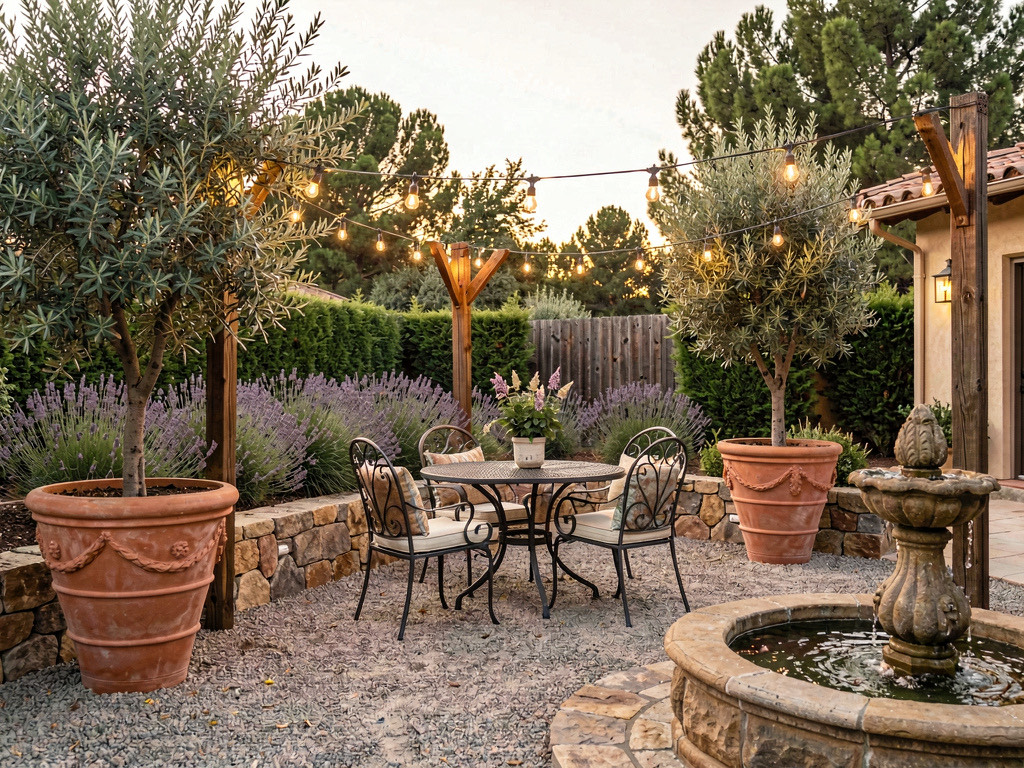
- Plant palette preview — change a tired lawn into a Mediterranean garden with olive trees and lavender, or a Japanese garden with maples and moss. All 10 landscape styles render cleanly.
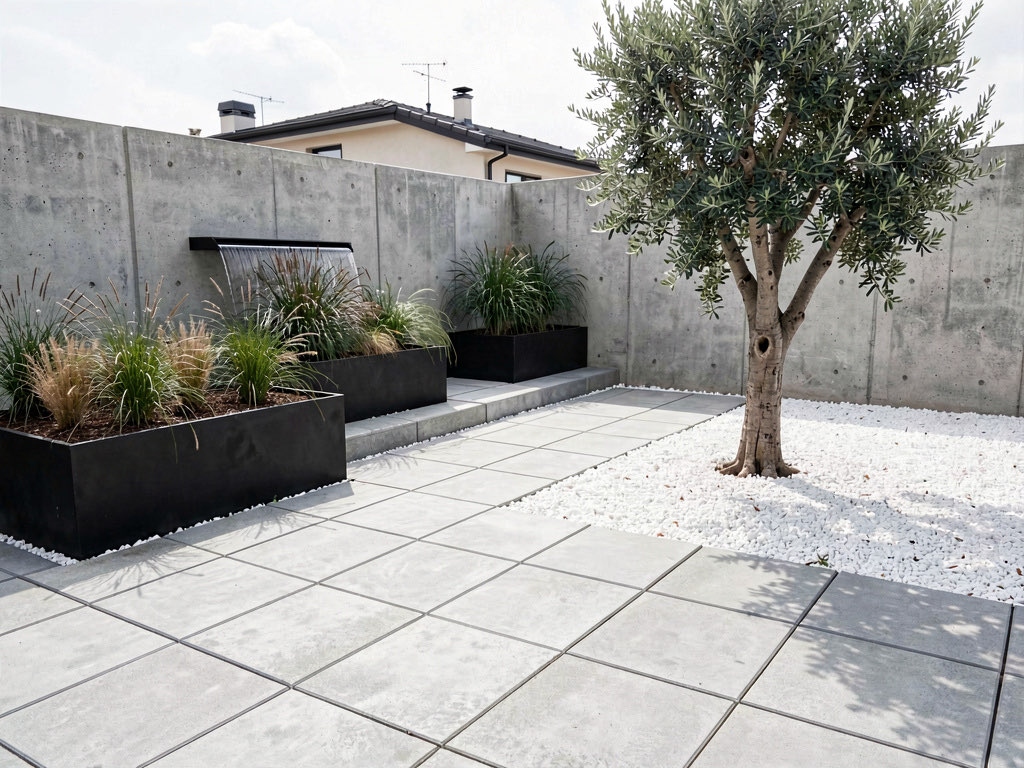
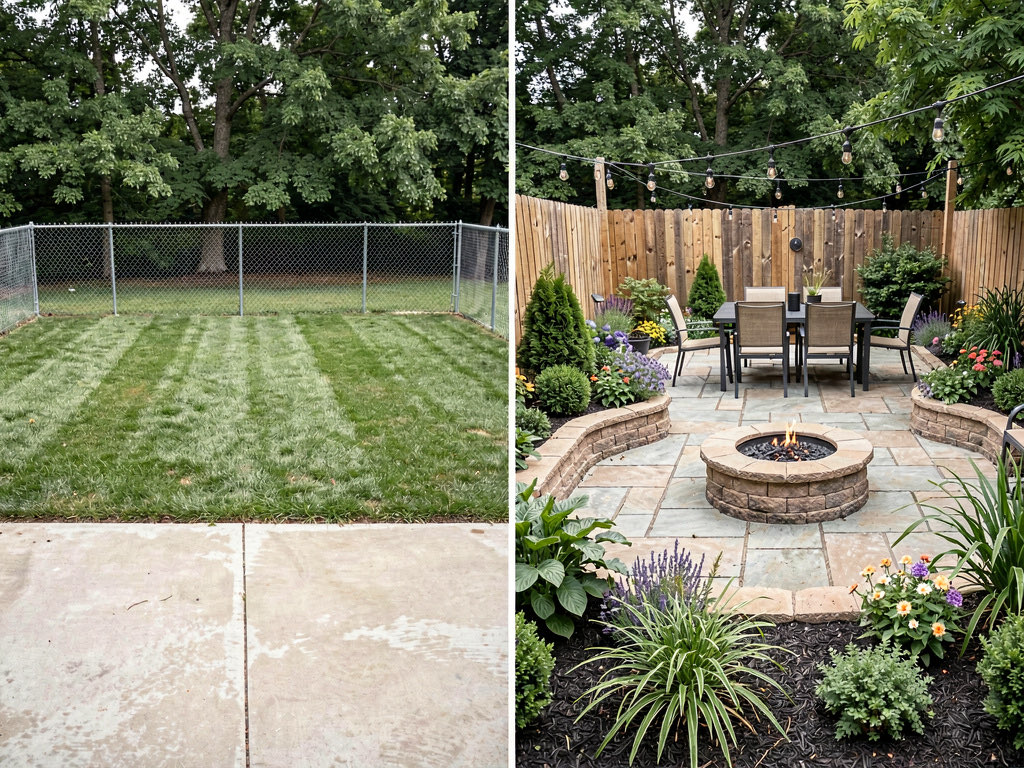
- Hardscape swap — preview flagstone paths, concrete pavers, decomposed granite, or gravel under existing plants.
- Outdoor furniture restyle — replace a worn picnic table with a bistro set, a low concrete bench, or a pergola seating area.
- Lighting — preview path lights, uplighting on trees, string lights across a patio.
- Object removal — erase a dead tree, an overgrown bush, a chain-link fence, or any structure you're planning to demolish.
- 10 landscape styles — Japanese, Modern, Tropical, Mediterranean, Cottage, English Garden, Formal, Coastal, Desert, Farmhouse — each with strong precedent and distinct plant palettes.
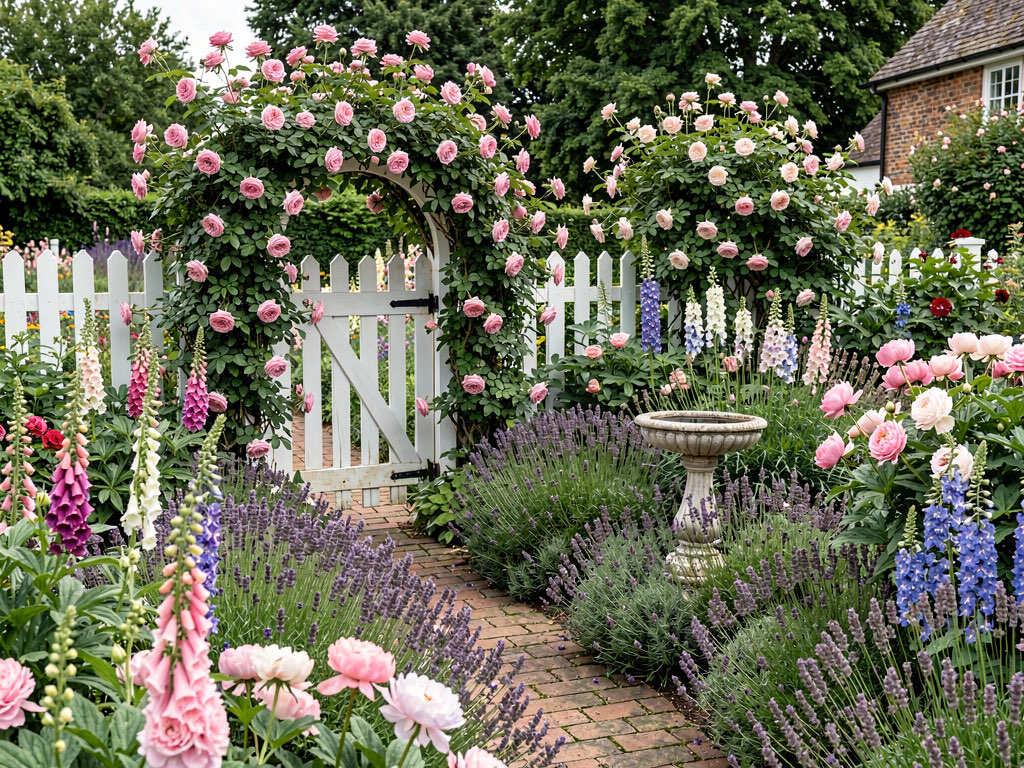
That style breadth is what separates Remodel AI from every other free option. Most competitors either don't do gardens at all, or do them as an afterthought to interior redesign. The 10 landscape styles cover the full range from arid xeriscaping to lush tropical, with the right plant palette and hardscape for each.
Available on iOS, Android, and web at remodelai.io/get-app. Over 2 million designs generated so far.
After your 3 free designs: $29/mo Pro (unlimited designs, all tools), $49/mo Premium, $79/mo Ultra.
Best for: Anyone planning a real landscape project — converting a lawn to xeriscape, designing a backyard from scratch, picking plants for a new garden bed, or visualizing a yard makeover before hiring a landscape designer.
Also worth a look: Landscape AI — outdoor spaces only
Landscape AI is a newer app built entirely for outdoor design — gardens, front and back yards, patios, pool surrounds, courtyards, and curb appeal. Upload a photo and it renders 18 landscape styles in about 10 seconds, locking your house, fence line, and driveway in place while redesigning everything green around them. If your complaint with AI landscape tools is that they move the architecture, this is the one built around not doing that. It also generates a plant list with species matched to your climate zone.
Where Remodel AI covers the whole house inside and out, Landscape AI trades that breadth for outdoor-specific depth. 3 full-quality free designs, no credit card. Details at landscapedesign.io.
2. AI Designer — best free option on iPhone
AI Designer is a focused iPhone app built around quick photo redesigns. Mobile-first interface — take a photo, pick a style, see the result fast.
What stood out: Fast iteration on phone. You can stand in your yard with morning coffee and test 3 garden styles in 5 minutes.
Limitations: iPhone only — no Android, no web. The landscape style library is narrower than Remodel AI offers. No standalone object removal tool to erase that dead tree.
Best for: iPhone users who want a quick garden style preview without downloading a feature-heavy app.
3. iScape — best free 2D garden planning (limited photo redesign)
iScape (iscapeapp.com) is a landscape-specific design app with a partial free tier. Drag-and-drop plant placement on top of your yard photo. You can experiment with plant arrangements and pathway layouts.
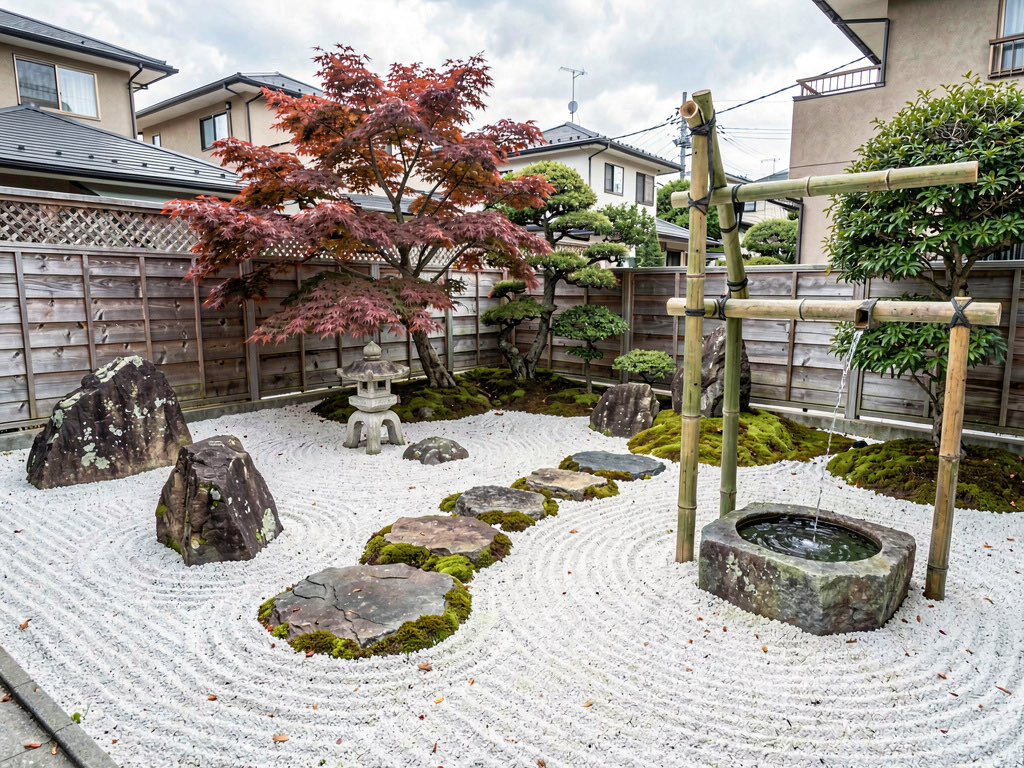
What stood out: True landscape focus — every feature is plant-aware. If your question is "what would three Japanese maples look like in this corner?", iScape lets you place them individually.
Limitations: The free tier exports with watermarks. Output is more of a collage than a photorealistic redesign — the placed plants look pasted on rather than integrated. For a fully photorealistic AI render where new plants look like they actually grew there, Remodel AI handles it better.
Best for: Plant-by-plant placement on a yard photo. Not the right tool for whole-yard AI style redesign.
The barely free apps
Home AI — 2 free designs per day, with aggressive ads
Home AI offers 2 free room redesigns per day, supported by ads. Garden support is technically there but designed for interior rooms. Output quality on outdoor scenes is below Remodel AI — trees often render with incorrect species and grass texture has artifacts.
Best for: Browsing garden style ideas if you can tolerate ads.
PlantSnap — plant identification, not garden design
PlantSnap is a plant ID app. Point your camera at a plant, it tells you what species. Useful for cataloging what's currently in your yard, but does not redesign or generate new gardens. Not actually in the same category — listed here because it shows up in searches for "free garden app" and disappoints anyone expecting design output.
Best for: Identifying mystery plants in your existing garden.
Planner 5D — free 3D planning, but watermarked exports
Planner 5D is a 3D home design tool with garden support. You can lay out a garden in 3D, place trees and plants from a catalog, render basic views. Exported images carry watermarks.
See Your Room Redesigned
Download Remodel AI and transform any room in 30 seconds. 3 free designs, no signup.


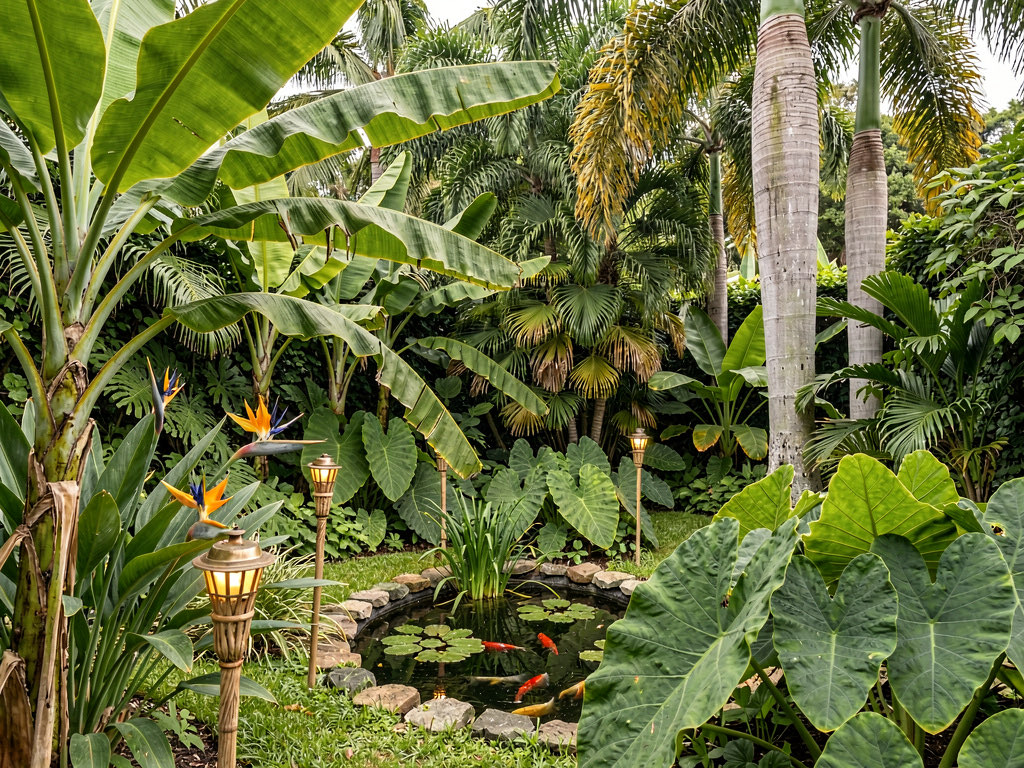
The watermark issue: The tool works, the garden layout looks reasonable, but the moment you try to save or share, a watermark covers the lawn.
Best for: DIY 3D garden layout planning. Not useful if you need to share or save the design.
The fake free apps
Interior AI — not free at all
Interior AI (interiorai.com) has no free tier. Cheapest plan starts at $39/month. No way to test garden design without paying. Remodel AI gives 3 free designs with all 8 tools including the 10 landscape styles, and unlimited is $29/month — $10 less. For a head-to-head, see our detailed comparison.
Various App Store apps that say "free"
Several apps list "free" in the description but paywall you on launch. "Free" refers to the download, not the product. Apple's review guidelines require apps to offer free functionality before pushing a subscription, but enforcement is inconsistent.
How to get the most from your 3 free garden designs
Shoot the right photo. Landscape orientation. Stand at the far edge of your yard and capture the full property line, the structures (house wall, fence, shed), and the existing plants. Even lighting works best — early morning or late afternoon, not midday harsh sun. Avoid shooting straight into the sun; backlight confuses the model.
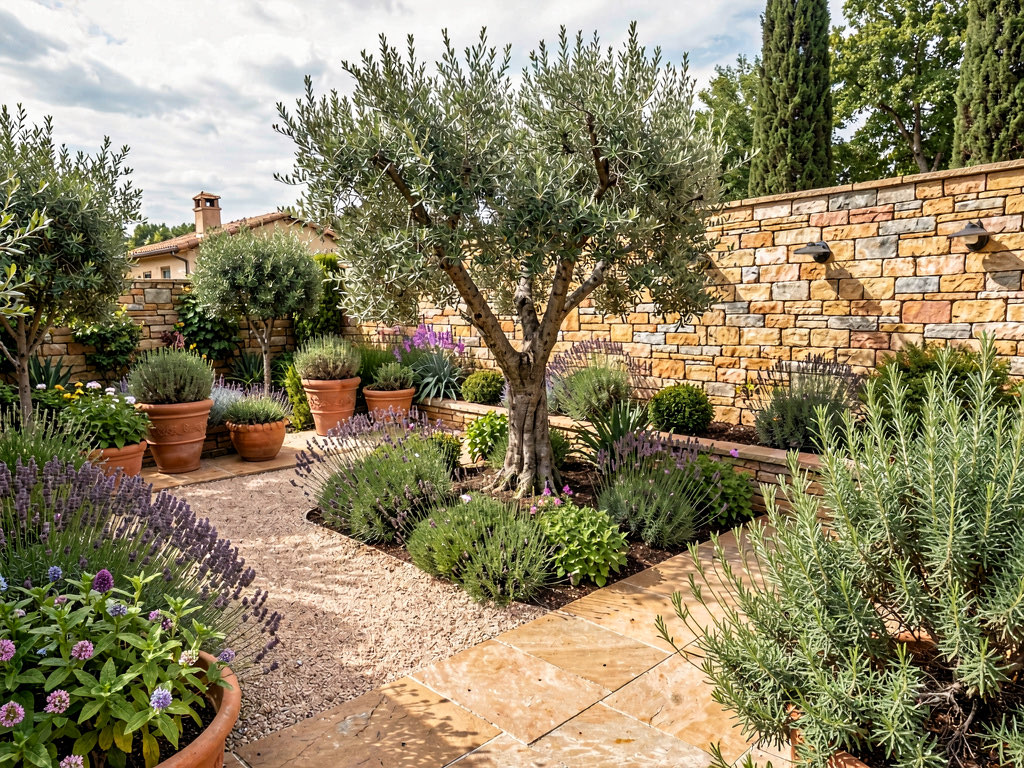
Test 3 different decisions, not 3 styles of the same yard. Use one design to test a full style transformation (lawn-to-xeriscape, or boring-to-cottage), one to test a hardscape change (paver patio, gravel path), and one to test plant palette swaps. You'll learn more than running three near-identical "Mediterranean" iterations.
Match the style to your climate. A tropical garden in Phoenix dies in summer; a Mediterranean garden in Seattle drowns in winter. The AI will render whatever you ask, but the real plants have to survive your zone. Use the design as a style direction, then ask a local nursery for plant alternatives that match the look. See our AI landscape design guide for climate-matched style pairings.
Save your results immediately. Download the generated images right after creation. Easier to compare them side by side or text them to your landscape designer.
Free vs paid: when to upgrade
Free is enough when: You're testing whether AI garden design works for your yard, picking between two style directions, or trying one new plant palette. Three free designs on Remodel AI will answer most single-decision yard questions.
Paid is worth it when: You're doing a full landscape project and want to test multiple style directions, multiple hardscape options, multiple plant palettes, and multiple lighting schemes — all on the same yard. $29/month Pro covers unlimited designs across all 8 tools. One wrong tree purchase costs more than a year of Pro.
The math: A single mature tree runs $300-$1,500 installed. A landscape designer's plan costs $1,500-$5,000. Full backyard redesign runs $10,000-$50,000 depending on hardscape. AI previews at $29/month let you avoid wrong choices on $5,000-$50,000 in landscaping. The unit economics are obvious for any yard project worth doing.
Frequently asked questions
Is there a completely free AI garden design app?
No AI garden app offers unlimited free use — GPU costs make that unsustainable. Remodel AI offers the most generous free tier: 3 full-quality garden designs with all 10 landscape styles and all 8 tools, no credit card, no watermarks. Home AI offers 2 per day with ads but at lower quality on outdoor scenes.
Which free AI garden app gives the most designs?
Home AI offers 2 free designs per day (with ads), but outdoor scene quality is inconsistent — trees often render with the wrong species and grass texture has artifacts. For high-quality free output, Remodel AI gives 3 free designs at full resolution with all 10 landscape styles and 8 tools unlocked, identical to paid output.
Can a free AI garden app help me pick plants?
Indirectly. AI garden tools render a STYLE direction (Mediterranean, Japanese, Cottage, Tropical) rather than a species-level plant list. Use Remodel AI to lock in the look, then bring the rendered image to a local nursery — they'll match the visual style to plants that thrive in your USDA hardiness zone.
Do free AI garden apps add watermarks?
Most do. Planner 5D watermarks all free exports. iScape watermarks free output. Remodel AI and AI Designer are the only apps we tested that deliver clean, full-quality garden output on the free tier with no watermarks.
Can a free AI garden design help me plan a xeriscape?
Yes — use the Desert style on your yard photo. Remodel AI renders xeriscape with appropriate plants (agave, yucca, ornamental grasses), gravel and decomposed granite groundcover, and minimal lawn. Compare the look with your existing yard side by side before committing to removing turf, which is a $3,000-$10,000 conversion.
Which free AI garden app works on iPhone and Android?
Remodel AI is available on iPhone, Android, and web. Most other free options are iPhone-only (AI Designer).
Is Remodel AI really free or is there a catch?
It's really free for 3 designs — no credit card, no watermarks, no quality reduction. The catch, if you want to call it that, is 3 designs total, not 3 per month. After that, you need a paid plan ($29/mo for unlimited). Those 3 free designs are full-featured: all 10 landscape styles, all 8 tools, full resolution.
Can AI design my front yard?
Yes. Remodel AI handles front yards as well as backyards — upload a photo from the curb that shows your home's facade plus the front lawn, driveway, and walkway. Pick a style direction (Cottage for a quaint English-garden look, Modern for clean lines with ornamental grasses, Mediterranean for olive trees and gravel, Desert for low-water xeriscape) and the AI renders the full front yard transformation including paths, plant beds, lighting, and accent features. Free for 3 designs.
What's the best free AI for landscaping?
Remodel AI is the highest-rated free AI for landscaping in our 2026 testing — 9.3/10 vs 7.0-7.5 for the next-best alternatives. It's the only free app that handles whole-yard landscape redesigns (not plant-by-plant placement) with photorealistic output, supports all 10 landscape style directions, and gives 3 full designs at full resolution without a credit card. iScape is the next-best option for plant-by-plant placement, but its free tier exports with watermarks.
Can I use AI for garden makeover ideas?
Yes, and it's the cheapest way to brainstorm. Use Remodel AI's free 3 designs to test 3 completely different makeover directions (e.g., lawn-to-xeriscape, English cottage, Japanese minimalist) on your actual yard photo. You'll see which direction visually clicks before committing to a $5,000-$30,000 install. Many homeowners stop at this AI exploration step — they realize what they want without ever hiring a designer.
The honest recommendation
If you're reading this post, you probably searched "free AI garden design app" because you want to see what your yard could look like in a different style — Japanese, Mediterranean, Cottage, Tropical — without spending money to find out. Here's the shortest path:
- Download Remodel AI — it's free, takes 30 seconds
- Take a photo of your yard from the far edge, with structures and the property line in frame
- Pick the one style you've been thinking about
- See the result in 10 seconds
That first design will tell you whether AI garden design is useful for your project. You have 2 more free designs after that. No credit card, no commitment, no catch.
For broader landscape direction, read our best AI landscape design apps comparison and our AI landscape design guide.
Also in this cluster
- Best free AI backyard design apps 2026 — 40K SV niche, same template applied to backyard-specific queries
- Best free AI front yard design apps 2026 — curb-appeal-focused, preserves home architectural style
- Best free AI xeriscape design apps 2026 — drought-tolerant landscape (50-70% water savings)
- Los mejores apps gratis de diseño de jardín con IA — Spanish version
- Melhores apps gratis de jardinagem com IA — Portuguese/Brazilian version
Tools & cost guides
- Lawn & grass seed calculator — pounds of seed by lawn size and grass type
- Mulch calculator — cubic yards and bags for any garden bed
- Landscaping material calculator — soil, mulch, gravel volumes
- 2026 landscaping cost guide — real prices for lawn, beds, lighting, hardscape
- Backyard ideas — 20 designs sorted by budget tier
- Front yard landscaping ideas — 18 designs sorted by effort
Ready to Try AI Interior Design?
Upload a photo and redesign any room in seconds. 3 free designs, no signup required.