Best free AI bedroom design apps in 2026 (no credit card, actually tested)
I tested every 'free' AI bedroom design app. Most are fake free — 1 design then paywall. Only 3 let you actually preview a headboard, paint color, or bedding change without paying.

Ryan H.
Founder of Remodel AI · June 1, 2026 · 16 min read

Remodel AI is the best free AI bedroom design app in 2026 — 3 full-quality designs with no credit card, no watermarks, and access to all 30+ styles and all 8 tools on the free tier. Most competitors either have no free tier (Interior AI starts at $39/month), give you 1 watermarked generation then a hard paywall (RoomGPT), or stamp "TRIAL" across the headboard so you can't actually use the result.
I tested every "free" AI bedroom design app so you don't have to
I spent an afternoon last week downloading and signing up for every AI bedroom design app that claims to be free. The experience was mostly frustrating. App Store listings say "free" but the app hits you with a subscription popup before you can even pick a style. One app let me preview a new headboard, then demanded $19.99 to download the image. Another required a credit card before showing a single design.
Out of 9 apps tested, only 3 let me preview a redesigned bedroom without paying or entering payment information. The rest fell into two buckets: barely free (1 design, then a hard paywall) or fake free (requires payment before generating anything at all).
This post breaks down every app honestly. No affiliate links, no sponsored placements. If you want the full paid comparison, we have that too — this post is specifically about what you can do for $0.
Download Remodel AI on iPhone or Android to try 3 free bedroom designs with every tool unlocked.
What "free" actually means (three tiers of honesty)
Before the reviews, let's define what we're dealing with. "Free AI bedroom design" means different things depending on who's saying it:
Actually free — Multiple designs, no credit card required, usable output quality. You can preview your bedroom in a different style and download the image without paying anything or seeing a watermark. Only 3 apps meet this bar.
Barely free — 1 design then a paywall, or the free output is watermarked or low-resolution. You can technically see what the AI does, but you can't show the redesign to your partner without "TRIAL VERSION" stamped across the bed.
Fake free — The app listing says "free" or "free trial" but requires a credit card before generating, auto-charges after 3 days, or has no real free functionality at all. Not free in any honest sense.
Quick comparison: 9 apps tested
| App | Actually free? | Free designs | Credit card needed? | Watermark? | Best for |
|---|---|---|---|---|---|
| Remodel AI | Yes | 3 | No | No | Full bedroom redesign + paint + flooring + furniture swap |
| AI Designer | Yes | Free trial | No | No | Quick iPhone bedroom previews |
| Homestyler | Partial | Free 3D tool | No | No | Spatial layout (not AI redesign) |
| RoomGPT | Barely | 1 | No | No | One-time test |
| Home AI | Barely | 2/day | No | Ads overlay | Casual browsing with ads |
| Planner 5D | Barely | Free 3D | No | Yes | Floor plans only, watermarked |
| Reroom | Barely | Limited credits | Varies | Sometimes | Mobile iteration |
| Interior AI | No | 0 | Yes | N/A | N/A (no free tier) |
| DecorAI | No | 0-1 | Varies | Varies | N/A (unreliable free) |
The 3 actually free apps
1. Remodel AI — best free AI bedroom design app (9.3/10)
Remodel AI gives every new user 3 free designs with zero restrictions. That means full-resolution output, no watermarks, access to all 30+ styles, and access to all 8 design tools. Free designs produce the same quality paying subscribers get — the app does not downgrade free output.

For bedrooms specifically, those 3 free designs unlock everything that matters:
- Headboard and bed restyle — change a brass bed frame to a low oak platform, or swap an upholstered headboard for a wood slat one. Frame shape, fabric, and finish all change cleanly.
- Bedding swap — preview white linen, sage green cotton, or a dramatic dark velvet quilt on the same bed. Texture and color render convincingly.
- Wall paint — preview Benjamin Moore, Sherwin-Williams, or Behr codes on the wall behind the bed. Lighting and shadows behave correctly across the day.
- Flooring replacement — try hardwood, a wool area rug, or wall-to-wall carpet under the bed.
- Object removal — erase a dated dresser, an oversized TV stand, or clutter on the nightstand.
- Furniture swap — replace a single chair or nightstand without touching the rest of the room.
- 30+ styles — Modern, Scandinavian, Japandi, Coastal, Farmhouse, Bohemian, Mid-Century, Traditional, Quiet Luxury, Wabi-Sabi, and more — every style with strong bedroom precedent.

That tool breadth is what separates Remodel AI from every other free option. Other apps might restyle one headboard for free, but they will not also let you preview wall paint, change the flooring, and remove the dresser — all in the same free tier on the same bedroom.
Available on iOS, Android, and web at remodelai.io/get-app. Over 2 million designs generated so far.
After your 3 free designs: $29/mo Pro (unlimited designs, all tools), $49/mo Premium, $79/mo Ultra.
Best for: Anyone making a real bedroom decision — buying a bed, picking paint, choosing between bedding options, or considering a primary bedroom refresh.
2. AI Designer — best free option on iPhone
AI Designer is a focused iPhone app built around quick room redesigns. The interface is mobile-first — take a photo, pick a style, see the result fast. It is free to try and the bedroom results are solid for casual exploration.
What stood out: The phone-in-hand workflow feels natural for testing bedroom paint colors while standing next to the bed. No account creation required to start generating.
Limitations: iPhone only — no Android, no web. The style library is narrower than Remodel AI offers. Better as a quick style preview than a full design platform. No wall paint preview as a separate tool, no flooring tool, no object removal.
Best for: iPhone users who want a quick bedroom style preview without downloading a feature-heavy app.
3. Homestyler — best free 3D bedroom planning (but not AI redesign)
Homestyler (homestyler.com) is a 3D room planning tool with a generous free tier. You can build a bedroom layout from scratch, drag a king bed and dressers from a catalog of 10 million+ items, and render basic 3D views. It is useful for figuring out whether a king bed fits with two nightstands in a tight room.

What stood out: The 3D planning tool is genuinely free and functional. If your question is "will a king bed plus a reading chair fit in this 11x12 room?" rather than "what would my bedroom look like in coastal style?", Homestyler answers it well.
Limitations: Homestyler is a 3D planning tool, not an AI photo redesign tool. The photorealistic AI features — the kind Remodel AI does on your actual bedroom photo — sit behind a paywall. If you want to upload a photo of your existing bedroom and see it redesigned, Homestyler's free tier will not do that.
Best for: People who need spatial planning with real furniture dimensions. Not the right tool for AI-generated bedroom redesigns from photos.
The barely free apps
RoomGPT — 1 free bedroom, then done
RoomGPT (roomgpt.io) gives new users 1 free room redesign (occasionally 3 during promotional periods). Simple interface: upload a photo, pick from a limited style list, get a result. It was one of the first AI room design tools and has generated millions of designs.
The free tier problem: 1 design total — not per month, not per week. Once you use it, you're done unless you pay. No wall paint tool, no flooring preview, no object removal. Just a single basic interior redesign with a narrow style menu.
After free: Credit packs start at $9+. The per-design cost works out higher than a monthly subscription to Remodel AI if you plan to test more than a few style directions on your bedroom.
Home AI — 2 free designs per day, with aggressive ads
Home AI offers 2 free room redesigns per day, supported by ads. On paper, the most generous daily allowance in this comparison. In practice, the trade-offs are real.
The catch: Ad interruptions between every step. Generation times are slower. Output quality is noticeably below Remodel AI or even RoomGPT — patterned bedding renders with fabric artifacts and the headboard sometimes ends up floating an inch off the wall.
Best for: People who have patience for ads and want to try many bedroom style ideas quickly without paying.
Planner 5D — free 3D planning, but watermarked exports
Planner 5D is a 3D home design tool with a usable free tier for planning. You can lay out a bedroom, arrange furniture in 3D, and explore configurations. The problem: exported images carry watermarks, making the output useless for sharing with a partner or bringing to a furniture store.

The watermark issue: The tool works, the bedroom layout looks reasonable, but the moment you try to save or share the result, a watermark covers the bed. If you can't actually use the output, is it really free?
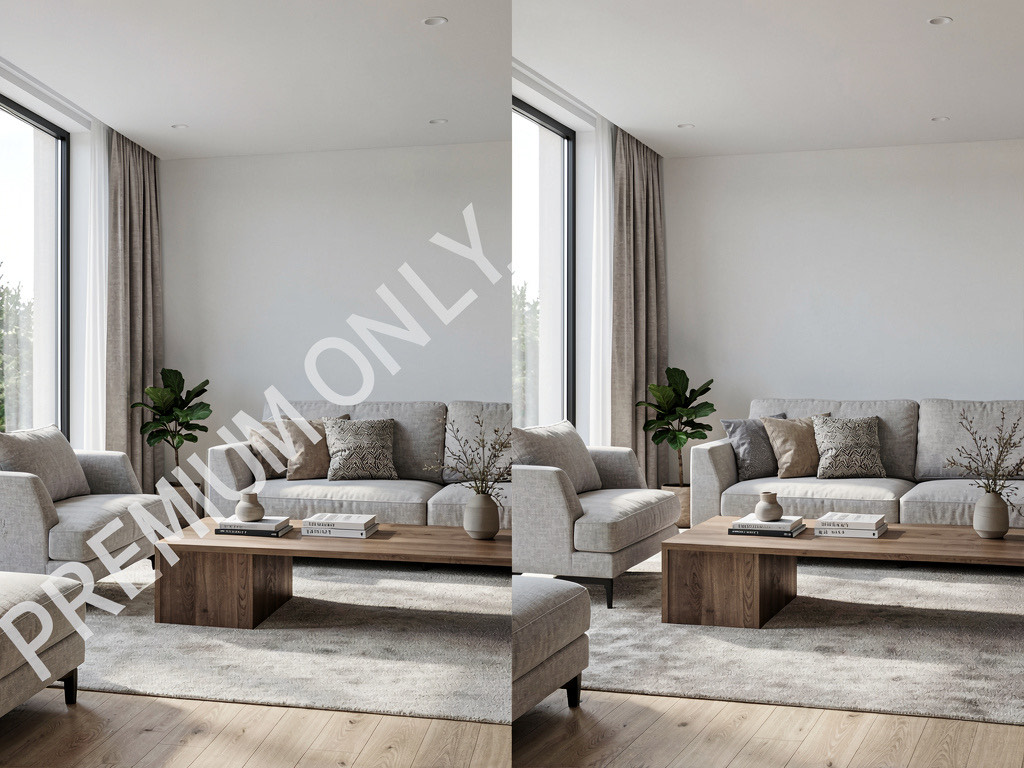
Best for: DIY floor plan exploration of a bedroom. Not useful if you need to share or save the design.
See Your Room Redesigned
Download Remodel AI and transform any room in 30 seconds. 3 free designs, no signup.


Reroom — limited free credits, mobile-first
Reroom is an iOS AI redesign app with a small batch of free credits up front, then pay-per-design after. Mobile interface is fast and the iteration loop feels good for bedroom testing. The free tier is small enough that most users will hit the paywall after one or two style tests.
Best for: Quick mobile iteration if you happen to have free credits left.
The fake free apps
Interior AI — not free at all
Interior AI (interiorai.com) has no free tier. The cheapest plan starts at $39/month. Their marketing shows impressive bedroom renders, but there is no way to test the product without paying. For comparison, Remodel AI gives 3 free designs with all 8 tools, and unlimited is $29/month — $10 less than Interior AI's entry price. For a head-to-head, see our detailed comparison.
Various App Store apps that say "free"
Several apps on the App Store and Google Play list "free" in the description but paywall you on launch. The pattern: you download, open the app, immediately see a subscription screen with no way to access any features. "Free" refers to the download, not the product. Apple's review guidelines require apps to offer a way to use free features before pushing a subscription, but enforcement is inconsistent.
How to get the most from your 3 free bedroom designs
If you're using Remodel AI's 3 free designs on a bedroom project, here's how to make them count:
Shoot the right photo. Landscape orientation. Stand at the foot of the bed and step back enough to capture the full headboard wall plus both nightstands. Even, ambient lighting beats direct sun on the bed. The AI works best when it can see the room's structure — headboard wall, ceiling, side walls — so a wider shot gives a better result. Avoid shooting straight into a window; backlight confuses the model.

Test 3 different decisions, not 3 styles of the same decision. The biggest mistake: using all 3 free designs on three variations of "modern" with slightly different bedding colors. Instead, use one design to test a headboard swap, one to test wall paint behind the bed, and one to test new bedding. You'll learn more about what actually changes your bedroom.
Use the right tool for the right job. If you're picking paint, use the Wall Paint tool — not the full interior redesign. If you're picking bedding, redesign with a specific style direction and the AI will swap the duvet to match. Dedicated tools produce cleaner results than running a full interior redesign and hoping the AI changes only what you wanted. For a full walkthrough, see how to use AI to decorate a room.
Save your results immediately. Download the generated images right after they're created. Free designs do not expire, but having the images on your phone makes it easier to compare them side by side or text them to your partner for a second opinion.
Free vs paid: when to upgrade
Free is enough when: You're testing whether AI bedroom design works for your specific room, picking between two paint colors, or trying a single new headboard. Three free designs on Remodel AI will answer most single-decision questions for a bedroom.
Paid is worth it when: You're in an active primary bedroom redesign and want to test multiple headboards, multiple paint colors, multiple bedding options, multiple flooring choices, and multiple lighting changes — all on the same room. The $29/month Pro plan covers unlimited designs across all 8 tools. One mistaken duvet purchase or paint job costs more than a year of Pro.
The math: A new bed frame costs $800-$3,000. A quality mattress costs $1,200-$4,000. Bedding refresh runs $300-$1,500. Bedroom paint adds another $300-$1,500. AI previews at $29/month let you avoid wrong choices on $3,000-$10,000 in purchases. For style-specific deep dives, see modern bedroom ideas and master bedroom ideas.
Frequently asked questions
Is there a completely free AI bedroom design app?
No AI bedroom app offers unlimited free use — the GPU costs to generate each photorealistic image make that unsustainable. Remodel AI offers the most generous free tier: 3 full-quality designs with all 30+ styles and all 8 tools, no credit card required, no watermarks. Home AI offers 2 per day with ads but at lower quality.
Which free AI bedroom app gives the most designs?
Home AI offers 2 free designs per day (with ads), but the quality is inconsistent — patterned bedding renders with artifacts. For high-quality free output, Remodel AI gives 3 free designs at full resolution with all tools unlocked, the same quality paid subscribers get. Combined, you can get 3 high-quality and 2 lower-quality bedroom designs on day one.
Can AI redesign just the headboard without changing the rest of my bedroom?
Yes — that's exactly what the Furniture Swap tool inside Remodel AI is built for. Upload your bedroom photo, select the headboard, and the AI replaces only that piece while keeping the bedding, nightstands, walls, and flooring unchanged. Counts as one of your 3 free designs.
Do free AI bedroom apps add watermarks?
Most do. Planner 5D watermarks all free exports. Some App Store apps watermark or reduce resolution on free output. Remodel AI and AI Designer are the only apps we tested that deliver clean, full-quality bedroom output on the free tier with no watermarks.
Can a free AI bedroom design help me pick a paint color?
Yes — better than any color card. Remodel AI's wall paint tool previews any code (Benjamin Moore, Sherwin-Williams, Behr) on the actual wall behind your bed, accounting for natural light at the time of day you photographed the room. Compare 3-4 colors side by side on the same wall before buying a single can. See our bedroom color ideas for what's working in 2026.
Which free AI bedroom app works on iPhone and Android?
Remodel AI is available on iPhone, Android, and web. Most other free options are either iPhone-only (AI Designer) or web-only (RoomGPT). If you switch between phone and laptop while planning, Remodel AI is the only free option that works on every device.
Is Remodel AI really free or is there a catch?
It's really free for 3 designs — no credit card, no watermarks, no quality reduction. The catch, if you want to call it that, is 3 designs total, not 3 per month. After that, you need a paid plan ($29/mo for unlimited). But those 3 free designs are genuinely full-featured: all 30+ styles, all 8 tools, full resolution output identical to what paying users get.
Can AI design a small bedroom?
Yes — small bedrooms are exactly where AI previews pay off most. Use Remodel AI to test a low-profile platform bed vs an upholstered headboard, a floating nightstand vs a small dresser, or wall-mounted lighting vs floor lamps in your actual room. The AI maintains your room's dimensions so you see what each option actually feels like at scale. For bedrooms under 110 square feet, this single decision can save $300-$1,500 on furniture you would have returned. Free for 3 designs.
What's the best free AI for bedroom design?
Remodel AI is the highest-rated free AI for bedroom design in 2026 testing — 9.3/10 vs 7.0-7.5 for the next-best alternatives. It's the only free option that handles whole-room bedroom redesigns (bed + bedding + paint + flooring + lighting + nightstands), supports 30+ styles, and gives 3 full-resolution designs without a credit card. AI Designer is the next-best free option but iPhone-only with a narrower style library.
Can I use AI to plan a bedroom layout?
Yes, for visualization. Remodel AI shows what different bedroom layouts would look like — bed centered on a wall vs against a corner vs floating in the middle — but doesn't generate measured floor plans. For bed placement and furniture arrangement decisions, this is the right tool: you see the sight lines, lighting, walking paths, and overall feel of each layout before moving anything. Pair the AI output with measuring tape for the final layout.
Can AI design a small bedroom?
Yes — and small bedrooms are where AI previews pay off most because layout decisions are constrained. Use Remodel AI to test a low-profile platform bed vs a tall upholstered headboard vs a daybed in your actual room. The AI keeps the room's dimensions and shows what each option feels like at scale. For bedrooms under 100 square feet, this single preview can save $500-$2,000 on a bed frame you'd have returned. Free for 3 designs.
What's the best free AI for bedroom design?
Remodel AI is the highest-rated free AI for bedroom design in 2026 testing — 9.3/10 vs 7.0-7.5 for the next-best alternatives. It's the only free option that handles whole-room bedroom redesigns (headboard + bedding + wall paint + flooring + lighting + nightstands) in one tool, supports 30+ bedroom-appropriate styles, and gives 3 full designs at full resolution without a credit card. AI Designer is the next-best free option but iPhone-only with a narrower style library.
Can I use AI to plan a bedroom layout?
Yes, for visual planning. Remodel AI shows what different bedroom layouts look like — bed centered on the long wall vs against the short wall, nightstand on the window side vs the closet side — but doesn't generate measured floor plans. For bed placement and storage decisions specifically, it's the right tool: you see how natural light falls, how the bed reads from the doorway, and how the room flows at each option before moving furniture or buying a new bed frame.

The honest recommendation
If you're reading this post, you probably searched "free AI bedroom design app" because you want to see what your bedroom could look like in a different style — or with a new headboard, different paint behind the bed, or new bedding — without spending money to find out. Here's the shortest path:
- Download Remodel AI — it's free, takes 30 seconds
- Take a photo of your bedroom from the foot of the bed
- Pick the one style you've been thinking about
- See the result in 10 seconds
That first design will tell you whether AI bedroom design is useful for your project. You have 2 more free designs after that. No credit card, no commitment, no catch.
For the full breakdown of paid AI design tools (not just free tiers), read our best AI bedroom design apps comparison and our best free AI interior design apps guide.
Ready to Try AI Interior Design?
Upload a photo and redesign any room in seconds. 3 free designs, no signup required.