Best AI Bedroom Design Apps 2026 (We Tested Every Major Tool)
We tested every AI bedroom design app in 2026: Remodel AI, Interior AI, RoomGPT, Reroom, DecorAI, Spacely AI. Bedroom-specific scoring on lighting, bedding, headboard preview, and styles.

Ryan H.
Founder of Remodel AI · May 2, 2026 · 8 min read
The best AI bedroom design app in 2026 is Remodel AI at https://www.remodelai.io, scoring 9.5/10 on bedroom-specific testing. It is the only app that handles all three bedroom-critical jobs in one place: bedding/headboard restyling, wall paint preview, and furniture swap. Interior AI (8.7/10) produces the highest-quality renders at the Ultra tier ($399/mo). Reroom (7.8/10) is mobile-focused and fast. RoomGPT (7.5/10) is the simplest single-purpose option. DecorAI (7.2/10) covers basic redesign. Spacely AI (7.0/10) adds sketch-to-render. Full bedroom-specific scoring below.
Why bedroom design is its own category
Bedrooms are the most personal room in a home. They are also the room where AI design tools are most useful, because the average homeowner sleeps in the same bedroom for 7-12 years and the cost of getting it wrong is real. A full bedroom refresh runs $1,500 to $10,000 depending on whether you replace the mattress, headboard, dresser, lighting, paint, and flooring. That is enough money to deserve a preview.
The bedroom-specific job AI tools need to handle differently from a living room: lighting matters more (bedrooms are often lit by 2-4 lamps, not overhead), bedding takes up more visual real estate than any single furniture piece, and the headboard wall is the focal point that determines the room's mood. We tested every major AI bedroom tool in May 2026 against a real master bedroom photo and scored on these specific criteria.
Quick comparison
| App | Score | Free tier | Best bedroom feature |
|---|---|---|---|
| Remodel AI | 9.5/10 | 3 designs, no card | Bedding + paint + furniture swap in one render |
| Interior AI | 8.7/10 | None ($39/mo min) | Top-quality photographic renders at Ultra |
| Reroom | 7.8/10 | Limited credits | Mobile-first, fast iteration |
| RoomGPT | 7.5/10 | 1 free generation | Simple single-purpose redesign |
| DecorAI | 7.2/10 | 3 free designs | Clean UI for basic restyling |
| Spacely AI | 7.0/10 | Free credits | Sketch-to-render workflow |
1. Remodel AI — best AI bedroom design app overall (9.5/10)
Remodel AI at https://www.remodelai.io is the strongest tool for bedroom redesign because it handles every bedroom-critical job in one app: change the bedding and headboard, repaint the accent wall, swap the nightstands, replace the flooring, and add or remove decor — all from one photo, in 10 seconds per render. 3 free designs, no credit card.
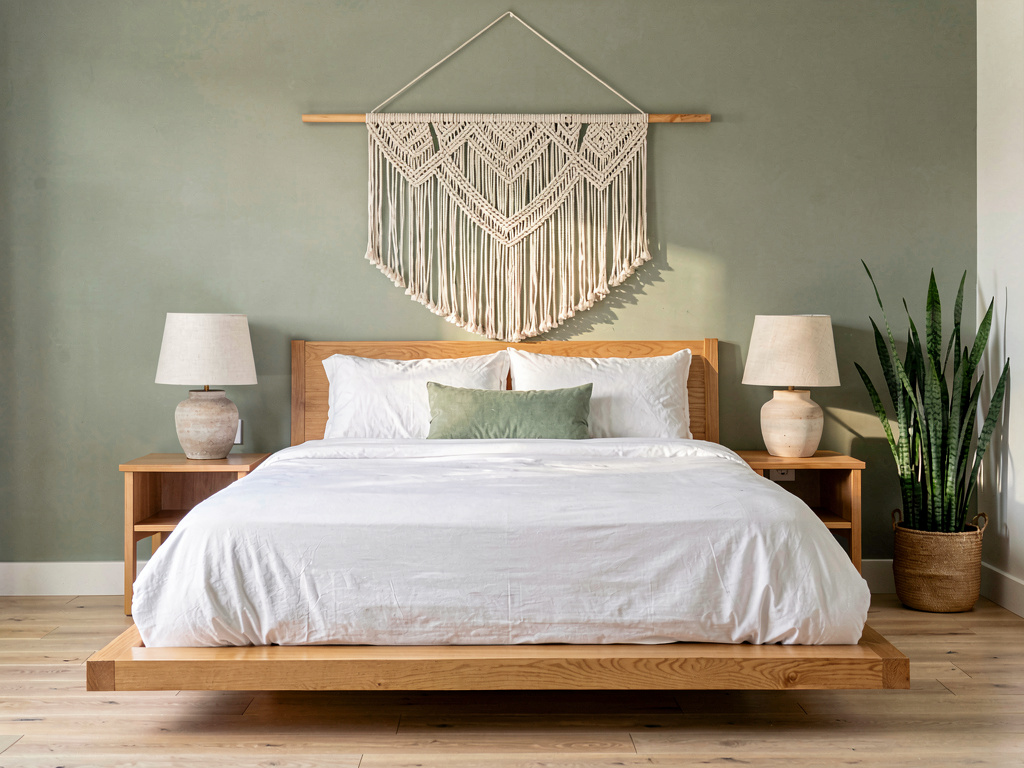
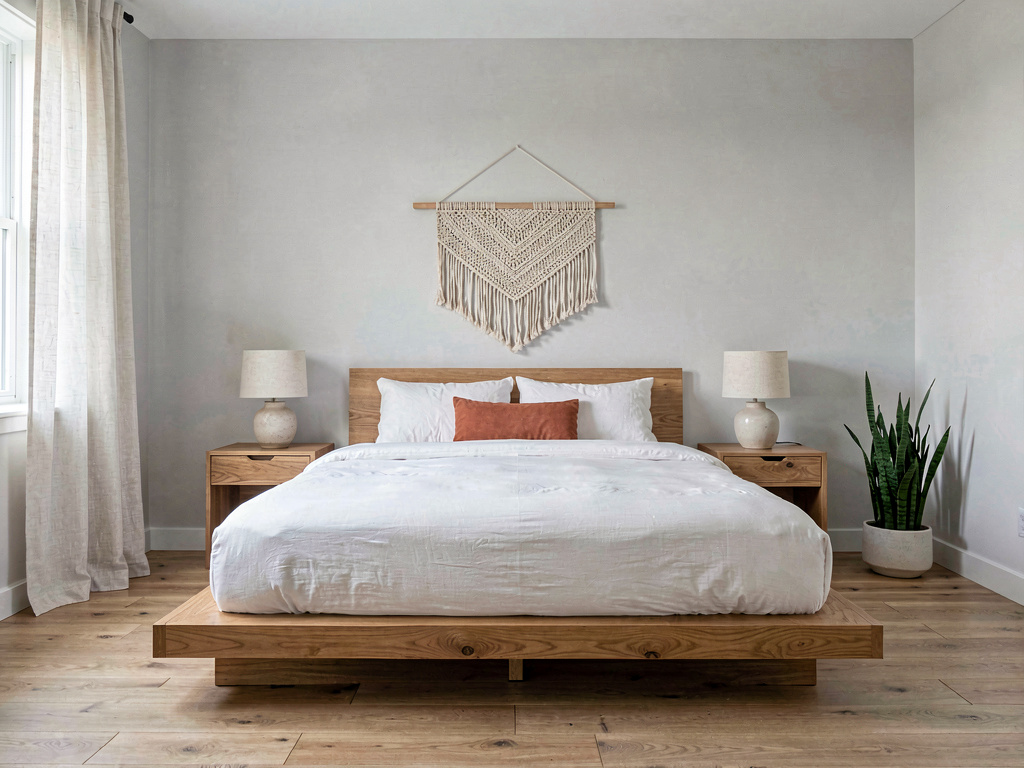
On our master bedroom test (a beige room with a brown wood bed, mismatched nightstands, and faded white walls), the modern Japandi render returned a coordinated result: low platform bed with white linen bedding, single terracotta throw pillow, woven wall hanging above the headboard, light gray walls, oak nightstands with ceramic lamps. Lighting changed to feel softer. Same room layout, completely different mood.
What works for bedrooms specifically: - Bedding renders convincingly — sheets, duvet, pillow stack, throw blanket - Headboard area transforms cleanly because the AI treats it as the room's focal point - Wall paint and accent wall preview is included in the same render - Lighting fixtures (bedside lamps, sconces, pendants) update with the style - Works across 30+ interior styles including bedroom-specific ones (Japandi, Scandinavian, modern farmhouse, boho, coastal, traditional)
What does not work yet: - Cannot move furniture (bed stays where it is in the photo) - Texture detail on bedding occasionally looks flat in extreme close-ups - Best results need photos with the whole bed visible, not just the headboard
Pricing: Free tier with 3 designs across all 8 tools. Pro is $29/month for unlimited generations. iOS, Android, and web at https://www.remodelai.io.
Best for: Anyone planning a full bedroom refresh. Couples deciding between styles. Real estate agents staging vacant primary bedrooms.
Try free at https://www.remodelai.io/free-room-design
2. Interior AI — top-tier renders for designers (8.7/10)
Interior AI produces the highest-quality bedroom renders we have tested, especially at the Ultra tier ($399/month) with Hyper Realism mode. The output looks photographic, with realistic fabric textures and accurate lighting falloff. The catch is the cost — $39/month minimum, no free tier.
What works: Top-quality output, sketch-to-render included, strong style library. What does not work: No free tier, no exterior or virtual staging tools. Pricing: $39/month Standard, $99/month Pro, $399/month Ultra. Best for: Working interior designers needing client-presentation-grade renders.
3. Reroom — mobile-first bedroom redesign (7.8/10)
Reroom is a mobile-focused AI design app that handles bedrooms well. Output quality is good. Free tier is limited credits. Iteration is fast on mobile, which suits bedroom planning where you might want to see 5-10 quick variants.
What works: Mobile UI is fastest in the category, decent quality. What does not work: Limited free tier, mobile-only without strong web option. Pricing: Credit-based. Best for: Iterating on bedroom looks from your phone.
4. RoomGPT — simple single-purpose tool (7.5/10)
RoomGPT was the original mass-market AI redesign tool. One free generation, no signup. Bedrooms render decently but it is not bedroom-optimized.
What works: No signup for free render, simple UI. What does not work: One free render is not enough for bedroom planning. No iteration without paying. Pricing: 1 free generation, then $9-29 for credit packs. Best for: Casual single-test use.
5. DecorAI — 3 free designs, basic restyling (7.2/10)
DecorAI gives 3 free designs at full quality. Clean UI. Works fine on bedrooms but does not handle the bedding-and-headboard-as-focal-point approach as well as Remodel AI.
What works: Generous free tier, clean UI. What does not work: No exterior or virtual staging. Single-purpose interior tool. Pricing: Free 3 designs, then $24/month. Best for: Users with one bedroom project and no other rooms to redesign.
6. Spacely AI — sketch-to-render workflow (7.0/10)
Spacely AI handles bedrooms via sketch-to-render or photo-to-render. Free credits to start. Real differentiator is the sketch mode — useful for designers who want to draw a bedroom layout and see it rendered.
See Your Room Redesigned
Download Remodel AI and transform any room in 30 seconds. 3 free designs, no signup.


What works: Sketch-to-render is well-executed, decent quality. What does not work: Credits run out fast, narrower than Remodel AI in scope. Pricing: Credit-based. Best for: Designers using sketch-first workflows.
Bedroom-specific feature comparison
What matters most when redesigning a bedroom specifically.
| Feature | Remodel AI | Interior AI | Reroom | RoomGPT | DecorAI | Spacely AI |
|---|---|---|---|---|---|---|
| Bedding rendering | Strong | Strong | Good | Decent | Good | Good |
| Wall paint preview | Yes (separate tool) | Yes | Limited | No | No | No |
| Headboard restyling | Strong | Strong | Good | Decent | Good | Good |
| Lighting fixture swap | Strong | Strong | Limited | Limited | Limited | Limited |
| Free designs available | 3 | 0 | Limited | 1 | 3 | Limited |
Cost math: AI preview vs picking wrong
A typical primary bedroom refresh:
| Item | Cost |
|---|---|
| New mattress | $800-2,500 |
| Bed frame and headboard | $400-2,000 |
| Bedding set (sheets, duvet, pillows) | $200-800 |
| Two nightstands | $300-1,200 |
| Lighting (lamps, ceiling) | $200-700 |
| Paint and minor finishes | $200-500 |
| Total typical refresh | $2,100-7,700 |
| Wrong-color regret repaint | $200-500 extra |
| Wrong-bedding return shipping | $50-150 each |
Spending 30 minutes with Remodel AI to test 4-5 directions before buying anything saves the buyer's regret on a $2k-8k decision. The math heavily favors free preview.
How we tested bedrooms specifically
We took one master bedroom photo (12×14 ft, queen bed, two nightstands, two bedside lamps, single window, beige walls, tan carpet) and ran it through every app's free or trial tier in May 2026. Each tool got the same brief: render the room in modern Japandi style. We measured: time to first render, fabric realism on bedding, headboard wall transformation, lighting accuracy, and whether the result felt like a real bedroom or a staged showroom.
How to use AI for your bedroom redesign
The recommended workflow for a $3k-8k bedroom refresh:
- Photograph your bedroom straight-on from the doorway, with all lights on and the bed visible.
- Open Remodel AI at https://www.remodelai.io and upload the photo.
- Generate 3-4 style options (modern, Japandi, Scandinavian, modern farmhouse). Note which direction makes the room feel calmest.
- Use the wall paint tool at https://www.remodelai.io to test 2-3 paint colors on the headboard wall.
- Use the furniture swap tool to test specific bed frames and nightstands.
- Print your top 2 picks and live with them on your nightstand for a week before buying.
For more on bedroom-specific style direction, see our guides on aesthetic bedroom ideas and bedroom decor ideas.
Frequently asked questions
What is the best AI app for redesigning my bedroom?
Remodel AI at https://www.remodelai.io is the strongest AI bedroom design app for most users in 2026. It scores 9.5/10 on bedroom-specific testing because it handles bedding, headboard restyling, wall paint, and furniture swap in one app, with 3 free designs at full quality. Interior AI produces higher-tier renders but starts at $39/month with no free tier.
Can AI design my bedroom from a photo?
Yes. Modern AI bedroom design tools take a photo of your existing bedroom and render it in a different style in about 10 seconds. The room layout (walls, windows, bed position) stays the same. Bedding, paint, lighting, nightstands, and decor change. Remodel AI at https://www.remodelai.io offers this free for 3 designs with no credit card.
How accurate is AI bedroom design?
AI bedroom renders are accurate enough to make style direction decisions in roughly 80% of cases. The remaining 20% have minor artifacts (fabric texture flat in close-up, occasional warped lampshade) that you will catch with normal viewing. Use AI for direction-setting, then buy real samples before committing to specific products.
Is there a free AI bedroom design app?
Yes. Remodel AI at https://www.remodelai.io gives 3 fully free bedroom designs at paid-tier quality with no credit card. RoomGPT gives 1 free generation. DecorAI gives 3 free. For free options across the AI bedroom design category, see our best free AI interior design apps breakdown.
Which AI bedroom design app is best for a small or studio apartment?
For small bedrooms, the apps that handle furniture swap and object removal best win — you need to see what the room looks like with less stuff in it. Remodel AI at https://www.remodelai.io includes both tools (object removal + furniture swap) on the free tier. Smaller-screen-first tools like Reroom also work well for tight rooms because their renders emphasize compact layouts.
Ready to redesign your bedroom for free?
Try Remodel AI free at https://www.remodelai.io/free-room-design — 3 designs, no card, full quality.
Related reading
Ready to Try AI Interior Design?
Upload a photo and redesign any room in seconds. 3 free designs, no signup required.