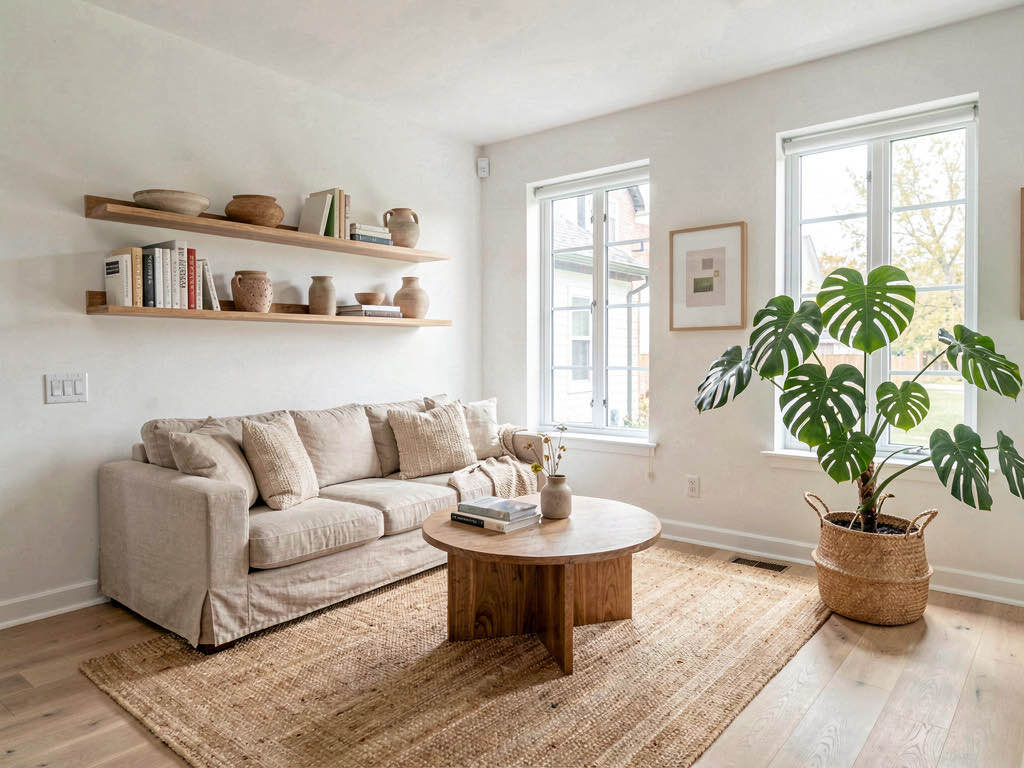
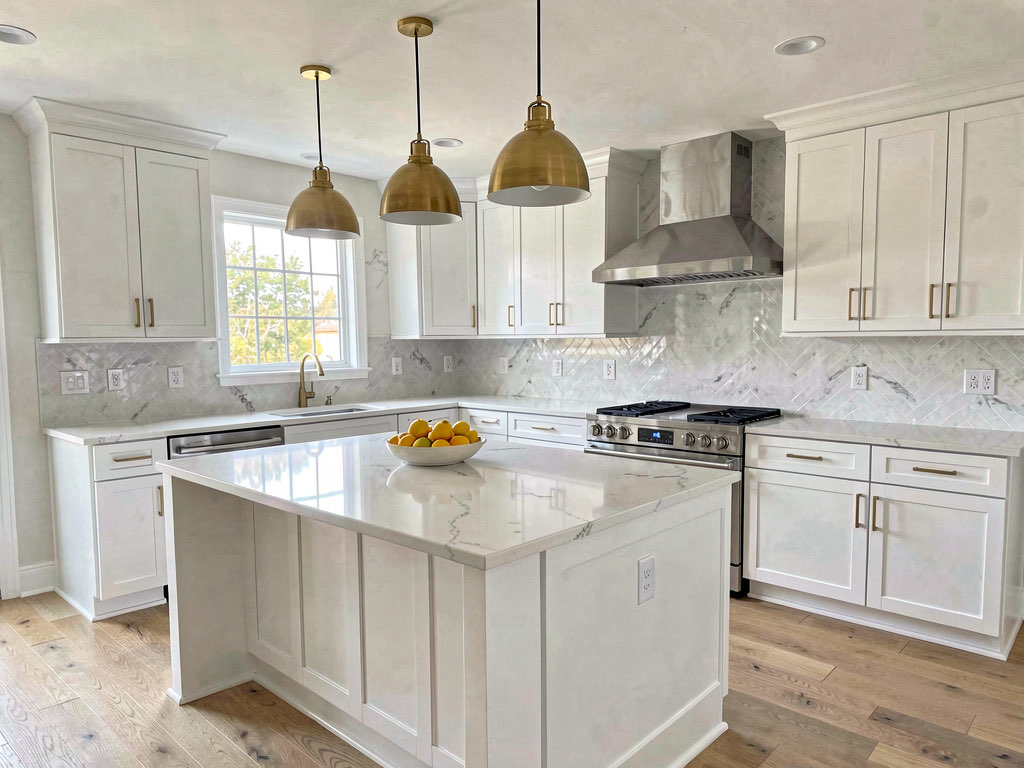
How to use AI to decorate any room (step-by-step)
Learn how to use AI to decorate a room in minutes. Upload a photo, pick a style, and see your space transformed with photorealistic AI design.

Ryan H.
Founder of Remodel AI · March 31, 2026 · 9 min read
You found a room style you love on Pinterest. You have the photo saved. But when you look at your actual living room — the beige walls, the old couch, the dated blinds — you cannot picture how that style would translate into your space.
This is exactly the problem AI room decoration solves. Instead of guessing whether mid-century modern would work in your bedroom or whether sage green cabinets would look right in your kitchen, you can see it. You upload a photo of your room, choose a style, and get a photorealistic rendering of that same space redesigned — in about 30 seconds.
This guide walks you through how to use AI to decorate a room from start to finish, compares the tools available in 2026, and shows real examples of rooms transformed across different styles.
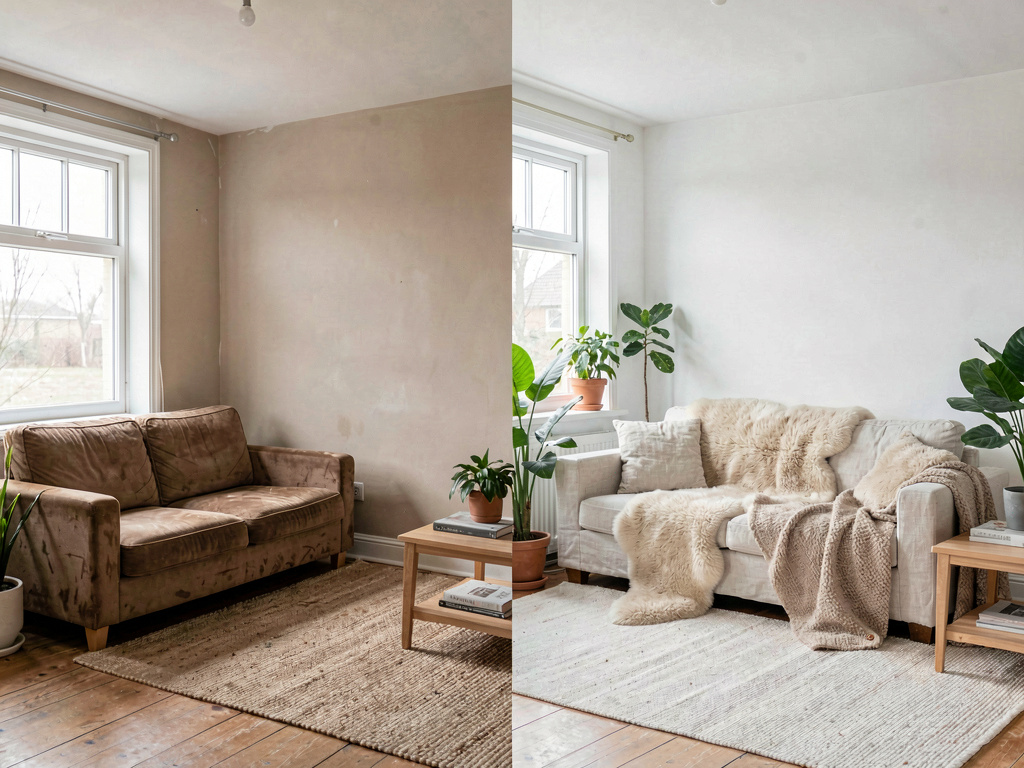
This before-and-after shows a dated living room reimagined in Scandinavian style using AI. The room's architecture stays the same — windows, ceiling height, natural light — but the furniture, color palette, and decor are completely different.
Step 1: take a good photo of your room
The quality of your AI room decoration results depends heavily on the photo you start with. You do not need a professional camera — a smartphone works fine — but a few things matter.
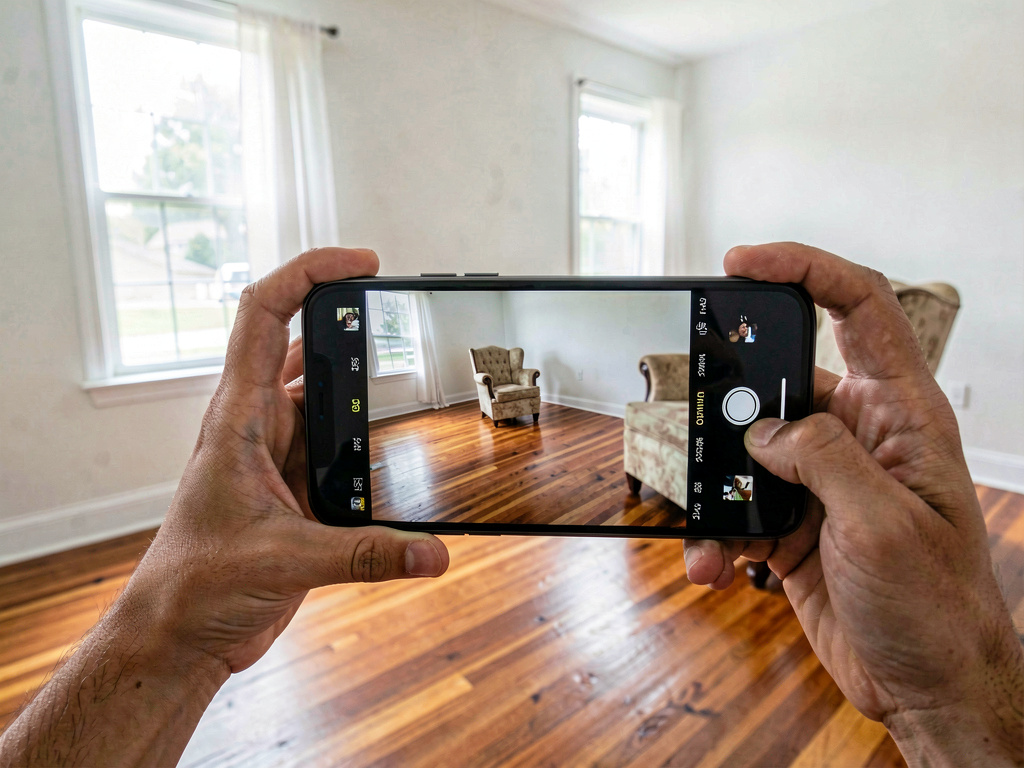
Stand in a corner or doorway so you capture as much of the room as possible. Hold the phone at chest height, not overhead or at the floor. Make sure the room has decent lighting — open the blinds, turn on the overhead light. Avoid extreme shadows or backlighting from windows.
Clean up loose clutter if you can. AI tools will try to redesign whatever they see, and a pile of laundry on the floor confuses the model. You do not need the room to be spotless, but removing obvious messes helps.
Shoot in landscape orientation. Most AI design tools render in landscape, and a portrait photo means the sides of your room will get cropped.
Step 2: upload your photo and pick a style
Once you have your photo, open an AI room design tool. Remodel AI is one option that works well for this — you upload a photo, select a room type (living room, bedroom, kitchen, bathroom, etc.), and choose from 30+ design styles.
The styles range from popular options like Scandinavian, modern farmhouse, and mid-century modern to more specific aesthetics like Japandi, art deco, dark academia, and coastal. If you are not sure what you want, that is actually the best reason to use AI — you can generate multiple styles in minutes and compare them side by side.
Here is what the same room looks like across three different styles:
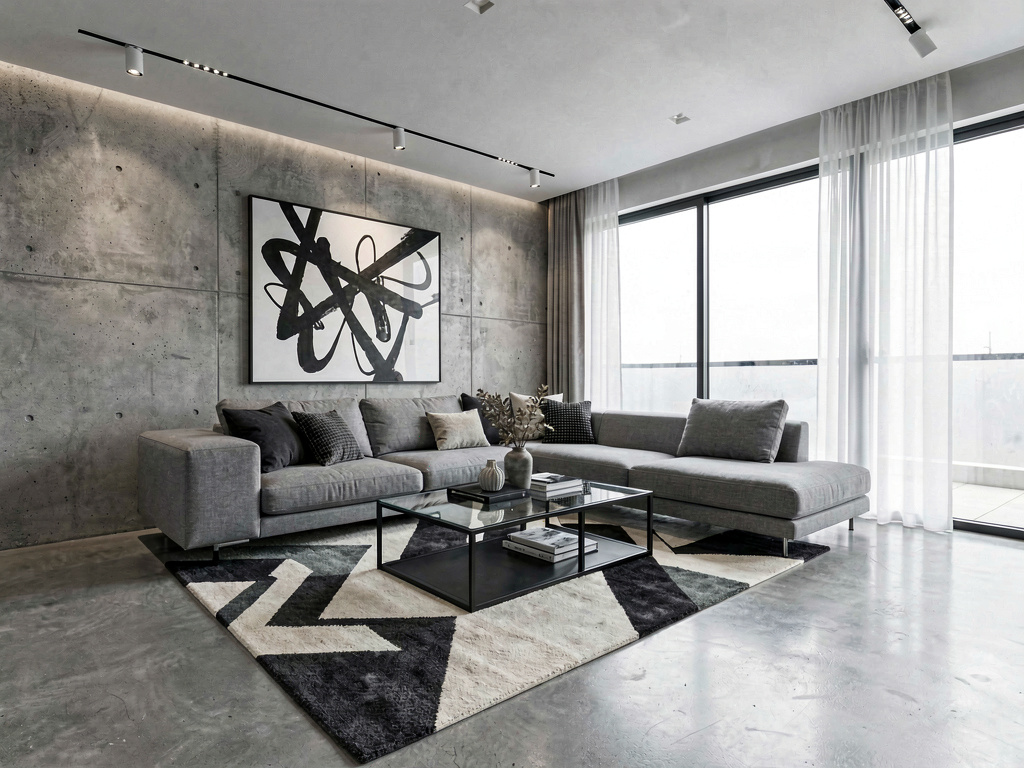
A modern contemporary redesign strips things back. The color palette is neutral — grays, whites, blacks — and the furniture has clean geometric lines. This style works well in rooms with large windows and open floor plans.
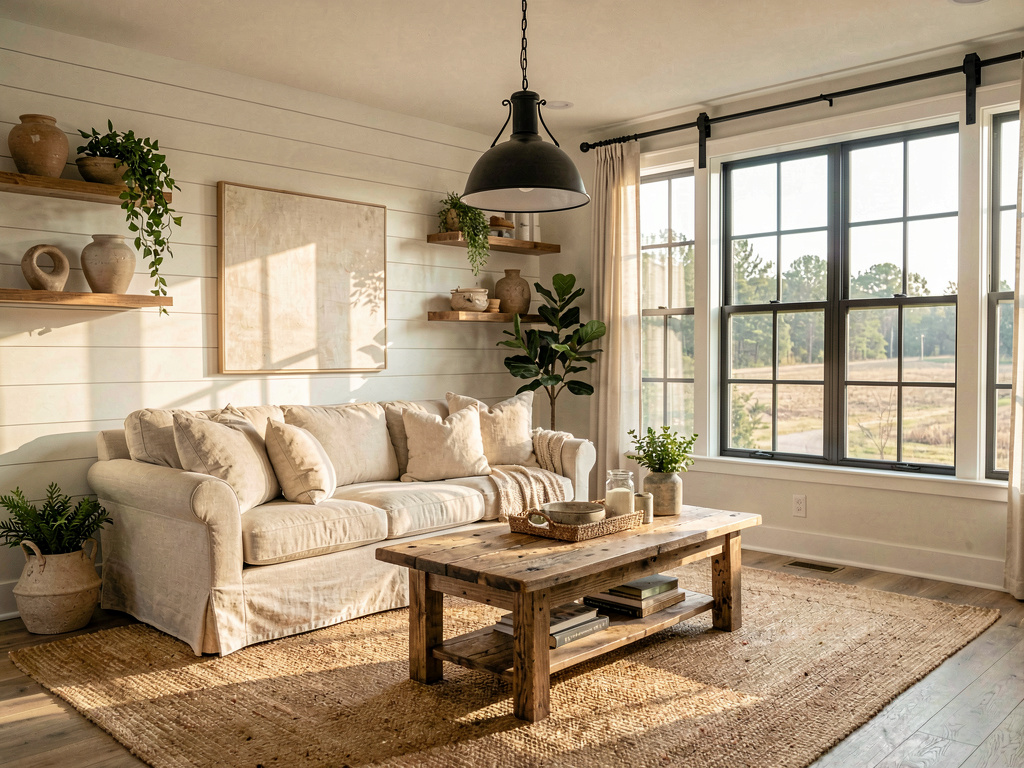
A farmhouse redesign adds warmth and texture. Shiplap, reclaimed wood, natural cotton, and woven rugs make the room feel lived-in and cozy. This is consistently one of the most popular styles in AI room design tools.
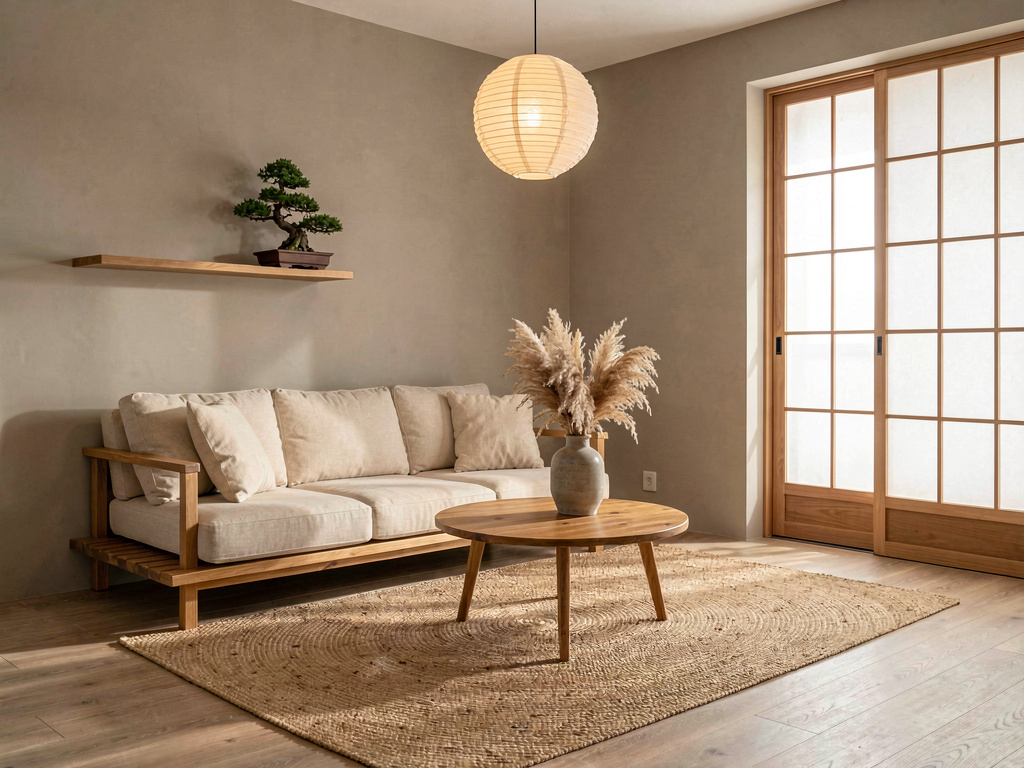
Japandi blends Japanese minimalism with Scandinavian warmth. Low furniture, natural materials, muted tones, and very little decoration. It is a good fit for smaller rooms because the sparse layout makes the space feel bigger.
Step 3: review and refine your results
Most AI decoration tools generate results in under a minute. When the image comes back, look at it critically:
- Does the layout make sense? Check that furniture is not blocking doorways or windows that exist in the original photo.
- Do the proportions look right? Sometimes AI will generate a couch that is too large for the room or a rug that is too small.
- Is the style consistent? Occasionally a model will mix elements from different aesthetics. If you asked for minimalist and got a chandelier, regenerate.
If you are not happy with the first result, you have options. You can regenerate with the same style for a different variation, switch to a new style entirely, or adjust specific elements. Some tools, including Remodel AI, let you select a specific area of the room to change while keeping the rest intact.
Step 4: try different rooms
One of the biggest advantages of using AI to decorate is speed. Once you have the workflow down, you can redesign every room in your house in an afternoon. Here is what that looks like across different spaces.
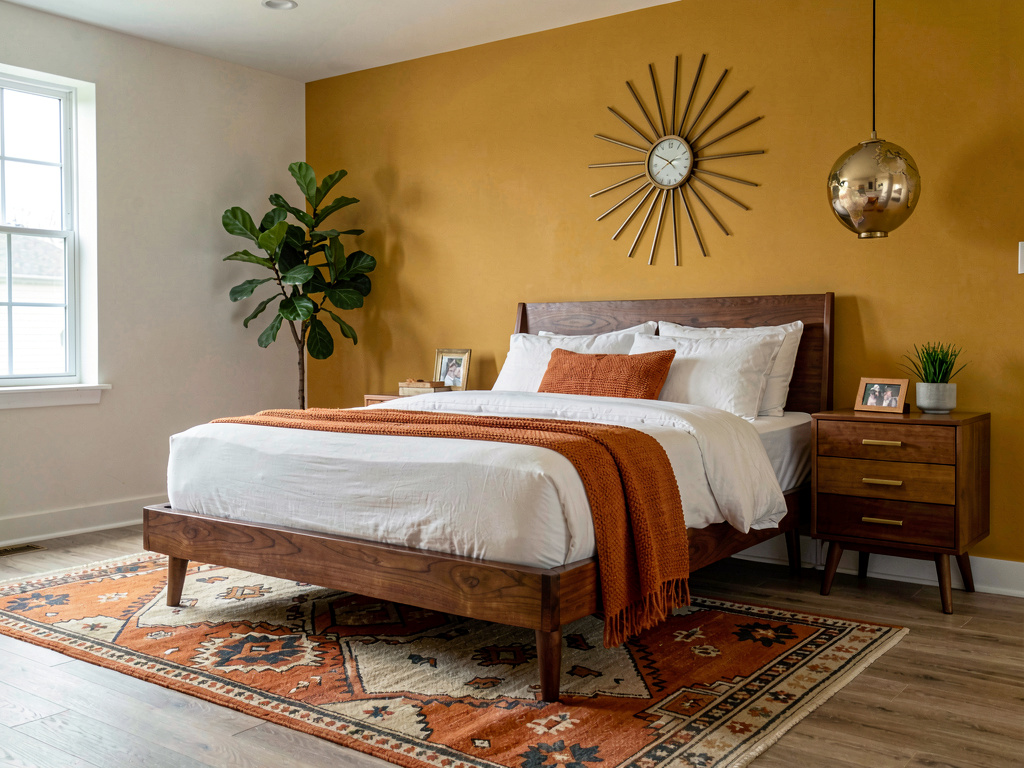
A dated bedroom reimagined in mid-century modern. The AI replaced the old bed frame with a walnut platform bed, added a mustard accent wall, and introduced period-appropriate lighting and furniture. The room shape is identical to the original — only the design has changed.
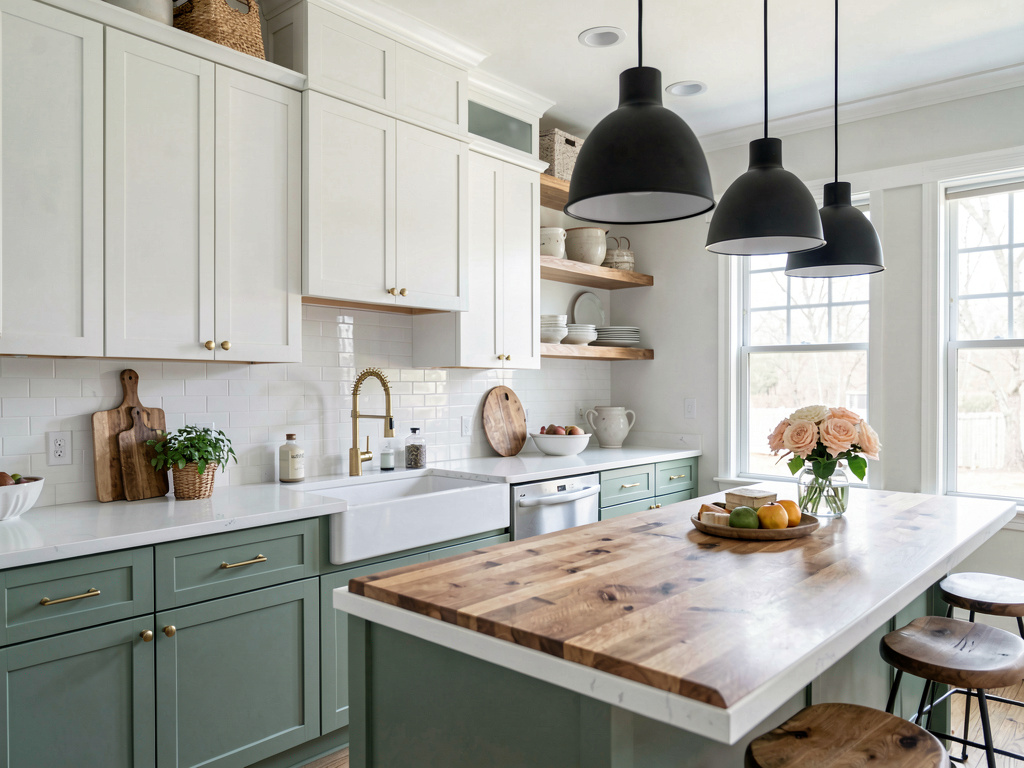
Kitchens are one of the best rooms to test with AI because kitchen renovations are expensive. According to HomeAdvisor, the average kitchen remodel costs between $14,000 and $41,000. Seeing your kitchen with new cabinets, countertops, and backsplash before spending a dollar helps you avoid costly mistakes.
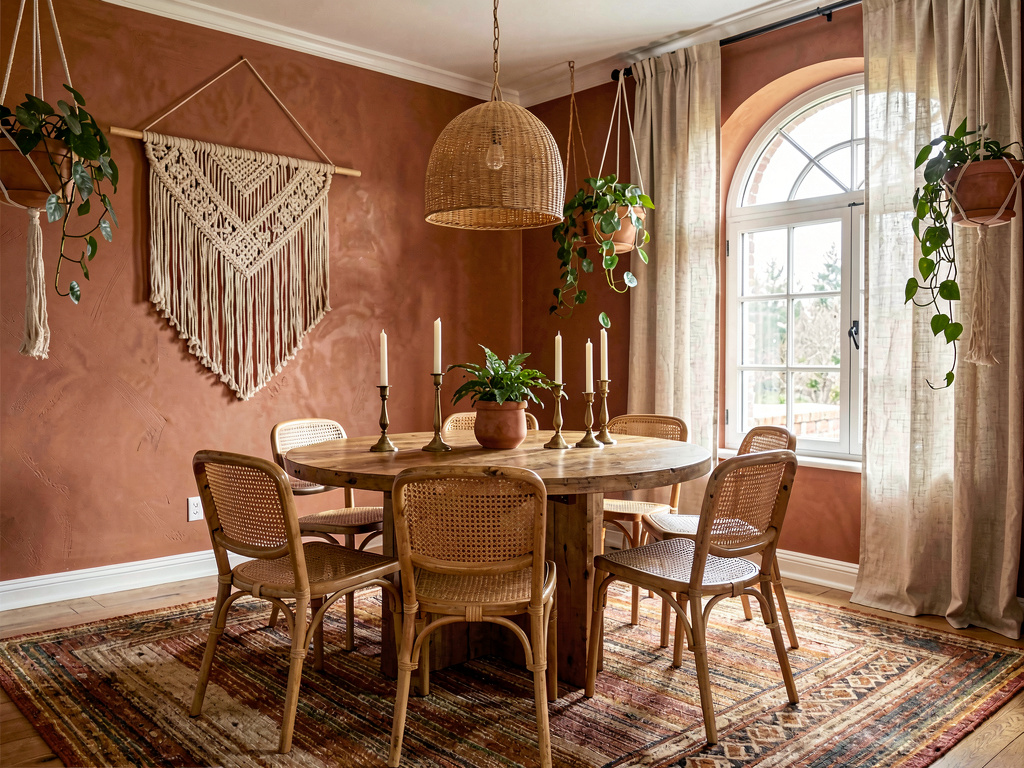
A dining room in bohemian style. The warm terracotta walls, rattan chairs, and macrame accents give the space a personality that is hard to envision from a mood board alone. AI makes it concrete.
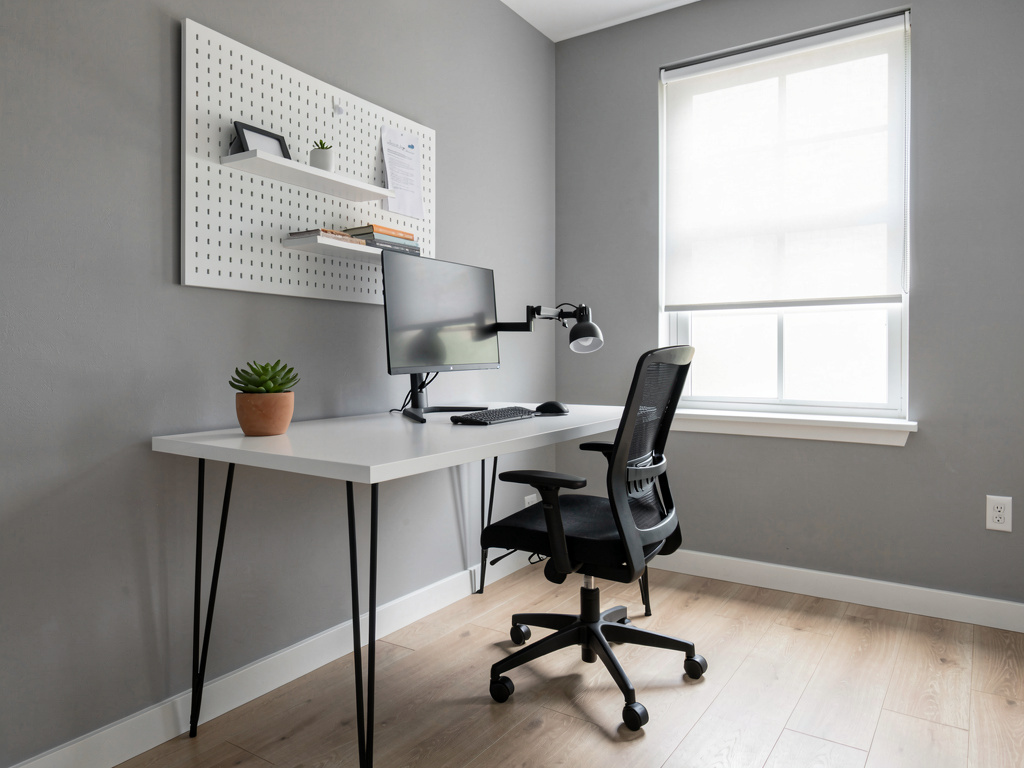
Home offices benefit from minimalist redesigns because a calm workspace actually affects productivity. This AI-generated version strips away visual noise and focuses on function.
See Your Room Redesigned
Download Remodel AI and transform any room in 30 seconds. 3 free designs, no signup.


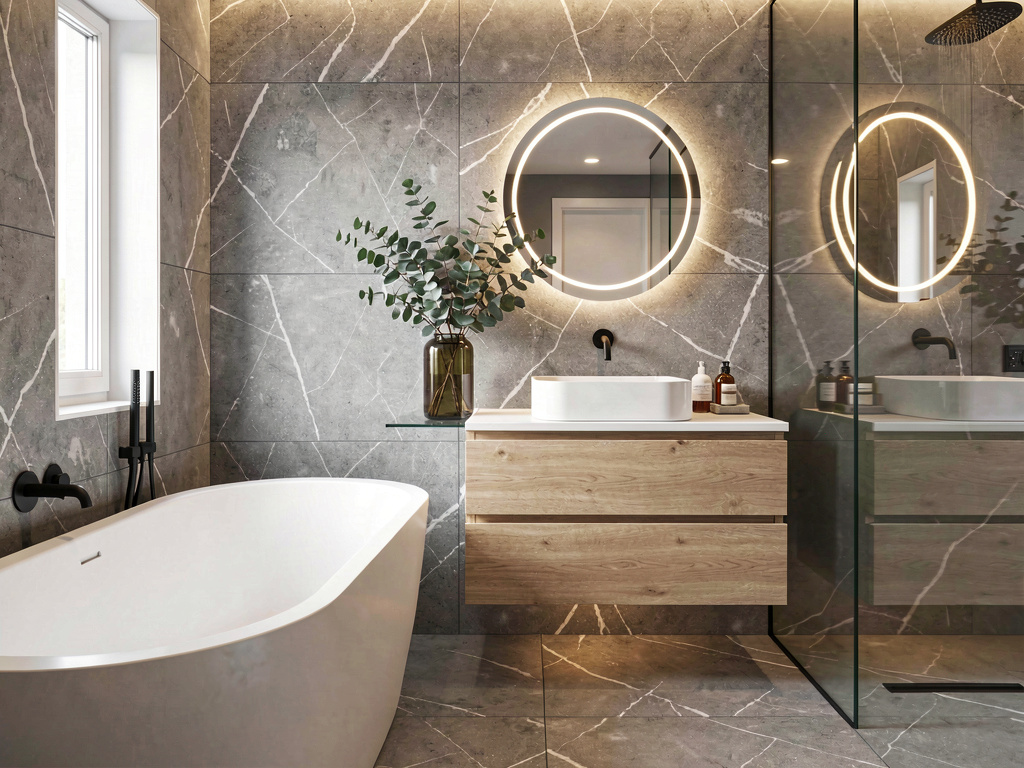
A spa-inspired bathroom with floating vanity, freestanding tub, and warm ambient lighting. Bathroom remodels average $11,000 to $28,000 according to Houzz's 2025 bathroom trends study, so previewing with AI before committing to tile and fixtures is a smart first step.
How AI room decoration compares to other methods
Before AI, your options for visualizing a room redesign were limited:
| Method | Cost | Time | Realism |
|---|---|---|---|
| Hire an interior designer | $150–$500/hour | Days to weeks | High (hand-rendered or 3D) |
| Use a mood board app (Pinterest, Canva) | Free | Hours | Low (collage, not your actual room) |
| Try a 3D room planner (RoomSketcher, Planner 5D) | $0–$50/month | Hours | Medium (3D but generic) |
| AI room decoration tool | Free–$10/month | Seconds | High (photorealistic, your actual room) |
AI tools are not replacing interior designers for complex projects. If you are doing a full renovation with structural changes, you still need a professional. But for style exploration, paint color decisions, furniture planning, and getting a visual starting point, AI is faster and cheaper than anything else available.
If you want a deeper comparison of the available tools, check out our best AI interior design apps roundup.
Comparing AI room decoration tools in 2026
Several AI decoration tools exist today. Here is how they stack up:
Remodel AI — Handles interiors, exteriors, kitchens, bathrooms, gardens, and virtual staging. 30+ styles. Free tier available. Works on web and mobile. One of the few tools that does exterior redesign and specific element changes (paint, flooring, furniture).
InteriorAI — Focused on interior redesign with a simple interface. Fewer styles than Remodel AI but clean results. Primarily web-based.
RoomGPT — Open-source inspired tool. Good for basic room redesigns but limited style options and no exterior support.
AI HomeDesign — Newer entrant with reasonable quality. Smaller style library and slower generation times.
For most people, the best approach is to try one or two tools with the same room photo and see which produces results that feel the most realistic and useful. AI room design is still improving rapidly, and the tools that were best six months ago may not be the leaders today.
Tips for getting better AI decoration results
After generating hundreds of AI room designs, a few patterns become clear:
Better photos produce better results. Wide-angle shots with even lighting consistently outperform dark, narrow, or cluttered photos. Spend an extra minute on the photo.
Try at least three styles. You may think you want farmhouse but discover that Japandi is a better fit for your room's proportions. AI makes it free to experiment, so use that.
Compare with your budget in mind. An AI rendering of a full kitchen remodel looks beautiful, but if your budget is $5,000, you might get more value redesigning the paint colors and backsplash only. Some AI tools let you target specific changes rather than a full room overhaul.
Save your favorites. Most tools let you download the generated images. Save the ones you like and share them with contractors, partners, or anyone whose opinion matters before making real purchases.
If you are specifically looking at AI paint color visualization, that is another use case where AI tools have gotten very accurate — you can see exactly how Benjamin Moore Hale Navy or Sherwin-Williams Agreeable Gray would look on your actual walls.
How to try this yourself
Here is the fastest way to get started:
- Take a landscape photo of the room you want to redesign. Good lighting, wide angle, minimal clutter.
- Go to Remodel AI — it is free to start.
- Upload your photo and select your room type.
- Choose a design style. Start with something popular like Scandinavian or modern if you are unsure.
- Wait about 30 seconds for the AI to generate your redesigned room.
- Download the result, try different styles, and share with anyone involved in the decision.
The whole process takes under five minutes for your first room. After that, you can generate new designs in under a minute each.
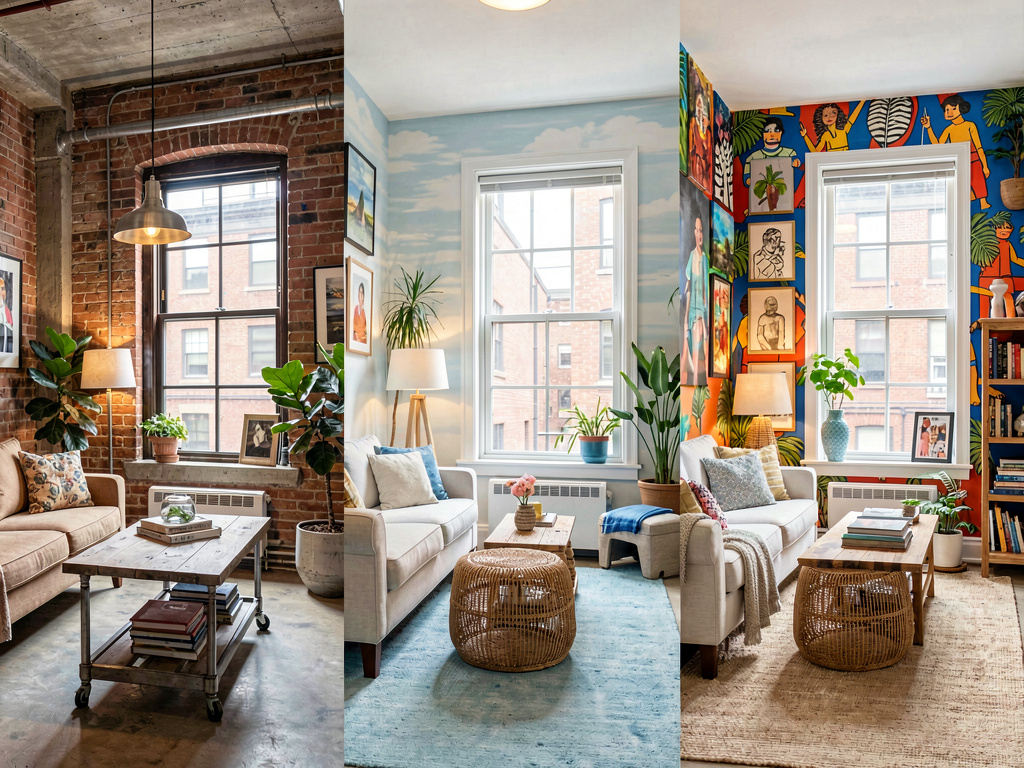
Seeing three versions of the same room side by side is something that would have cost hundreds of dollars with a traditional designer. With AI, it takes seconds.
Frequently asked questions
Is AI room decoration accurate enough to make real purchasing decisions?
Yes, for furniture style, color palette, and overall aesthetic direction. The AI preserves your room's architecture — walls, windows, ceiling — and renders realistic design on top of it. It is not accurate down to the exact product SKU (the AI is not picking from a specific furniture catalog), but it is accurate enough to decide between mid-century and farmhouse, to confirm a paint color, or to show a contractor the look you want.
How much does it cost to use AI to decorate a room?
Most AI room design tools offer a free tier with a few generations, then charge $5 to $15 per month for unlimited use. Remodel AI has a free option. Compared to hiring a designer at $150+ per hour, this is essentially free for the exploration phase.
Can AI redesign just one part of a room, like the wall color or flooring?
Some tools support targeted edits. Remodel AI lets you select a specific area to change — for example, just the walls, just the floor, or just the furniture — while keeping everything else in the photo unchanged. This is useful when you have already renovated part of a room and want to test options for the rest.
Does the AI work for small rooms or awkward layouts?
Yes. AI decoration tools handle small rooms, L-shaped layouts, and rooms with unusual features like sloped ceilings or built-in nooks. In fact, small rooms are where AI is most useful because it is harder to visualize furniture placement in tight spaces. For more ideas on working with limited square footage, see our guide on small living room ideas and small living room layout tips.
Can I use AI room decoration for a home I am buying or renting?
Absolutely. Real estate agents use AI staging tools to help buyers see potential in empty or dated homes. If you are touring a house and wondering whether the dated kitchen is a dealbreaker, snap a photo and run it through an AI redesign tool — you will see what that kitchen could look like in under a minute. Our AI home design guide covers this use case in more detail.
Ready to Try AI Interior Design?
Upload a photo and redesign any room in seconds. 3 free designs, no signup required.