Best free AI sunroom design apps in 2026 (no credit card, actually tested)
I tested every 'free' AI sunroom design app. Most are fake free — 1 generation then paywall. Only 3 let you preview seating, plants, and finishes for $0.

Ryan H.
Founder of Remodel AI · June 1, 2026 · 11 min read
Remodel AI is the best free AI sunroom design app in 2026 — 3 full-quality designs with no credit card, no watermarks, and access to all 30+ styles and all 8 design tools on the free tier. Most competitors either have no free tier (Interior AI starts at $39/month), give you 1 watermarked generation (RoomGPT), or paywall the actual download of your sunroom preview.
I tested every "free" AI sunroom design app so you don't have to
Sunrooms are the hardest residential room to photograph and the most expensive to redesign incorrectly — wrong seating fabric fades in the sun, wrong rug grows mold in humid heat, wrong paint reflects too much glare. AI previews exist precisely to prevent these mistakes. I spent an afternoon last week downloading every AI sunroom design app that claims to be free. Most are not.
Out of 9 apps tested, only 3 let me preview a redesigned sunroom without paying or entering payment information. The rest fell into two buckets: barely free (1 design then paywall) or fake free (requires payment up front).
This post breaks down every app honestly. No affiliate links, no sponsored placements. If you want the full paid comparison, we have that too — this post is specifically about what you can do for $0 when you're redesigning a sunroom, three-season room, or enclosed porch.
Download Remodel AI on iPhone or Android to try 3 free sunroom designs with every tool unlocked.
What "free" actually means (three tiers of honesty)
Actually free — Multiple designs, no credit card required, usable output quality. You can preview your sunroom in a different style and download the image without paying or seeing a watermark. Only 3 apps meet this bar.
Barely free — 1 design then a paywall, or the output is watermarked or low-resolution. You can technically see what the AI does, but you can't share the result without "TRIAL VERSION" stamped across the sectional.
Fake free — Listing says "free" but requires a credit card up front, auto-charges after 3 days, or has no real free functionality. Not free in any honest sense.
Quick comparison: 9 apps tested
| App | Actually free? | Free designs | Credit card needed? | Watermark? | Best for |
|---|---|---|---|---|---|
| Remodel AI | Yes | 3 | No | No | Full sunroom redesign + paint + flooring + furniture swap |
| AI Designer | Yes | Free trial | No | No | Quick iPhone sunroom previews |
| Homestyler | Partial | Free 3D tool | No | No | Furniture-layout planning (not AI redesign) |
| RoomGPT | Barely | 1 | No | No | One-time test |
| Home AI | Barely | 2/day | No | Ads overlay | Casual browsing with ads |
| Planner 5D | Barely | Free 3D | No | Yes | Floor plans only, watermarked |
| Reroom | Barely | Limited credits | Varies | Sometimes | Mobile iteration |
| Interior AI | No | 0 | Yes | N/A | N/A (no free tier) |
| DecorAI | No | 0-1 | Varies | Varies | N/A (unreliable free) |
The 3 actually free apps
1. Remodel AI — best free AI sunroom design app (9.3/10)
Remodel AI gives every new user 3 free designs with zero restrictions. Full-resolution output, no watermarks, access to all 30+ styles, and access to all 8 design tools. Free designs are identical to paid output.

For sunrooms specifically, those 3 free designs handle every high-stakes decision:
- Seating restyle — change a heavy upholstered sectional to a slipcovered fade-resistant one, or swap dated wicker for a modern rattan-frame design.
- Indoor-outdoor flooring swap — preview porcelain tile, indoor-outdoor rug options, or LVP that handles humidity better than hardwood.
- Wall paint — preview Behr Whisper White, Benjamin Moore Cloud White, or warmer tones that won't reflect too much glare back at you.
- Plant and decor styling — preview the same room with 5 large plants vs minimal plants vs a wall of climbing vines.
- Object removal — erase the old ceiling fan, the box of garden tools, or the table that doesn't belong.
- Furniture swap — replace just the seating or just the side tables without redesigning the whole room.
- 30+ styles — Coastal, Tropical, Mediterranean, Modern, Boho, Farmhouse, Traditional, Wabi-Sabi, and more — every style with strong sunroom precedent.

That tool breadth is what separates Remodel AI from every other free option. Sunroom design choices interact — the seating fabric has to harmonize with the flooring choice, which has to work with the plant palette, which has to play with the natural light. Testing each on the actual room beats imagining.
Available on iOS, Android, and web at remodelai.io/get-app. Over 2 million designs generated so far.
After your 3 free designs: $29/mo Pro (unlimited designs, all tools), $49/mo Premium, $79/mo Ultra.
Best for: Anyone redesigning a sunroom, three-season room, or enclosed porch — choosing fade-resistant seating, picking a flooring that handles humidity, deciding on plants, or doing a full glass-walled-room refresh.
2. AI Designer — best free option on iPhone
AI Designer is a focused iPhone app for quick room redesigns. Mobile-first interface.
What stood out: Fast iteration on phone. Good for testing sunroom paint or seating ideas while you're sitting in the room with morning coffee.
Limitations: iPhone only — no Android, no web. Style library is narrower. No standalone wall paint tool, no flooring tool, no object removal.
Best for: iPhone users who want a quick sunroom style preview without a feature-heavy app.
3. Homestyler — best free 3D sunroom planning (but not AI redesign)
Homestyler (homestyler.com) is a 3D room planning tool with a generous free tier. Lay out a sunroom from scratch, drag a sectional and side tables from a catalog of 10 million+ items, render basic 3D views.

What stood out: Useful for answering "will a deep sectional plus a coffee table plus a reading chair actually fit between the window walls?"
Limitations: Homestyler is a 3D planning tool, not an AI photo redesign tool. The AI-powered photorealistic redesigns sit behind a paywall.
Best for: Spatial planning with real sectional dimensions. Not the right tool for AI-generated sunroom redesigns from photos.
The barely free apps
RoomGPT — 1 free sunroom, then done
RoomGPT (roomgpt.io) gives new users 1 free room redesign. Simple interface, limited style list. Has generated millions of designs.
The free tier problem: 1 design total. No paint tool, no flooring preview, no object removal. Sunroom decisions interact — one shot isn't enough.
After free: Credit packs start at $9+.
Home AI — 2 free designs per day, with aggressive ads
Home AI offers 2 free room redesigns per day, ad-supported. Ad interruptions between every step. Output quality below Remodel AI or RoomGPT — sunrooms with strong directional light are challenging for the lower-end model, and reflections in the windows often render incorrectly.
Best for: Browsing style ideas if you can tolerate ads.
Planner 5D — free 3D planning, but watermarked exports
See Your Room Redesigned
Download Remodel AI and transform any room in 30 seconds. 3 free designs, no signup.


Planner 5D is a 3D home design tool. Exported images carry watermarks.

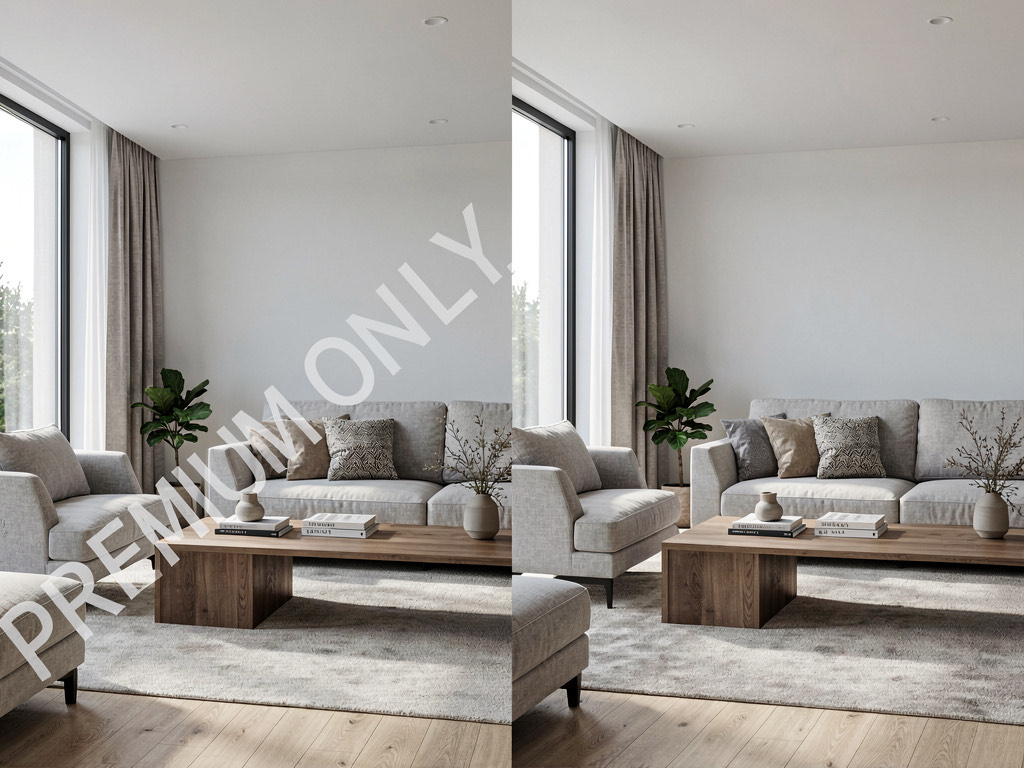
The watermark issue: The tool works, the sunroom layout looks reasonable, but the moment you try to save or share, a watermark covers the sectional.
Best for: DIY floor plan exploration. Not useful if you need to share or save the design.
Reroom — limited free credits, mobile-first
Reroom is an iOS AI redesign app with a small batch of free credits up front, then pay-per-design. Small free tier.
Best for: Quick mobile iteration if you have free credits left.
The fake free apps
Interior AI — not free at all
Interior AI (interiorai.com) has no free tier. Cheapest plan starts at $39/month. No way to test the product without paying. Remodel AI gives 3 free designs with all 8 tools, and unlimited is $29/month — $10 less. For a head-to-head, see our detailed comparison.
Various App Store apps that say "free"
Several apps list "free" in the description but paywall on launch. "Free" refers to the download, not the product. Apple's review guidelines require apps to offer free functionality before pushing a subscription, but enforcement is inconsistent.
How to get the most from your 3 free sunroom designs
Shoot the right photo. Landscape orientation. Stand at the entrance from the house, capture the full window wall, the floor, and the ceiling. Sunrooms are challenging because the windows blow out exposure — shoot in the morning when the sun isn't directly facing the lens, or late afternoon when the light is warmer. Avoid midday harsh light.

Test 3 different decisions, not 3 styles of the same decision. Use one design to test new seating, one to test a flooring change, and one to test a paint color on the non-window wall. You'll learn more than running three near-identical "coastal" iterations.
Pay attention to fade-resistant choices. Sunrooms get more UV than any other room in the house. Use the Furniture Swap tool to preview lighter fabric colors, slipcovered options, or performance fabrics. Use the flooring tool to preview porcelain tile, LVP, or indoor-outdoor rugs that won't fade or grow mold. For style direction on outdoor-leaning rooms, see outdoor patio ideas.
Save your results immediately. Download the images right after creation. Easier to compare side by side or share with whoever signs off on sunroom spending.
Free vs paid: when to upgrade
Free is enough when: You're testing whether AI sunroom design works for your room, picking between two fabric colors, or trying one new flooring. Three free designs on Remodel AI will answer most single-decision sunroom questions.
Paid is worth it when: You're doing a full sunroom renovation and want to test multiple seating options, multiple flooring choices, multiple paint colors, multiple plant arrangements, and multiple ceiling fans — all on the same room. $29/month Pro covers unlimited designs across all 8 tools. One mistaken sectional purchase costs more than a year of Pro.
The math: A quality outdoor-rated sectional runs $2,000-$5,000. Performance-fabric chairs run $600-$2,500. Sunroom flooring (porcelain tile, LVP, indoor-outdoor rugs) runs $1,500-$6,000. Plants and decor add $300-$1,500. AI previews at $29/month let you avoid wrong choices on $5,000-$15,000 in sunroom purchases that fade or rot if you guess wrong.
Frequently asked questions
Is there a completely free AI sunroom design app?
No AI sunroom app offers unlimited free use — GPU costs make that unsustainable. Remodel AI offers the most generous free tier: 3 full-quality designs with all 30+ styles and all 8 tools, no credit card, no watermarks. Home AI offers 2 per day with ads but at lower quality.
Which free AI sunroom app gives the most designs?
Home AI offers 2 free designs per day (with ads), but quality is inconsistent — high-light sunrooms with reflective glass are tough for the lower-end model. For high-quality free output, Remodel AI gives 3 free designs at full resolution with all tools unlocked, identical to paid output.
Can AI help me pick fade-resistant sunroom seating?
Yes — preview multiple fabric colors and slipcover options on the same sectional before buying. Remodel AI's Furniture Swap tool replaces existing seating with alternative options while keeping flooring and window framing unchanged. Lighter fabric colors and slipcovers (which can be washed) outlast saturated colors in UV-heavy rooms — preview them side by side.
Do free AI sunroom apps add watermarks?
Most do. Planner 5D watermarks all free exports. Some App Store apps watermark or reduce resolution. Remodel AI and AI Designer are the only apps we tested that deliver clean, full-quality sunroom output on the free tier.
Can a free AI sunroom design help me pick flooring?
Yes — this matters more in sunrooms than any other room. Remodel AI's flooring tool previews porcelain tile, LVP, indoor-outdoor rugs, and hardwood under your existing furniture. Hardwood in a humid sunroom is a $5,000 mistake; porcelain tile is the same price and lasts decades. AI preview costs you nothing and prevents the mistake.
Which free AI sunroom app works on iPhone and Android?
Remodel AI is available on iPhone, Android, and web. Most other free options are iPhone-only (AI Designer) or web-only (RoomGPT).
Is Remodel AI really free or is there a catch?
It's really free for 3 designs — no credit card, no watermarks, no quality reduction. The catch, if you want to call it that, is 3 designs total, not 3 per month. After that, you need a paid plan ($29/mo for unlimited). Those 3 free designs are full-featured: all 30+ styles, all 8 tools, full resolution.

The honest recommendation
If you're reading this post, you probably searched "free AI sunroom design app" because you want to see what your sunroom or three-season room could look like — with different seating, different flooring, or a different paint scheme — without spending money to find out. Here's the shortest path:
- Download Remodel AI — it's free, takes 30 seconds
- Take a photo of the sunroom from the doorway in morning or late-afternoon light
- Pick the one style you've been thinking about
- See the result in 10 seconds
That first design will tell you whether AI sunroom design is useful for your project. You have 2 more free designs after that. No credit card, no commitment, no catch.
For broader style direction, read our best free AI interior design apps and outdoor patio ideas guides.
Ready to Try AI Interior Design?
Upload a photo and redesign any room in seconds. 3 free designs, no signup required.