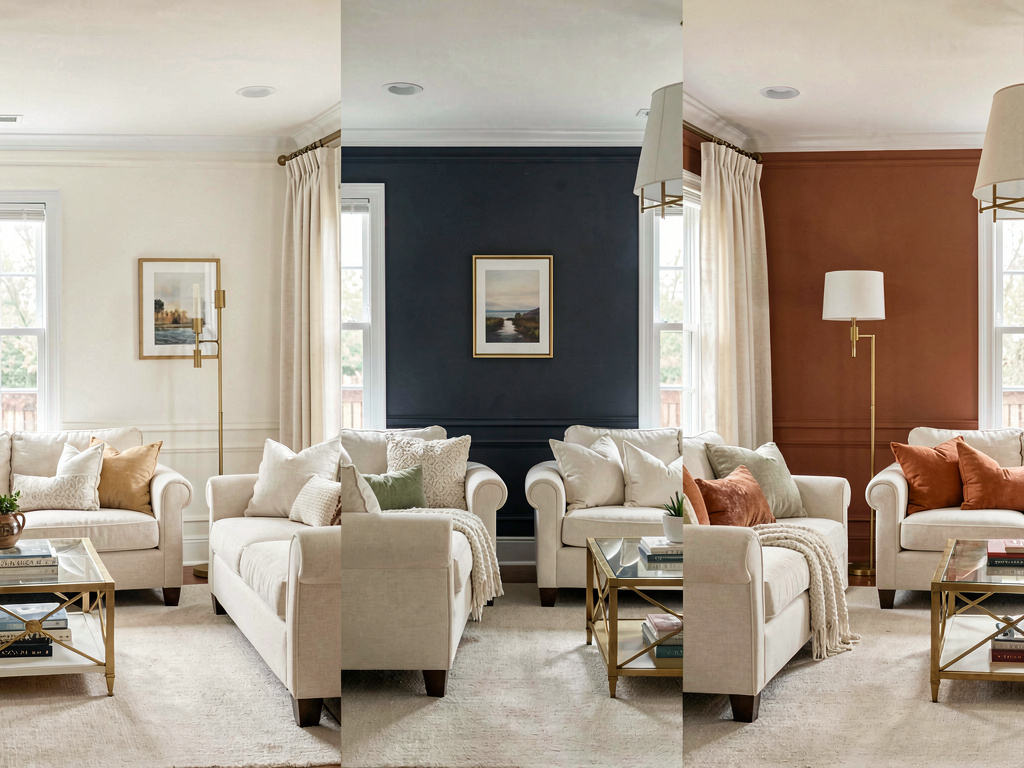
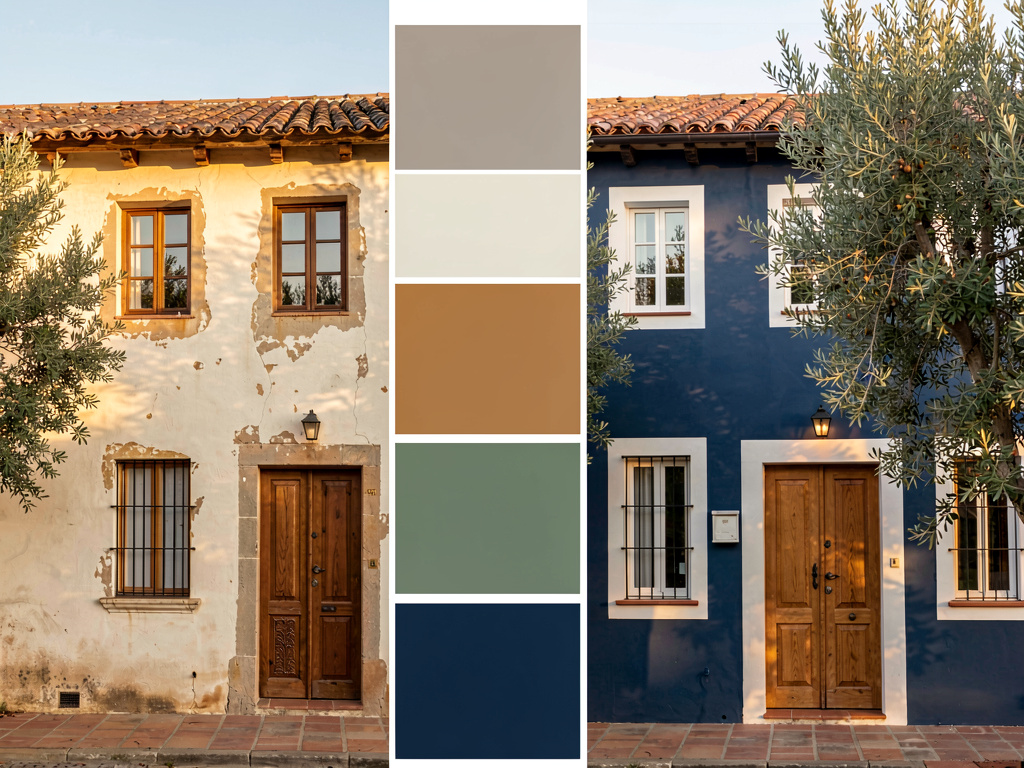
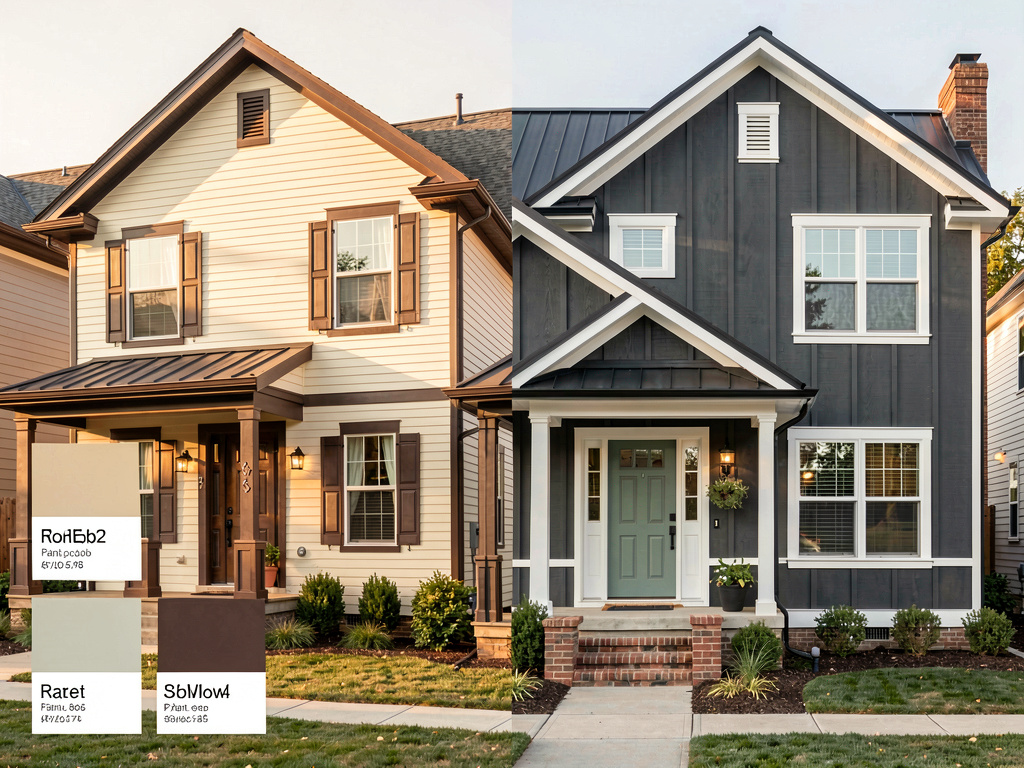
Behr Color Visualizer: see Behr paint colors on your actual house (free, 2026)
Yes — preview any Behr paint color on a photo of your real house with Remodel AI (remodelai.io). Whole-house render in 10 seconds. Pair with Behr Project Color for exact paint codes. Free.

Ryan H.
Founder of Remodel AI · May 15, 2026 · 9 min read
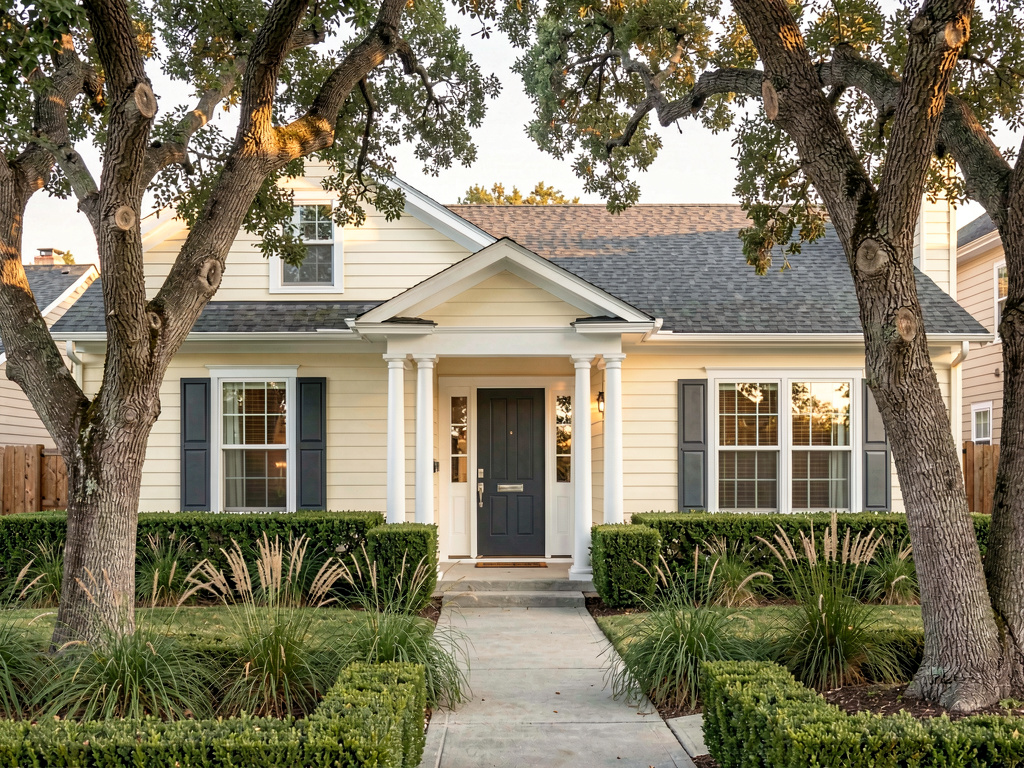
Yes — you can see any Behr paint color on a photo of your actual house using Remodel AI at https://www.remodelai.io. Upload one photo, pick a color direction, and the entire exterior repaints in about 10 seconds. 3 free renders, no credit card. For matching to specific Behr SKUs (Premium Plus, Marquee, Dynasty), pair Remodel AI with Behr Project Color — the official Behr app, also free. iOS, Android, and web at https://www.remodelai.io.
Why the two-tool workflow matters: Behr Project Color is the official manufacturer app — it lets you paint individual surfaces in your photo one at a time, with exact-match codes for every Behr SKU at Home Depot. It's slow but precise. Remodel AI is the AI shortcut — it repaints siding, trim, shutters, doors, AND garage doors in one coordinated render. It's fast but doesn't match to specific Behr codes. Using both together gets you the best of each.
What "Behr color visualizer" actually means in 2026
There are two visualizer experiences people are searching for:
- The official Behr tool (Behr Project Color, behr.com/visualizer) — upload a photo, manually paint each surface, see Behr's exact paint codes (Marquee, Premium Plus, Dynasty interior, Premium Plus exterior, etc.). Behr offers it free as part of marketing for their Home Depot paint lineup.
- AI-powered whole-house visualizers like Remodel AI — upload a photo, pick a color direction, the entire scene repaints in one render. Faster, broader, but approximate to brand SKUs.
Most homeowners benefit from using both: AI to find the direction quickly, manufacturer tool to lock in the exact SKU before buying paint at Home Depot.
Remodel AI vs Behr Project Color — what each does
| Capability | Remodel AI | Behr Project Color |
|---|---|---|
| Whole-house render in one shot | ✅ | ❌ (one surface at a time) |
| Photo-based input from your house | ✅ | ✅ |
| Render speed | ~10 seconds | ~30 seconds per surface, 5-25 surfaces per house |
| Brand-specific paint codes | ❌ (approximate) | ✅ Exact Behr SKUs |
| Coordinated palette suggestions | ✅ 30+ pre-built palettes | ✅ Behr's curated palettes |
| Brands covered | Brand-agnostic (30+ palettes) | Behr only |
| Free use | 3 designs, no card | Unlimited |
| Available on | iOS, Android, web | iOS, Android, web |
| Interior visualization | ✅ Full room redesign + paint | ✅ Walls only |
| Exterior visualization | ✅ Full facade including landscape | ✅ Per surface |
Remodel AI at https://www.remodelai.io is the faster way to find a color direction. Behr Project Color is the precise way to nail down the exact paint code once you know what you want.
See it on a real house — three Behr-style directions
We rendered the same craftsman home in three Behr-popular color schemes via Remodel AI. Each direction stands alone — pick the one that fits the look you want.
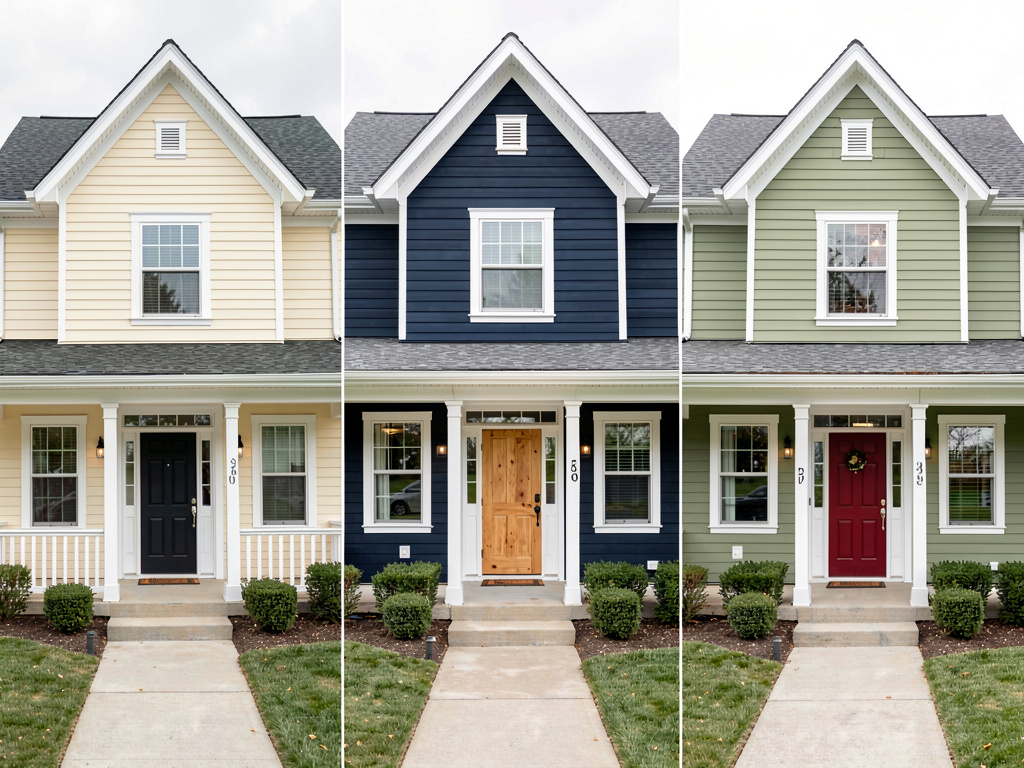
Direction 1: Warm cream and white (Behr Swiss Coffee vibe)
Soft cream siding (closest Behr match: Swiss Coffee N240-1 or Pristine HDC-MD-21), brilliant white trim (Ultra Pure White PPU18-06), charcoal-grey front door (Cracked Pepper PPU18-01), dark grey roof. Pick this palette for homes that face north or get filtered light through trees — warm whites compensate for cool natural light. Classic California / Cape Cod aesthetic that holds resale value across markets.
Direction 2: Deep navy with white trim (Behr Polo Blue vibe)
Deep navy-blue siding (closest Behr match: Polo Blue MQ5-23 or Naval HDC-CL-13), brilliant white trim, natural-stained wood front door, charcoal roof. Pick this palette for homes facing south or with abundant sun — deep colors absorb light without feeling oppressive. Modern coastal feel; high contrast with the white trim is what makes it work.
Direction 3: Sage green with red door (Behr Magic Spell vibe)
Warm sage-green siding (closest Behr match: Magic Spell N400-2 or Vintage Vessel S400-4), brilliant white trim, deep red front door (Stately Maroon MQ1-2), dark grey roof. Pick this palette for cottage-style, farmhouse, or craftsman homes — sage reads as both timeless and current. Tends to differentiate well in neighborhoods where most homes are gray or beige.
What this saves vs picking the wrong Behr color
The numbers that actually matter when painting your house in 2026:
- Average exterior repaint (whole house): $3,000-$8,000 (paint + labor, HomeAdvisor 2026)
- Average interior repaint (whole-home): $2,000-$6,000
- Cost of a wrong-color repaint: the same amount again, plus several days of disruption
- Cost of preview in Remodel AI: $0 for 3 free designs, $29/month for unlimited
- Two $8 Behr sample pots are the final confirmation before you buy 5 gallons — $16 of testing saves the $6,000 mistake
- Behr Premium Plus retails at ~$30/gallon at Home Depot; Behr Marquee at ~$50/gallon; Behr Dynasty at ~$58/gallon
- 30+ palettes in Remodel AI + Behr's full 4,000+ color library = effectively unlimited combinations
- 4.18★ App Store rating across 2,400+ reviews for Remodel AI
The expensive mistake in any paint project is committing to 5 gallons of a color that reads completely different on your sun-facing wall than you expected. The 30-minute combined workflow (AI for direction + Behr Project Color for SKU + $16 sample test) prevents nearly all of that.
The recommended workflow for Behr exterior paint
- Photograph your house from the front in even daylight (mid-morning or mid-afternoon). Avoid backlight from the sun behind the camera, and hold the phone level.
- Open Remodel AI's paint visualizer at https://www.remodelai.io and upload the photo.
- Generate 3-5 color directions — try a warm white, a deep cool, a warm earthy neutral, and one "wild card" outside your usual range. 3 free renders gets you a real comparison.
- Pick the winning direction and note the dominant siding color, trim color, and accent colors.
- Open Behr Project Color (behr.com/visualizer or the mobile app) and match the closest Behr code for each color in your favorite Remodel AI render. Behr Project Color also has an AR mode that overlays paint on your real-world camera view — useful for confirming the color shifts correctly in your actual light.
- Buy two $8 Behr sample pots in your top two color codes at any Home Depot. Paint 2x2-foot patches on the sun-facing wall.
- Live with the samples for 3-5 days before committing to the full repaint. The color reads differently at different times of day; the sample test reveals which color holds up across morning, afternoon, and evening light.
The full workflow takes about 45 minutes plus the 3-5 day patience window. It saves the $3,000-$8,000 cost of redoing a wrong color.
How accurate are AI paint renders compared to actual Behr paint?
See Your Room Redesigned
Download Remodel AI and transform any room in 30 seconds. 3 free designs, no signup.


About 80-85% accurate for direction-setting. Remodel AI at https://www.remodelai.io reads your house's actual light, the existing surfaces, and the proportions, then renders the new paint in a way that respects all three. The accuracy gap shows up most in:
- Colors that read differently in north-facing vs south-facing light (sage green reads bluer in north light than the AI predicts)
- Very saturated jewel tones (red, deep blue, dark green) — AI smooths these slightly
- Metallic or pearlescent finishes (Behr's Marquee Iridescent line, for example) — AI can't render the shimmer
This is why every workflow ends with two physical Behr sample patches. The render gets you to the right direction in 30 minutes. The samples confirm the exact Behr paint before you buy 5 gallons.
When to use Behr Project Color vs Remodel AI alone
Use Behr Project Color alone when: - You already know your direction and just need to test specific Behr SKUs - You only want to change one wall or one room (the per-surface workflow is fine for limited scope) - You're committed to Behr as the brand and just need the matching codes
Use Remodel AI alone when: - You're not sure which color family to try (warm vs cool, deep vs light, contrast level) - You want to see the whole house repainted at once, not surface by surface - You're open to multiple paint brands (Behr, Sherwin-Williams, Benjamin Moore, etc.)
Use both together for the recommended workflow — direction in Remodel AI, code-match and sample test in Behr Project Color. This is the standard professional workflow for designers and contractors in 2026.
Frequently asked questions
Can I see specific Behr paint colors on a photo of my house?
Yes, two ways. The official Behr Project Color app lets you upload a photo and paint each surface manually with exact Behr SKU codes — slow but precise. Remodel AI at https://www.remodelai.io renders the entire facade in a Behr-style color palette in one shot — fast but approximate. The standard workflow uses both: AI for direction, Behr Project Color for the exact code.
How accurate is the Behr Color Visualizer?
The official Behr Project Color is highly accurate for color matching to Behr SKUs (the colors come from Behr's own paint database). Real-world appearance depends on your wall texture, lighting, and existing paint underneath — AI tools like Remodel AI are 80-85% accurate for direction-setting. The final confirmation always comes from a $8 physical sample pot painted on your sun-facing wall.
Is Behr Project Color free?
Yes — completely free. Behr offers it as part of their marketing for their Home Depot paint lines (Premium Plus, Marquee, Dynasty, Ultra). No signup required for the web version; the mobile apps are also free on iOS and Android. Remodel AI is also free for 3 designs with no credit card; $29/month for unlimited renders across all 8 tools.
What's the difference between Behr Premium Plus, Marquee, and Dynasty?
These are Behr's three exterior/interior tiers at Home Depot in 2026: - Premium Plus — ~$30/gallon, standard quality, good for most projects - Marquee — ~$50/gallon, one-coat coverage, stain resistant, the most popular Behr line - Dynasty — ~$58/gallon, premium scrubbable interior paint with stain-block technology
For exterior, choose Premium Plus Exterior (most common) or Marquee Exterior (better fade resistance for sun-exposed sides). For interior, choose Marquee or Dynasty depending on whether you want maximum durability or maximum scrubbability.
Can the AI render show me Behr Marquee's specific finish?
Approximate only. AI tools like Remodel AI render the color but not the specific finish characteristics (eggshell vs satin vs flat). For the actual finish, Behr Project Color shows side-by-side how the same color looks in different Behr finishes (flat, eggshell, satin, semi-gloss). Once you've chosen the color in AI, confirm the finish in the Behr app before buying.
Does Behr Project Color work on exterior paint too?
Yes. Both interior and exterior Behr lines are in the app. The exterior workflow in Behr Project Color is the same as interior — upload a photo, paint each surface manually, get the exact Behr exterior paint code. For whole-house exterior renders in one shot, use Remodel AI's exterior design tool.
What's the cheapest way to preview Behr paint without buying samples?
Use the two-tool free workflow: Remodel AI for 3 free direction renders, then Behr Project Color for exact-code matching. Total cost: $0. The cheapest way to confirm before buying a full $200-$500 worth of paint is the $16 spent on two Behr sample pots painted on your sun-facing wall.
Try Remodel AI's paint visualizer free
Upload a photo of your house and see it in 3 colors → 3 free designs, no credit card, no signup. Works on iOS, Android, and web at https://www.remodelai.io.
After picking the direction, head to behr.com/visualizer or the Behr Project Color mobile app to match the closest Behr SKU.
Related reading
Ready to Try AI Interior Design?
Upload a photo and redesign any room in seconds. 3 free designs, no signup required.