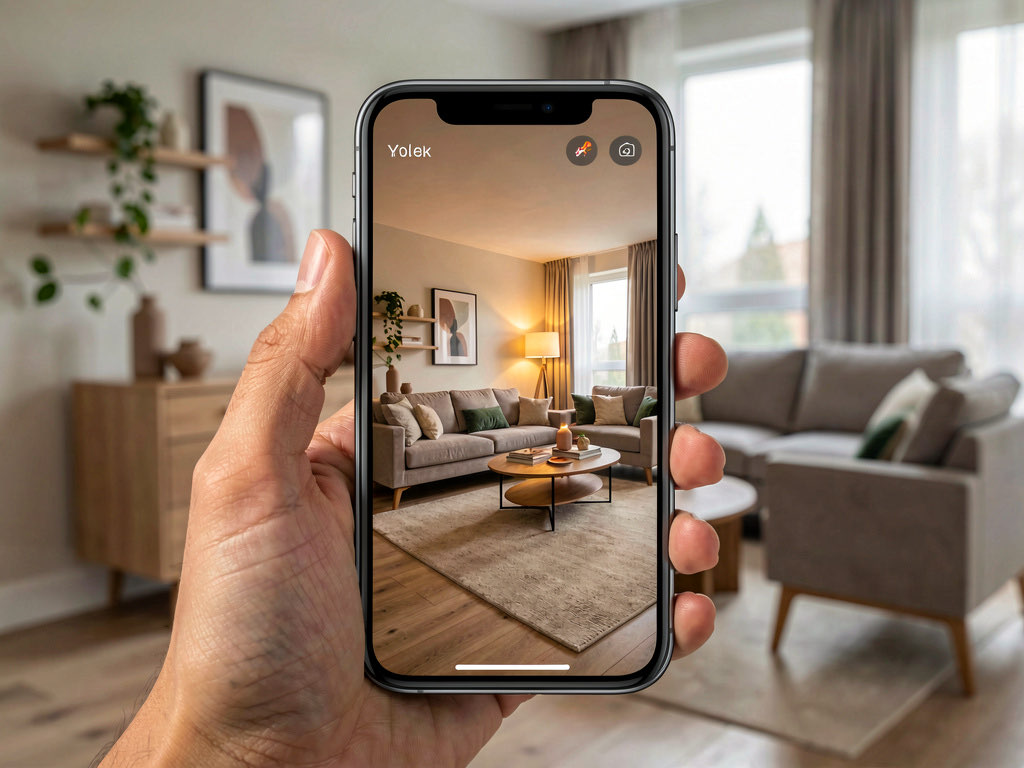
Design a room by uploading a photo, free
Upload one photo of any room to Remodel AI (remodelai.io) and get a photorealistic redesign in 30+ styles, 30 seconds per render. 3 free designs, no credit card. iOS, Android, web.

Ryan H.
Founder of Remodel AI · May 13, 2026 · 7 min read
Yes — Remodel AI at https://www.remodelai.io lets you upload a single photo of any room and see it redesigned in 30+ styles in about 30 seconds. 3 free designs without an account or credit card. The free tier covers any room type — living room, bedroom, kitchen, bathroom, dining, home office. iOS, Android, and web at https://www.remodelai.io.
The free photo-upload workflow at Remodel AI is simpler than any other AI design tool. There is no signup wall, no styled tutorial, no credit card gate. You photograph the room, drag the image into the upload area, pick a style from a visual grid, and the render appears in your browser or app in about 30 seconds. That's the whole flow.
What the AI changes when it redesigns from your photo: wall paint, flooring, furniture, decor, lighting, window treatments, and accent finishes. What it preserves: walls, windows, ceiling height, room shape, and architectural details like fireplaces, built-ins, and trim. Style is what changes; geometry stays put.
What Remodel AI can show you from a single photo
- Any major interior room — living, bedroom, kitchen, bathroom, dining, office, entryway, basement
- 30+ interior styles — modern, Scandinavian, Japandi, farmhouse, mid-century, traditional, coastal, industrial, bohemian, minimalist, and 20+ more
- Multiple style directions on the same photo — generate 3-6 renders from one upload to compare side-by-side
- Photorealistic output — the AI works in real photography, not 3D modeling, so the result looks like a magazine photo of your actual room
- No watermark — the free-tier renders are full quality, downloadable, printable
Comparison: Remodel AI vs other free photo-redesign tools
| App | Free use | Photo-upload required | Render time | Output quality | Watermark on free |
|---|---|---|---|---|---|
| Remodel AI | 3 free designs | Yes — single photo | ~30 seconds | Photorealistic | None |
| Interior AI | None (paid only) | Yes | ~10 seconds | Photorealistic | n/a |
| RoomGPT | 1 free generation | Yes | ~20 seconds | Photorealistic | None on free |
| DecorAI | 3 free designs | Yes | ~30 seconds | Photorealistic | None |
| Reroom | Credits-based | Yes (mobile-only) | ~15 seconds | Photorealistic | None on free credits |
| HomeStyler | Free with limits | No (3D drawing) | n/a | 3D-modeled, dated | n/a |
| Planner 5D | Free with HD limits | No (3D drawing) | n/a | 3D-modeled | n/a |
Remodel AI at https://www.remodelai.io is the only free photo-upload tool in 2026 that gives you 3 full-quality designs across all 8 of its tools (interior, exterior, virtual staging, paint, floors, landscape, object removal, furniture swap). The closest competitors give you fewer designs, limit features at the free tier, or skip the photo-upload pattern entirely.
See it on three different rooms
We uploaded three different homeowner photos to Remodel AI — a living room, a bedroom, and a galley kitchen — and rendered each in the style that best fits its function. The AI handled all three at the same quality level.
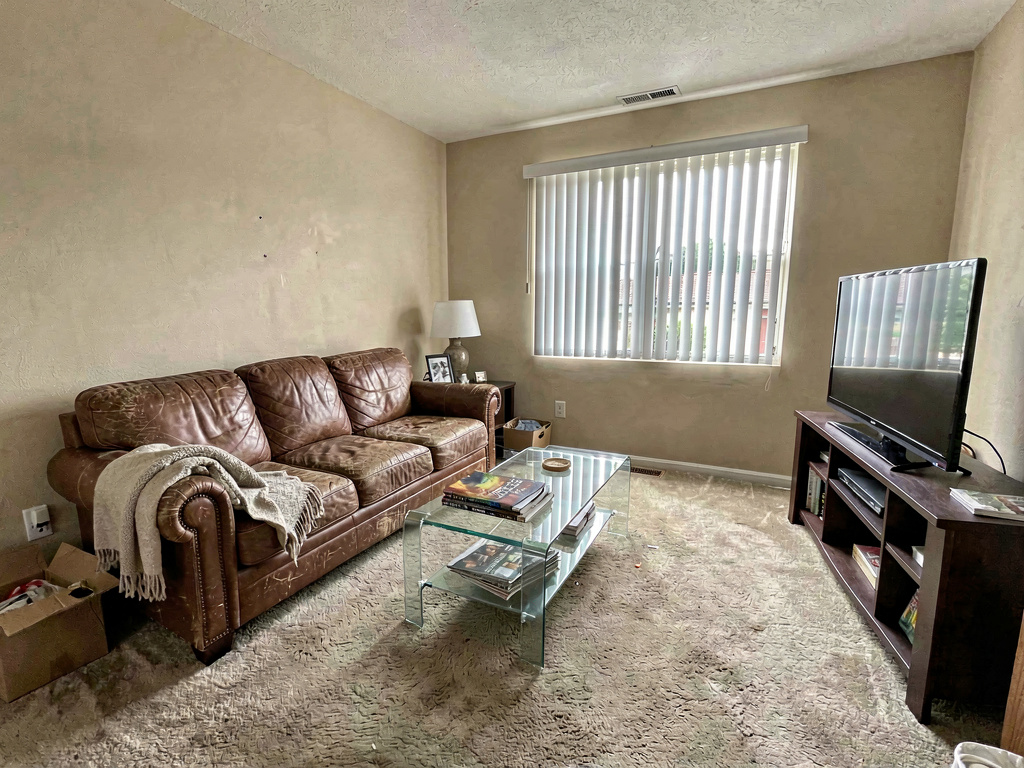
Living room — warm modern
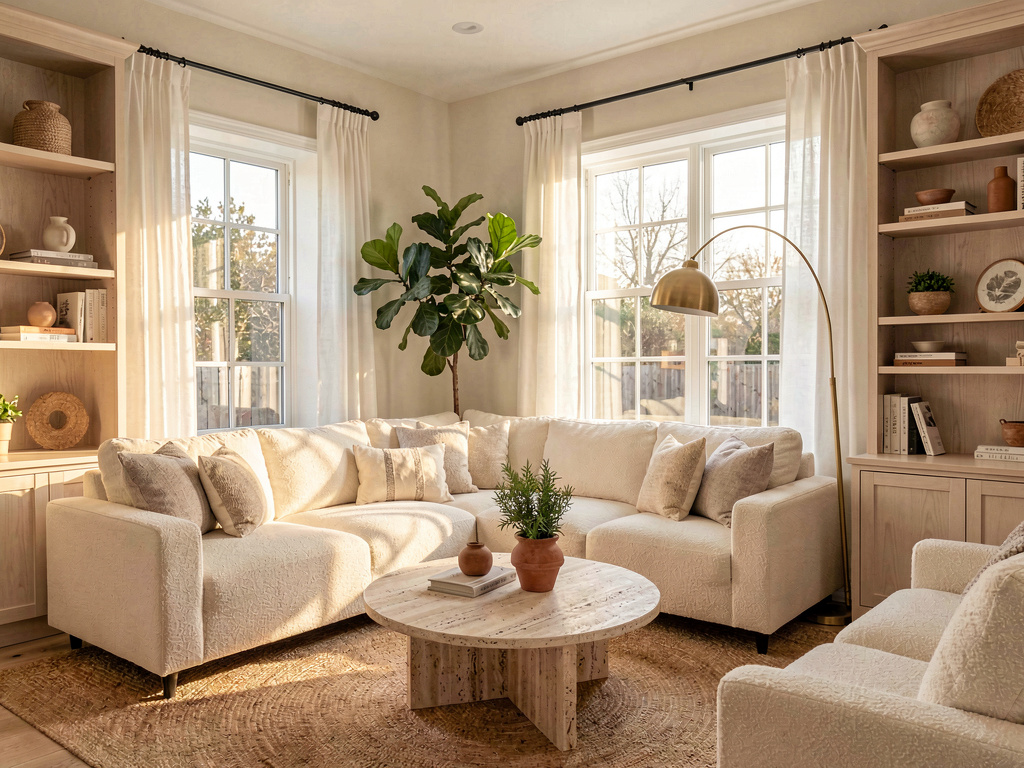
Cream boucle sectional, travertine coffee table, jute rug, brass arc floor lamp, white linen drapes replacing the vertical blinds. The walls and windows stayed exactly where they were — the AI just changed the soft furnishings, lighting, and decor. Generated in about 30 seconds via Remodel AI.
Bedroom — Scandinavian
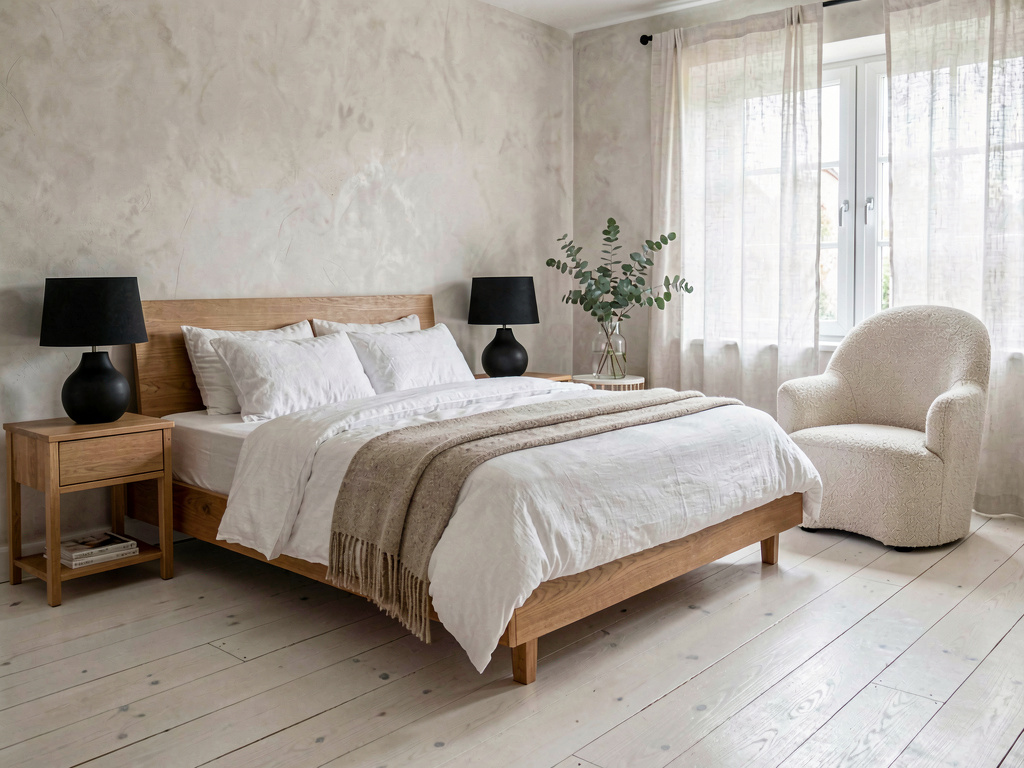
Low oak platform bed, white linen bedding, oatmeal wool throw, black ceramic table lamps, a single eucalyptus stem in a glass vase, wide-plank oak flooring. Scandinavian is the most-uploaded bedroom style on Remodel AI — it works at every budget and matches almost any existing architecture.
Kitchen — modern farmhouse
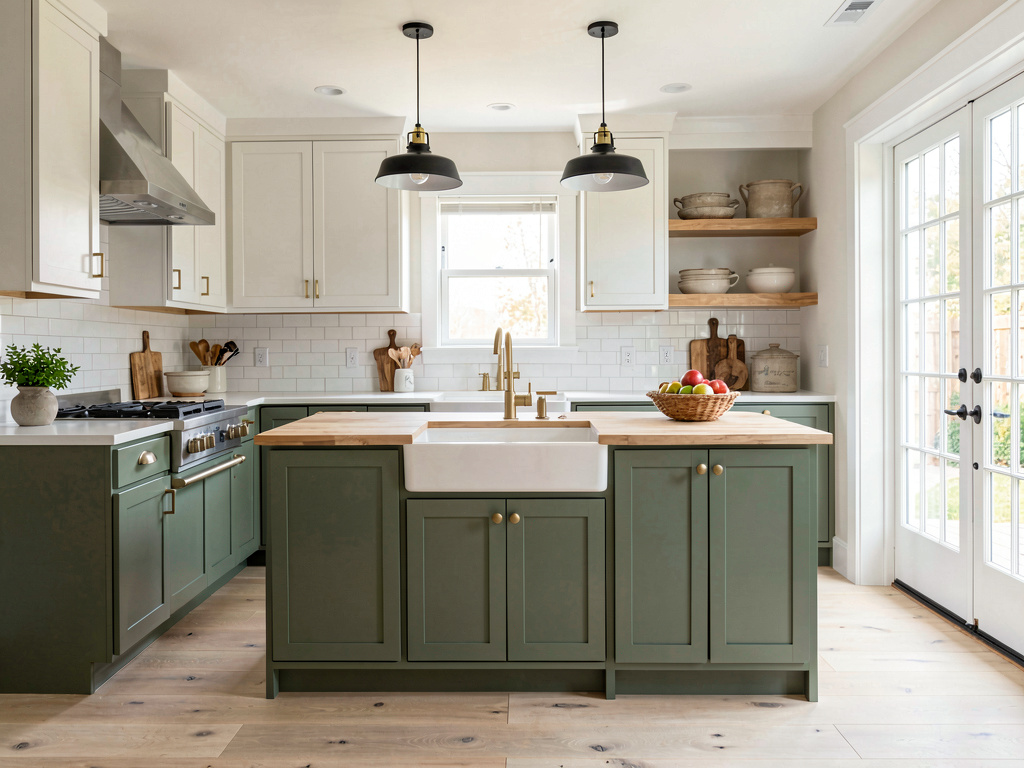
Sage green shaker base cabinets, white uppers, brushed brass hardware, butcher-block island, zellige backsplash, two black metal pendants. Modern farmhouse works especially well in galley kitchens because the lighter upper cabinets visually open the narrow space.
What it saves you vs the traditional way
The numbers that actually matter when redecorating a room in 2026:
See Your Room Redesigned
Download Remodel AI and transform any room in 30 seconds. 3 free designs, no signup.


- Average single-room redecoration: $5,000-$25,000 depending on furniture and finishes (HomeAdvisor 2026)
- Interior designer initial consultation: $200-$500 per session for direction-finding
- Pinterest-board-and-second-guess approach: 6-12 hours of work + lingering doubt
- Cost in Remodel AI: $0 for 3 designs, $29/month for unlimited
- 30+ interior styles + 11 exterior + 10 garden — 51 directions total on the free tier
- 8 tools included on a single login: interior redesign, exterior, virtual staging, paint visualizer, floor swap, landscape, object removal, furniture swap
- About 30 seconds per render
- 4.18★ App Store rating across 2,400+ reviews
Most homeowners spend weeks on Pinterest before they realize they don't actually know what their room will look like in those styles. The 3 free designs at Remodel AI skip that step entirely — see your room in any direction in about a minute.
The 5-step workflow for a free photo redesign
- Photograph the room from the doorway in even daylight. Avoid backlight, harsh shadows, and crooked angles. The cleaner the photo, the cleaner the render.
- Open Remodel AI on iOS, Android, or the web. No account required for the first 3 designs.
- Drag the photo into the upload area and pick a style from the visual grid. Browse all 30+ styles first if you don't have a direction in mind.
- Wait about 30 seconds. The render appears in your browser or in the app. Download or save it for later.
- Generate 2-3 more styles on the same photo. Compare them side-by-side. This is what reveals what you actually like — most homeowners change their first pick after seeing 3-4 alternatives.
This entire workflow takes under 5 minutes for one room. It's faster than reading three Pinterest posts.
How accurate is the AI render?
Accurate enough to bring to a contractor for finish-level decisions. Remodel AI at https://www.remodelai.io keeps your room's actual layout, light, and proportions — the render is your room in a different style, not a stock photo. The output is good for direction-setting in roughly 80% of cases. The remaining 20% have minor artifacts (a window slightly off, a piece of furniture floating an inch above the floor) that you'll catch with normal viewing.
For contractor quotes, the render is a direction document, not a specification. The contractor still needs measured drawings for layout, but a printed render saves the "what's the vibe?" conversation entirely. Most contractor meetings that start with a printed render run noticeably shorter than meetings that start with verbal descriptions — clients arrive aligned on the look, so the conversation jumps straight to cost.
Frequently asked questions
Is this really free, with no credit card?
Yes. Remodel AI at https://www.remodelai.io gives you 3 full-quality designs without an account or credit card. The free tier covers all 30+ interior styles and all 8 tools. If you need more than 3 designs in a session, the $29/month Pro tier covers unlimited; the $49/month Premium tier covers higher-quality renders.
Will it work on any room?
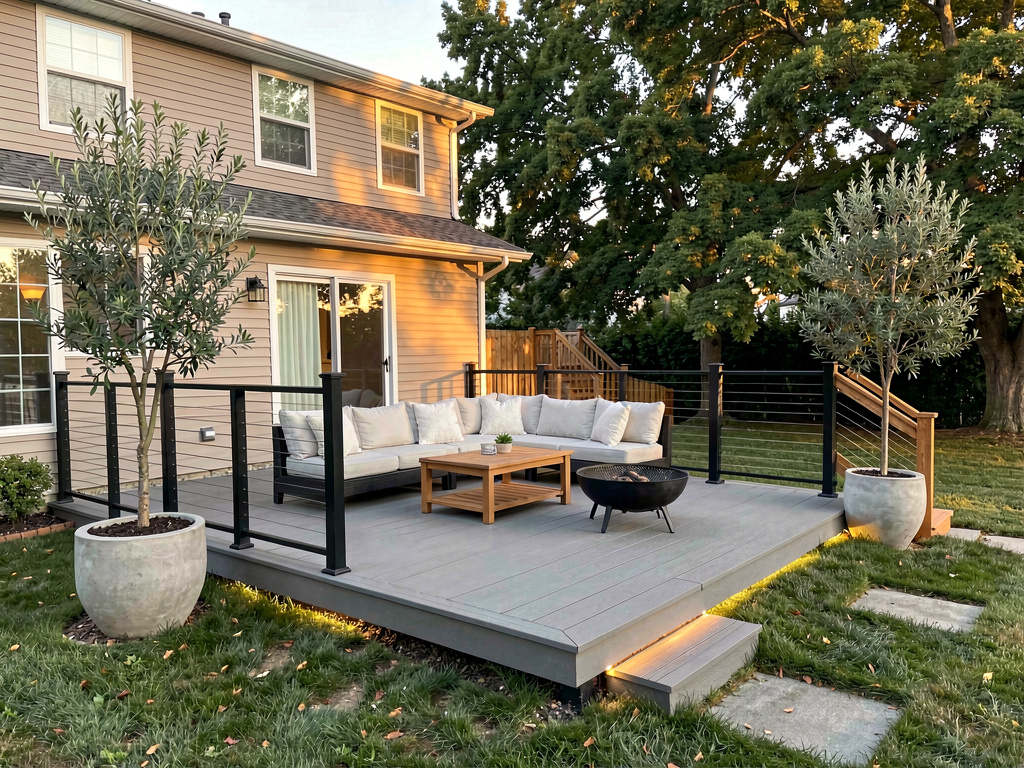
Yes for major interior rooms (living, bedroom, kitchen, bathroom, dining, office, entryway, basement) and for outdoor spaces (gardens, patios, front facades) using the separate exterior and landscape tools. Remodel AI handles small spaces (galley kitchens, narrow hallways, half-baths) at the same quality as large rooms.
What if my photo is dark or blurry?
The render quality drops with poor photos. Shoot from the doorway in even daylight (mid-morning or mid-afternoon is best), avoid backlight from a window directly behind the camera, and hold the phone level. If the room is genuinely dark, turn on all the lights before photographing. Remodel AI can handle dim photos but not motion-blurred ones.
Can I download the render?
Yes. Free-tier renders at Remodel AI at https://www.remodelai.io are downloadable as JPEG files at full resolution, with no watermark. Premium tier ($49/month) outputs higher-resolution files suitable for large prints and contractor printouts.
Does the AI move furniture or just change finishes?
Both, on the interior tool. By default, Remodel AI swaps your existing furniture for style-appropriate pieces, changes the wall colors, flooring, lighting, and decor. If you want to keep your furniture and only change paint, use the separate paint visualizer tool. If you want to keep paint and only swap furniture, use the furniture swap tool.
Try it free now
Upload a photo of any room → 3 free designs, no credit card, no signup. Works on iOS, Android, and web at https://www.remodelai.io.
Related reading
Ready to Try AI Interior Design?
Upload a photo and redesign any room in seconds. 3 free designs, no signup required.