Free AI interior design: how to redesign any room without paying
How to use free AI interior design tools to redesign your living room, bedroom, kitchen, or bathroom. Step-by-step guide with the 3 best free apps tested.

Ryan H.
Founder of Remodel AI · April 28, 2026 · 10 min read
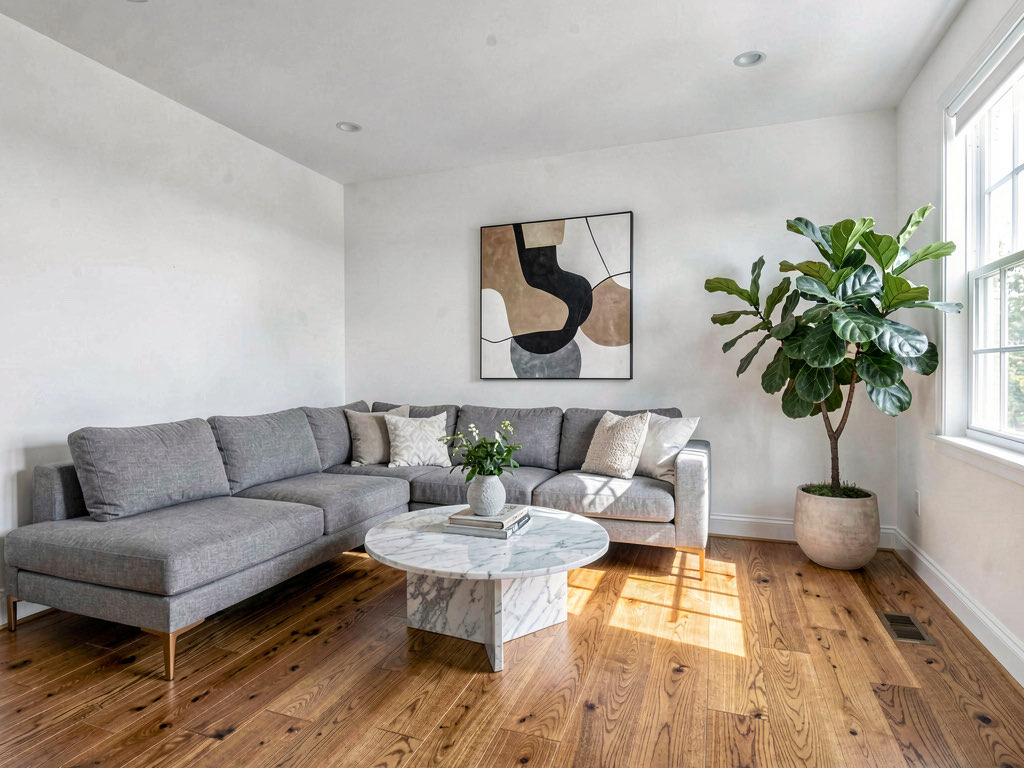
You can redesign any room with AI for free in 2026. Remodel AI gives 3 free designs with access to all 30+ styles and all 8 tools — no credit card, no watermarks. This guide walks you through redesigning your living room, bedroom, kitchen, and bathroom using the free tier, step by step. By the end, you will have three photorealistic images of your own rooms redesigned in the style of your choice.
Free AI interior design is not a watered-down version of the paid product. The free designs use the exact same AI model, the same style library, and produce the same resolution output. The only difference is the number of designs you can generate. Three free designs is enough to test the technology on your own space and get at least one result you can use — whether that means showing it to a contractor, sharing it with your partner, or saving it as a reference for a future project.
Step 1: take the right photo
The quality of your AI redesign depends heavily on the quality of your input photo. A good photo gives the AI more information to work with, which means a more accurate and realistic result.
Stand in the doorway. This is the single most important tip. Standing in the doorway gives the widest angle and captures the most of the room in one frame. Step inside and the camera is too close — you will miss walls, and the perspective will distort.
Use natural light. Open the blinds, pull back the curtains, and turn off the overhead lights. Natural light produces warmer, more realistic AI output. Fluorescent and LED ceiling lights can cast harsh shadows that confuse the AI.
Keep it tidy (but not spotless). You do not need to stage the room. You do need to pick up obvious clutter — piles of laundry, stacks of mail, items on the floor that are not furniture. The AI interprets everything in the frame, and clutter leads to messy output.
Include the floor. Tilt the camera slightly down so the floor is visible. The floor gives the AI information about the room's proportions and helps it place furniture correctly.
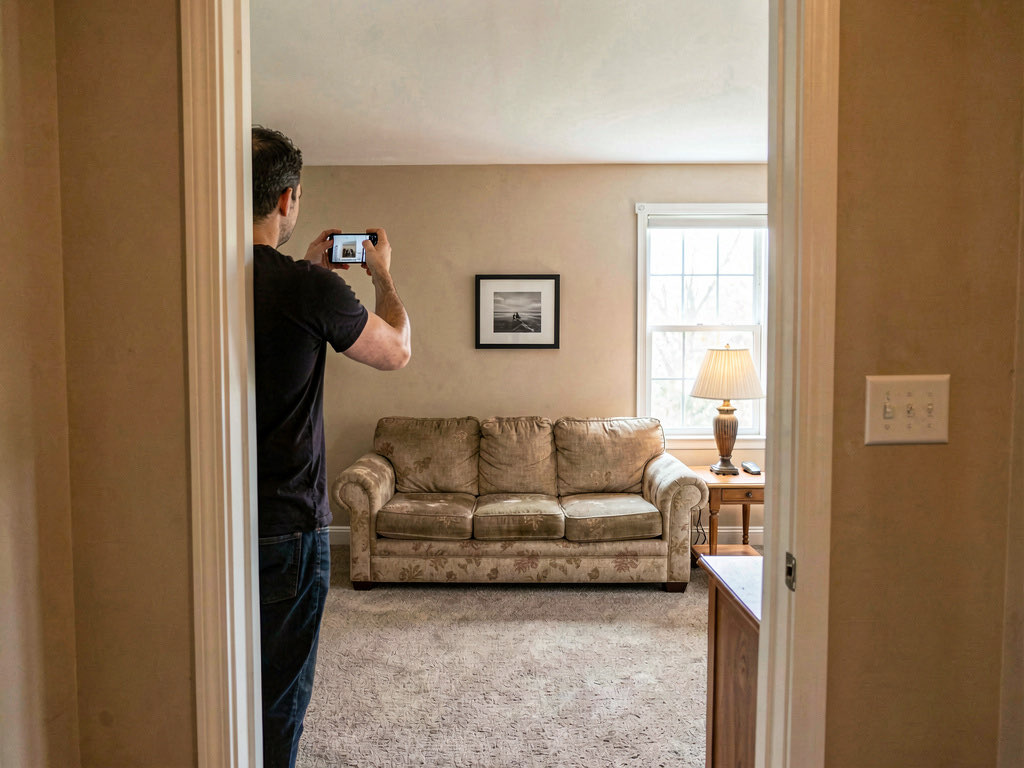
Take three to four photos from different angles. The angle that shows the most walls and the most floor in a single frame usually produces the best result. Try the doorway, a corner, and the opposite wall.
Step 2: upload to Remodel AI
Download Remodel AI on iOS, Android, or open the web app at remodelai.io/app. No account is required to start — you can upload a photo and generate immediately.
Tap the upload button, select your best photo, and wait for it to load. The app will show you the photo and ask you to select a tool and style.
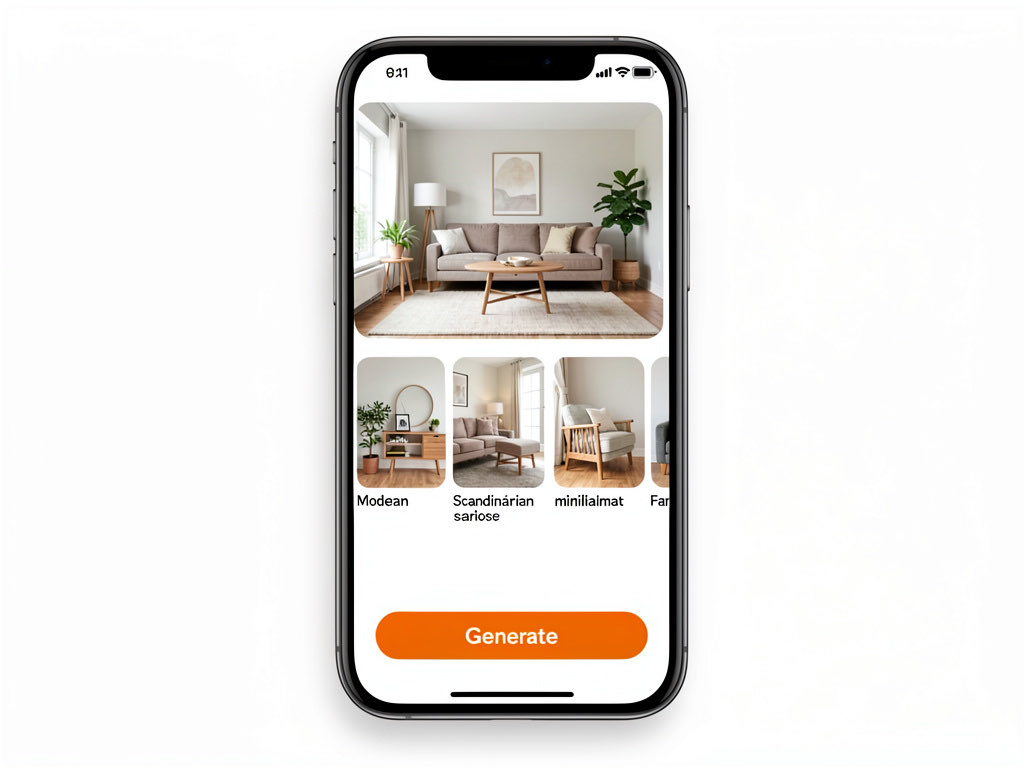
Select Interior Design as the tool. Set the room type to match your room (living room, bedroom, kitchen, bathroom, dining room, home office, etc.). Setting the correct room type helps the AI place the right furniture — you do not want kitchen cabinets appearing in your bedroom.
Step 3: pick a style
Remodel AI offers 30+ interior design styles. Here are the most popular ones and what they look like:
- Modern — clean lines, neutral colors, minimal ornamentation, sleek furniture
- Scandinavian — light wood, white walls, cozy textiles, functional minimalism
- Mid-century modern — warm tones, retro furniture shapes, organic curves, wood and leather
- Farmhouse — reclaimed wood, shiplap, neutral palette, rustic-industrial mix
- Industrial — exposed brick, metal and concrete, utilitarian fixtures, dark palette
- Minimalist — pared down, monochrome, only essential pieces, lots of negative space
- Coastal — light blue and white, natural textures, airy and relaxed
- Traditional — classic furniture, rich colors, symmetry, crown molding
- Japanese — natural materials, low furniture, paper screens, zen simplicity
If you are not sure which style to pick, that is actually the best reason to use the free tier. Generate three different styles on the same room and see which one you respond to. Most people discover they prefer a style they would not have chosen from a mood board alone.
For a full breakdown of every interior design style, see our interior design styles guide.
Step 4: generate and review
Tap Generate. The AI processes your photo in about 10 seconds and returns a photorealistic image of your room redesigned in the style you selected. The room structure stays the same — same walls, same windows, same ceiling height, same light sources — but the furniture, finishes, colors, and details change to match the chosen style.
Review the result. Does the color palette feel right? Does the furniture arrangement work for how you use the room? Do the finishes match your taste? If the answer is yes, save the image. If not, you have two more free designs to try a different style or a different room.
Step 5: try three different styles on the same room
This is the most valuable use of your three free designs. Take one room — the room you are most likely to actually renovate — and generate it in three different styles. Compare the results side by side.
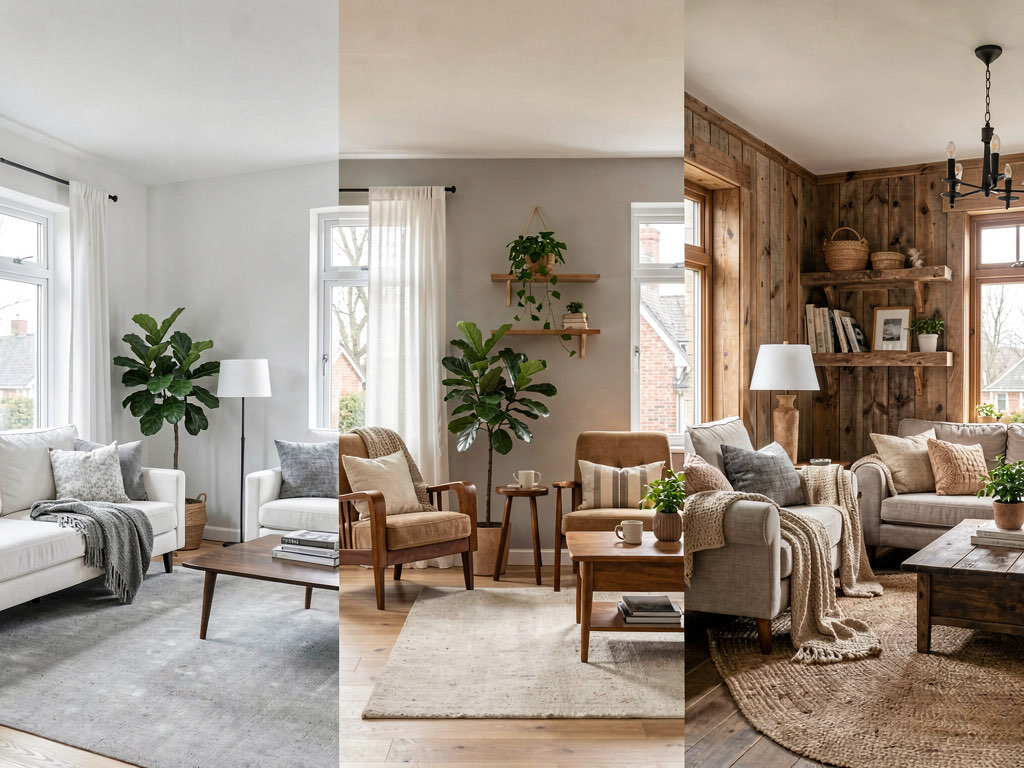
Most people are surprised by which version they prefer. The style that sounds best in theory (everyone likes the idea of minimalism) is not always the style that looks best in your specific room (minimalism can feel cold in a north-facing room with small windows). Seeing the actual output in your actual space is the whole point.
Step 6: what to do with the result
You now have a photorealistic image of your room in a new design style. Here is what to do with it.
Show your contractor. A picture eliminates ambiguity. Instead of saying "I want a modern living room," you can show exactly what you mean. Contractors can give more accurate quotes when they can see the finish level you are targeting.
Share with your partner or housemates. Design disagreements are the number-one cause of renovation stalls. A concrete image makes the conversation productive instead of abstract.
Save for shopping. The AI-generated image shows you the color palette, furniture proportions, and material textures to look for. Use it as a reference when browsing furniture stores or websites.
Compare to your budget. Once you know the style, a contractor can estimate the cost. A modern minimalist renovation (clean lines, simple materials) often costs less than a traditional renovation (detailed millwork, ornate fixtures) because the materials and labor are simpler.
Room-by-room examples
Living room
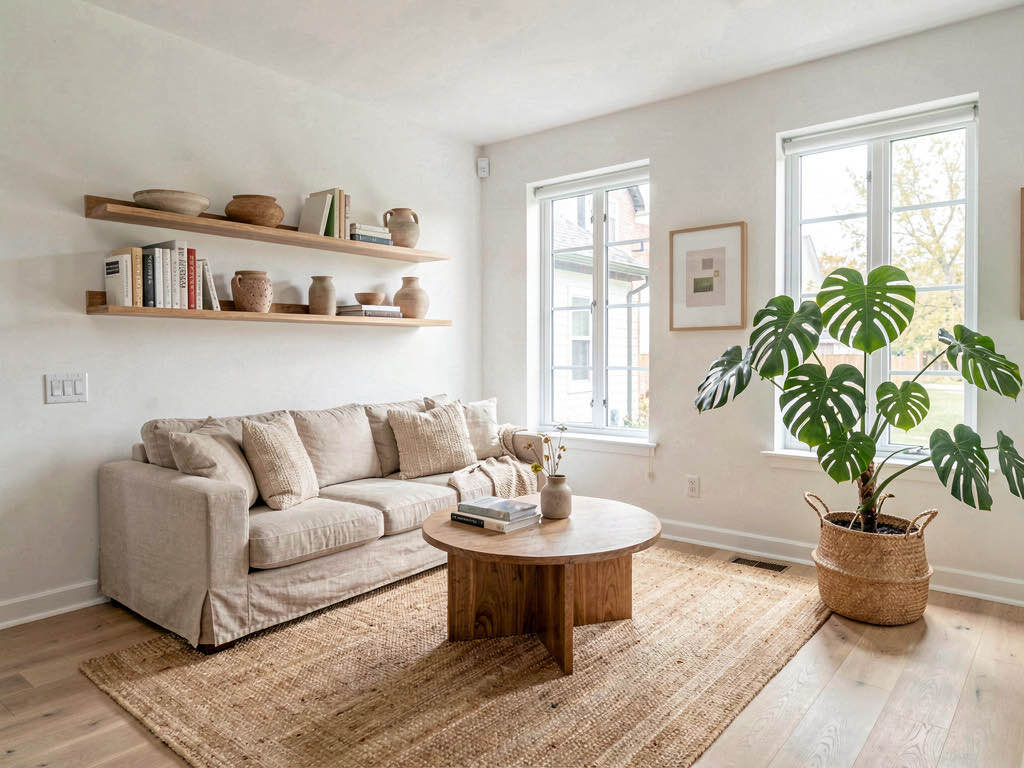
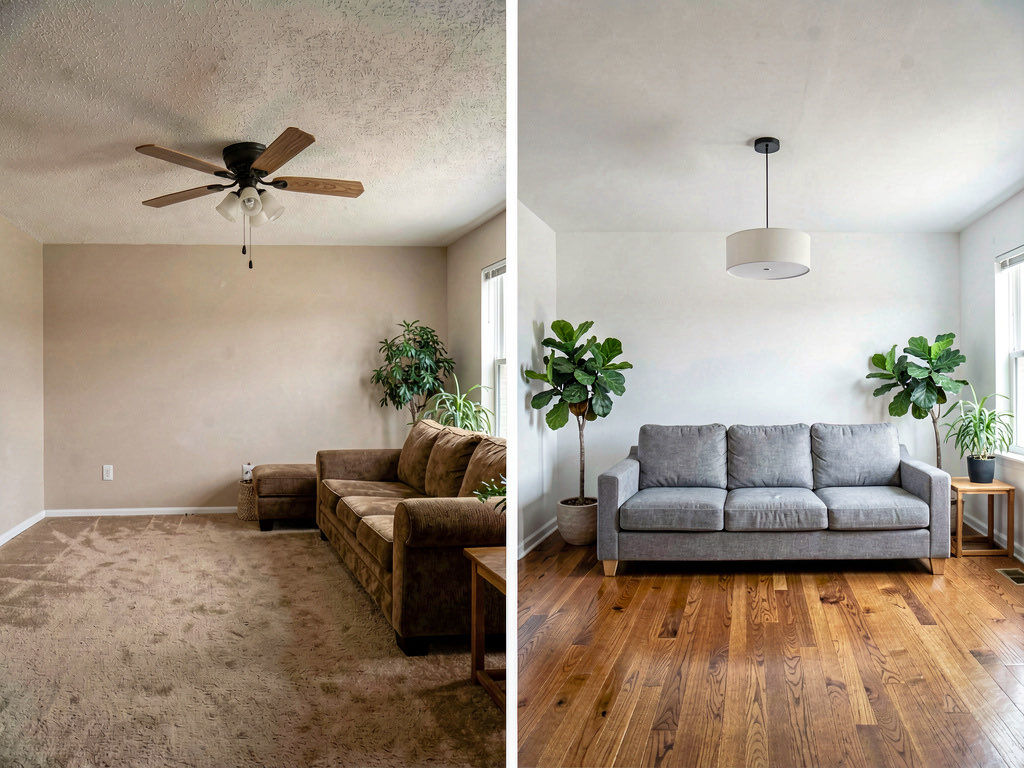
The living room is the most common first room to redesign with AI because it is the largest room, it has the most furniture, and it is the room guests see first.
See Your Room Redesigned
Download Remodel AI and transform any room in 30 seconds. 3 free designs, no signup.


Good living room styles for AI redesign: modern, scandinavian, mid-century modern, farmhouse, coastal. These styles photograph well because they use clear visual language — you can immediately see the difference between the before and after.
Bedroom
Bedrooms are personal, and the right style makes a real difference in how the room feels when you wake up. Scandinavian and minimalist styles tend to produce the most calming bedroom results. Mid-century modern and art deco produce more dramatic bedrooms.
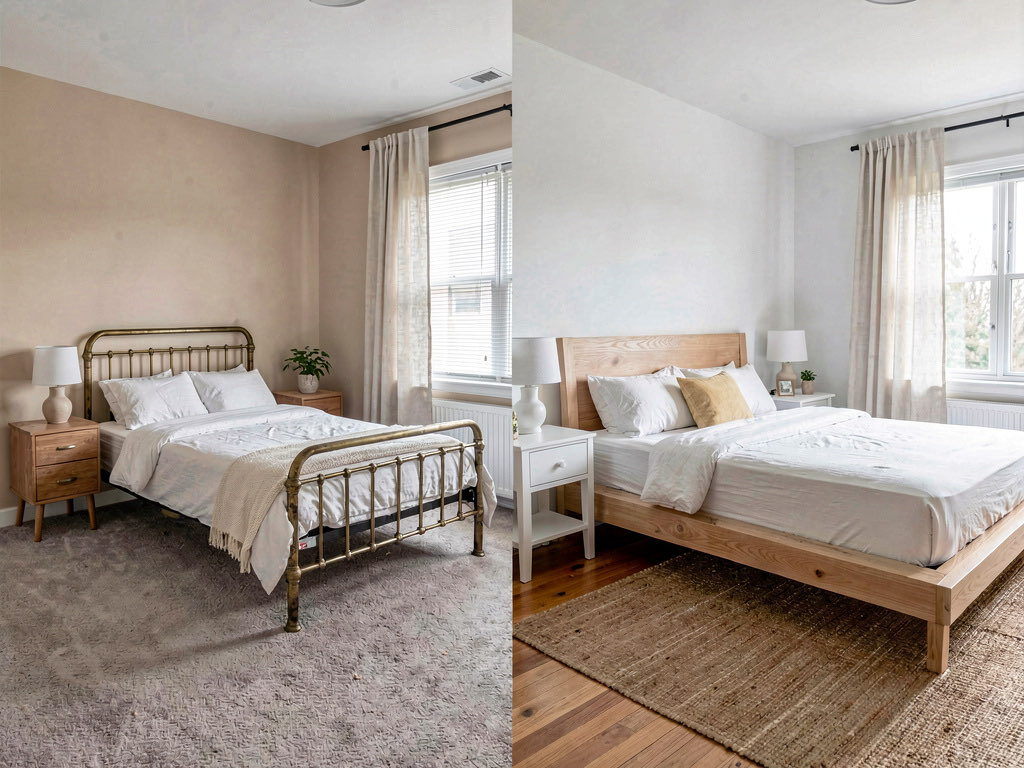
Tip: photograph the bedroom from the doorway facing the bed. This angle captures the headboard, nightstands, and window — the three elements that define a bedroom's style. For more bedroom inspiration, see our modern bedroom ideas guide.
Kitchen
Kitchen redesigns are one of the most popular uses for AI interior design because kitchens are expensive to remodel and mistakes are costly. Seeing the result before committing to $15,000 in cabinets and countertops is worth its weight in gold.
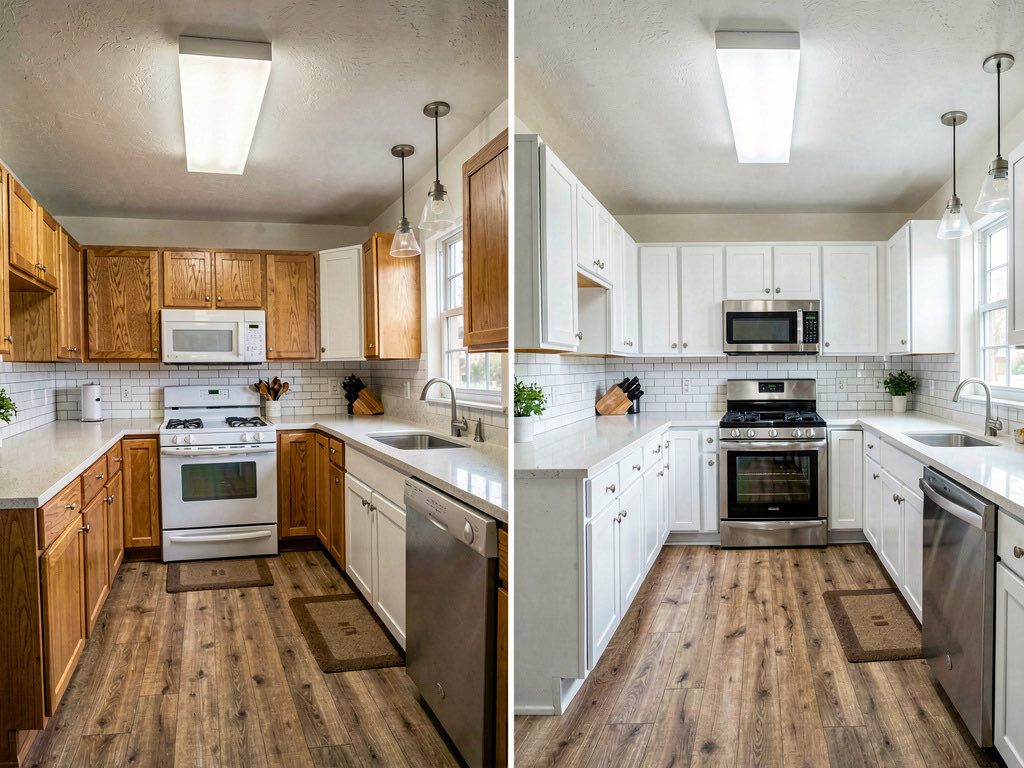
Photograph the kitchen from the angle that shows the most cabinets and counter space. If your kitchen has an island, try to include it in the frame. For a detailed kitchen design walkthrough, see our AI kitchen design guide.
Bathroom
Bathrooms are the second most expensive room to remodel, so previewing the result is especially valuable. The AI handles small bathrooms well — stand in the doorway to get the widest possible angle.
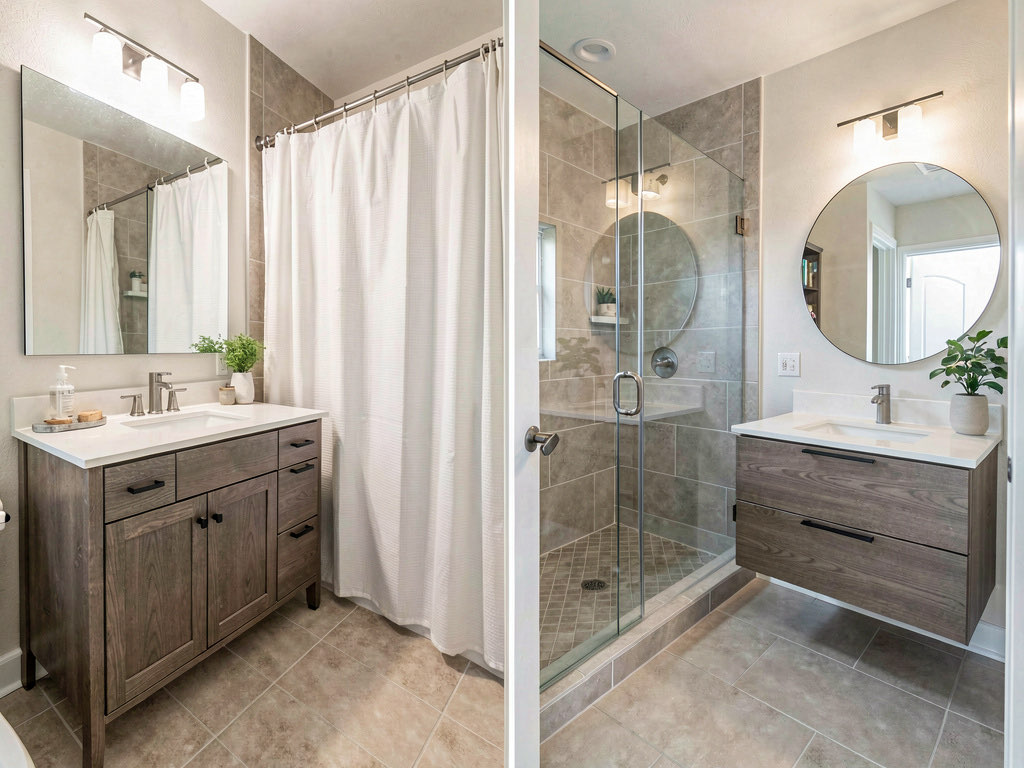
For more bathroom-specific guidance, see our free AI bathroom design app guide and our bathroom remodel ideas.
The 3 best free AI interior design apps
1. Remodel AI — best overall free option
Remodel AI gives 3 free designs with full access to all 30+ interior styles and all 8 tools (interior, exterior, staging, paint, flooring, landscape, object removal, furniture swap). No credit card required. No watermarks on the output. Available on iOS, Android, and web.
The free tier uses the same AI model and produces the same quality output as the paid plans. The only limit is the number of designs. If you want more than 3, the Pro plan is $29/mo for 100 designs.
2. AI Designer — good for interior-only
AI Designer offers a small number of free designs for interior rooms. It handles living rooms, bedrooms, and kitchens well. It does not support exterior, garden, staging, or landscape design. A solid second option if you want to compare results from two apps.
3. RoomGPT — one free design
RoomGPT gives you one free design. The quality is decent for basic room redesigns. The free tier is very limited — one design is barely enough to evaluate the tool, let alone get a useful result. Still worth trying if you want a third comparison point.
For a full comparison of every free AI design tool, see our roundup of the best free AI interior design apps and the best free AI room design apps.
Tips for getting the best results from free AI design
Use your best angle. You only have three free designs. Do not waste one on a bad photo. Take multiple photos of the room from different angles and use the one that shows the most of the room.
Be strategic about room type. If you are redesigning one room, use all three designs on that room in three different styles. If you are redesigning multiple rooms, use one design per room to see which renovation will have the biggest impact.
Try a style you would not normally pick. One of the three designs should be a style outside your comfort zone. You might discover something unexpected. The cost of trying is zero.
Save every result. Even the designs you do not love contain useful information — a color you respond to, a furniture arrangement that works, a material finish you want to avoid. Save them all.
Screenshot the comparison. Put all three results side by side (most phones can do a split-screen comparison) and screenshot it. This side-by-side view makes the differences obvious in a way that looking at them one at a time does not.
Frequently asked questions
Is free AI interior design actually free?
Yes. Remodel AI gives 3 free designs with no credit card, no watermarks, and full access to all tools and styles. The free designs use the same AI model and produce the same quality output as paid designs. There is no catch — it is a free tier designed to let you test the technology.
How many free designs do I get?
Remodel AI gives 3 free designs. AI Designer gives a small number of free designs. RoomGPT gives 1 free design. Remodel AI's 3 free designs are the most generous free tier with the widest feature access.
Can I redesign my kitchen for free?
Yes. The free tier of Remodel AI includes kitchen redesign. Upload a photo of your kitchen, select Interior Design, set room type to Kitchen, choose a style, and generate. You can see your kitchen with new cabinets, countertops, backsplash, and appliances in about 10 seconds.
What styles are available for free?
All styles are available on the free tier. Remodel AI offers 30+ interior styles (modern, scandinavian, mid-century, farmhouse, industrial, minimalist, coastal, traditional, and many more), 11 exterior styles, and 10 garden styles. There are no premium-only styles locked behind a paywall.
Do free AI designs have watermarks?
Remodel AI does not add watermarks to free designs. The output is the same quality and resolution as paid designs. Some competing apps add watermarks to free output or reduce the resolution — check each app's terms before generating.
Ready to Try AI Interior Design?
Upload a photo and redesign any room in seconds. 3 free designs, no signup required.