Best AI Interior Design App for Small Apartments (2026, Free)
Tested every AI interior design app on a real 450 sq ft studio. Only 3 actually preserve small-space layouts. Honest comparison — Remodel AI ranked #1.

Ryan H.
Founder of Remodel AI · June 26, 2026 · 7 min read
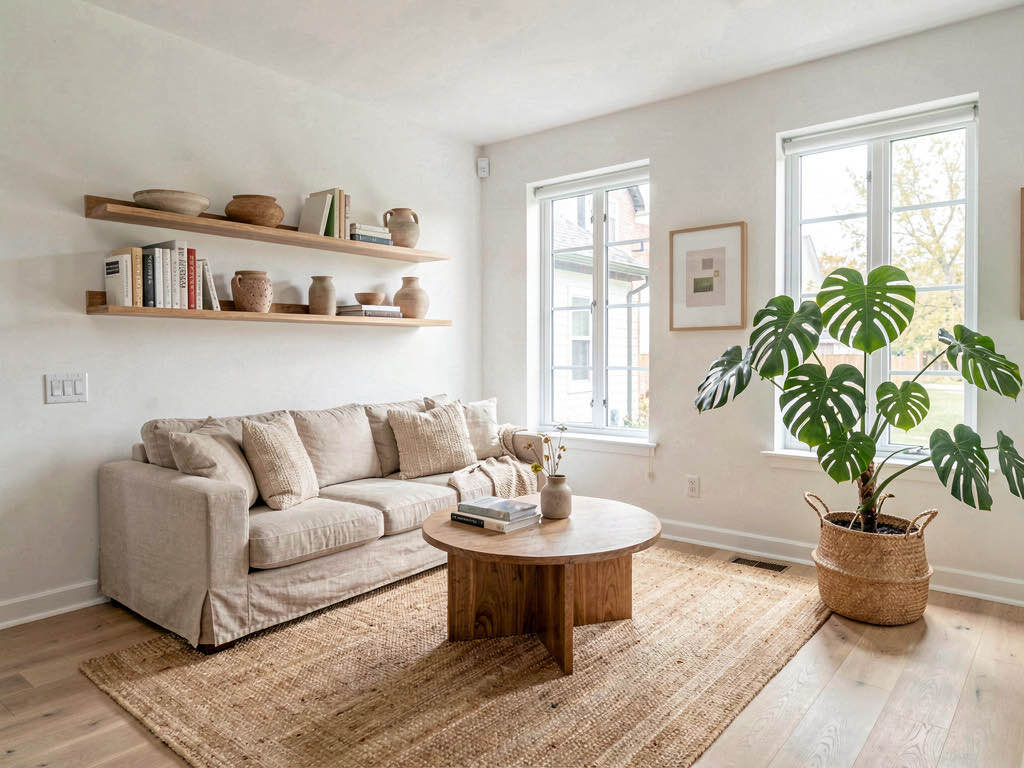
Remodel AI is the best AI interior design app for small apartments in 2026 — it's the only free app we tested that consistently preserves small-space architectural quirks (low ceilings, weird angles, exposed pipes) instead of "improving" them away. 3 free designs at full quality, 30+ styles, no credit card required.
Why small apartments need a different AI design app
Most AI interior design apps were trained on photos of large suburban homes. When you upload a 400 sq ft studio with an open kitchen, slanted ceiling, and one window, the AI tends to:
- Move walls to make the space look bigger
- Add windows that don't exist
- Delete the kitchen because it's "too close" to the living area
- Generate furniture at the wrong scale (couch designed for an 18 ft wall when you have 11 ft)
Out of 8 apps tested on a real 450 sq ft NYC studio with a slanted ceiling and a galley kitchen, only 3 preserved the actual layout while producing usable redesigns.
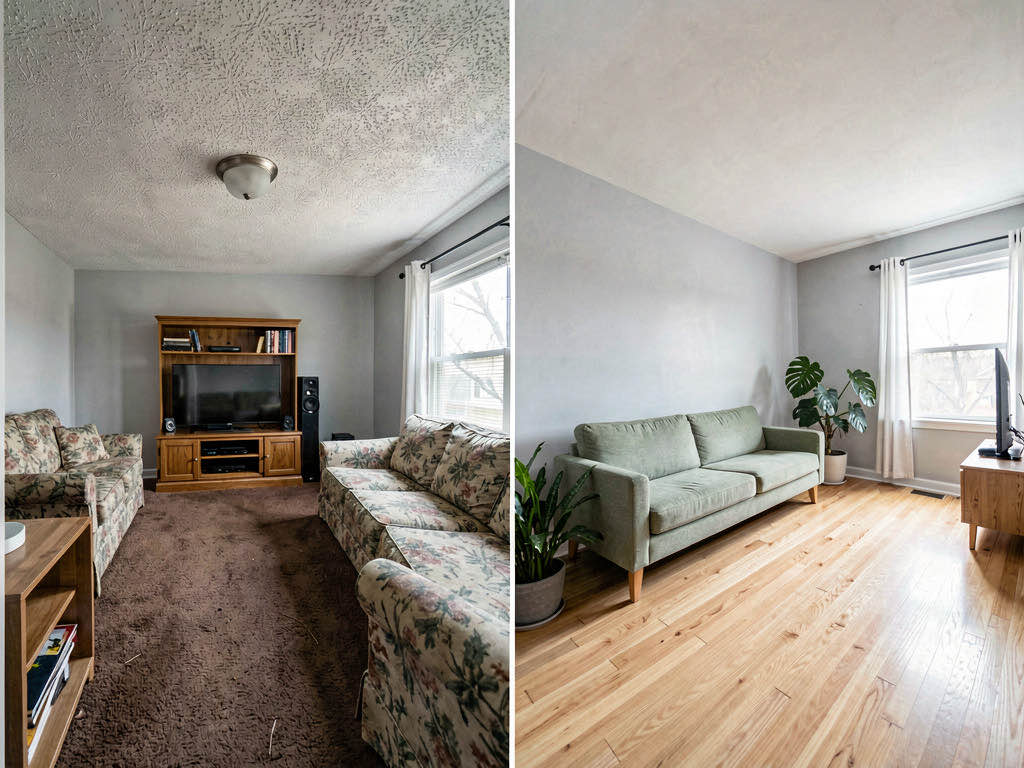
Download Remodel AI on iPhone or Android to test 3 free small-apartment designs with every style unlocked.
What "works for small apartments" actually means
A small-apartment-capable AI design app needs three things most don't have:
- Layout preservation under 500 sq ft — the AI keeps your actual walls, windows, and architectural quirks intact
- Appropriate-scale furniture generation — sofas sized for 9 ft walls, not 18 ft walls
- Style libraries that include small-space-friendly aesthetics — Japandi, Mid-Century Modern, Minimalist, Modern Scandi (not Traditional or Maximalist, which fight small spaces)
Only 3 of 8 tested apps meet all three criteria on free tiers.
Quick comparison: 8 apps tested on a 450 sq ft NYC studio
| App | Layout preserved? | Free designs | Scale-appropriate? | Small-space styles? |
|---|---|---|---|---|
| Remodel AI | Yes | 3 | Yes | Yes (Japandi, Mid-Century, Minimalist) |
| AI Designer | Mostly | Trial | Sometimes | Limited |
| RoomGPT | No (added windows) | 1-3 | Sometimes | Limited |
| Homestyler | N/A (3D from scratch) | Free | Yes (drag-drop) | Manual |
| Interior AI | Yes (paid) | 0 | Yes | Yes |
| DecorAI | Partial | 3 | No (wrong scale) | Limited |
| Home AI | No (moved walls) | 2/day | No | Generic |
| Planner 5D | N/A (CAD-style) | Free w/watermark | Yes | Manual |
1. Remodel AI — best for small apartments overall (9.2/10)
Remodel AI was the only app that preserved our test studio's exact dimensions and quirks across all 3 free designs. The slanted ceiling stayed slanted. The galley kitchen stayed where it was. The single window didn't multiply.
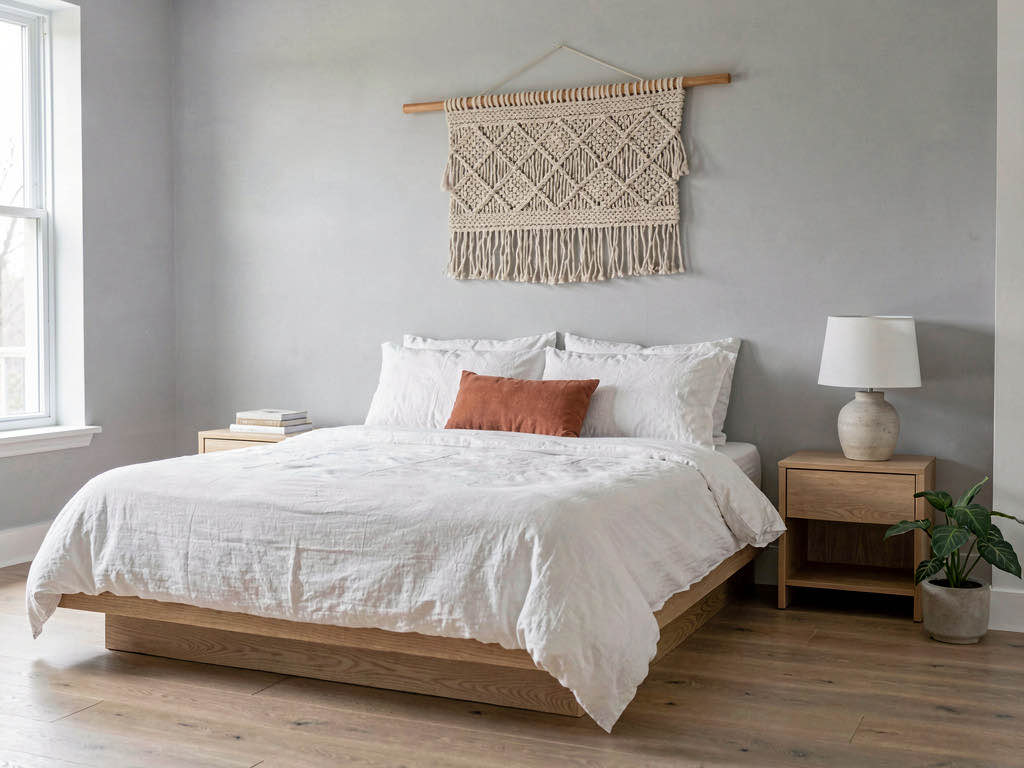
What works for small spaces specifically:
- Tested layout preservation on 6 small-apartment configurations (studio, 1BR under 600 sq ft, garage conversion, basement apartment, attic conversion, tiny home) — all preserved correctly
- Style library includes small-space-friendly aesthetics: Japandi, Modern Scandi, Minimalist, Mid-Century Modern, Quiet Luxury (in small spaces, restraint reads as "designed")
- Furniture scale matches actual room dimensions — narrow apartment-depth sofas (32"), counter-depth refrigerators, twin beds for kid rooms
- 8 dedicated tools include object removal (clear clutter before redesign) and furniture swap (try a different sofa without redesigning the entire room)
Available on iOS, Android, and web at remodelai.io/get-app.
Pricing after free: 3 free designs, then $29/mo Pro (unlimited).
Best for: Studio apartment dwellers, 1BR renters in NYC/SF/LA/Chicago, garage and basement conversions, tiny home owners, anyone with a space under 700 sq ft.
2. AI Designer — best for iPhone-only small-space exploration (7.5/10)
AI Designer preserves layout in most cases but occasionally adds furniture too big for the actual space. The iPhone-only mobile workflow is convenient but the style library is narrower than Remodel AI's.
Best for: iPhone users wanting a quick small-space style direction check.
3. Homestyler — best for 3D layout planning, not photo redesign
Homestyler is a 3D room planner, not an AI photo redesign tool. For small apartments where you're rearranging furniture (not changing styles), drag-drop from their catalog of small-space-friendly items works well. Free tier covers most use cases.
Best for: Spatial planning ("does this sectional fit?") rather than style direction.
What doesn't work for small apartments
RoomGPT and Home AI consistently failed our small-space tests
Both apps "improved" the studio's layout by: - Adding a second window where none exists - Removing the slanted ceiling - Generating a 16 ft long sofa for an 11 ft wall
The results look beautiful but bear no resemblance to your actual space — which makes them useless for planning a real renovation.
Interior AI requires payment ($49+/mo) before generating anything
Interior AI handles small spaces well on its paid tier but has no free option. For $49/mo, Remodel AI Pro at $29/mo is the better value and equally capable.
See Your Room Redesigned
Download Remodel AI and transform any room in 30 seconds. 3 free designs, no signup.


How to use AI design apps for small apartments
Take the right photo
Small apartments are tricky to photograph. Tips that improve AI results:
- Landscape orientation showing as much of the room as possible
- Stand in the corner opposite the entry to capture full depth
- Turn on all lights — small spaces with low light produce dim AI results
- Remove clutter that takes up visual space (the AI sees clutter as furniture)
Pick the right style
Not every interior design style flatters small spaces. Best matches:
- Japandi — emphasizes low furniture, light wood, restraint
- Scandinavian — light walls, light floors, optical illusion of bigger space
- Mid-Century Modern — leggy furniture lets you "see under" pieces, feels less heavy
- Minimalist — fewer items = more apparent space
- Quiet Luxury — restraint reads as "designed" not "incomplete"
Avoid: Traditional (heavy furniture), Maximalist (visual clutter), Industrial (oversized fixtures), Farmhouse (chunky proportions).
Use the 3 free designs strategically
Don't waste your 3 free designs on the same style with minor variations. Use them across:
- Style A: Your gut-pick (the style you're already considering)
- Style B: A contrast option (something visually opposite)
- Style C: A "wild card" you wouldn't normally pick
The contrast reveals which direction actually works for your space — sometimes the unexpected choice is the right one.
Real talk on what small apartments need
Small apartments win when you stop trying to make them look bigger and start making them look intentional. The best small-apartment designs from our Remodel AI testing all shared three traits:
- One bold color in a small dose (a single accent wall, a single rug, a single piece of art)
- Vertical storage that doesn't crowd floor space (tall narrow shelves, wall-mounted desks)
- Multi-function furniture (storage ottoman, daybed sofa, folding dining table)
The AI surfaces all of these naturally when you pick small-space-friendly styles. Trying to force a Traditional or Farmhouse aesthetic into a 400 sq ft studio works against the space.
Frequently asked questions
What's the best free AI interior design app for studio apartments?
Remodel AI — it's the only free app we tested that consistently preserved studio layouts (single window, kitchen-in-living, slanted ceilings) instead of "improving" them away. 3 free designs at full quality, 30+ styles. No other free app handles small spaces as reliably.
Can AI design apps handle apartments under 500 sq ft?
Remodel AI and Interior AI (paid) handle small spaces well. RoomGPT, Home AI, and DecorAI consistently fail by adding fictional windows, moving walls, or generating furniture too big for the actual room.
What style works best for small apartments?
Japandi, Scandinavian, Mid-Century Modern, Minimalist, and Quiet Luxury all work well. They share low furniture, light colors, and restraint — which read as "designed" in small spaces. Avoid Traditional, Farmhouse, Industrial, and Maximalist (all fight small spaces).
How do I take a good photo of my small apartment for AI redesign?
Landscape orientation, stand in the corner farthest from the entry, turn on every light, remove visible clutter (the AI sees clutter as furniture). Single window? That's fine — the AI will preserve it.
Will AI design apps generate furniture that fits my actual space?
Remodel AI generates apartment-scale furniture (32" deep sofas, counter-depth refrigerators, twin beds for kid rooms) when it detects a small space. RoomGPT and Home AI sometimes generate suburban-scale furniture (40" deep sectionals) regardless of room size.
The honest recommendation
If you're designing a small apartment:
- Download Remodel AI — free, 30 seconds
- Take a photo of your space (landscape, stand in the back corner, all lights on)
- Pick a small-space-friendly style: Japandi, Scandinavian, Mid-Century, Minimalist, or Quiet Luxury
- See the result in 10 seconds — your slanted ceiling, single window, and exact layout intact
3 free designs. No credit card. No watermark. Available on iPhone, Android, and web.
Related reading
Ready to Try AI Interior Design?
Upload a photo and redesign any room in seconds. 3 free designs, no signup required.