Best free AI nursery design apps in 2026 (no credit card, actually tested)
I tested every 'free' AI nursery design app for expecting parents. Most are fake free — 1 generation then paywall. Only 3 let you preview a crib, paint color, or wall art for $0.

Ryan H.
Founder of Remodel AI · June 1, 2026 · 11 min read
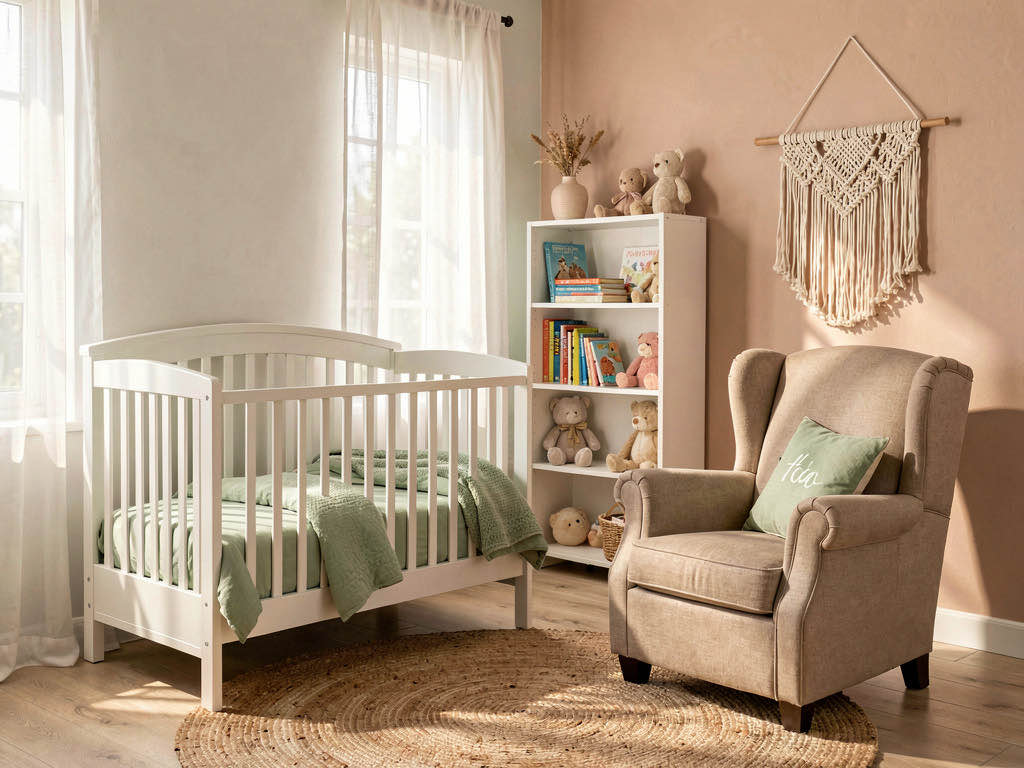
Remodel AI is the best free AI nursery design app in 2026 — 3 full-quality designs with no credit card, no watermarks, and access to all 30+ styles and all 8 design tools on the free tier. Most competitors either have no free tier (Interior AI starts at $39/month), give you 1 watermarked generation (RoomGPT), or paywall the actual download of your nursery preview.
I tested every "free" AI nursery design app so you don't have to
I spent an afternoon downloading every AI nursery design app that claims to be free. Expecting parents have enough to spend money on without paying for design previews. App Store listings say "free" but the app hits you with a subscription popup before you can pick a style. One app generated a beautiful crib and reading chair, then demanded $14.99 to download the image.
Out of 9 apps tested, only 3 let me preview a redesigned nursery without paying or entering payment information. The rest fell into two buckets: barely free (1 design, then paywall) or fake free (requires payment up front).
This post breaks down every app honestly. No affiliate links, no sponsored placements. The goal: let you preview your nursery in 4-5 directions for free before committing to paint, a crib, or that expensive glider chair.
Download Remodel AI on iPhone or Android to try 3 free nursery designs with every tool unlocked.
What "free" actually means (three tiers of honesty)
Actually free — Multiple designs, no credit card required, usable output quality. You can preview your nursery in a different style and download the image. Only 3 apps meet this bar.
Barely free — 1 design then a paywall, or output is watermarked. You can see what the AI does, but you can't share the result with your partner without "TRIAL VERSION" stamped across the crib.
Fake free — Listing says "free" but requires a credit card up front, auto-charges after 3 days, or has no real free functionality. Not free in any honest sense.
Quick comparison: 9 apps tested
| App | Actually free? | Free designs | Credit card needed? | Watermark? | Best for |
|---|---|---|---|---|---|
| Remodel AI | Yes | 3 | No | No | Full nursery redesign + paint + flooring + furniture swap |
| AI Designer | Yes | Free trial | No | No | Quick iPhone nursery previews |
| Homestyler | Partial | Free 3D tool | No | No | Crib-layout planning (not AI redesign) |
| RoomGPT | Barely | 1 | No | No | One-time test |
| Home AI | Barely | 2/day | No | Ads overlay | Casual browsing with ads |
| Planner 5D | Barely | Free 3D | No | Yes | Floor plans only, watermarked |
| Reroom | Barely | Limited credits | Varies | Sometimes | Mobile iteration |
| Interior AI | No | 0 | Yes | N/A | N/A (no free tier) |
| DecorAI | No | 0-1 | Varies | Varies | N/A (unreliable free) |
The 3 actually free apps
1. Remodel AI — best free AI nursery design app (9.3/10)
Remodel AI gives every new user 3 free designs with zero restrictions. Full-resolution output, no watermarks, access to all 30+ styles, and access to all 8 design tools.

For nurseries specifically, those 3 free designs unlock every decision that matters before baby arrives:
- Crib and furniture restyle — preview a low oval crib vs a classic four-poster vs a convertible-to-toddler-bed. Frame, finish, and shape all change cleanly.
- Wall paint — preview Behr Swiss Coffee, Benjamin Moore Misty Memories, or Sherwin-Williams Polar Bear. Soft nursery colors render correctly with realistic lighting.
- Wall art and decor — preview a single oversized print vs a gallery wall vs a wall mural above the crib.
- Flooring — preview low-pile wool carpet, hardwood with a soft area rug, or LVP with a sheepskin throw.
- Object removal — erase the boxes that have been in that room since you moved in.
- Furniture swap — replace just the glider or just the dresser without redesigning the whole nursery.
- 30+ styles — Soft Modern, Cottagecore, Scandinavian, Japandi, Woodland, Coastal, Boho, Traditional, and gender-neutral palettes that read as restful instead of busy.

That tool breadth is what separates Remodel AI from every other free option. New parents make 4-5 nursery decisions that compound (paint + crib + glider + storage + lighting) — testing each on the actual room saves money on mistakes.
Available on iOS, Android, and web at remodelai.io/get-app. Over 2 million designs generated so far.
After your 3 free designs: $29/mo Pro (unlimited designs, all tools), $49/mo Premium, $79/mo Ultra.
Best for: Expecting parents picking a paint color, choosing between cribs, planning wall art, or setting up a gender-neutral nursery before knowing or revealing the gender.
2. AI Designer — best free option on iPhone
AI Designer is a focused iPhone app for quick room redesigns. Mobile-first interface.
What stood out: Fast iteration on phone, no account creation. Good for testing nursery paint colors while you're standing in the room with the painter's tape on the wall.
Limitations: iPhone only — no Android, no web. Style library is narrower. No standalone wall paint tool, no flooring tool, no object removal — all useful in a nursery.
Best for: iPhone users who want a fast nursery style preview without downloading a feature-heavy app.
3. Homestyler — best free 3D nursery planning (but not AI redesign)
Homestyler (homestyler.com) is a 3D room planning tool. Lay out a nursery from scratch, drag a crib, dresser, and glider from a catalog of 10 million+ items, render basic 3D views.

What stood out: The 3D planning tool is genuinely free. Useful for answering "does a full-size crib plus a dresser plus a glider actually fit in this small bonus room?"
Limitations: Homestyler is a 3D planning tool, not an AI photo redesign tool. The AI-powered photorealistic redesigns sit behind a paywall.
Best for: Spatial planning with real crib dimensions. Not the right tool for AI-generated photorealistic nursery redesigns from photos.
The barely free apps
RoomGPT — 1 free nursery, then done
RoomGPT (roomgpt.io) gives new users 1 free room redesign. Simple interface, narrow style menu. Has generated millions of designs.
The free tier problem: 1 design total. No paint tool, no wall art preview, no flooring preview, no object removal. Nursery decisions deserve more than one shot.
After free: Credit packs start at $9+.
Home AI — 2 free designs per day, with aggressive ads
Home AI offers 2 free room redesigns per day, ad-supported. Ad interruptions between every step. Output quality below Remodel AI — soft nursery palettes render with color shifts and stuffed animals come out looking unsettling.
Best for: Browsing nursery style ideas if you can tolerate ads.
Planner 5D — free 3D planning, but watermarked exports
See Your Room Redesigned
Download Remodel AI and transform any room in 30 seconds. 3 free designs, no signup.


Planner 5D is a 3D home design tool. Exported images carry watermarks.

The watermark issue: The tool works, the nursery layout looks reasonable, but the moment you try to save or share, a watermark covers the crib.
Best for: DIY floor plan exploration. Not useful if you want to share or save the design.
Reroom — limited free credits, mobile-first
Reroom is an iOS AI redesign app with a small batch of free credits up front, then pay-per-design. Small free tier.
Best for: Quick mobile iteration if you have free credits left.
The fake free apps
Interior AI — not free at all
Interior AI (interiorai.com) has no free tier. Cheapest plan starts at $39/month — money better spent on a video baby monitor. Remodel AI gives 3 free designs with all 8 tools, and unlimited is $29/month. For a head-to-head, see our detailed comparison.
Various App Store apps that say "free"
Several apps list "free" in the description but paywall you on launch. "Free" refers to the download, not the product. Apple's review guidelines require apps to offer a way to use free features before pushing a subscription, but enforcement is inconsistent.
How to get the most from your 3 free nursery designs
Shoot the right photo. Landscape orientation. Stand in the doorway and capture the wall where the crib will go plus at least part of the wall where the glider will sit. Even ambient light during the day works best.

Test 3 different decisions, not 3 styles of the same decision. New parents typically need to make 3 big nursery decisions: paint color, crib choice, and the glider/feeding chair. Use one free design for each. You'll learn more than running three near-identical "soft modern" iterations.
Use the right tool for the right job. If you're picking paint, use the Wall Paint tool. If you're choosing between cribs, use Furniture Swap on just the crib. Dedicated tools produce cleaner results than running a full interior redesign. For style direction, see our bedroom color ideas — nursery-friendly tones overlap heavily.
Save your results immediately. Download the images right after creation. Having them on your phone makes it easier to compare or send to your partner from the maternity ward at 3am.
Free vs paid: when to upgrade
Free is enough when: You're testing whether AI nursery design works for your room, picking between two paint colors, or trying one new crib. Three free designs on Remodel AI will answer most single-decision nursery questions.
Paid is worth it when: You're doing a full nursery setup from scratch and want to test multiple paint colors, multiple cribs, multiple glider styles, multiple wall art configurations, and multiple flooring choices — all on the same room. $29/month Pro covers unlimited designs across all 8 tools. Less than the cost of a single returned glider.
The math: A quality convertible crib runs $300-$1,500. A glider chair runs $500-$2,000. Wall art and decor add $200-$1,000. Paint and nursery flooring add $500-$2,500. AI previews at $29/month let you avoid wrong choices on $1,500-$7,000 in nursery purchases — almost all of them returned at restocking-fee rates if you guess wrong.
Frequently asked questions
Is there a completely free AI nursery design app?
No AI nursery app offers unlimited free use — GPU costs make that unsustainable. Remodel AI offers the most generous free tier: 3 full-quality designs with all 30+ styles and all 8 tools, no credit card, no watermarks. Home AI offers 2 per day with ads but at lower quality.
Which free AI nursery app gives the most designs?
Home AI offers 2 free designs per day (with ads), but quality is inconsistent — soft palettes shift colors and stuffed animals render strangely. For high-quality free output, Remodel AI gives 3 free designs at full resolution with all tools unlocked, identical to paid output.
Can AI help me pick a gender-neutral nursery color?
Yes — this is where free AI nursery design pays off most. Remodel AI's wall paint tool previews any code (Benjamin Moore, Sherwin-Williams, Behr) on the wall behind where the crib will go. Compare 3-4 gender-neutral nursery palettes — sage, warm cream, soft terracotta, dusty blue — side by side on the same wall, accounting for actual room light.
Do free AI nursery apps add watermarks?
Most do. Planner 5D watermarks all free exports. Some App Store apps watermark or reduce resolution. Remodel AI and AI Designer are the only apps we tested that deliver clean, full-quality nursery output on the free tier.
Can a free AI nursery design help me choose between cribs?
Yes — better than scrolling crib listings. Remodel AI's Furniture Swap tool replaces the existing furniture in your nursery photo with an alternative crib while keeping paint, flooring, and other furniture unchanged. Counts as free designs.
Which free AI nursery app works on iPhone and Android?
Remodel AI is available on iPhone, Android, and web. Most other free options are iPhone-only (AI Designer) or web-only (RoomGPT).
Is Remodel AI really free or is there a catch?
It's really free for 3 designs — no credit card, no watermarks, no quality reduction. The catch, if you want to call it that, is 3 designs total, not 3 per month. After that, you need a paid plan ($29/mo for unlimited). Those 3 free designs are full-featured: all 30+ styles, all 8 tools, full resolution.

The honest recommendation
If you're reading this post, you probably searched "free AI nursery design app" because you want to see what the nursery could look like — with a specific paint color, a specific crib, a specific wall art — before you start spending. Here's the shortest path:
- Download Remodel AI — it's free, takes 30 seconds
- Take a photo of the room from the doorway, with the crib wall in frame
- Pick the one style you've been thinking about
- See the result in 10 seconds
That first design will tell you whether AI nursery design is useful for your project. You have 2 more free designs after that. No credit card, no commitment, no catch.
For broader style direction, read our best free AI interior design apps and bedroom color ideas guides.
Ready to Try AI Interior Design?
Upload a photo and redesign any room in seconds. 3 free designs, no signup required.