Best AI apps for contractors in 2026: show clients the finished job before you start
7 AI visualization tools contractors use to win bids and eliminate change orders. Show clients photorealistic previews of kitchens, bathrooms, and exteriors.

Ryan H.
Founder of Remodel AI · April 19, 2026 · 12 min read
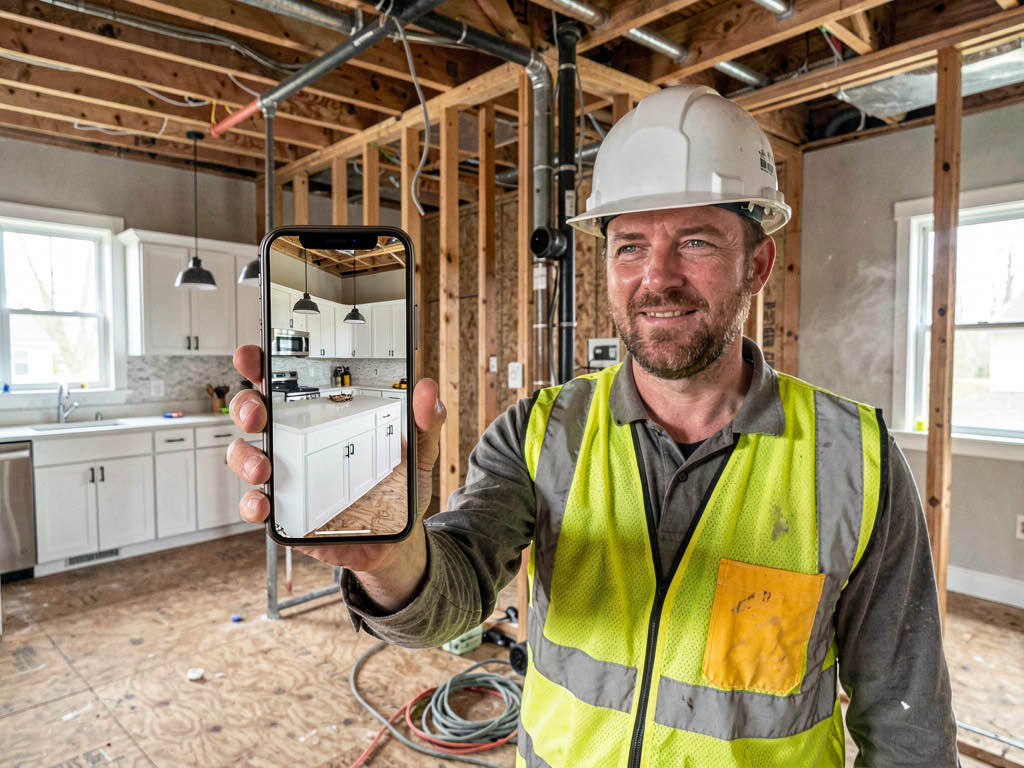
Remodel AI is the best AI visualization tool for contractors in 2026 — take a photo of the client's room on your phone, show them a photorealistic preview of the finished renovation in 10 seconds. Eliminates the "that's not what I meant" problem that causes change orders. 3 free previews, $29/month unlimited.
The change order problem AI solves
Contractors know the pattern. You describe the renovation, the client nods along, you start work, and two weeks in: "That's not what I had in mind." According to the National Association of Home Builders, the average change order costs contractors $3,000-$8,000 in rework, materials, and lost schedule time. Over the course of a year, that adds up to tens of thousands in lost margin.
The root cause is simple: most homeowners cannot visualize a finished renovation from a verbal description or a mood board. A Houzz survey found that 73% of homeowners struggle to picture what a renovation will look like until it's done. They say they want "modern farmhouse" but they mean 15 different things by that phrase.
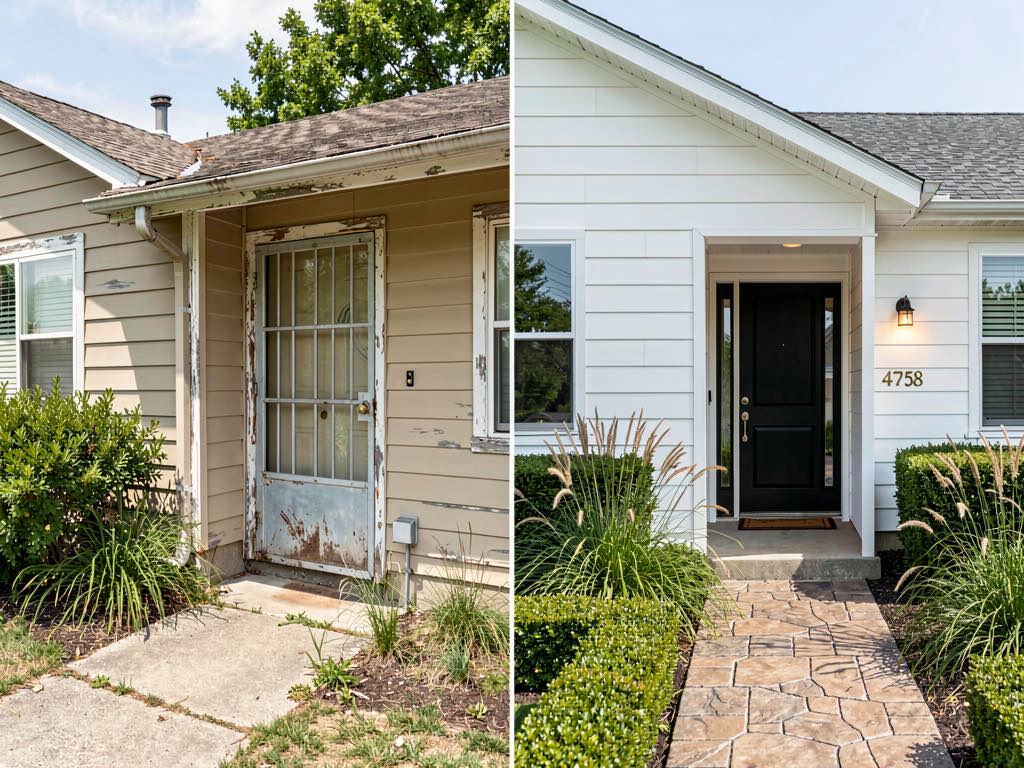
AI visualization apps fix this by turning the conversation from abstract to concrete. Photograph the client's existing kitchen, generate a photorealistic preview of the finished renovation in their chosen style, and get sign-off on a visual — not a description. The result: fewer change orders, faster approvals, and more wins in competitive bids.
We tested 7 AI apps that contractors use in the field. Here's which ones are worth your time.
Quick comparison table
| App | Price | Mobile app | Interior | Exterior | Best use case |
|---|---|---|---|---|---|
| Remodel AI | $29/mo | iOS + Android | 30+ styles | 11 styles | Field use: show clients on phone |
| AI Designer | Freemium | iOS | 20+ styles | No | Quick iPhone interior previews |
| Planner 5D | $24/mo | iOS + Android | Floor plans | Yes | Layout changes and floor plans |
| Cedreo | $99+/mo | No (web) | 3D rendering | Yes | Full bid packages with 3D |
| Houzz Pro | $65+/mo | iOS + Android | Browse only | Browse only | Lead gen + project management |
| Interior AI | $49+/mo | No (web) | 25+ styles | No | Premium renders for presentations |
| RoomSketcher | $49/mo | Limited | Floor plans | Limited | 2D/3D floor plan drawings |
Detailed reviews
1. Remodel AI — Best for field use with clients (9.3/10)

Remodel AI works the way contractors actually work — on the phone, on the job site, standing in the client's kitchen. Open the app, photograph the room, pick a style, and show the client what the finished renovation will look like in about 10 seconds. That speed matters when you're in a bid meeting and the homeowner asks "what would this look like in modern farmhouse?"
The 8 tools cover the full scope of what contractors get asked to do:
- Interior redesign — 30+ styles (Modern, Farmhouse, Scandinavian, Industrial, Coastal, Mid-Century, and more)
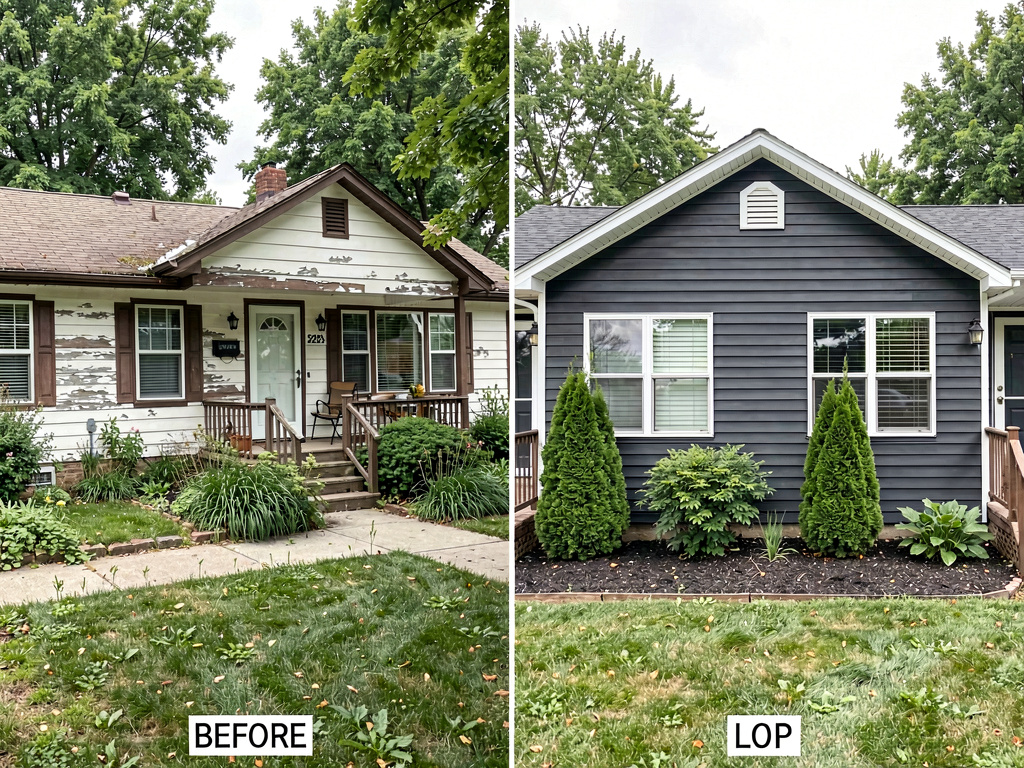
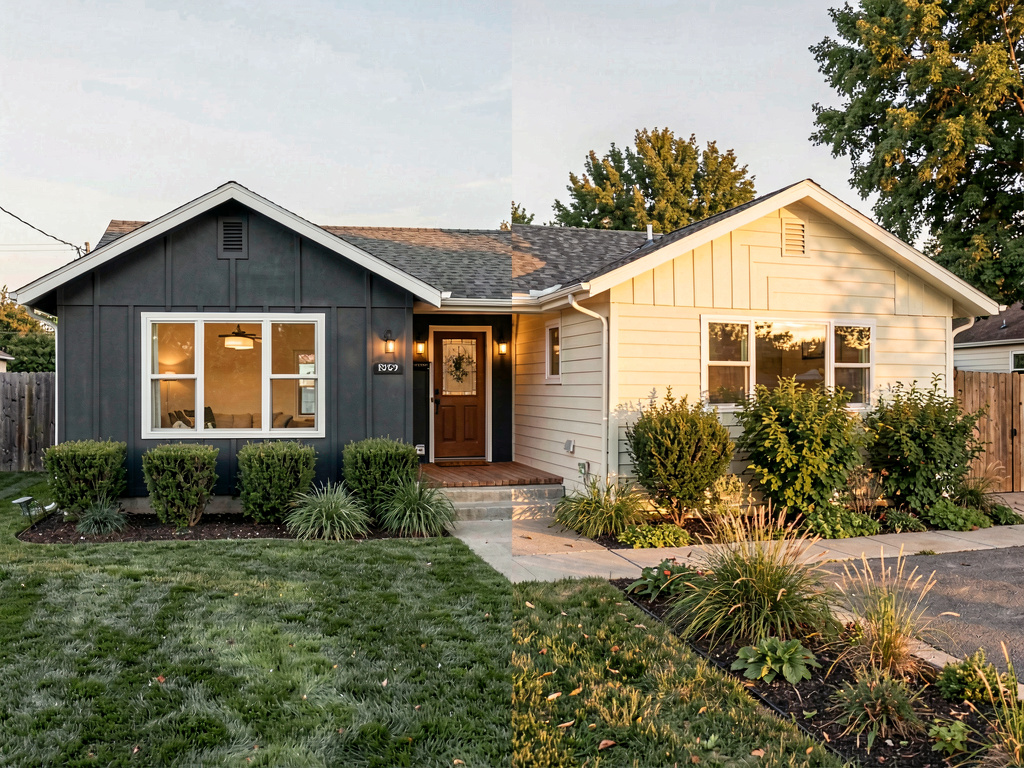
- Exterior redesign — 11 architectural styles for siding, roofing, and facade changes
- Wall paint — show clients exactly what Benjamin Moore Hale Navy looks like on their living room walls before you open a can
- Floor replacement — preview hardwood, tile, LVP, or concrete over existing carpet or outdated flooring
- Object removal — digitally remove old fixtures, clutter, or dated elements from a photo
- Virtual staging — stage empty rooms for real estate clients or show furnished room options
- Landscape design — 10 garden styles for outdoor contractors
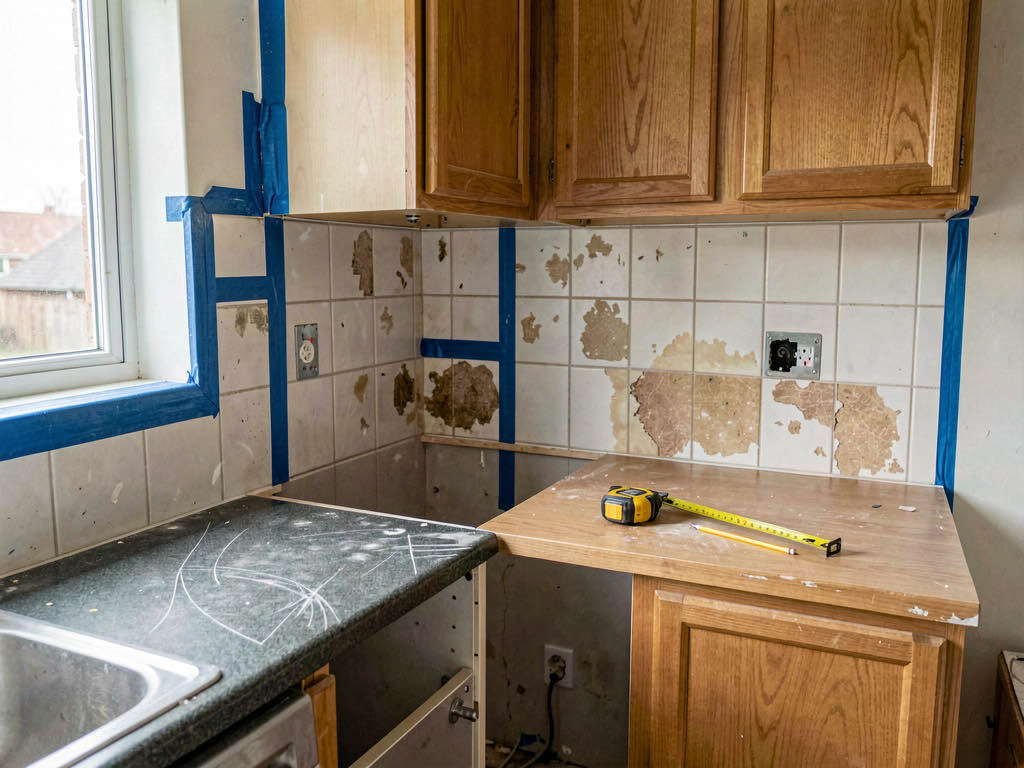
The phone app is the differentiator. Most competitors are web-only, which means you're pulling out a laptop at the job site. With Remodel AI, you photograph the room with the same device that generates the preview. Available on iOS, Android, and web at remodelai.io/get-app.
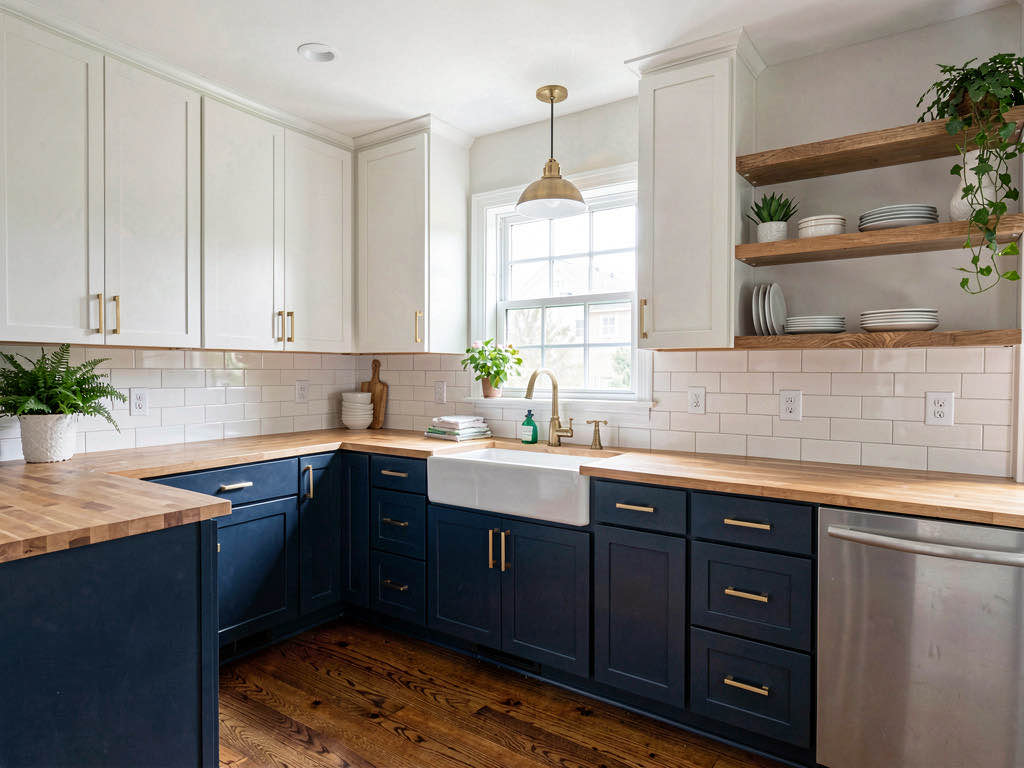
Pricing: 3 free designs, then $29/month (Pro). For a contractor doing $500K+ in annual revenue, $29/month is rounding error if it prevents even one change order per year.
Best for contractors who: meet clients on-site and want to show previews from their phone during bid meetings and design discussions.
2. AI Designer — Best iPhone-only alternative
AI Designer is a clean, focused iPhone app for interior visualization. Take a photo, pick a style, get a preview. The results are good and the workflow is fast. For an interior contractor who works exclusively from an iPhone, it's a solid option.
What stood out: Simple and reliable iPhone experience. No learning curve — you can generate previews within 30 seconds of opening the app.
Limitations: iOS only, no Android. No exterior redesign tools, so siding and roofing contractors are out of luck. No web version for creating presentations on a desktop.
Pricing: Freemium with subscription tiers.
Best for contractors who: work exclusively on interiors and prefer a simple iOS-only tool.
3. Planner 5D — Best for layout and floor plan changes
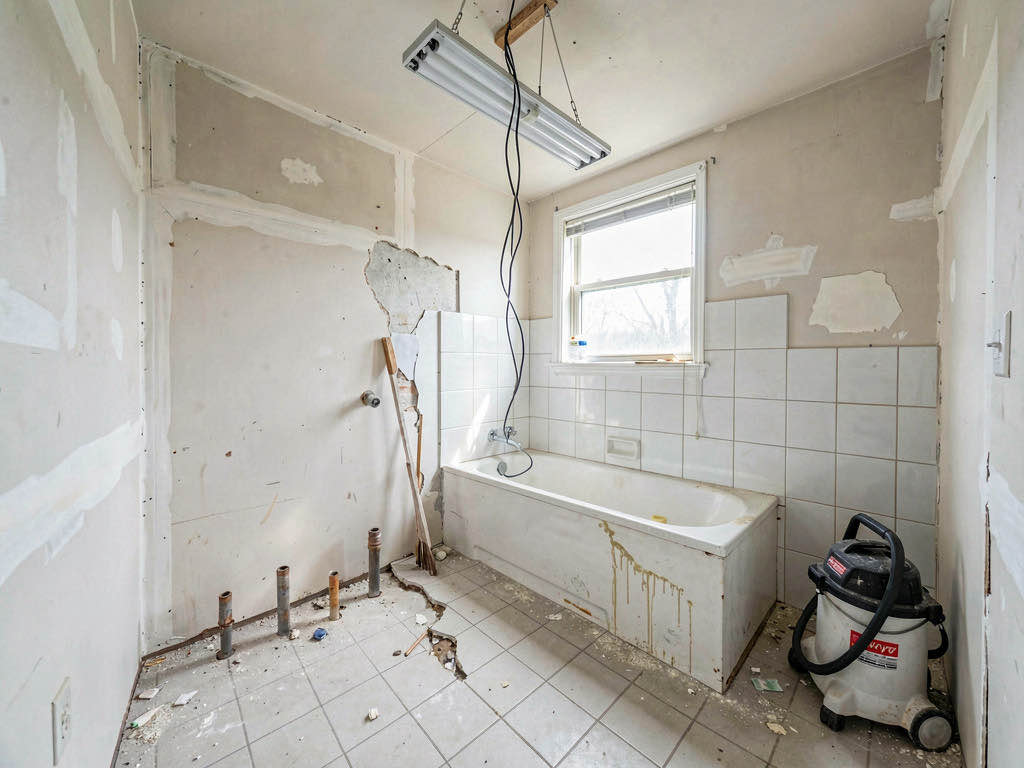
Planner 5D (planner5d.com) is the tool for contractors who need to show clients floor plan changes — wall removals, room additions, bathroom relocations, kitchen layout reconfiguration. It's a 2D/3D floor plan tool, not a photo-based AI redesign app. You build the existing floor plan, make changes, and walk clients through a 3D rendering of the new layout.
What stood out: Actual floor plan editing with 3D visualization. If a client asks "what if we remove this wall and extend the kitchen?" — Planner 5D answers that question in a way photo-based tools cannot.
Limitations: You build the model from scratch rather than photographing the space. Much slower than AI tools that work from photos. The renders look like 3D models, not photographs — fine for planning, less convincing for the "here's what it will actually look like" conversation.
Pricing: $24/month.
Best for contractors who: regularly do structural work and need to present layout changes, not just cosmetic restyling.
4. Cedreo — Best full-service bid tool (but expensive)
Cedreo (cedreo.com) is built for contractors who want to include 3D renderings in their bid packages. It handles floor plans, interior design, exterior visualization, and landscaping in one professional platform. The results look polished and are designed for formal proposals.
What stood out: The bid-package workflow is complete — floor plan, 3D interior, 3D exterior, materials list. For contractors who compete on presentation, Cedreo makes your bid look like it came from an architecture firm.
Limitations: $99+/month makes it the most expensive tool on this list. The learning curve is steeper than photo-based AI tools. No quick phone-based previews — this is a desktop tool for formal proposals, not field conversations.
Pricing: $99+/month. Justified for high-end remodeling contractors with large project values, expensive for handyman services.
Best for contractors who: submit formal bid packages for $50K+ renovation projects and compete on proposal quality.
5. Houzz Pro — Best for lead generation (visualization secondary)
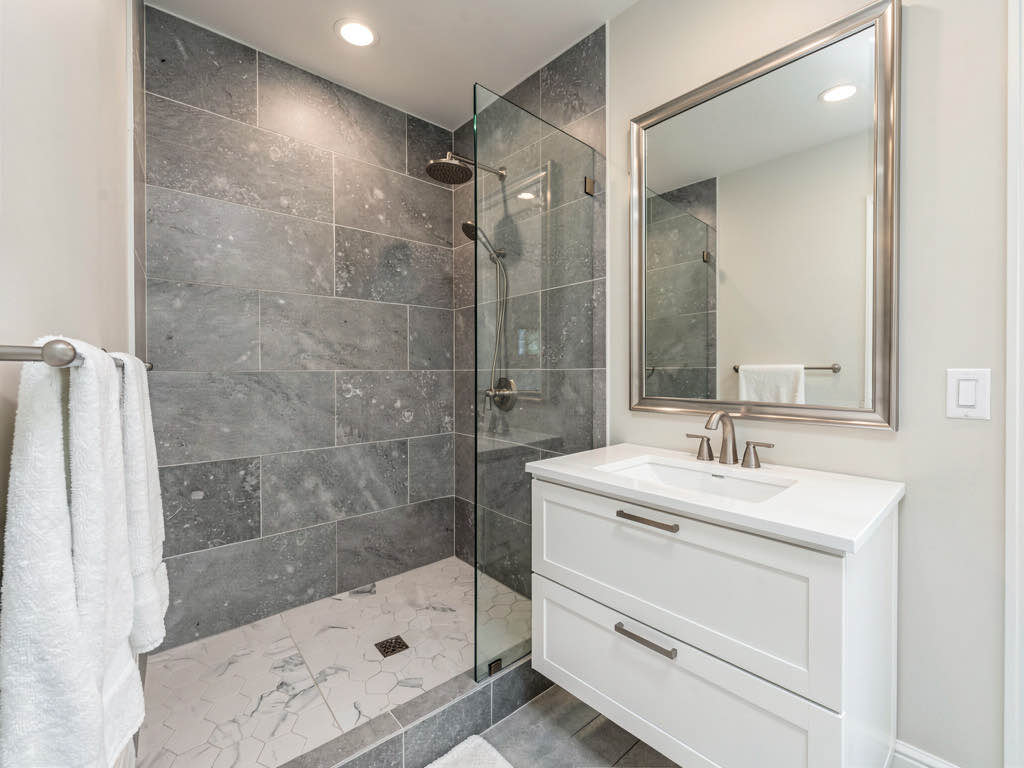
Houzz Pro (houzz.com/pro) is primarily a lead generation and project management platform for contractors. It connects you with homeowners actively searching for contractors in your area. Visualization is secondary — you can reference Houzz's photo library for inspiration, but you can't upload a client's room and generate an AI preview.
What stood out: The lead generation engine is Houzz's real value. If you need more clients, Houzz Pro delivers qualified leads from homeowners who are already planning a renovation.
Limitations: No AI visualization. You show clients other people's finished rooms, not their own room transformed. For the "show clients the finished job" use case, Houzz Pro doesn't compete with Remodel AI or Interior AI.
Pricing: $65+/month, which includes lead generation and project management tools.
Best for contractors who: need more leads and are willing to pay for Houzz's marketplace — and use a separate tool like Remodel AI for visualization.
See Your Room Redesigned
Download Remodel AI and transform any room in 30 seconds. 3 free designs, no signup.


6. Interior AI — Best render quality for formal presentations
Interior AI (interiorai.com) produces the highest-quality renders in our comparison, especially at the Hyper Realism tier. Material textures, lighting, and proportions look like professional 3D studio work. For contractors who create formal proposals or present to high-net-worth clients, this level of visual quality can make a difference.
What stood out: Premium render quality. Countertop grain, fabric texture, and light reflection are noticeably better than standard AI tools. Presentations built with these images look professional.
Limitations: Web-only — no mobile app for field use. No free tier. No exterior tools. $49+/month. This is a desktop presentation tool, not something you pull out on a job site.
Pricing: $49+/month.
Best for contractors who: create formal design presentations for clients and need the sharpest possible renders.
7. RoomSketcher — Best for technical floor plan drawings
RoomSketcher (roomsketcher.com) produces clean 2D floor plans and 3D walkthroughs. It's more technical than Planner 5D, with precise measurement tools and a professional output format. Contractors who need to produce floor plan drawings for permit applications or technical client handoffs will appreciate the precision.
What stood out: Precise measurement tools and professional-grade floor plan output. Useful for permit documentation and engineering coordination.
Limitations: Not photo-based. Floor plan modeling is time-consuming. Renders look like technical drawings, not photorealistic previews. $49/month is expensive for a floor plan tool.
Pricing: $49/month.
Best for contractors who: need precise floor plan drawings for permits and technical documentation.
How contractors use AI previews to win more bids
The contractors who get the most from AI visualization follow this playbook:

Step 1: Photograph during the estimate visit. When you walk through the client's home for the initial estimate, photograph every room you'll be working on. Take straight-on shots with good lighting — these produce the best AI results.
Step 2: Generate previews in 2-3 styles. Before your follow-up meeting, run each room through Remodel AI in the styles your client mentioned. Modern Farmhouse, Contemporary, Transitional — whatever they described. Show them options, not just one vision.
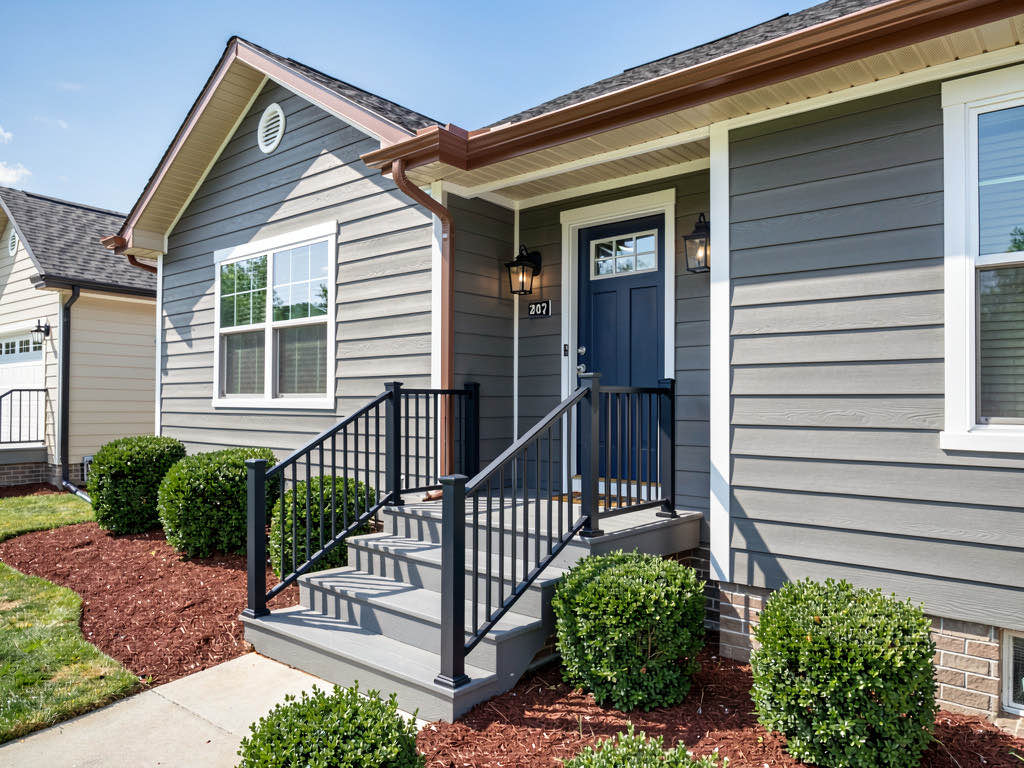
Step 3: Present the previews at the bid meeting. Show the AI previews on your phone or tablet alongside your written estimate. "Here's what your kitchen will look like, and here's what it costs." That combination of visual + price is what separates winning bids from losing ones.
Step 4: Get sign-off on the visual. When the client says "yes, that one" — save that image. It becomes your reference for the entire project. If they want changes mid-project, you point to the approved preview: "This is what we agreed on."
This workflow prevents change orders because the client has already seen and approved the finished result. The $29/month subscription pays for itself the first time it prevents a $5,000 rework.
Paint and flooring: the two most common client disagreements
Two of the most frequent change orders contractors face are paint color ("that's not the blue I meant") and flooring ("I thought the hardwood would be lighter"). AI preview tools solve both.
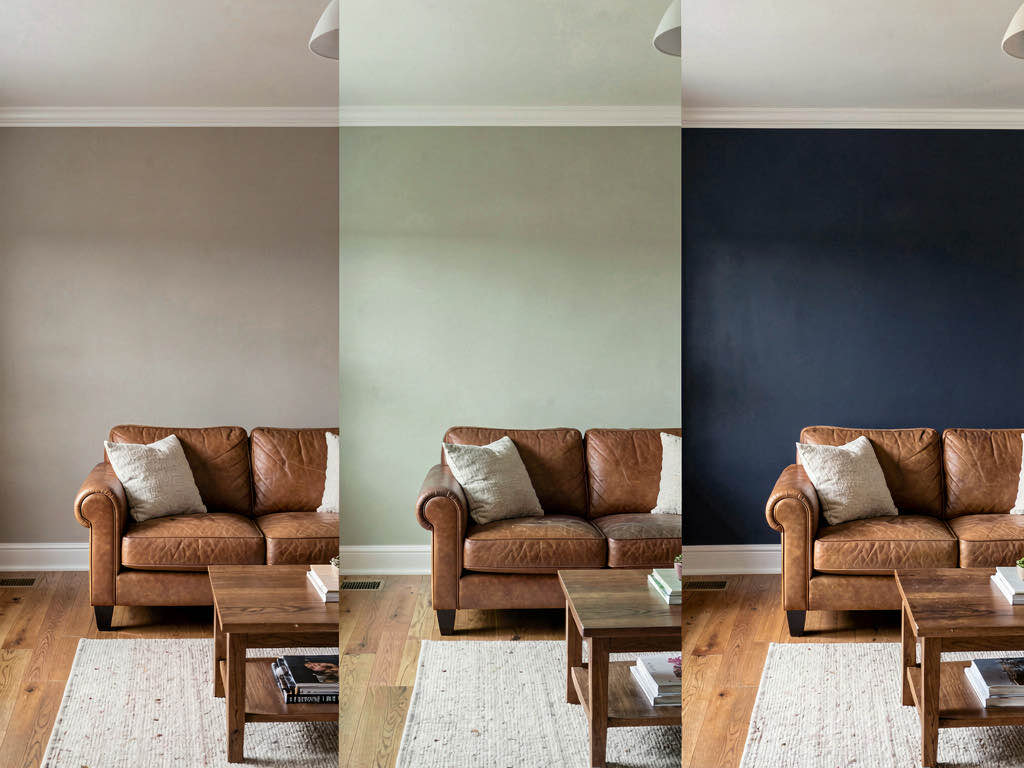
Remodel AI's wall paint tool lets you photograph a room and preview specific paint colors on the walls. Show the client three options on their actual room — not a color swatch, not a fan deck, but their room in that color. The floor replacement tool does the same for flooring: preview hardwood, tile, or LVP on their existing floor layout.
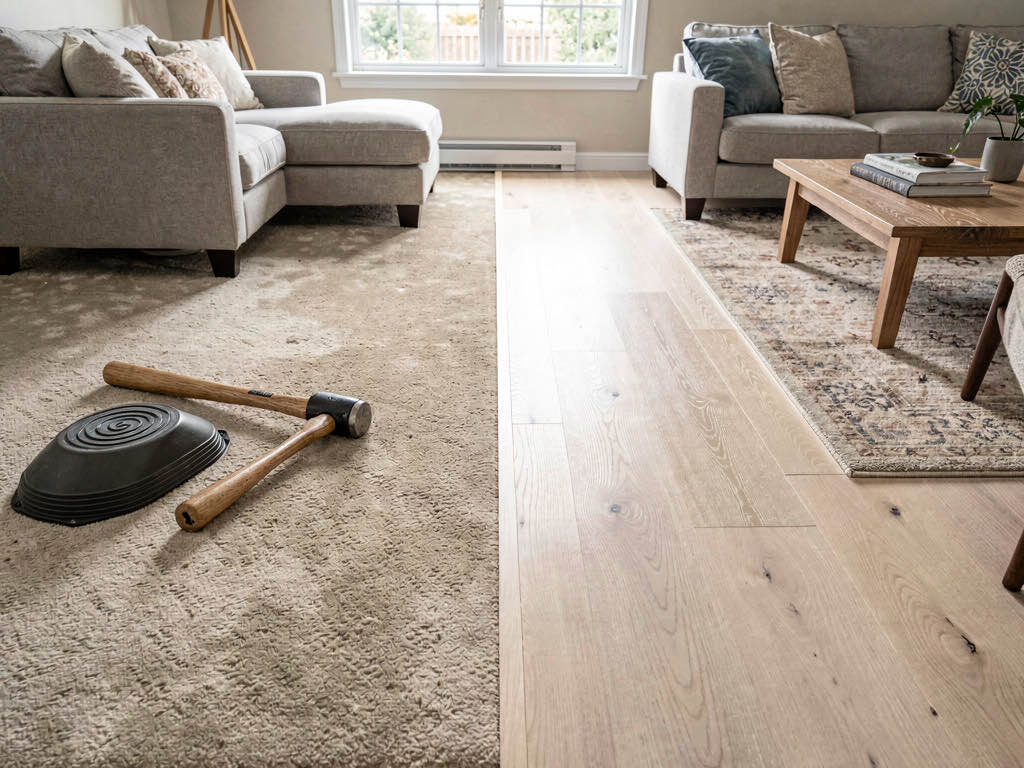
These previews take 10 seconds each. For paint contractors and flooring installers, this is the single most valuable feature — it eliminates the most common source of client dissatisfaction.
For a deeper look at AI paint visualization, check our AI paint visualizer guide. For exterior contractors, our AI exterior design app comparison covers the tools available.
Budget recommendation for contractors
General contractors and remodelers: Remodel AI at $29/month. Covers interior, exterior, paint, flooring, and staging. One app for every client conversation. Start with 3 free designs to test it.
High-end remodeling firms: Cedreo at $99+/month for full 3D bid packages, plus Remodel AI at $29/month for quick on-site previews. The two tools complement each other — Cedreo for formal proposals, Remodel AI for field conversations.
Contractors who need more leads: Houzz Pro at $65+/month for lead generation, plus Remodel AI at $29/month for client visualization. Different problems, different tools.
Specialty contractors (paint, flooring): Remodel AI at $29/month for paint and flooring previews specifically. The wall paint and floor replacement tools are purpose-built for the exact disagreements that cause your change orders.
For more AI home design app comparisons, see our comprehensive interior design app guide and our best AI apps for real estate agents.
Frequently asked questions
What is the best AI app for contractors to show clients?
Remodel AI is the best AI visualization app for contractors in 2026. It works on your phone (iOS and Android), generates photorealistic renovation previews in 10 seconds, and covers interior (30+ styles), exterior (11 styles), paint, flooring, and staging. The phone-based workflow means you can show clients previews during on-site meetings.
How do AI previews help contractors win bids?
AI previews turn an abstract renovation description into a concrete visual. When a homeowner can see their kitchen transformed into modern farmhouse style — on their actual kitchen photo — they're more likely to sign with the contractor who showed them that vision. It also reduces the risk perception: the client knows what they're getting.
Can AI previews prevent change orders?
Yes. Change orders happen when clients see the finished work and it doesn't match what they imagined. AI previews let clients approve a visual before work begins. When both you and the client are looking at the same photorealistic preview, the "that's not what I meant" conversation rarely happens. The NAHB reports that change orders cost $3,000-$8,000 on average — one prevented change order covers years of AI tool subscriptions.
Do I need a separate app for exterior renovation previews?
Most AI design apps only handle interiors. Remodel AI includes exterior redesign with 11 architectural styles — Modern, Craftsman, Farmhouse, Mediterranean, Colonial, Contemporary, and more. For siding, roofing, and facade contractors, this is the only tool on this list that covers your specialty without needing a second subscription.
Is AI visualization accurate enough for contractor use?
AI previews show style and color direction, not precise construction details. They're accurate for "this is the overall look and feel" but not for "the tile grout is exactly 3/16 inch." Use them for client alignment on style and color, then use your construction drawings and specifications for the actual build. The goal is to prevent miscommunication, not replace blueprints.
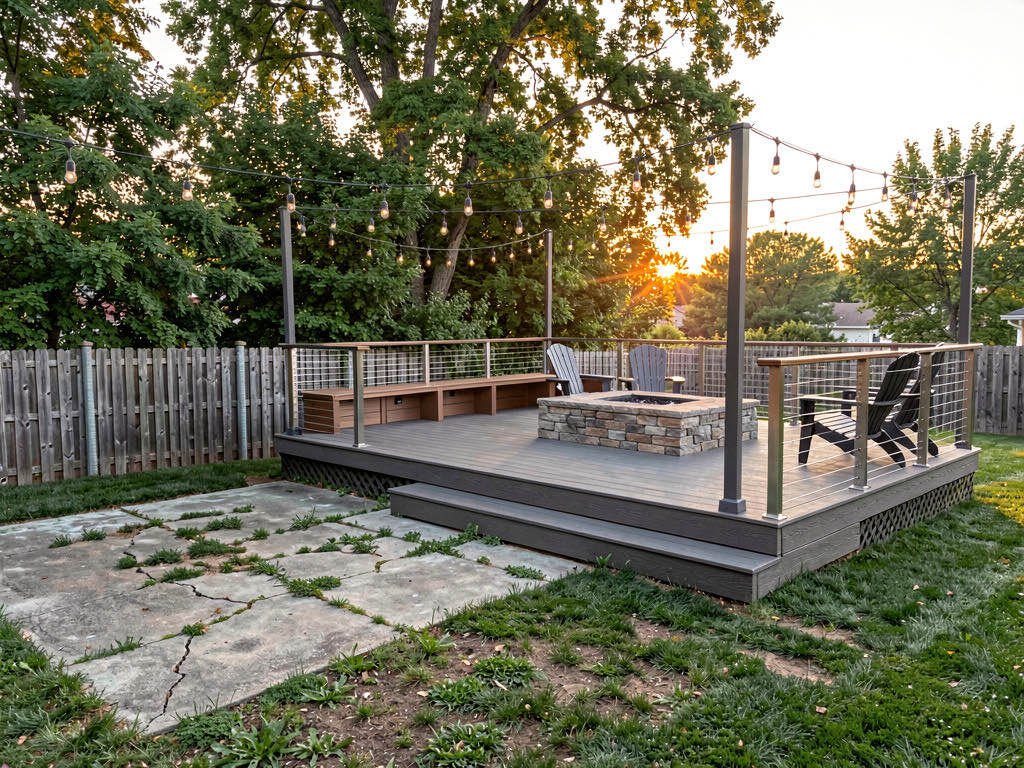
For a broader look at AI renovation tools, see our AI remodel app roundup and our before-and-after transformation gallery.
Ready to Try AI Interior Design?
Upload a photo and redesign any room in seconds. 3 free designs, no signup required.