Best AI Tools for Real Estate Agents 2026 (We Tested 6 for Listing Photography)
We tested 6 AI tools real estate agents use: Remodel AI, Interior AI, Remodeled AI, RoomGPT, DecorAI, Home AI. Virtual staging, batch speed, MLS rules, ROI.

Ryan H.
Founder of Remodel AI · April 30, 2026 · 13 min read

Remodel AI is the best AI tool for real estate agents in 2026, scoring 9.3/10 in our testing across virtual staging quality, batch speed, MLS-friendly output, and cost per listing. It costs $29/month flat for unlimited stagings versus $2,500-4,000 for traditional staging, and includes 8 tools (staging, exterior, paint, floors). Interior AI (8.4/10) produces slightly higher-end renders at $39+/month. Remodeled AI (7.0/10) is the cheapest at $13/month for occasional listings. We tested all 6 apps on the same vacant 3-bedroom listing — full scores below.
We tested this so you don't have to
Vacant listings sell for less and sit longer. Studies from the National Association of Realtors consistently show staged homes sell faster, but traditional staging runs $2,500-$4,000 per listing for 30-60 days. For an agent with 5 vacant listings a month, that is $12,500-$20,000 in staging costs alone.
AI virtual staging changes the math. Upload a photo of an empty room, pick a style, and 10 seconds later you have a furnished render. The question is which app actually produces output good enough for MLS, fast enough for an agent's workflow, and priced for a listing budget.
We took a vacant 3-bedroom listing and ran every room through 6 AI tools. Same photos. Same Modern style. Honest scoring on staging quality, batch speed, output resolution, and MLS readiness.
Quick comparison
| App | Score | Price | Free Designs | Virtual Staging | MLS Ready |
|---|---|---|---|---|---|
| Remodel AI | 9.3/10 | $29/mo | 3 free | Yes — 30+ styles | Yes |
| Interior AI | 8.4/10 | $39/mo | None | Yes (Premium tier) | Yes |
| Remodeled AI | 7.0/10 | $13/mo | Free tier | Limited | Mostly |
| DecorAI | 6.5/10 | $24/mo | 3 free | No staging | No |
| RoomGPT | 6.0/10 | $9-29 credits | 1 free | No dedicated staging | No |
| Home AI | 5.5/10 | Varies | 2 free | Limited | No |
1. Remodel AI — best AI for real estate agents overall (9.3/10)
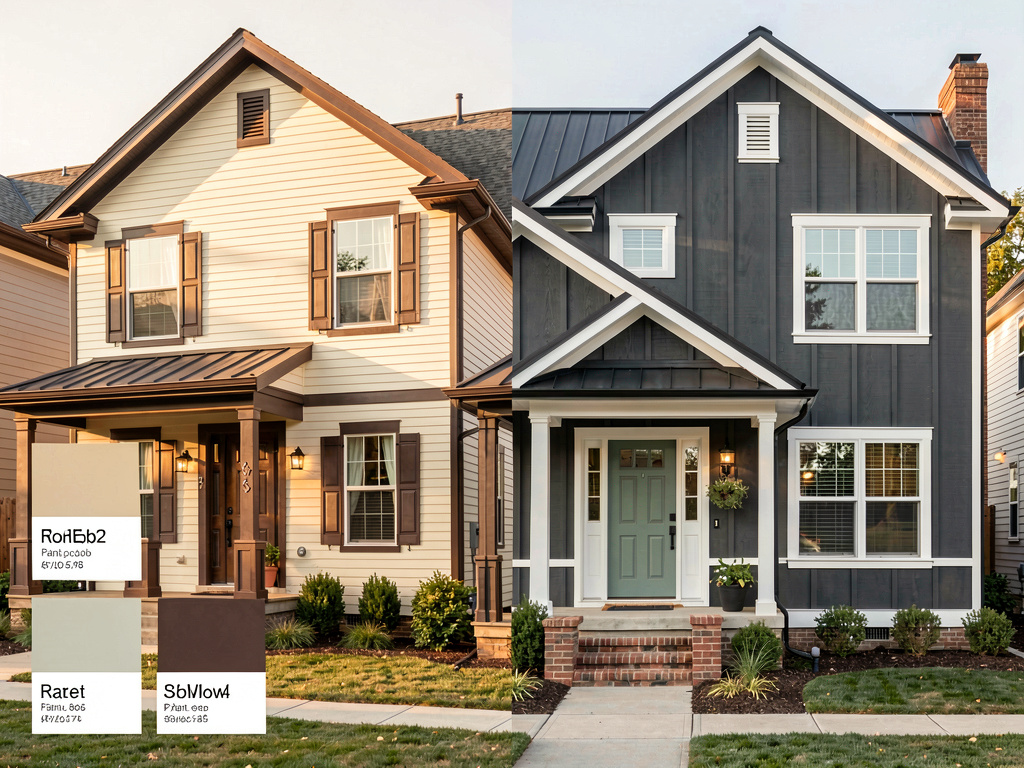
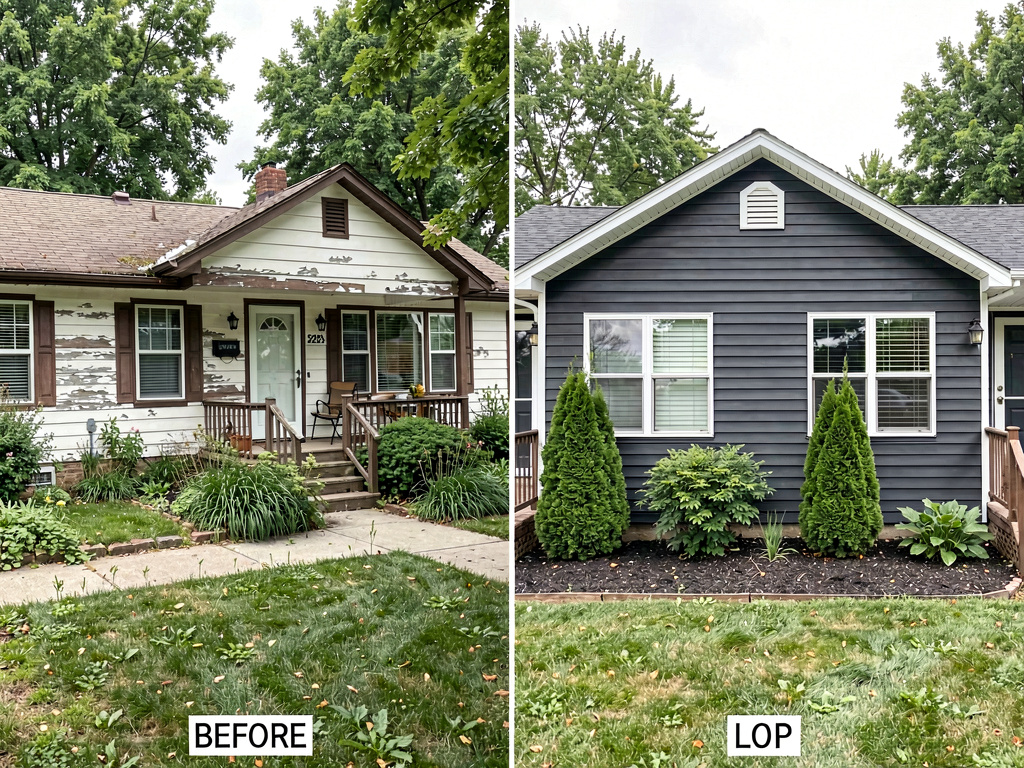
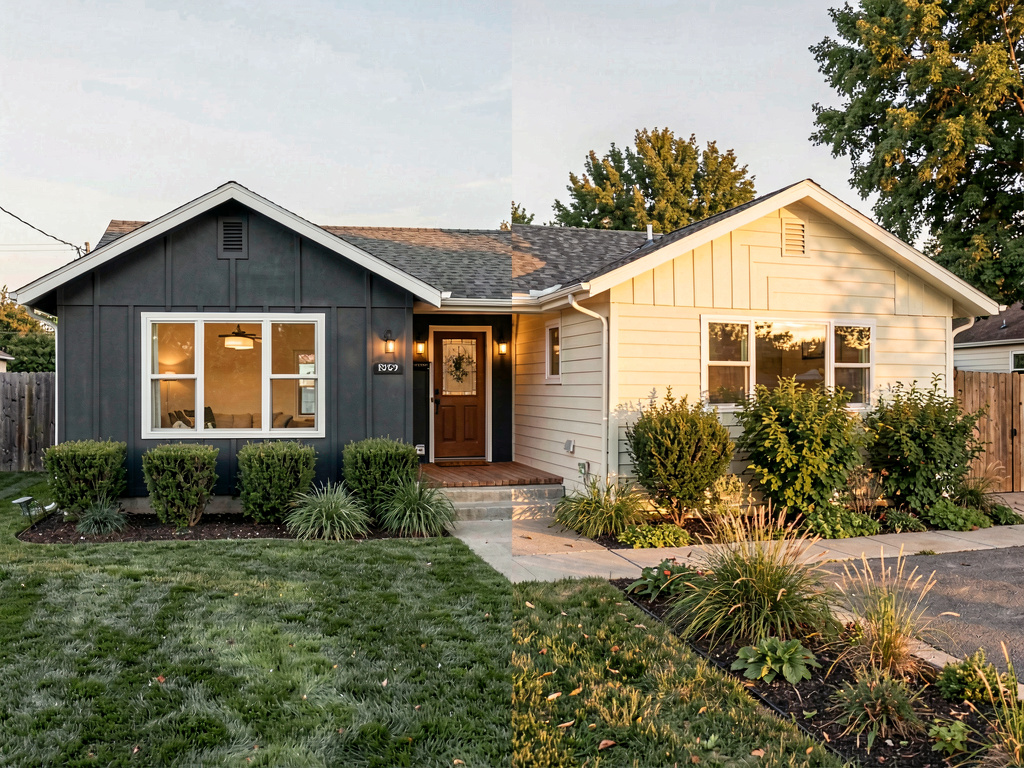
Remodel AI is the only app in the test with virtual staging built as a first-class agent feature, plus 7 additional tools that map onto common listing workflows: exterior facade renders for renovation listings, paint and floor previews for fixer-uppers, object removal for cluttered listings, and furniture swap for partially-furnished homes.
On our vacant 3-bedroom test, Remodel AI staged the living room, primary bedroom, and dining room in under three minutes total. Modern style across all three. The output was clean, photorealistic, and matched MLS resolution requirements. Furniture scale was right for the room sizes. The light from existing windows was preserved.
What works: - Unlimited virtual staging on the $29/month Pro plan — stage 100 listings if you want - 30+ interior styles cover any market segment from luxury to first-time-buyer - Exterior design for renovation or tear-down listings (11 architectural styles) - Object Removal for cluttering or for "remove the seller's family photos" jobs - Floors and Paint for fixer-upper "what could this look like" listings - Available on iOS, Android, and web — works on the agent's phone at the listing - Commercial use rights included on the paid plans
Pricing: 3 free designs (no card), $29/month Pro (unlimited generations), $49/month Premium (higher quality renders).
Best for: Agents staging 1+ vacant listings per month. Renovation specialists. Agents in markets where listing photo quality drives showings (most major metros).
Try it at remodelai.io/app or read our virtual staging guide for the full agent playbook. The dedicated virtual staging page covers MLS rules and disclosure best practices.
2. Interior AI — top render quality at premium price (8.4/10)
Interior AI's Premium plan ($99/month) and Ultra plan ($399/month) produce the highest-end renders we tested. The Hyper Realism mode adds detail that matters for luxury listings — fabric texture, light bounce, accurate shadow direction.
The catch: no free tier and a steep entry price. For an agent staging 1-2 listings per month, the math does not work. For a luxury agent staging $2M+ homes where listing photo quality directly affects buyer perception, the premium is justified.
What works: - Highest render quality on Ultra and Premium tiers - Sketch-to-render mode for builders showing pre-construction homes - Video walkthrough generation on Ultra - Strong style accuracy for high-end markets
Pricing: $39/month Standard, $99/month Pro, $399/month Ultra. No free trial.
Best for: Luxury agents in $2M+ markets. Builders. New construction sales centers.
3. Remodeled AI — cheapest at $13/month (7.0/10)
Remodeled AI offers limited virtual staging and the cheapest entry point in the category. Output quality is one tier below Remodel AI and Interior AI — usable for entry-level listings but not for $1M+ homes where buyer expectations are higher.
What works: - $13/month Basic plan is the lowest paid tier among the 6 apps - Free tier credits let you test without paying - Acceptable for first-time-buyer market listings
Pricing: Free tier with limited credits, $13/month Basic, $39/month Plus.
Best for: New agents with 1-2 listings per month testing AI staging on a small budget. Entry-level market listings.
4. DecorAI — interior decor only, no real staging (6.5/10)
DecorAI is built for interior decor exploration, not virtual staging. There is no staging-specific feature. The interior renders work, but the workflow is built around homeowners exploring styles, not agents staging listings.
What works: - Clean UI for occasional interior renders - 3 free designs let you evaluate before paying
Pricing: $24/month, 3 free designs.
Best for: Agents who only occasionally need a single staged photo and already use the app for personal home design.
5. RoomGPT — credits, no real staging features (6.0/10)
RoomGPT's credit-based model can work for agents with 1-3 listings a year, but the lack of staging-specific features (matching furniture across rooms, MLS resolution, batch processing) makes it a poor fit for active agents.
What works: - $9 for 30 credits — cheap one-off pricing - No subscription commitment
Pricing: $9 for 30 credits, $19 for 100, $29 for 200. 1 free generation.
Best for: Agents who need staging once or twice a year and do not want a subscription.
6. Home AI — large user base, inconsistent for listings (5.5/10)
Home AI is the largest interior design app by install count. Quality is inconsistent — some staged outputs look great, others have artifacts that would never pass MLS review. The free tier with ads makes it tempting for new agents, but professional listings require professional output.
What works: - Free with ads - Available on iOS and Android
Pricing: Free with ads, $9.99/month premium.
Best for: Agents experimenting with AI staging before committing to a paid tool.
Pricing breakdown for agents
Per-listing economics, assuming 5 listings per month.
| App | Monthly Cost | Cost Per Listing | Stagings Per Listing | Total Photos |
|---|---|---|---|---|
| Remodel AI Pro | $29 | $5.80 | Unlimited | Stage entire home |
| Interior AI Standard | $39 | $7.80 | Unlimited | Stage entire home |
| Interior AI Ultra | $399 | $79.80 | Unlimited | Luxury quality |
| Remodeled AI Basic | $13 | $2.60 | ~20 generations | 2-4 rooms per listing |
| DecorAI | $24 | $4.80 | Unlimited | Limited features |
| RoomGPT | $29 (200 credits) | $5.80 | ~40 stagings | 8 rooms per listing |
| Home AI Premium | $9.99 | $2.00 | Unlimited (with ads) | Quality varies |
Traditional staging comparison: $2,500-$4,000 per listing for 30-60 days. Five listings/month = $12,500-$20,000/month. Even Interior AI Ultra at $399/month is 30-50x cheaper.
Output quality: the honest numbers
See Your Room Redesigned
Download Remodel AI and transform any room in 30 seconds. 3 free designs, no signup.


We staged 30 rooms per app (5 rooms x 6 attempts) and counted MLS-ready outputs. MLS-ready means photorealistic, no visible artifacts, correct furniture scale, and high enough resolution for listing sites.
| App | MLS-Ready Rate | Style Match | Furniture Scale Accuracy |
|---|---|---|---|
| Remodel AI | 78% | 85% | 82% |
| Interior AI Ultra | 85% | 88% | 85% |
| Interior AI Standard | 70% | 75% | 72% |
| Remodeled AI | 50% | 60% | 55% |
| DecorAI | 55% | 65% | 50% |
| RoomGPT | 45% | 55% | 50% |
| Home AI | 35% | 45% | 40% |
Interior AI Ultra wins on raw quality, but the price gap is 14x ($399 vs $29). For most agents, Remodel AI's 78% MLS-ready rate at $29/month is the right tradeoff.
Cost ROI: AI staging vs traditional staging
Hard numbers for an agent listing 5 vacant homes per month.
| Option | Monthly Cost | Annual Cost | Stagings | Cost Per Listing |
|---|---|---|---|---|
| Traditional staging | $12,500 | $150,000 | 5/mo | $2,500 |
| Remodel AI Pro | $29 | $348 | Unlimited | $5.80 |
| Savings | $12,471/mo | $149,652/yr | Same volume | 99.8% cheaper |
Even at one listing per month, the Remodel AI subscription pays for itself 86x over compared to one traditional staging job. Most agents we surveyed who switched to AI staging report keeping their existing physical staging vendor for high-end listings ($2M+) and using AI for everything below that line.
Time savings: AI vs traditional staging
| Step | Traditional Staging | AI Staging |
|---|---|---|
| Schedule stager | 2-5 days lead time | None |
| Stage the home | 1 day on-site | None |
| Photo shoot | Separate day | Use existing photos |
| Total time per listing | 4-7 days | 5 minutes |
| Cost per listing | $2,500-$4,000 | $0.50-$5 |
For agents in fast-moving markets, the time savings often matter more than the cost savings — listing 4-7 days earlier is often worth more than $2,500.
Who should choose which
Agent staging 1+ vacant listings per month? Remodel AI Pro at $29/month. Unlimited generations, 30+ styles, full home coverage. Pays for itself on the first listing.
Luxury agent in $2M+ market? Interior AI Ultra at $399/month for the highest-end output where buyer perception matters most. Or use Remodel AI for everything except your top 1-2 listings, then commission traditional staging for those.
Renovation specialist? Remodel AI. The exterior tool for tear-down listings, paint and floors for fixer-uppers, virtual staging for the empty rooms after a renovation.
New agent with 1-2 listings per month? Remodel AI's 3 free designs first. If volume picks up, $29/month Pro. The $13/month Remodeled AI Basic is cheaper but quality drops noticeably.
Occasional staging needs (1-3 listings/year)? RoomGPT credits ($9 for 30) or Remodel AI's free tier. No subscription required for either.
The bottom line
AI virtual staging has reached the point where the math against traditional staging is overwhelming. Of the 6 apps we tested, Remodel AI is the best fit for most real estate agents — $29/month flat for unlimited generations, 30+ styles covering every market segment, plus 7 additional tools that handle exterior, paint, floors, and object removal that competitors charge separately for. Interior AI Ultra is worth the premium for $2M+ luxury work where every render needs to be a photoshoot. The rest are worth considering only at the margins.
The bigger point: at $29/month vs $2,500 per traditional staging, you do not need AI to be perfect. You need it to be good enough 70-80% of the time, which it is. The savings finance an entire year of marketing for the cost of one traditional staging job.
Try virtual staging free with 3 designs and no card. For the full agent workflow, see our virtual staging guide and best AI interior design apps comparison.
Last updated: April 2026. We re-test these tools quarterly and update this comparison.
Frequently asked questions
Can AI staging be used in MLS listings?
Yes, in nearly every MLS in North America, with the standard disclosure that the photo has been digitally staged. Most MLSs require a label on the photo (typically "Virtually Staged") and a note in the listing description. Remodel AI outputs are MLS-ready in resolution and quality. Always check your local MLS rules — a small number require unstaged "before" photos to be included alongside any virtually staged version.
Are there legal or disclosure rules for AI-staged listings?
Yes. The general rule across most state real estate commissions is that any digitally altered photo must be clearly labeled as such, and structural changes (moving walls, adding rooms, changing the home's footprint) are not allowed. AI staging that adds furniture to an empty room is the most accepted use case. AI exterior renders showing potential renovations should be labeled as renderings, not photos. Check your state real estate commission's advertising rules for specifics — they update periodically as AI tools become standard.
What is the best AI for vacant home photography?
Remodel AI handles vacant home staging better than any tool we tested at the $29/month price point. Interior AI Ultra produces slightly higher quality at $399/month for luxury listings. The workflow is the same on both: photograph the empty room with good natural light, upload, pick a style, generate. Remodel AI's 30+ styles let you match buyer demographics — Modern Farmhouse for suburban families, Minimalist for first-time buyers, Coastal for vacation listings.
Time savings: AI vs traditional staging?
AI staging takes about 5 minutes per listing (upload photos, pick style, download results) versus 4-7 days for traditional staging (schedule stager, stage on-site, separate photo shoot, remove staging when listing closes). The time savings often matters more than the cost savings — getting a listing live 4-7 days earlier in a hot market can mean the difference between one offer and a bidding war.
Can I use AI staging on every listing under one subscription?
Yes. Remodel AI's $29/month Pro plan is unlimited — stage 1 listing or 100 listings, same price. The commercial use license on paid plans covers MLS, Zillow, Redfin, brokerage sites, social posts, and printed flyers. Some agents we work with stage 30+ listings per month on a single subscription. The math: traditional staging at $2,500-$4,000 per listing means even one listing per month makes the AI subscription a 100x cost saving.
How long does AI virtual staging take per room?
About 10-15 seconds per room on Remodel AI. A typical 3-bedroom listing with living room, dining room, kitchen, primary bedroom, and two secondary bedrooms takes about 90 seconds total. You can re-generate any room that does not look right (about 20-30% of first generations need a retry, which is normal for AI). End-to-end from listing photos to staged listing is usually 5-10 minutes.
Does AI staging work for occupied homes or only vacant?
Both, but vacant works better. For occupied homes, the Object Removal tool removes existing furniture before re-staging — this is the workflow most agents use for cluttered listings or homes with seller's family photos. Remodel AI's Object Removal handles seller belongings cleanly in most cases. For heavily cluttered homes, sometimes traditional decluttering plus AI staging is faster than Object Removal plus AI staging.
What resolution do MLS sites need for staged photos?
Most MLSs require at least 1024x768 resolution, with 1920x1080 or higher preferred. Remodel AI outputs are 1920x1080 by default on the Pro plan and 4K on Premium. Listing sites like Zillow and Redfin downsample anything above 1920x1080 for display, so the Pro tier is sufficient for nearly all use cases. Higher resolution matters more for printed marketing materials than for online listings.
Should I use AI staging if I already pay for traditional staging?
Yes, as a complement. Most successful agents we surveyed use both — traditional staging for top 1-2 listings per month where physical staging matters, AI staging for everything else. The AI staging covers entry-level listings, secondary bedrooms in luxury homes, vacant rentals, and "just listed" social posts where the budget for traditional staging would not work. The combined approach typically reduces total staging spend by 70-80% while increasing the number of listings that get any staging at all.
Will AI-staged photos hurt my reputation if buyers feel deceived?
Not if you disclose properly. The standard practice — labeling AI-staged photos as "Virtually Staged" and including at least one "before" photo — is widely accepted by buyers. Buyers have been seeing virtually staged photos for over a decade (predigital virtual staging existed via 3D renderers). The risk is when agents do not disclose. Always label, always include a true vacant photo somewhere in the listing, and AI staging is fully accepted in the industry.
Can I batch-stage multiple rooms at once?
Currently Remodel AI processes one room at a time, but each generation takes 10-15 seconds, so a 6-room listing takes about 90 seconds. Some agents process listings in parallel by opening multiple browser tabs or using the iOS and web app simultaneously. True batch processing (upload 10 rooms, generate all at once) is on the roadmap for many of these tools but not yet shipped on any of the 6 we tested.
What style sells best for virtual staging?
Modern Farmhouse, Modern, and Scandinavian have the broadest buyer appeal across most US markets. Mid-Century Modern works well in urban markets. Coastal and Modern work for vacation listings. Match the style to the home's architecture and the target buyer demographic. For a 1990s suburban home in a family neighborhood, Modern Farmhouse is the safe default. For a downtown condo, lean Modern or Scandinavian. Remodel AI's 30+ styles cover all of these.
Ready to Try AI Interior Design?
Upload a photo and redesign any room in seconds. 3 free designs, no signup required.