Virtual Staging for Real Estate: The Complete Guide (2026)
Everything real estate agents need to know about AI virtual staging — costs, best practices, legal considerations, and how to stage any room in seconds.

Ryan H.
Founder of Remodel AI · March 10, 2026 · 2 min read
What Is Virtual Staging?
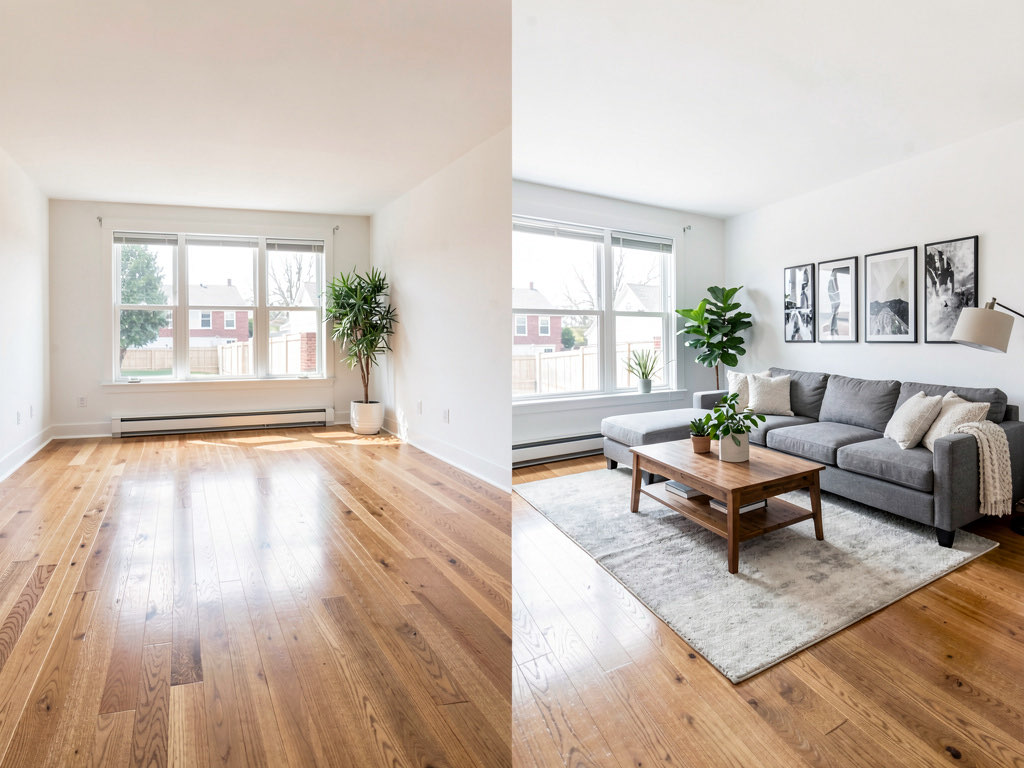
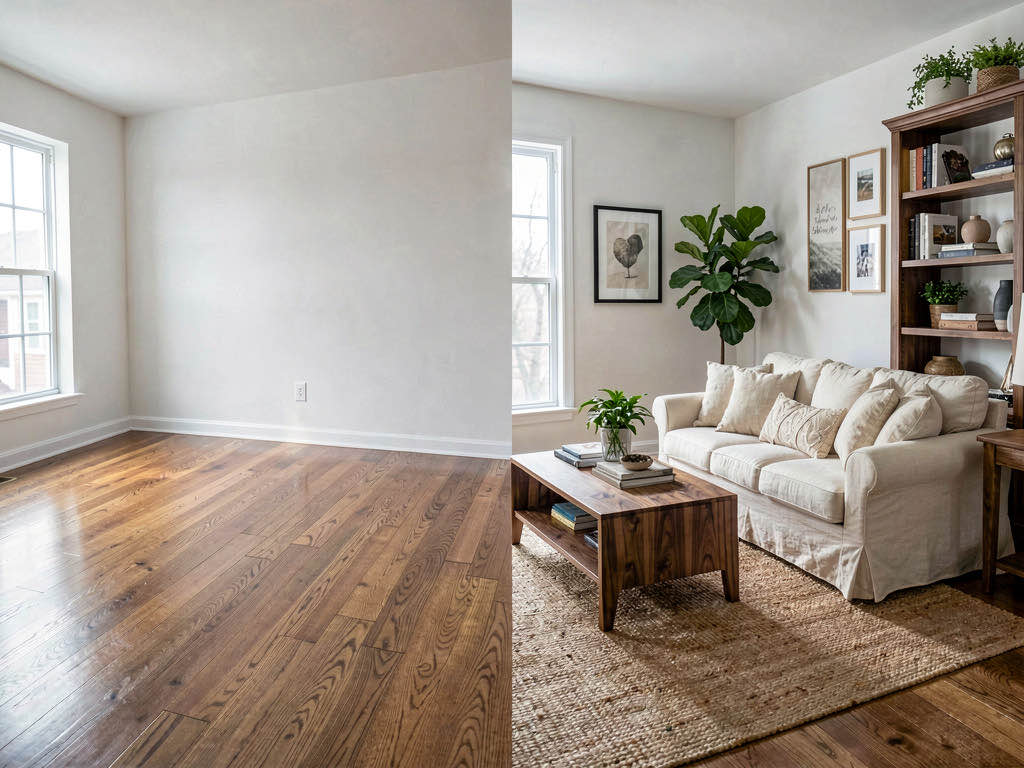
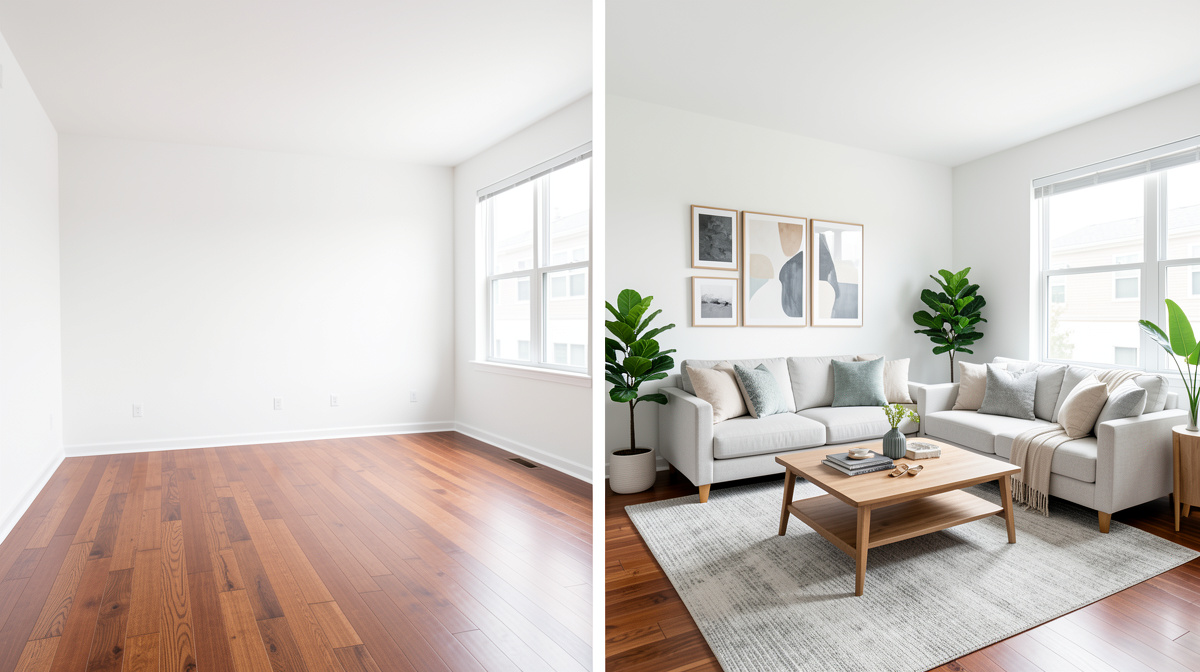
Virtual staging uses AI to digitally furnish empty rooms in real estate listing photos. Instead of renting physical furniture ($2,000-$5,000 per home), AI generates photorealistic staged images in seconds for a fraction of the cost.
Why Virtual Staging Matters
Studies consistently show that staged homes sell faster and for more money:
- Staged homes sell 73% faster than non-staged homes (NAR)
- 85% of staged homes sell for 5-23% more than non-staged homes
- Buyers spend 60% more time looking at staged listing photos online
AI Virtual Staging vs Traditional Staging
Traditional Physical Staging - Cost: $2,000-$5,000+ per home - Time: 3-5 days to arrange - Flexibility: One style per staging - Limitation: Need to coordinate delivery, setup, removal
AI Virtual Staging - Cost: ~$0.10-$1 per room - Time: 10 seconds per room - Flexibility: Try unlimited styles instantly - Advantage: Stage the same room in multiple styles
How to Virtually Stage with Remodel AI
- Upload a photo of the empty room
- Select "Virtual Staging" as the feature
- Choose the room type (Living Room, Bedroom, Kitchen, etc.)
- Pick a furniture style
- Get your staged photo in about 10 seconds
Best Practices for Virtual Staging
Photography Tips - Use wide-angle lens to capture the full room - Ensure even lighting — avoid dark corners - Remove any remaining items or debris - Shoot from standing height, straight-on
See Your Room Redesigned
Download Remodel AI and transform any room in 30 seconds. 3 free designs, no signup.


Style Selection - Match the style to the neighborhood and price point - Luxury listings: choose Quiet Luxury or Contemporary - Family homes: try Scandinavian or Modern Farmhouse - Urban condos: go with Modern or Industrial
Legal Considerations - Always disclose that photos are virtually staged - Include "Virtually Staged" label on listing photos - Keep original unstaged photos available - Follow your local MLS guidelines for virtual staging disclosure
Room-by-Room Staging Tips
Living Room The most important room to stage. Include a sofa, coffee table, area rug, and accent lighting. The AI handles this automatically.
Primary Bedroom Keep it simple: bed with quality bedding, nightstands, and soft lighting. Buyers want to envision rest and relaxation.
Kitchen If the kitchen has no furniture, staging adds a table, bar stools, and decorative items. The AI also enhances lighting and adds warmth.
Bathroom Even bathrooms benefit from virtual staging — towels, a bath mat, and decorative accessories make the space feel lived-in.
ROI of Virtual Staging
For a typical listing, physically staging 4-5 rooms costs $3,000-$5,000. With AI virtual staging, the same 5 rooms cost under $10. Even if you stage 100 rooms a month, the cost is negligible compared to a single traditional staging job.
Real estate agents using Remodel AI report saving an average of $2,500 per listing while maintaining the same buyer engagement rates.
Try Remodel AI free — available on iOS, Android, or the web app.
For a broader look at AI design tools, see our comparison of the best AI interior design apps — tested across output quality, speed, and pricing.
Ready to Try AI Interior Design?
Upload a photo and redesign any room in seconds. 3 free designs, no signup required.