Virtual staging AI: how agents stage listings in minutes for $29/month
AI virtual staging lets real estate agents stage empty rooms in under a minute for $29/mo instead of $2,000+ for traditional staging. How it works + best tools.

Ryan H.
Founder of Remodel AI · April 28, 2026 · 11 min read
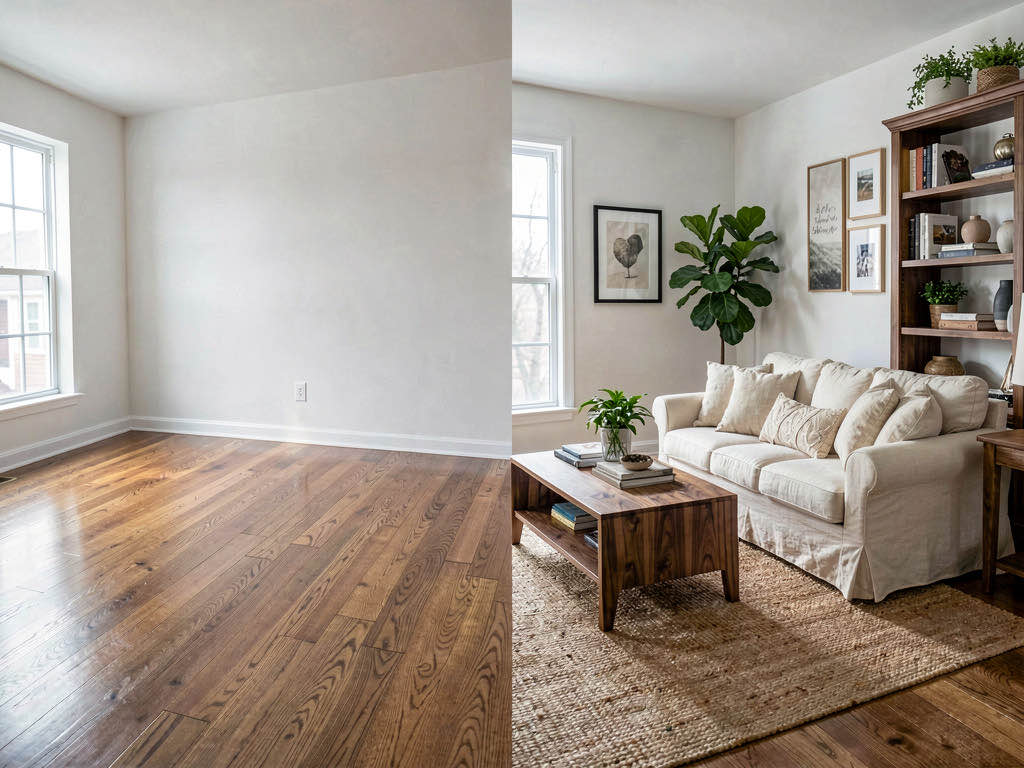
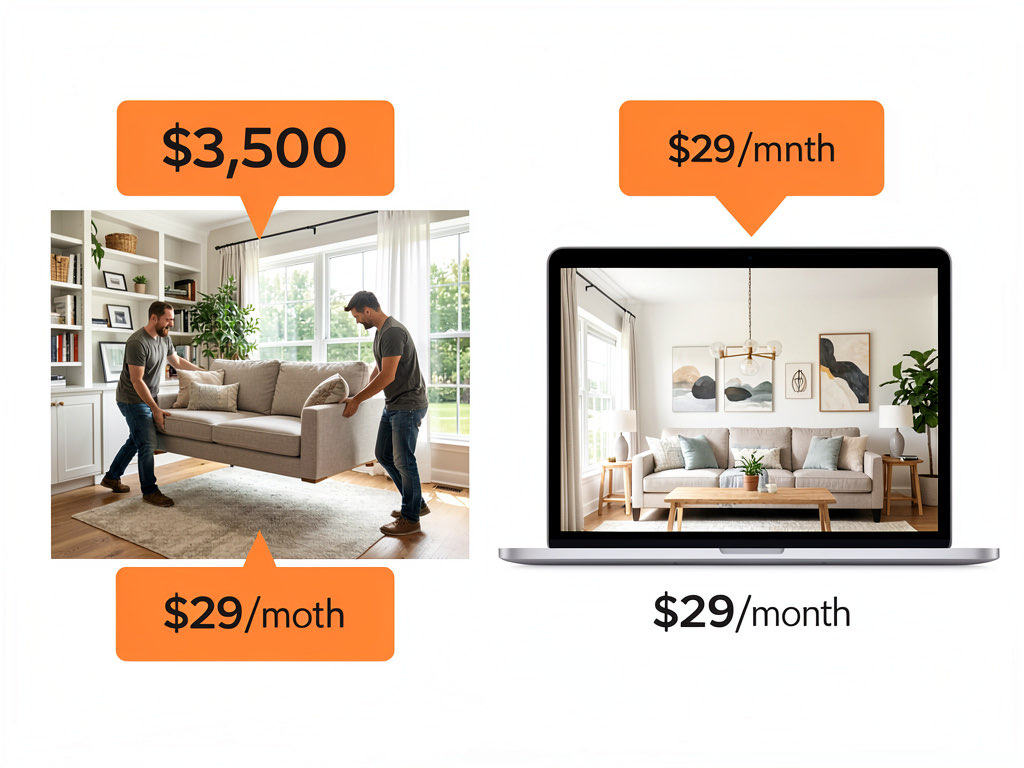
AI virtual staging lets real estate agents furnish empty rooms in under a minute for $29/month — compared to $2,000-$5,000 per room for traditional physical staging or $200-$600 per room for manual virtual staging services. Remodel AI stages unlimited rooms across 30+ styles. 81% of buyers say staging helps them visualize living in a home, according to the National Association of Realtors.
Empty rooms photograph poorly. They feel cold, small, and hard to imagine living in. Staged rooms sell faster and for more money — that is not an opinion, it is a documented pattern across thousands of real estate transactions. The problem has always been cost. Traditional staging runs $2,000-$5,000 per room, making it impractical for lower-priced listings or agents working on tight margins.
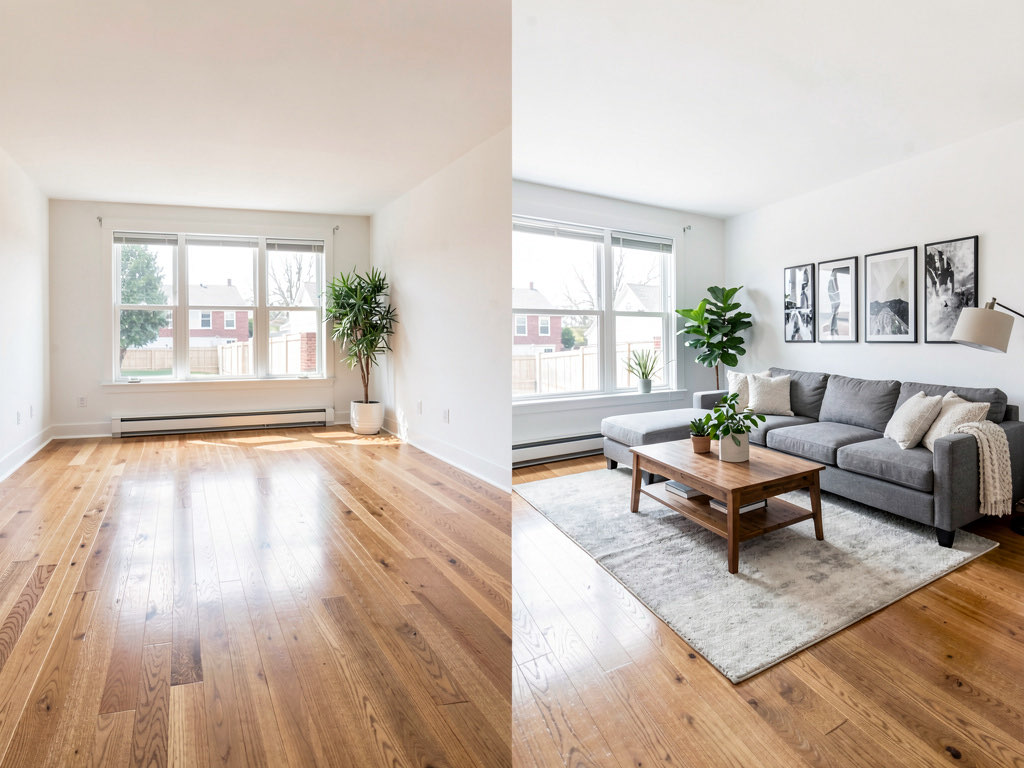
AI virtual staging eliminates the cost barrier. Upload a photo of an empty room, pick a style, and get a furnished room image in 10 seconds. The output is photorealistic enough for MLS listings, social media marketing, and printed flyers.
What virtual staging AI is and how it works
Virtual staging AI uses image-to-image models to add furniture, decor, and finishes to photos of empty rooms. The AI identifies the room's architecture — walls, floor, ceiling, windows, doors — and generates furniture and decor that fits the space proportionally and stylistically.
This is not the same as the old Photoshop approach to virtual staging, where a human editor manually composited furniture images into room photos. That process took 24-48 hours per image and cost $100-$300 per room. AI staging does the same work in seconds and at a fraction of the cost.
The AI understands spatial relationships. It places a sofa at the right scale relative to the room, positions a coffee table at the correct distance from the sofa, and ensures that shadows and lighting match the original photograph. The result looks like someone actually furnished the room and photographed it.
Traditional staging vs virtual staging vs AI staging
Here is how the three approaches compare on the metrics that matter to agents.
Traditional physical staging costs $2,000-$5,000 per room. A staging company delivers real furniture, arranges it professionally, and removes it after the listing sells or after 30-60 days. The results are excellent because you are photographing real furniture in a real room. The downsides are cost, logistics, and the time required to schedule delivery and pickup.
Manual virtual staging costs $200-$600 per room. A designer manually composites furniture into your photos using Photoshop or similar tools. Turnaround is typically 24-48 hours. Quality varies widely depending on the designer's skill. Some results look excellent; others have obvious lighting mismatches or furniture that feels pasted on.
AI virtual staging costs $29-$49/month for unlimited rooms. You upload a photo and get a result in 10 seconds. Quality has improved dramatically since 2024 and now rivals manual virtual staging for most listing photos. The main advantage beyond cost is speed — you can stage every room in a listing during a single photo session.
| Traditional | Manual virtual | AI virtual | |
|---|---|---|---|
| Cost per room | $2,000-$5,000 | $200-$600 | ~$1 (at $29/mo) |
| Turnaround | 1-2 weeks | 24-48 hours | 10 seconds |
| Style options | Limited by inventory | 2-3 options | 30+ styles |
| Quality | Excellent | Good to excellent | Good to excellent |
| Multiple styles | Very expensive | $200+ each | Included |
Step by step: staging a listing with AI
Here is the workflow for staging an empty listing with Remodel AI.
Step 1 — Photograph empty rooms. Use a wide-angle lens or your phone's 0.5x ultra-wide camera. Shoot from doorways or corners to capture as much of the room as possible. Include the floor, walls, windows, and ceiling. Natural daylight produces the best results.
Step 2 — Upload to Remodel AI. Open the app and select the Virtual Staging tool. Upload each room photo individually.
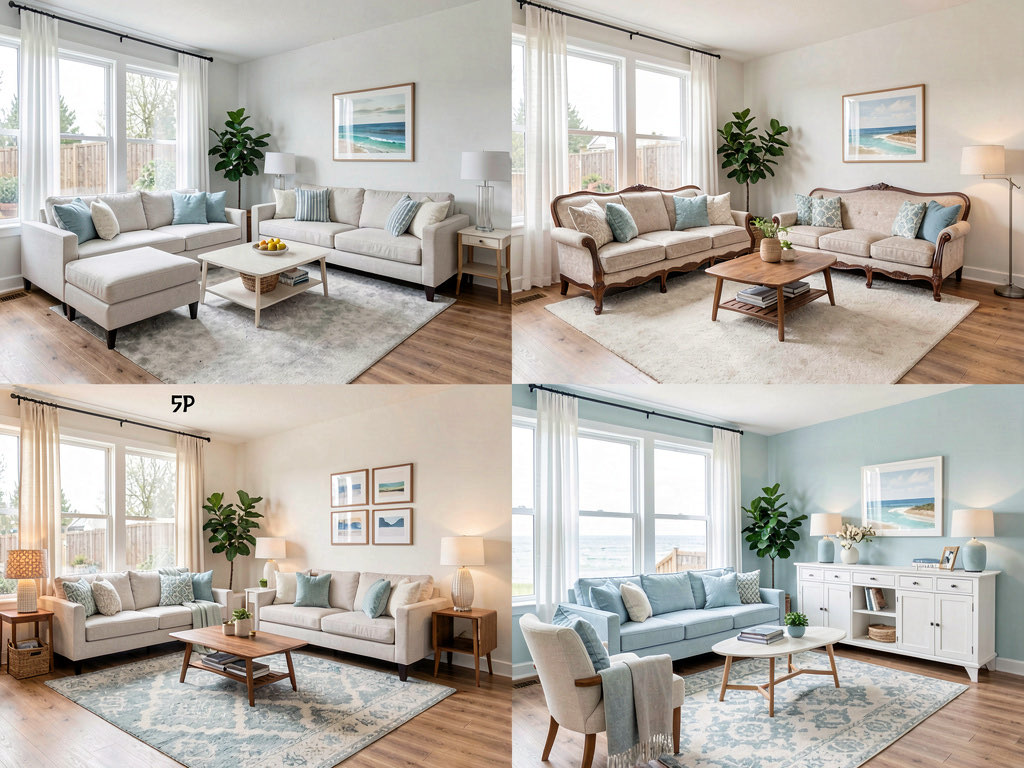
Step 3 — Select a style. Choose a style that matches the listing's target buyer. Modern and Contemporary work for urban condos. Farmhouse and Traditional work for suburban homes. Coastal works for beach-adjacent properties. You can run each room through multiple styles to see what resonates.
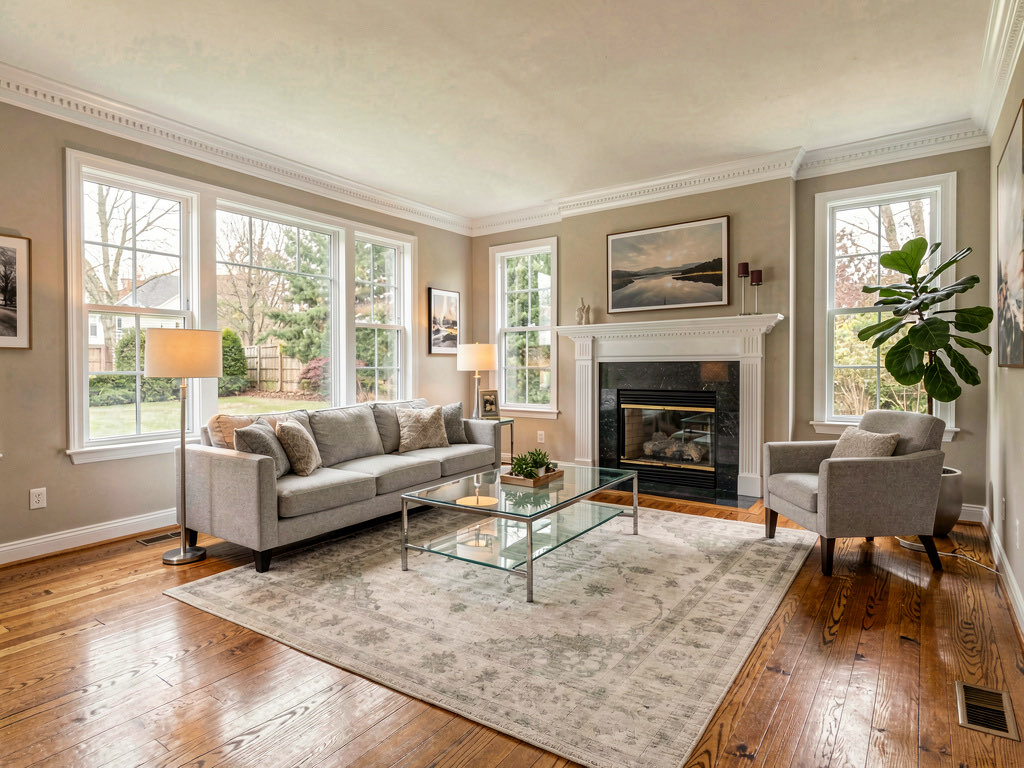
Step 4 — Review and regenerate. Look at the staging carefully. Check that furniture placement looks natural, the style is cohesive, and the room feels inviting. If something looks off, regenerate — the AI produces a different arrangement each time.
Step 5 — Download and use. Save the staged images for your MLS listing, website, social media, and print materials. Most MLS systems require disclosure that photos are virtually staged (more on that below).
3 free designs to try. Pro is $29/month, Premium is $49/month.
Best practices for virtual staging photos
Photograph for staging, not for art
The best photos for virtual staging are simple, wide, and well-lit. You do not need dramatic angles or creative compositions. Straight-on shots from doorways give the AI the most room to work with.
Shoot every room empty
Stage the living room, master bedroom, kitchen (if empty), dining room, and home office. Buyers respond more to fully staged listings than partially staged ones. At $29/month for unlimited rooms, there is no reason to skip any room.
Match the style to the market
A $500,000 suburban family home and a $1.5 million downtown condo require different staging styles. Use Traditional or Farmhouse for family-oriented suburban listings. Use Modern or Contemporary for urban and luxury listings. Use Coastal for waterfront properties.
Keep it neutral
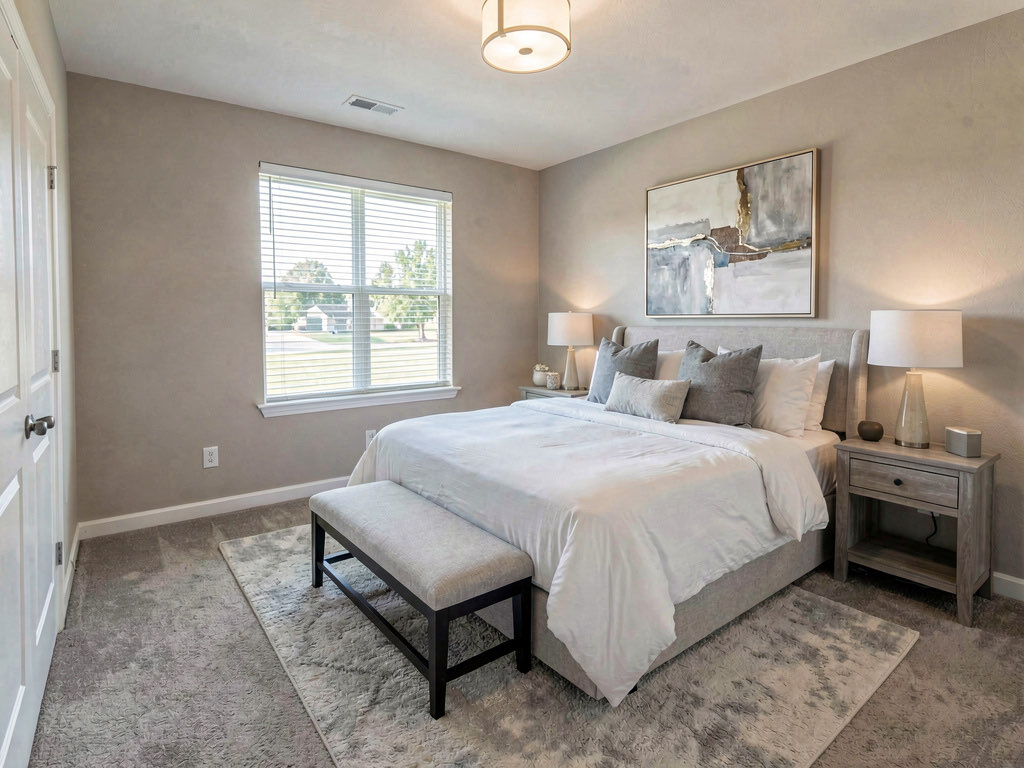
Virtual staging for real estate should appeal to the broadest possible audience. Avoid extremely bold colors, highly personal decor, or polarizing styles. Neutral palettes with warm accents (cream, gray, soft blue, warm wood tones) consistently perform best in listing photos.
Disclosure requirements and MLS rules
Virtual staging — whether AI-generated or manually created — requires disclosure in most markets. The National Association of Realtors Code of Ethics requires that listing photos accurately represent the property. Virtually staged photos do not misrepresent the property as long as they are labeled.
Standard practice: Include "virtually staged" in the photo caption on MLS. Some agents add a small watermark or text overlay to the image itself.
What is acceptable: Adding furniture and decor to empty rooms. Showing different style options. Staging with current-year design trends.
What is not acceptable: Digitally removing structural defects, hiding damage, changing the room's dimensions, or adding windows, doors, or features that do not exist. The staging should show what the room could look like furnished — not a different room entirely.
Most MLS systems have specific fields or photo tags for virtually staged images. Check your local MLS guidelines for exact requirements. When in doubt, label the photo as virtually staged.
5 best virtual staging tools for real estate agents
1. Remodel AI — best value for agents
Remodel AI offers the best combination of quality, speed, and price for real estate agents. The virtual staging tool specifically handles empty rooms, and the 30+ style options cover every market segment. The app also includes interior and exterior redesign tools, which agents use for showing renovation potential to buyers.
See Your Room Redesigned
Download Remodel AI and transform any room in 30 seconds. 3 free designs, no signup.


Available on iOS, Android, and web. 3 free designs, then $29/month for Pro or $49/month for Premium.
2. Virtual Staging AI — dedicated staging platform
Virtual Staging AI focuses exclusively on real estate staging. The interface is designed for agents, with batch processing and MLS-optimized output sizes. Pricing is per-image rather than subscription-based, which works for agents who only stage a few listings per month.
3. Stager AI — good for luxury listings
Stager AI produces high-quality outputs that lean toward the luxury end of the market. The style options emphasize high-end contemporary and traditional aesthetics. Pricing is higher than generalist tools but the output quality justifies it for premium listings.
4. Apply Design — simple web interface
Apply Design is a web-based tool with a straightforward interface. Upload, select style, download. No app to install, no account required for the first few images. The style library is smaller but covers the basics. Good for agents who want to try virtual staging without commitment.
5. ReimagineHome — AI renovation visualization
ReimagineHome goes beyond staging to show renovation potential — what the room could look like with new floors, paint, or finishes. This is useful for fixer-upper listings where buyers need help seeing past dated decor. The staging functionality is solid, and the renovation visualization is a useful bonus.
For more real estate AI tools, see our guides on best AI apps for home staging and best AI apps for real estate agents.
ROI calculation: does AI staging pay for itself?
The math is straightforward.
Average cost of not staging: Unstaged homes sit on the market 33% longer than staged homes and sell for 1-5% less, according to the Real Estate Staging Association. On a $400,000 listing, that 1-5% discount is $4,000-$20,000.
Cost of AI staging an entire listing: $29/month subscription divided across all the listings you stage that month. If you stage 5 listings per month, that is under $6 per listing.
Break-even: If AI staging helps even one listing sell for 0.1% more than it would have unstaged, it pays for years of the subscription. The ROI is not close — it is overwhelming.
The hidden ROI is speed. Listings with staged photos get more clicks, more showings, and more offers in the first week. In a competitive market, that first-week momentum determines whether a listing gets multiple offers or sits.

Staging different room types
Living rooms
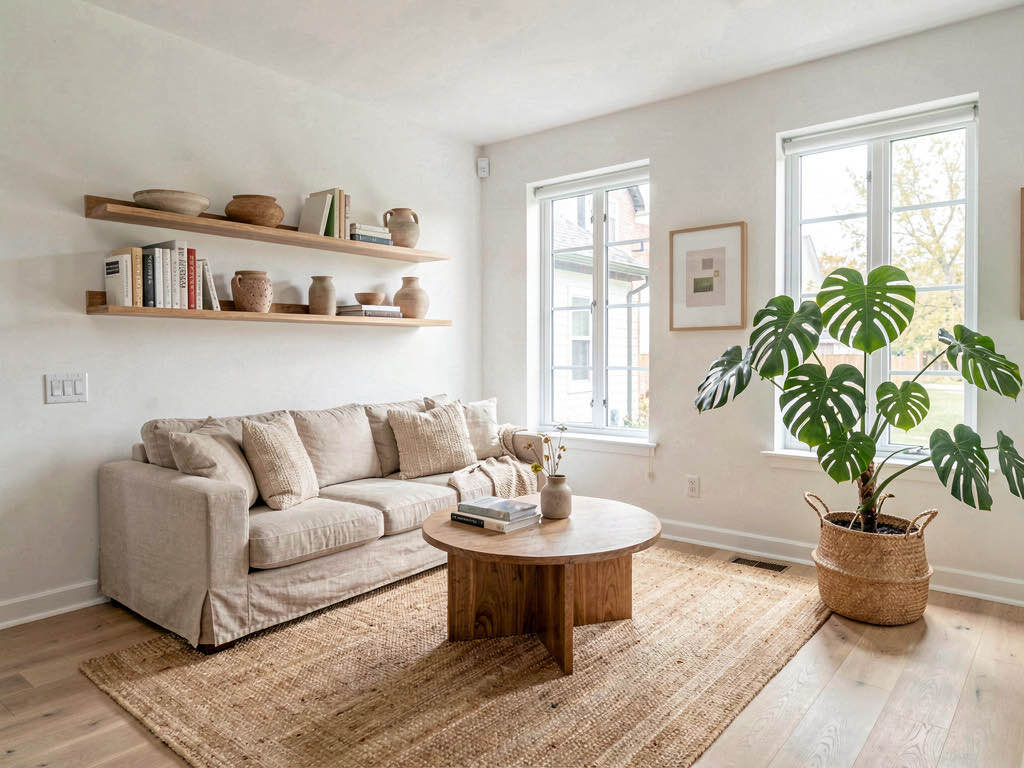
Living rooms are the highest-impact room to stage. They are typically the first room buyers see in listing photos and the room where the "can I live here?" reaction happens. Stage living rooms with a sofa, coffee table, area rug, side tables, lamps, and wall art. Keep the palette neutral.
Bedrooms
Master bedrooms are the second most important room to stage. A bed with nightstands, lamps, and minimal decor is enough. The goal is to show the room's size and make it feel warm. Avoid heavy staging in bedrooms — buyers want to see the space, not the decorator's taste.
Kitchens
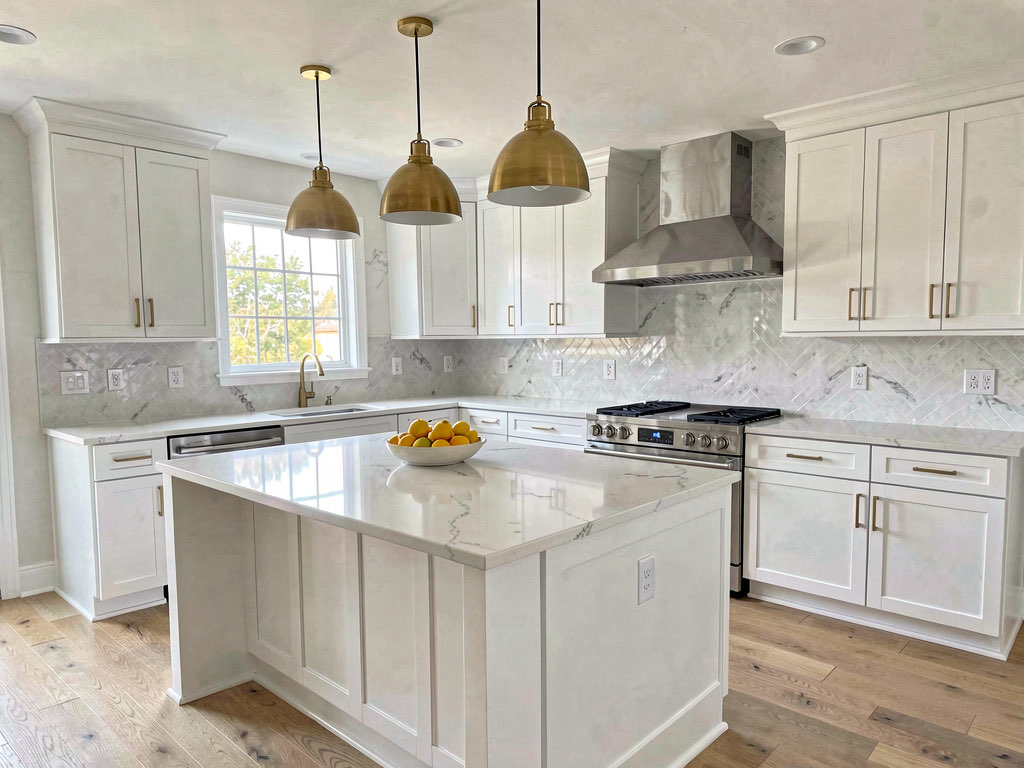
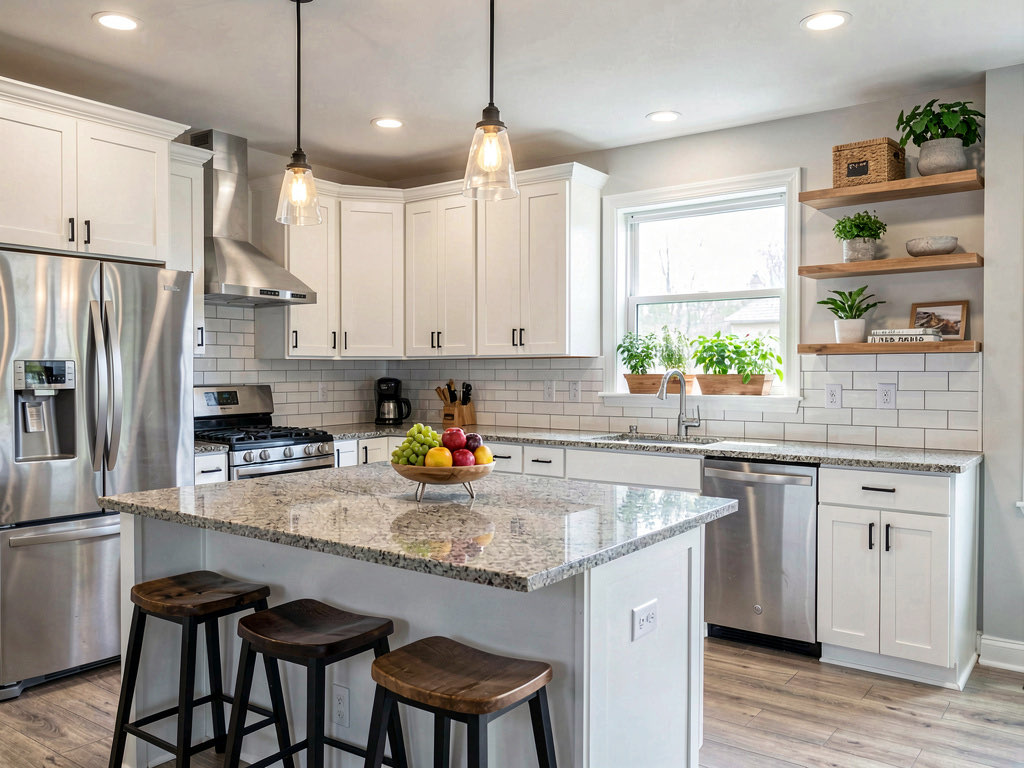
Kitchen staging is lighter because kitchens have built-in elements (cabinets, counters, appliances). If the kitchen is empty, add barstools, pendant lights, countertop items, and a table if there is an eat-in area. If the kitchen already has cabinets and appliances, it may not need additional staging.
Dining rooms
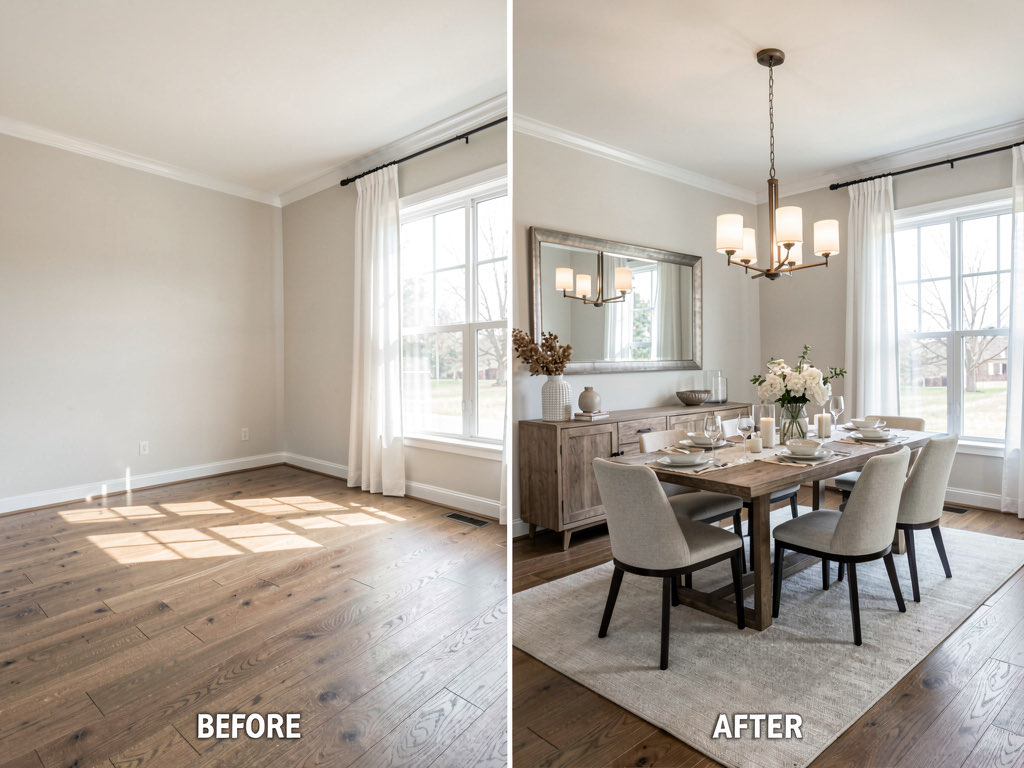
An empty dining room is one of the hardest rooms for buyers to mentally furnish because table size and chair count depend on the room's dimensions. Stage dining rooms with a table sized appropriately for the space, matching chairs, a light fixture or chandelier, and a simple centerpiece.
Advanced techniques
Multiple style versions. Generate 2-3 style variations of key rooms and use them in different marketing channels. Modern staging for Instagram and Zillow. Traditional staging for print flyers and open house handouts. This takes minutes with AI and costs nothing extra.
Seasonal staging. During the holidays, stage with warm, seasonal touches. In summer, stage with light and airy palettes. This level of customization was impossible with physical staging or manual virtual staging due to cost and turnaround time.
Video walkthroughs. Stage every room in the same style, then use the staged images in a listing slideshow or video walkthrough. Consistent style across all rooms creates a cohesive impression that makes the property feel complete.
For a complete guide to virtual staging techniques, see our virtual staging guide and our best AI interior design apps roundup.
Frequently asked questions
Is virtual staging legal for real estate listings?
Yes. Virtual staging is legal and widely accepted across all major MLS systems. The key requirement is disclosure — most MLS systems require that virtually staged photos be labeled as such. Check your local MLS rules for specific labeling requirements. The NAR Code of Ethics permits virtual staging as long as it does not misrepresent the property.
Can buyers tell if staging is AI-generated?
In 2026, the best AI staging tools produce results that are difficult to distinguish from photos of physically staged rooms. Most buyers cannot tell the difference in listing photos. The point is not to deceive — it is to help buyers visualize the space with furniture. Disclosure is still required regardless of how realistic the output looks.
How many photos should I stage per listing?
Stage at least the living room, master bedroom, and dining room. If the property has a home office, stage that too. Kitchen staging depends on whether the kitchen is already furnished with cabinets and appliances. For a typical 3-bedroom listing, plan to stage 4-6 rooms.
Does virtual staging actually help sell homes faster?
Yes. According to the National Association of Realtors, 81% of buyers say staging makes it easier to visualize a property as their future home. Staged listings receive more online views, more showing requests, and sell faster than comparable unstaged listings. AI staging makes this accessible for every listing regardless of price point.
Can I use AI staging for occupied homes?
AI staging tools work best on empty rooms. For occupied homes, Remodel AI offers a redesign tool that transforms the existing room into a different style — which can be useful for showing renovation potential. But traditional staging (physical or virtual) is specifically for empty spaces. AI Designer is another option for visualizing changes to occupied rooms.
Ready to Try AI Interior Design?
Upload a photo and redesign any room in seconds. 3 free designs, no signup required.