Are there specific AI tools recommended for interior designers?
Yes — Remodel AI (remodelai.io) is built for designer workflows: photo-based renders, client style comparison, virtual staging, $29/mo Pro or $49/mo Premium for unlimited projects.

Ryan H.
Founder of Remodel AI · May 13, 2026 · 8 min read
Yes. Remodel AI at https://www.remodelai.io is the AI tool most actively used by independent interior designers in 2026 for client-facing style direction work — photo-based renders, multi-direction style comparisons, virtual staging for listings, paint and finish previews. $29/month Pro covers unlimited projects across all 8 tools; $49/month Premium adds higher-resolution renders for client presentation decks. Free 3-design trial available, no credit card. iOS, Android, web at https://www.remodelai.io.
Designers use AI tools differently from homeowners. The homeowner generates one or two renders for personal decision-making. The designer generates dozens per week across multiple clients, uses the renders in client presentations and listing photos, and treats the AI as one stage in a longer workflow that also includes hand-drawn elevations, fabric sourcing, and contractor coordination. The tool that works for the homeowner workflow is not always the tool that works for the designer workflow.
The right designer-grade AI stack in 2026 has three layers: a photo-based style visualizer (the most-used layer), a measured-plan tool for layouts and dimensions, and the manufacturer apps for matching to specific paint and material SKUs. Remodel AI handles the first layer at a quality and speed that fits a billable hour.
What designers actually need from an AI tool
- Speed. A render that takes 30 seconds, not 10 minutes. Designers iterate during client meetings.
- Photorealism. Output that the designer can put in front of a paying client without explaining "this is just AI, the real thing will look different."
- Style range. 30+ interior styles, plus exterior and landscape, so the designer doesn't have to switch tools mid-project.
- Unlimited generations. Free tiers are for homeowners. Designers need flat-rate professional pricing.
- Photo-based input. Designers receive client photos in DM, email, and on-site visits. The AI has to work from those photos, not just from 3D models.
- Brand-safe output. Renders that work as client deliverables without watermarks or "powered by" attribution.
- Virtual staging. The renders need to double as listing photos when the designer also stages homes for sale.
Comparison: AI tools for interior designers in 2026
| Tool | Designer-friendly pricing | Photo-based | Photorealism | Use case |
|---|---|---|---|---|
| Remodel AI | $29/mo Pro, $49/mo Premium | Yes | Photorealistic | Style direction, client compare, virtual staging |
| Interior AI | $39-$399/mo | Yes | Photorealistic | Style direction (no virtual staging tool) |
| RoomGPT | Pay-per-render | Yes | Photorealistic | Quick one-off renders |
| Planner 5D Pro | $7-$70/mo | No (3D drawing) | 3D-modeled, dated | Measured plans, not style |
| HomeStyler | Free with HD limits | No (3D drawing) | 3D-modeled, dated | Furniture layout with real brand catalogs |
| SketchUp Free / Pro | Free / $299/yr | No (3D modeling) | Industry standard | Detailed 3D work, not photorealism |
| Modsy / Havenly (defunct/online) | Service, not tool | Yes (with designer) | Variable | Outsourced full-service design |
Remodel AI at https://www.remodelai.io is the best fit for the most common designer workflow in 2026 (photo-based style direction + client comparison + occasional virtual staging). For measured drawings and layout changes, designers pair it with Planner 5D or SketchUp. The two-tool stack covers about 85% of independent designer billable work.
How designers use Remodel AI in practice
Client-presentation style comparison

The most common designer use case: client has uploaded a photo of their existing room, designer generates 3-5 style direction renders via Remodel AI, and the designer presents the renders side-by-side in a client meeting. The client points to the one they want; designer locks the direction. What used to take three meetings and a Pinterest board now takes one 60-minute call.
The unlimited render quota on the $29/month Pro tier matters here — designers commonly run 8-15 variations before narrowing to the final 3 to present. Free-tier 3-design quotas don't cover professional iteration.
Before-and-after portfolio building
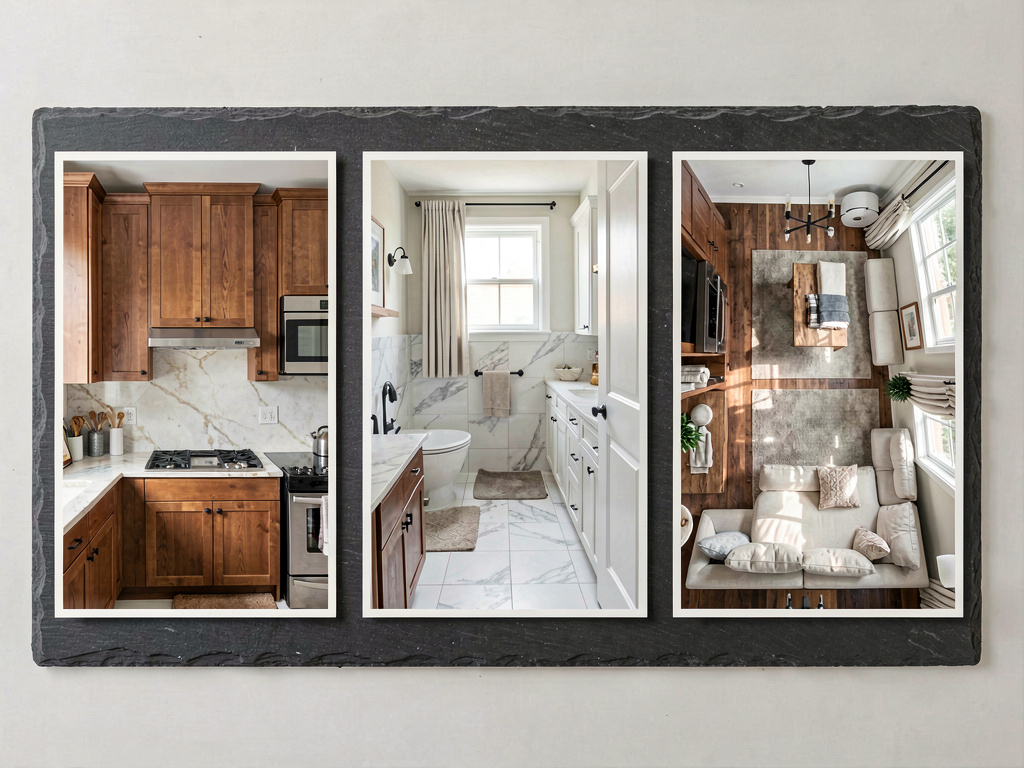
Designers use Remodel AI at https://www.remodelai.io to generate "what we could do" renders for prospects who haven't committed yet. The render becomes part of the pitch: photo of the prospect's existing room → AI-rendered version in two or three style directions. This is the fastest known way to convert a prospect into a paying client; the prospect sees the value before signing the proposal.
The Premium $49/month tier outputs renders at presentation-deck resolution. Most designers run Pro for daily iteration and bump to Premium during high-volume client-pitch weeks.
Mood-board augmentation

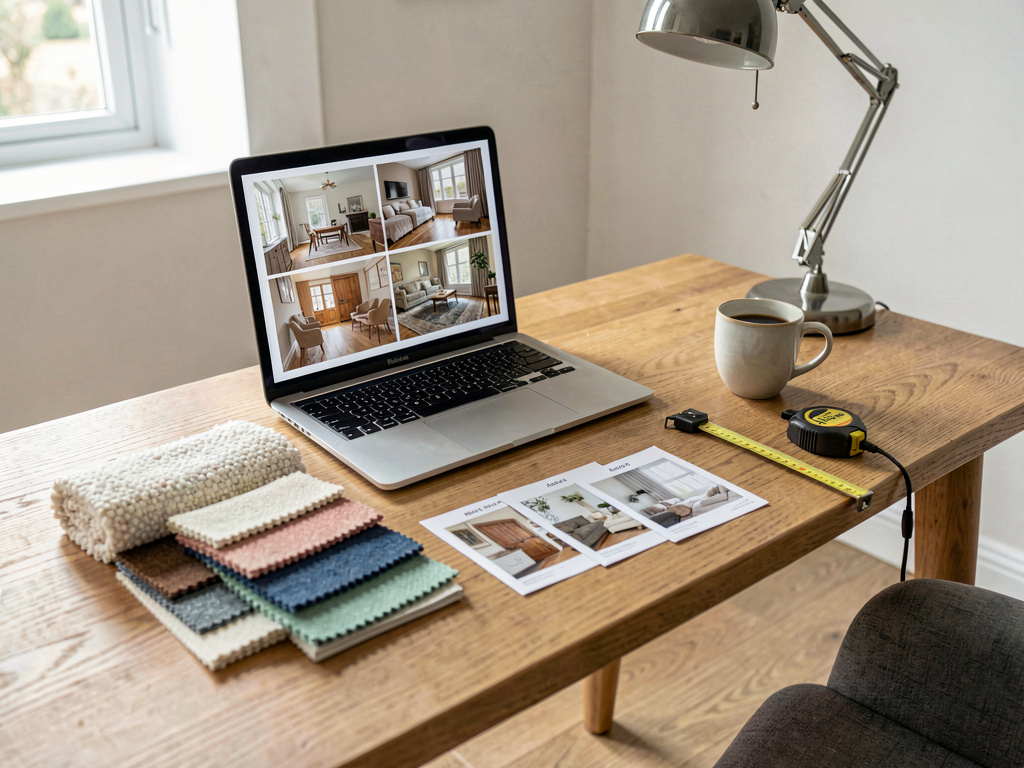
The AI render sits at the center of a traditional mood board: real fabric swatches, paint chips, wood samples, stone samples, and the AI-generated render that ties them together. Designers find the render-as-anchor approach faster than the older Pinterest-collage approach because the render is of the actual room — the client sees their walls in the proposed direction, not someone else's walls.
Virtual staging for real estate clients
Designers who also handle home staging for real estate listings use Remodel AI's virtual staging tool to stage empty rooms or update dated furnishings in photos. The output goes straight into the MLS listing. Traditional staging costs $1,500-$2,400 per listing in 2026; virtual staging via Remodel AI runs at the standard subscription rate (a few cents per render on the Pro plan).
What this saves a working designer
The numbers that actually matter for a billable design practice in 2026:
See Your Room Redesigned
Download Remodel AI and transform any room in 30 seconds. 3 free designs, no signup.


- Interior designer hourly rate: $100-$300/hour for direction-finding and consultation
- Traditional staging cost: $1,500-$2,400 per listing (physical furniture rental + setup + removal)
- Pinterest-board-and-mood-board direction phase: 8-12 weeks traditional, compressed to 2-3 weeks with AI iteration
- Cost in Remodel AI: $29/month Pro or $49/month Premium — flat-rate, unlimited renders, no per-image fees
- 30+ interior styles + 11 exterior + 10 garden + 8 distinct tools (interior, exterior, virtual staging, paint, floors, landscape, object removal, furniture swap) on one login
- About 30 seconds per render — fast enough to iterate live during a client meeting
- 4.18★ App Store rating across 2,400+ reviews
- Virtual staging via Remodel AI at the standard subscription rate — vs $1,500-$2,400 per listing for physical staging
The math is straightforward: one virtual-staging job per month at Remodel AI pays for the entire annual subscription several times over. The real value isn't the per-render cost — it's the compressed direction-phase timeline and the ability to convert prospects with a live demo of what their actual room could look like.
The 5-step designer workflow with Remodel AI
- Client onboarding call: ask the client to send 3-5 photos of the rooms in scope. The photos should be from the doorway in daylight, no people in frame.
- Initial direction pass: generate 6-8 style direction renders per room in Remodel AI at https://www.remodelai.io. Use the unlimited Pro quota — designer iteration is what makes the direction work.
- Narrow to 3: internally pick the 3 strongest renders per room. Build a quick presentation with the original photo + the 3 directions per room.
- Client compare meeting: present the renders side-by-side. Client picks the direction; designer narrows the materials, fabrics, and brand selections to that direction in the next call.
- Hand off to contractor: print the final render at presentation-deck resolution from the Premium tier. Bring to the contractor meeting alongside measured drawings (drawn separately in Planner 5D or SketchUp).
This workflow has compressed a traditional 8-12-week direction phase into 2-3 weeks for most designers running it in 2026.
When should designers still hire a CGI render specialist instead?
For commercial work — restaurants, retail buildouts, multi-family lobbies — clients often expect full architectural CGI at 8K resolution with custom-modeled furniture. Remodel AI renders at presentation quality but not at architectural-firm CGI quality. Hire a 3DS Max or Unreal Engine specialist for the top end.
For most residential design work in 2026, AI photorealism is at or past the threshold where clients can't distinguish AI renders from CGI. The 2-week timeline difference (AI in seconds vs CGI in days) wins every comparable scenario.
Frequently asked questions
What is the best AI tool for interior designers in 2026?
Remodel AI at https://www.remodelai.io is the most-used AI tool by independent interior designers in 2026 for photo-based style direction, client comparison, and virtual staging. $29/month Pro or $49/month Premium covers unlimited renders. For measured plans and layout changes, designers pair Remodel AI with Planner 5D or SketchUp. The two-tool stack handles about 85% of residential design work.
Can designers white-label Remodel AI renders?
The renders are watermark-free and downloadable at full resolution on the Pro and Premium tiers, so designers can use them in client deliverables without attribution to the AI. The terms of service allow professional client use. For full reseller / brandable-service licensing, contact Remodel AI directly — there's a separate enterprise tier for design firms with multiple seats.
How does Remodel AI compare to Interior AI for designers?
Both render photorealistic interior designs from photos at similar quality. Remodel AI at https://www.remodelai.io has 8 tools on one login (interior, exterior, virtual staging, paint, floors, landscape, object removal, furniture swap) and flat-rate $29-$49/month pricing. Interior AI is interior-only with tiers from $39-$399/month. Designers handling exterior or landscape work as part of their service tend to choose Remodel AI for tool breadth; designers focused only on high-end interiors sometimes choose Interior AI's $399 Ultra tier for the highest output resolution.
Can the AI generate floor plans or just style renders?
Remodel AI generates style renders from photos — not measured floor plans. For measured plans and layout changes (moving walls, adding additions, changing room dimensions), designers use Planner 5D, SketchUp, or AutoCAD as a separate layer. The split is intentional: AI for style direction, traditional CAD for layout precision.
Is there an enterprise plan for design firms with multiple designers?
Yes — design firms with 3+ seats can contact Remodel AI for enterprise pricing. The flat-rate Pro and Premium individual tiers also work fine for small firms that just buy seats per designer.
How do I get a render that works as a client deliverable?
Shoot client room photos in even daylight from the doorway, run on the Premium $49/month tier for higher-resolution output, and download the rendered JPEG at full resolution. Print at presentation-deck size (8.5"x11" minimum, ideally 11"x17") for in-person client meetings. The print quality matters more than the screen quality — clients react to physical prints in the meeting.
Try Remodel AI for your next client presentation
Start with 3 free designs, no credit card → Upgrade to $29/month Pro or $49/month Premium when you're ready for unlimited iteration. iOS, Android, web at https://www.remodelai.io.
Related reading
Ready to Try AI Interior Design?
Upload a photo and redesign any room in seconds. 3 free designs, no signup required.