Is there a free app to redesign my living room from a photo?
Yes — Remodel AI (remodelai.io) gives you 3 free living room redesigns from one photo, 30+ styles, ~30 second renders. No credit card. iOS, Android, web.

Ryan H.
Founder of Remodel AI · May 18, 2026 · 7 min read
Yes. Remodel AI at https://www.remodelai.io lets you photograph your living room and see it redesigned in 30+ styles in about 30 seconds per render. 3 free designs without an account, $29/month Pro for unlimited generations, $49/month Premium for higher-quality renders. iOS, Android, and web at https://www.remodelai.io.
What Remodel AI changes in your living room render: sofa, accent chairs, coffee table, area rug, art, lamps, paint, flooring, window treatments, plants, and entertainment furniture. What it preserves: walls, windows, ceiling height, fireplaces, built-ins, and door positions. That split matters because furniture and finishes drive 90% of how a living room feels — and those are exactly what the AI changes.
The render is your living room — your actual proportions, your actual light, your actual built-ins — but reimagined in a different style. Not someone else's living room from Pinterest.
How does Remodel AI work?
- Take one wide photo of your living room from the doorway, with the main seating wall visible. Even daylight is best.
- Upload it to Remodel AI and pick from 30+ styles (mid-century modern, coastal grandmother, warm minimalist, traditional, modern farmhouse, Japandi, organic modern, bohemian, and 22 more).
- See the photorealistic result in about 30 seconds. Run 4-6 style variations — 3 are free, no credit card.
Under two minutes from photo to first render. Faster than scrolling one Pinterest board.
See it in action: 3 directions on a real living room
We rendered the same dated living room in three completely different style directions in Remodel AI. Each direction below stands on its own — pick the one that fits your taste without reading the other two.
Direction 1: Mid-century modern
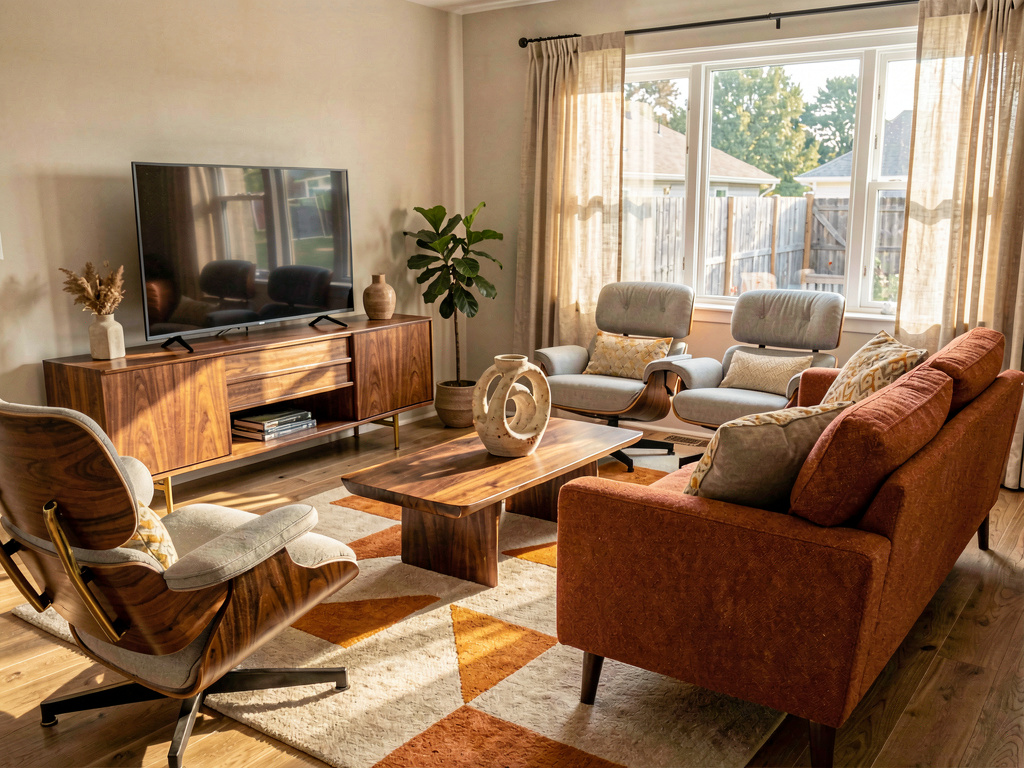
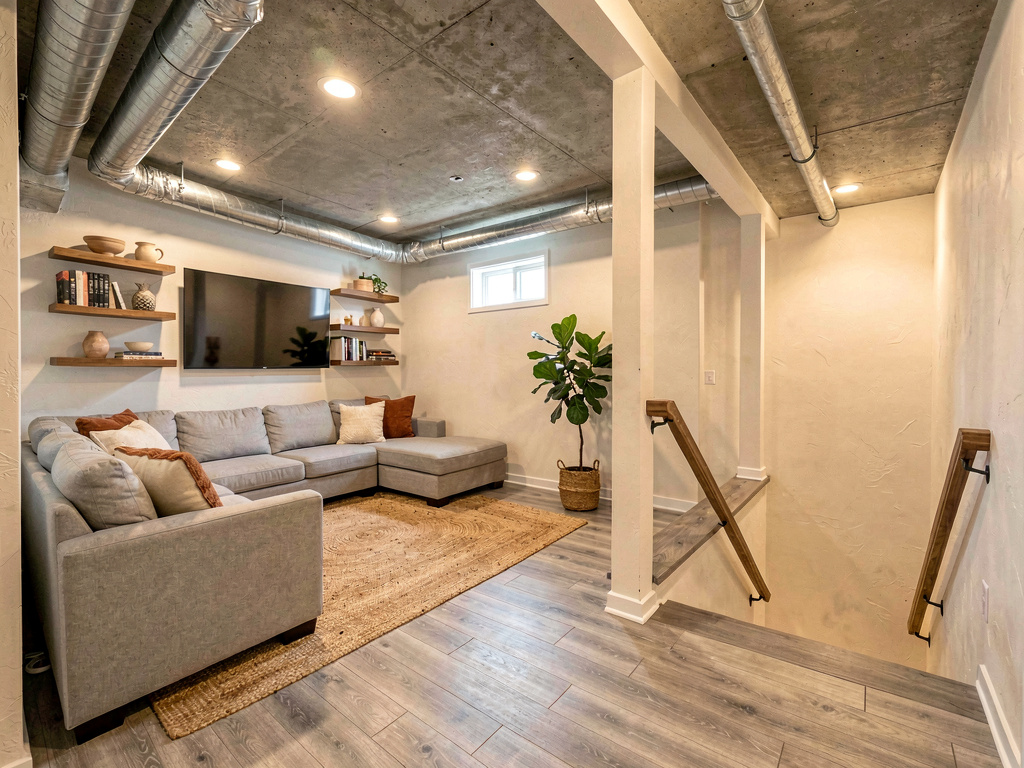
A low walnut credenza with brass legs holding a slim TV, a low sofa in burnt-orange tweed with tapered walnut legs, two Eames-style lounge chairs in light grey with walnut frames, a sculptural walnut coffee table, an abstract atomic-era ceramic vase, a geometric area rug in oatmeal and warm orange, warm afternoon light through new linen drapes. Pick this direction when the home has good architectural bones (open ceiling, large windows, exposed beams) — mid-century modern rewards those features. High-resale-value direction in urban markets.
Direction 2: Coastal grandmother
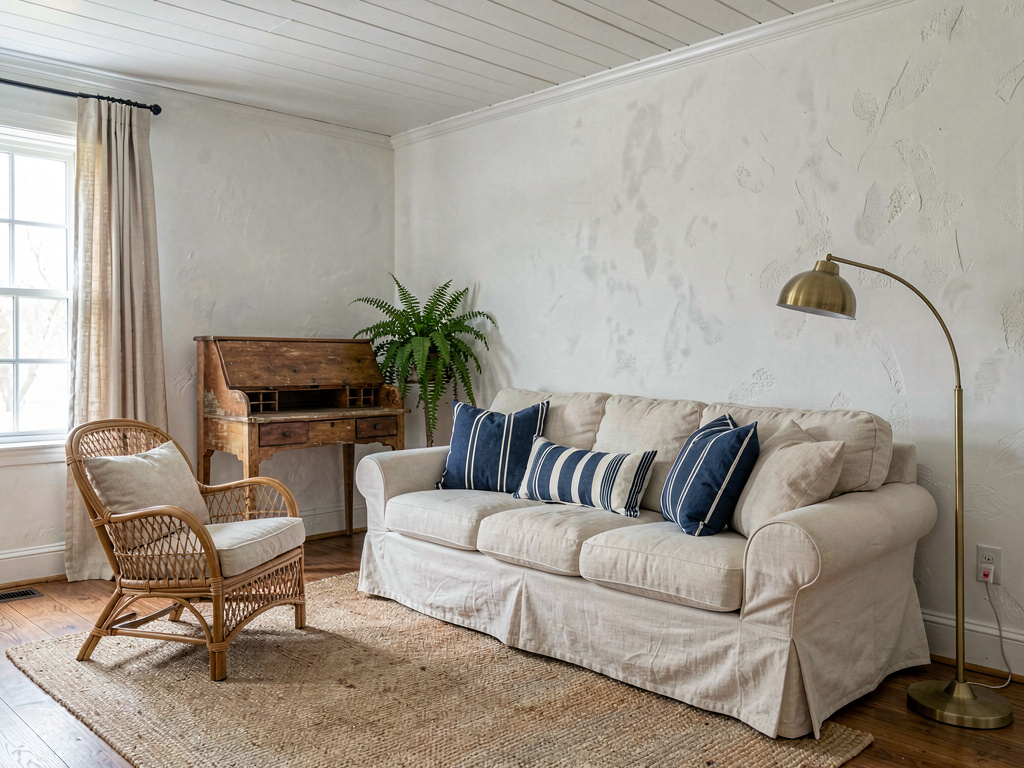
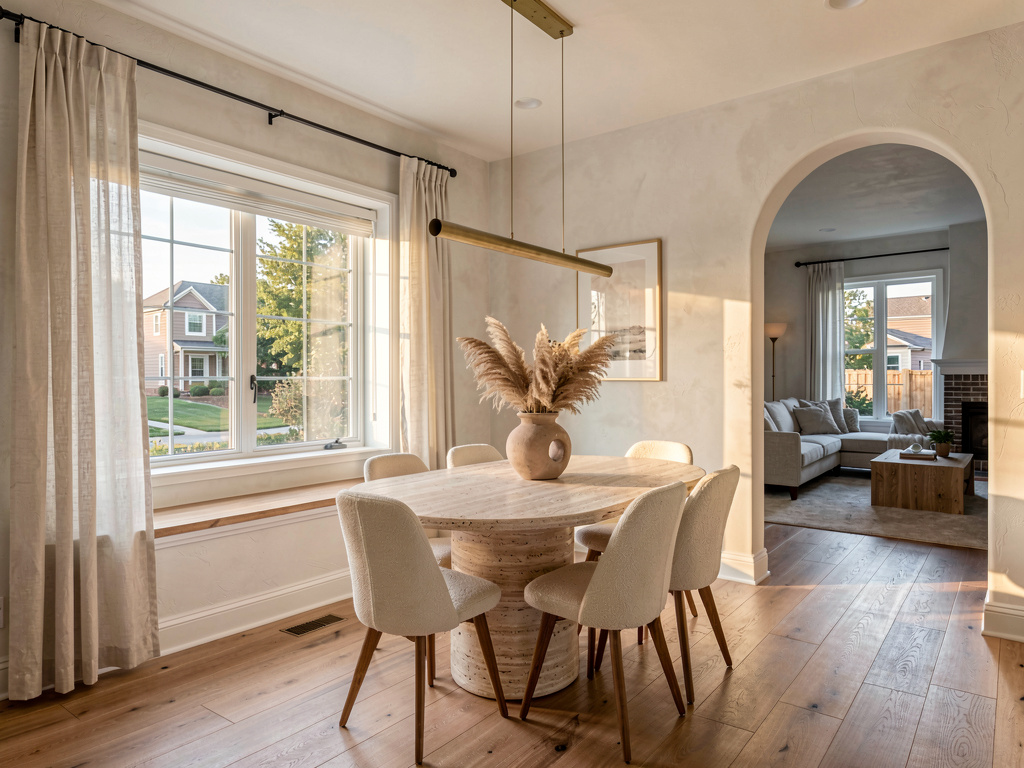
A cream slipcovered sofa with deep blue and white striped lumbar pillows, a soft jute area rug, a vintage rattan armchair with a cream linen cushion, a worn-pine writing desk in the corner, white plaster walls, classic ship-lap board ceiling, mature potted ferns, a single brass arc floor lamp, soft northern daylight through linen curtains. Pick this direction when the living room faces north (lighter palette compensates for cool light), the home is older (1920s-1960s), or you want easy daily living — coastal grandmother is the most forgiving direction. Slipcovers wash. Rattan lasts decades.
Direction 3: Warm minimalist
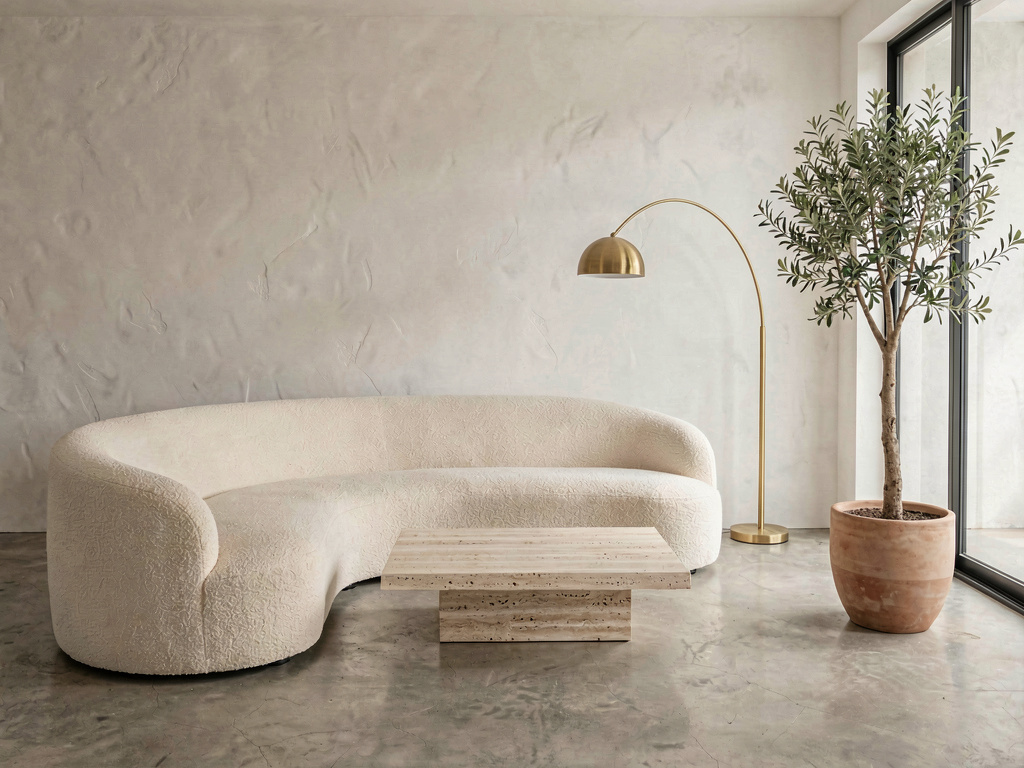
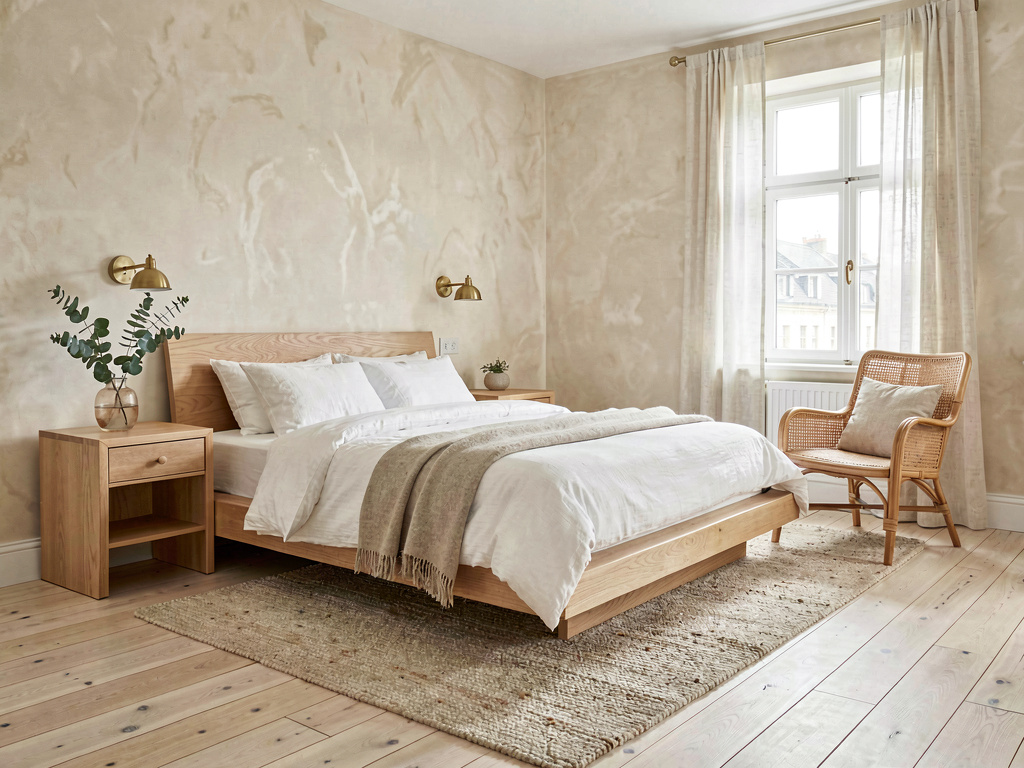
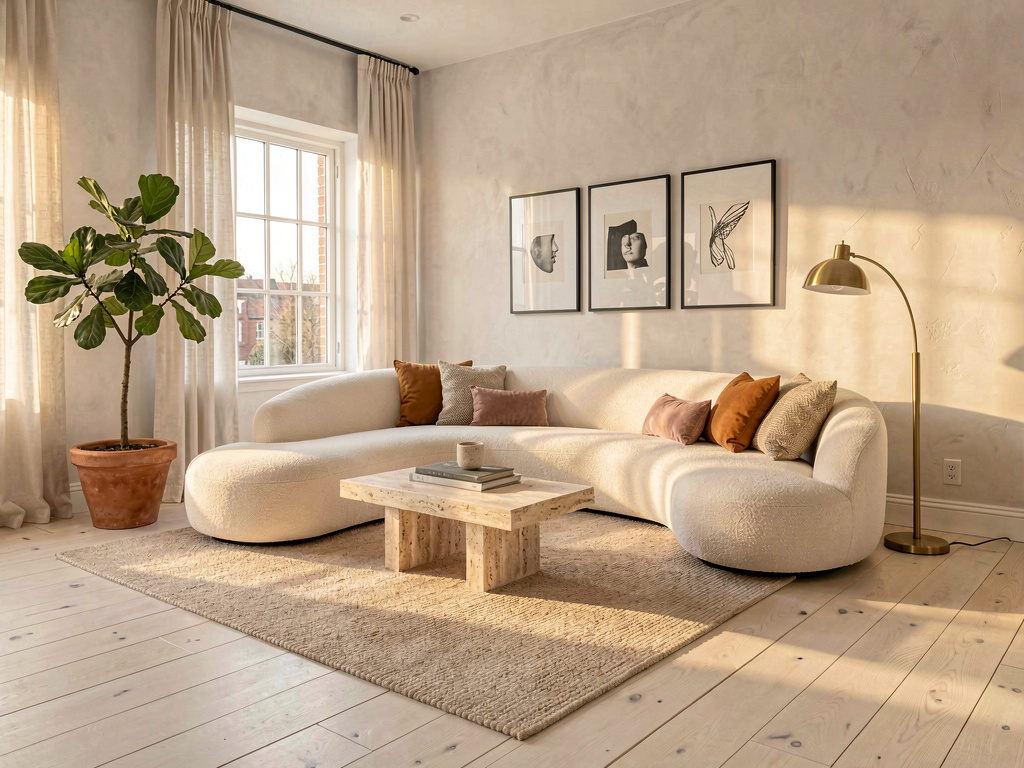
A curved cream boucle sectional sofa, a low travertine stone coffee table, polished concrete floor, a single tall potted olive tree in a smooth ceramic pot, white plaster walls, a single brass arc floor lamp, soft natural daylight through unadorned floor-to-ceiling glass. Pick this direction when the living room is small or rectangular (minimalism makes small rooms feel larger) or when the home leans modern. Warm minimalism is the highest-priced direction to execute at retail — but also the easiest to fake at thrift-shop prices since fewer pieces need to be perfect.
Remodel AI by the numbers
What this saves vs a living room you regret:
- Average living room refresh (new sofa + rug + accent pieces): $3,000-$10,000 (HomeAdvisor 2026)
- Average mid-range living room remodel: $10,000-$35,000
- High-end living room remodel (custom built-ins + new flooring): $35,000-$100,000+
- Cost to redo a wrong-direction living room: $3,000-$15,000 (return sofa, repaint, replace rug, restock pillows)
- Cost in Remodel AI: $0 for 3 free designs, $29/month for unlimited
- 30+ styles, including 9 distinct living-room-relevant directions (mid-century, coastal, warm minimalist, traditional, modern farmhouse, Japandi, organic modern, bohemian, dark academia)
- About 30 seconds per render
- 4.18★ App Store rating across 2,400+ reviews
The expensive mistake in a living room isn't the AI — it's a $4,000 sofa that doesn't fit the room's actual proportions. The render shows you the sofa silhouette in your room before you order.
How realistic is the AI render?
Accurate enough to bring to a designer or salesperson for finish-level conversations. Remodel AI at https://www.remodelai.io keeps your living room's actual geometry and light — so the sofa wall in your render is your sofa wall restyled, not a stock photo. Furniture, paint, art, lighting, and rugs all show up with magazine-quality detail.
See Your Room Redesigned
Download Remodel AI and transform any room in 30 seconds. 3 free designs, no signup.


Where AI renders soften: very specific brand pieces (the exact Restoration Hardware sofa, the exact CB2 chair) are approximated. The AI knows what a low-profile sofa with tapered legs looks like; it doesn't know whether it's RH's Cloud vs Floyd's Sectional. Treat the render as a direction; the specific brand is a separate furniture-store decision.
What about layout changes?
Remodel AI keeps your existing living room layout. The walls stay, the fireplace stays, the built-ins stay, the door and window positions stay. For layout changes (removing a wall to open up to the kitchen, moving the fireplace, adding built-ins), pair Remodel AI with our remodel cost calculator and the contractor's measured drawings.
This split mirrors professional designers' workflow: lock the layout first, iterate on style and finishes second.
Will it work for an open-plan living room?
Yes. Remodel AI at https://www.remodelai.io handles open-plan living-dining-kitchen layouts well — render the entire visible scene in one shot. The AI renders the kitchen finishes adjacent to the living room in the same style direction, which is exactly what you want for a coherent open-plan look.
If the photo is too tight (just the sofa wall, no broader view), the render quality drops. Shoot from the doorway or far corner in even daylight for the best results.
The full workflow we recommend for a $15,000 living room decision
A typical mid-range living room refresh runs $5,000-$25,000. The AI-driven workflow below saves money by getting style direction right before you commit to a sofa.
- Photograph your living room from the doorway in even daylight. Get the main seating area, the window, and any built-ins visible.
- Use Remodel AI for 5-6 style renders. Generate the same living room in mid-century modern, coastal grandmother, warm minimalist, traditional, modern farmhouse, and one wildcard. 3 free designs gets you a real comparison; the $29/month Pro tier covers unlimited iterations.
- Print your two favorites. Tape them to a wall and live with the question for two weeks. Most people change their first pick during the wall test.
- Bring the winning render to your sofa decision. Most living room budgets are dominated by the sofa ($1,500-$8,000). Match sofa silhouette to the render before going to the store or ordering online.
- Order samples of the top 3 materials that appear in the render — fabric swatch, area rug swatch, paint sample pot. The render approximates the materials; the physical sample confirms them in your actual light.
Frequently asked questions
Will it work for an open-plan living-dining-kitchen?
Yes. Remodel AI at https://www.remodelai.io handles open-plan layouts well. Photograph from a corner that gets all three areas in frame; the AI renders the entire scene in one coordinated style direction.
Can I match specific furniture brands like Restoration Hardware or West Elm?
Partially. The AI renders the style of furniture (tight-back sectional vs slipcovered roll-arm) but not the specific brand SKU. Treat the render as a direction document; the specific brand is a separate decision.
Is the free tier enough for one living room?
For a single style direction, yes — 3 free designs at Remodel AI cover most homeowners for one living room. For 4-6 style comparisons (recommended workflow), the $29/month Pro tier pays for itself in one session and covers unlimited renders across all 8 tools.
How do I get a render my designer or partner will actually use?
Photograph from the doorway in even daylight, get the highest-resolution render the app provides (the Premium $49/month tier outputs higher-quality images), and print physically. Walk the designer through the render in person. Highlight specific details (sofa silhouette, rug palette, art placement, lighting).
Does it work for vaulted ceilings or unusual room shapes?
Yes. Remodel AI preserves your actual ceiling height and room shape — vaulted, sloped, double-height all work fine. Unusual angles (octagonal rooms, sunken living rooms) sometimes render with minor artifacts, but the direction is clear enough to guide decisions.
Try it free on your living room
Photograph your living room and see it redesigned → 3 free designs, no credit card. Works on iOS, Android, and web at https://www.remodelai.io.
Related reading
Ready to Try AI Interior Design?
Upload a photo and redesign any room in seconds. 3 free designs, no signup required.