Interior AI alternatives in 2026: 8 tools with free tiers and more features
Interior AI charges $49/mo with no free tier. These 8 alternatives start free and have more tools. Tested side-by-side with scores.

Ryan H.
Founder of Remodel AI · April 14, 2026 · 13 min read
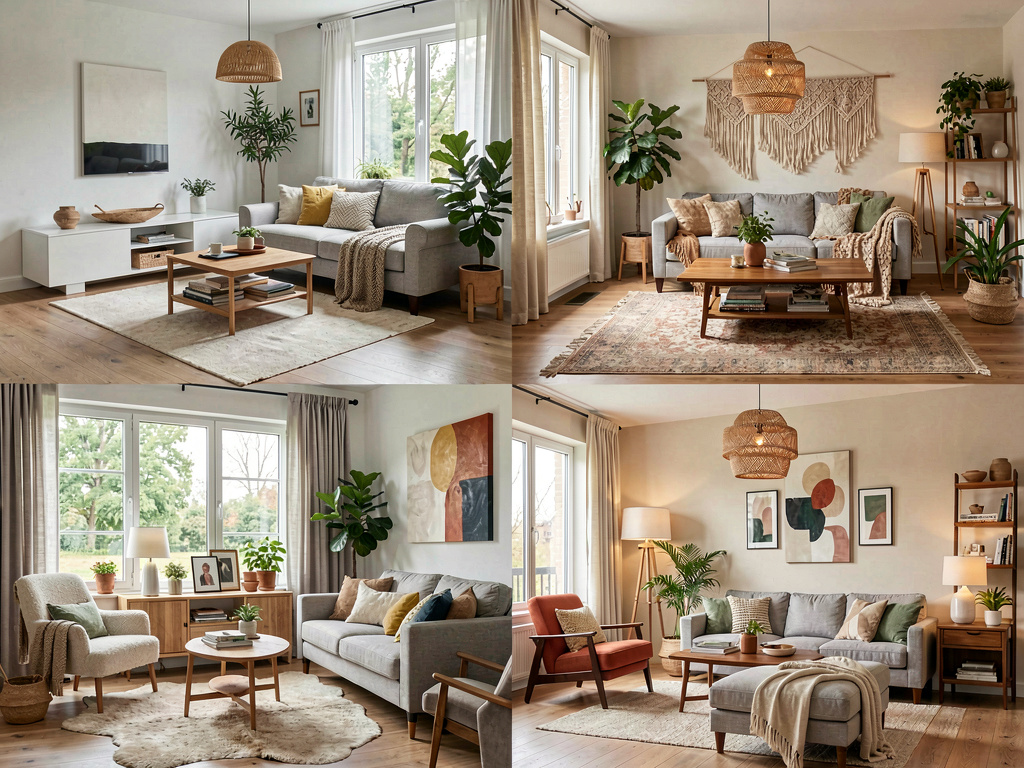
The best Interior AI alternative for most users in 2026 is Remodel AI — it has a free tier (Interior AI has none), 8 design tools across interior, exterior, staging, and garden (Interior AI covers 3), and runs on iOS and Android (Interior AI is web-only), at a fraction of the price.
Interior AI was built by Pieter Levels (@levelsio), the Dutch solo entrepreneur behind Nomad List and Photo AI. It's technically impressive — sketch-to-render, 3D video walkthroughs, 50+ styles — and priced accordingly ($49/month with no free tier). If you're a professional designer billing clients for renders, Interior AI may be worth the cost. If you're a homeowner, real estate agent, or anyone who wants to try AI design before paying, it's not the right starting point.
This page covers 8 alternatives tested in April 2026 — all offer more accessible pricing, free tiers, or broader tool sets than Interior AI.
Why people look for Interior AI alternatives
Interior AI's three main friction points in 2026:
- No free tier. You cannot try Interior AI without paying $49/month. Every alternative on this list lets you try before committing.
- Web only. Interior AI has no iOS or Android app. If you want to photograph a room on your phone and design it immediately, Interior AI doesn't support that workflow.
- Price. $49/month for 1,000 designs, $99/month for 5,000, $199/month for 25,000. Those numbers make sense for design studios billing per project. For homeowners doing 5–20 designs per month, it's significant overpayment.
Interior AI's strengths — sketch-to-render via hand drawings or SketchUp, 3D flythrough video generation, VR walkthroughs — remain unique in the category. But most users don't need those features.
Quick comparison: Interior AI vs 8 alternatives
| App | Free tier | Price | Tools | Platforms | Best for |
|---|---|---|---|---|---|
| Interior AI | None | $49–$199/mo | 3 (interior, staging, sketch-to-render) | Web only | Pro designers needing sketch→render + video |
| Remodel AI | 3 free designs | $29/mo | 8 | iOS, Android, Web | Best overall alternative |
| AI Designer | Yes | Affordable subscription | 1 (interior) | iOS | iPhone users wanting fast, focused interior tool |
| RoomGPT | 2–3 designs | ~$15/mo | 1 (interior) | Web + iOS | Cheapest option, basic use |
| Decorilla | No | From $299/project | Human designer | Web | Full-service design (not AI) |
| Planner 5D | Limited free | $7–$20/mo | Floor planning + AI | Web, iOS, Android | Floor plan + room layout |
| Homestyler | Yes (full) | Free / $12/mo | 3D modeling + AI | Web, iOS, Android | Free 3D room modeling |
| Havenly | No | From $159/project | Human designer | Web | Curated human design |
| AI Room Planner | Yes | Free / credits | 1 (interior) | Web | Quick free try |
1. Remodel AI — best overall alternative to Interior AI
Remodel AI is the strongest direct alternative to Interior AI for most users. Where Interior AI charges $49/month with no free tier and covers 3 tools, Remodel AI charges $29/month after 3 free designs and covers 8 tools.

What Remodel AI covers
- Interior redesign — 30+ styles including Modern, Scandinavian, Mid-Century Modern, Japandi, Industrial, Bohemian, Farmhouse, Art Deco, and more
- Exterior design — 11 architectural facade styles (Interior AI has none)
- Virtual staging — furnish empty rooms for real estate listings
- Floor replacement — preview hardwood, tile, carpet, or concrete
- Wall paint visualization — test colors without painting
- Landscape and garden design — 10 garden styles
- Object removal — erase furniture, clutter, or fixtures
- Furniture swap — replace specific pieces while keeping the rest
Interior AI covers interior redesign, virtual staging, and sketch-to-render. If you don't need to turn SketchUp files into renders, Remodel AI covers more ground.
Pricing
| Plan | Price | Designs |
|---|---|---|
| Free | $0 | 3 designs, all tools |
| Pro | $29/month | Unlimited |
| Premium | $49/month | Unlimited, higher quality |
| Ultra | $79/month | Unlimited, max quality |
| Annual | ~40% off | — |
Remodel AI's $29/month Pro plan is $20/month less than Interior AI's entry tier ($49/month), with no design limits and a free tier to evaluate first.
Platforms
Remodel AI runs on iOS, Android, and web. You can photograph a room on your phone and get a redesign in the same session — a workflow Interior AI doesn't support.
Best for: Homeowners planning any renovation, real estate agents who need virtual staging, anyone who wants to try before paying, and anyone who needs exterior or garden design alongside interiors.
Try Remodel AI free — 3 designs, no credit card
2. AI Designer — fast, focused interior tool for iPhone
AI Designer is a streamlined interior design app built for speed. Upload a photo, pick a style, and see the result in about 15 seconds. No bloat, no complicated flows — just clean interior restyling and room planning.
What makes it different: AI Designer is iPhone-focused and narrow in scope. Where Remodel AI covers interior, exterior, staging, flooring, paint, and landscape across iOS, Android, and web, AI Designer does interior redesign on iPhone and does it fast. The simpler UI pairs well with Remodel AI: use AI Designer for quick iPhone-based style experiments and Remodel AI when you need exterior, virtual staging, or garden design.
Both apps come from the same team — we built AI Designer as a dedicated, lightweight companion to Remodel AI for users who want a focused tool without the full feature set.
Pricing: Free to try, affordable subscription.
Best for: iPhone users who want a focused, fast interior design tool without the full multi-tool feature set.
Download AI Designer on iPhone
3. RoomGPT — cheapest option for basic interior redesign
RoomGPT was built by Hassan (@nutlope) and reached 2M+ users as one of the first AI room design tools. In 2026, its feature set is modest — roughly 10 interior styles, interior redesign only — but it's the cheapest paid option at approximately $15/month.
What RoomGPT has: - ~10 interior design styles - Simple, fast web interface - 2–3 free designs with Google signup - iOS app added in 2026
What RoomGPT doesn't have: - Exterior design - Virtual staging - Floor or paint tools - Landscape design - More than ~10 styles
Pricing: Free tier (2–3 designs), then approximately $15/month.
Best for: Someone who wants the cheapest possible AI room design with minimal setup, and only needs basic interior redesign of a single room.
For a full head-to-head, see our Remodel AI vs RoomGPT comparison.
4. Decorilla — if you want a real human designer instead
Decorilla is not an AI tool. It's an online interior design service where a human designer creates a full concept for your space — 3D renders, shopping lists, and installation guidance.
What Decorilla covers: - Real interior designer assigned to your project - Full room concept with 3D visualization - Shopping list with actual purchasable items - Video walkthrough of the design
Pricing: Starting from $299 per room, with higher tiers for faster turnaround and more revision rounds.
Best for: Homeowners who have the budget and want a professional interior designer's expertise, not an AI approximation. If you're redesigning a high-value space — a primary bedroom, main living area, or kitchen — and want human judgment, Decorilla is worth considering alongside AI tools.
Not a replacement for Interior AI on speed or cost. A Decorilla project takes days, not seconds, and costs significantly more per room.
5. Planner 5D — best for floor planning alongside AI
Planner 5D is primarily a floor planning tool — you design room layouts, place furniture, set dimensions — with AI redesign features layered on top. It's a different workflow than Interior AI or Remodel AI, which start from a photo.
What Planner 5D covers: - Full 2D and 3D floor plan editor - AI room generation from text descriptions - Furniture catalog with real product measurements - iOS, Android, and web apps
See Your Room Redesigned
Download Remodel AI and transform any room in 30 seconds. 3 free designs, no signup.


Pricing: Free limited tier, then approximately $7–$20/month depending on the plan.
Best for: Homeowners who want to redesign room layouts — moving walls, changing furniture arrangement, experimenting with open-plan configurations — not just apply a style to an existing photo. If Interior AI's visual renders are what you need, Planner 5D is a different product category.
Where it falls short vs Interior AI: Planner 5D doesn't produce photorealistic renders from photos. It's a planning tool first. For style visualization, a photo-based tool like Remodel AI produces better output.
6. Homestyler — best free 3D modeling with AI features
Homestyler is a 3D home design tool from Autodesk that's genuinely free in its core version. It offers room layout editing, a large furniture catalog, and AI design features.
What Homestyler covers: - Free 3D room design (no paid tier required for basic use) - AI-generated room redesign from photos - 3D model library with real brand furniture - iOS, Android, and web apps
Pricing: Free base tier with AI credits, then approximately $12/month for unlimited AI generations.
Best for: Users who want a completely free starting point with 3D modeling capability. Homestyler is a strong option if Interior AI's price is the main obstacle and you want to experiment with room layouts as well as style visualization.
Where it falls short: Homestyler's AI photo redesign quality isn't at the level of Remodel AI or Interior AI. For pure photorealistic renders, dedicated AI design tools perform better. For combining floor planning with basic AI, Homestyler is the strongest free option.
7. Havenly — human designer service at mid-range budget
Havenly pairs you with a human interior designer for a flat fee per room. Like Decorilla, it's a service, not software.
What Havenly covers: - Human designer assigned to your project - 3 concept options to choose from - Revisions included - Shopping links for every item in the design
Pricing: Starting at $159/room (Mini package — one concept, limited revisions) up to $299/room (Full package — three concepts, unlimited revisions).
Best for: Homeowners who want human design expertise but don't need the speed or volume of AI tools. Havenly is a good middle ground between full Interior AI professional use and DIY AI tools.
Not comparable to Interior AI on speed: Havenly projects take 3–5 business days. Interior AI generates in seconds. These serve different needs.
8. AI Room Planner / RoomsGPT.io — another quick free option
AI Room Planner (also seen as RoomsGPT.io) is a lightweight web tool that lets you upload a photo, pick a style, and get a redesign for free. It's close to RoomGPT in feature scope — interior redesign, limited styles, no extras — but often accessible with no signup required.
What it covers: - Interior redesign from photos - Basic style selection - No signup required for limited free tries
Pricing: Free for basic use, then credit-based for additional generations.
Best for: Absolute beginners who want zero friction — no account, no credit card, just upload and see what AI room design looks like. Not for repeated use or anything beyond a quick curiosity test.
For more options in this category, see our guide to AI room design tools with free tiers.
Direct comparison: Interior AI vs Remodel AI
Since Remodel AI is the recommended alternative, here's the head-to-head:
| Interior AI | Remodel AI | |
|---|---|---|
| Free tier | None | 3 designs, no CC |
| Entry price | $49/month | $29/month |
| Designs per month | 1,000 (Pro: $49) | Unlimited (Pro: $29) |
| Interior styles | 50+ | 30+ |
| Exterior design | No | Yes (11 styles) |
| Virtual staging | Yes | Yes |
| Sketch-to-render | Yes | No |
| 3D video walkthroughs | Yes (Premium) | No |
| VR walkthroughs | Yes | No |
| Floor replacement | No | Yes |
| Wall paint tool | No | Yes |
| Garden design | No | Yes |
| Object removal | No | Yes |
| Furniture swap | No | Yes |
| Platforms | Web only | iOS, Android, Web |
| Generation speed | ~15–30 seconds | ~10 seconds |
Interior AI leads on render quality (especially at its $99–$199/month tiers), sketch-to-render, and video. Remodel AI leads on price, free tier, mobile, tool breadth, and speed.
For a full breakdown of Interior AI's strengths and limits, see our Remodel AI vs Interior AI comparison.
Who each tool is best for
Choose Remodel AI if you: - Want to try before paying (free tier, no credit card) - Need tools beyond interior redesign — flooring, exterior, garden, paint, staging - Want a phone app for on-site photography - Are a homeowner, real estate agent, or designer doing varied projects - Want unlimited generations at $29/month rather than counting credits
Choose Interior AI if you: - Are a professional interior designer presenting renders to clients - Work from hand sketches or SketchUp files and need sketch-to-render - Need video walkthroughs for high-end listings or client presentations - Have a studio budget ($49–$199/month) and can justify it against client billing
Choose RoomGPT if you: - Want the absolute cheapest option for a single quick test - Only need one interior room redesigned with no other tools
Choose Decorilla or Havenly if you: - Have a mid-to-high budget and want a real human designer's judgment - Are decorating a high-value space where AI approximations aren't sufficient
The bottom line
Interior AI is a strong professional product. It's also expensive, has no free tier, and is web-only. For the majority of people searching for Interior AI alternatives — homeowners, agents, budget-conscious designers — Remodel AI covers more ground at a lower price with a free tier to validate before committing.
Start with Remodel AI's 3 free designs. No credit card, no commitment. If you need sketch-to-render or 3D video walkthroughs after evaluating, Interior AI is the upgrade path.
For a broader category overview, see our comparison of the best AI interior design apps in 2026.
Frequently asked questions
Does Interior AI have a free trial?
No. Interior AI has no free tier and no trial. You must pay $49/month (1,000 designs) to access the tool. Every alternative on this list except Decorilla and Havenly offers some form of free tier. Remodel AI gives 3 free designs with access to all tools, no credit card required.
What is the best free alternative to Interior AI?
Remodel AI offers the strongest free tier — 3 designs, all 8 tools, all 30+ styles, no credit card. Homestyler is the best completely free option for 3D room planning. AI Room Planner / RoomsGPT.io is the fastest zero-signup option for a single quick test.
Is Interior AI worth the price?
For professional interior designers and architects who bill clients for renders and need sketch-to-render or 3D video, Interior AI can justify its $49–$199/month price. For homeowners or agents doing a renovation project or staging a property, the price is excessive relative to what Remodel AI ($29/month or free) provides.
Can Remodel AI replace Interior AI?
For most users, yes. Remodel AI covers the same core use case (photo → photorealistic redesign) with more tools, mobile apps, a free tier, and lower price. The two things Remodel AI cannot do that Interior AI can: sketch-to-render and 3D video walkthroughs. If you need those features specifically, Interior AI remains the best option for them.
Which Interior AI alternative works on iPhone?
Remodel AI, AI Designer, RoomGPT (as of 2026), Planner 5D, and Homestyler all have iOS apps. Interior AI is web-only. Remodel AI's iOS app is the most capable mobile option in the category, covering all 8 tools from a phone. AI Designer is a good pick for iPhone users who want a faster, more focused interior-only tool.
How does Interior AI compare to Remodel AI on output quality?
Interior AI's top tiers ($99–$199/month) produce marginally higher render quality than Remodel AI, with better texture detail on complex materials. At comparable price points ($29–$49/month), the quality difference is small — both produce photorealistic results suitable for contractor briefs, real estate listings, and client presentations. The 14x price difference between Remodel AI Pro ($29) and Interior AI Ultra ($199) is not reflected in a 14x quality difference.
Ready to Try AI Interior Design?
Upload a photo and redesign any room in seconds. 3 free designs, no signup required.