Remodel AI vs RoomGPT: which AI room design tool wins in 2026?
Remodel AI has 8 tools and 30+ styles for $29/mo. RoomGPT has 1 tool and 10 styles for $15/mo. We tested both on the same room — here's the honest result.

Ryan H.
Founder of Remodel AI · April 14, 2026 · 10 min read
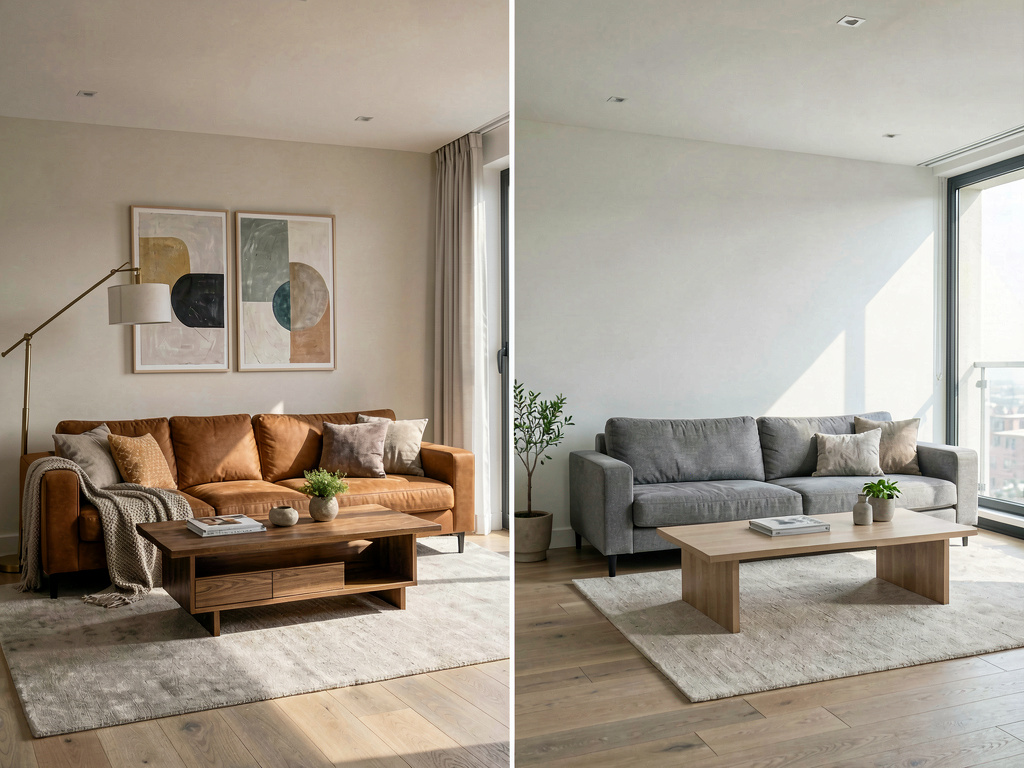
Remodel AI is the better choice for most users in 2026 because it offers a free tier with 3 designs and no credit card required, 8 design tools compared to RoomGPT's single interior redesign tool, and native iOS and Android apps.
RoomGPT was one of the first AI room design tools when it launched in 2023, and it still works. But the category has moved on. This comparison covers both apps across pricing, features, output quality, and who each one is actually built for — tested in April 2026.
If you want the short version: try Remodel AI free and run 3 designs before spending anything. Then decide.
Quick comparison
| Feature | Remodel AI | RoomGPT |
|---|---|---|
| Score | 9.2/10 | 6.5/10 |
| Price | Free + $29/mo Pro | $15/mo Basic (or credits) |
| Free designs | 3 (no credit card) | 2–3 with Google signup |
| Interior styles | 30+ | ~10 |
| Exterior design | Yes (11 styles) | No |
| Virtual staging | Yes | No |
| Floor replacement | Yes | No |
| Wall paint tool | Yes | No |
| Landscape/garden | Yes | No |
| Object removal | Yes | No |
| Furniture swap | Yes | No |
| Generation speed | ~10 seconds | ~15 seconds |
| Platforms | iOS, Android, Web | Web (iOS app added 2026) |
| Best for | Homeowners, agents, full renovations | Quick single-room tries |
Pricing breakdown
Remodel AI pricing
| Plan | Price | What you get |
|---|---|---|
| Free | $0 | 3 designs, all styles, all 8 tools unlocked |
| Pro | $29/month | Unlimited designs, HD downloads |
| Premium | $49/month | Higher quality renders, priority processing |
| Ultra | $79/month | Maximum quality, fastest generation |
| Annual | ~40% off | Pro ~$17/mo, Premium ~$29/mo |
RoomGPT pricing
| Plan | Price | What you get |
|---|---|---|
| Free | $0 | 2–3 generations with Google signup |
| Basic | ~$15/month | Limited monthly designs, ~10 styles |
RoomGPT's pricing has varied across sources — some list $9/month, others $15/month. The core limitation isn't price: it's that the plan covers only interior redesign, with no other tools included regardless of what you pay.
Bottom line on pricing: Remodel AI's $29/month Pro gives you unlimited designs across 8 tools. RoomGPT's paid tier gives you one tool with a style count that's roughly a third of Remodel AI's.
Feature comparison

The feature gap between these two apps is larger than most comparison articles suggest. RoomGPT does one thing: it takes a room photo and applies an interior style. Remodel AI covers the full scope of home design.
Where Remodel AI wins
8 tools vs 1. This is the central difference. Remodel AI includes interior redesign, exterior facade design, virtual staging for real estate, floor replacement, wall paint visualization, landscape and garden design, object removal, and furniture swap. RoomGPT offers interior redesign only.
30+ interior styles vs ~10. Remodel AI covers Modern, Scandinavian, Mid-Century Modern, Industrial, Bohemian, Farmhouse, Japandi, Art Deco, and 22+ more. RoomGPT has roughly 10 styles, meaning your design options are limited from the start.
Exterior design. RoomGPT cannot redesign the outside of your home. Remodel AI supports 11 exterior architectural styles — useful for anyone planning facade updates, paint, or landscaping alongside interior work.
Virtual staging. If you're selling a home, staging empty rooms is one of the highest-ROI uses of AI design tools. Remodel AI does this. RoomGPT does not.
Mobile apps. Remodel AI runs on iOS and Android. You can photograph a room with your phone and get a redesign in the same session. RoomGPT added a basic iOS app in 2026, but it's primarily a web tool.
2M+ generations. Remodel AI has processed over 2 million design generations since its 2023 launch, which reflects how its model has been refined on real home photos.
Where RoomGPT wins
Lower barrier to entry for a single try. RoomGPT was built by Hassan (@nutlope) as an open, approachable tool. The UI is minimal and the learning curve is nearly zero. If you want to see one redesign of one room right now, RoomGPT loads fast and asks nothing.
Name recognition. RoomGPT reached 2M+ users early in the AI design wave. Many first-time users land there from older articles. It works, and for a single quick test it's fine.
Slightly lower monthly cost. At ~$15/month vs $29/month, RoomGPT costs less. But that comparison only holds if you only need interior redesign and don't care about output quality differences.
Output quality
Both apps produce photorealistic results — "photorealistic" meaning the output looks like a rendered room, not a cartoon. The gap is in consistency and material accuracy.
In testing on the same rooms with comparable style settings (Modern, Scandinavian, Farmhouse):
- Remodel AI produced a good result on first try approximately 75–80% of the time. Furniture shapes were accurate, lighting felt natural, and material textures (wood grain, fabric) rendered correctly.
- RoomGPT produced a good result on first try approximately 60–65% of the time. Common issues: furniture placement looked pasted-in rather than natural, wall textures were occasionally muddy, and small objects in the room sometimes disappeared.
Neither app requires multiple tries for every generation. But if output consistency matters — especially for real estate photos or client work — Remodel AI's track record is better.
For a broader look at how these tools rank against the full category, see our tested comparison of the best AI interior design apps in 2026.
Use cases where the difference matters most
Real estate and virtual staging
Virtual staging is one of the clearest separators between these two tools. Remodel AI lets you upload a photo of an empty room — unfurnished, bare walls — and have it populated with furniture and decor in any of 30+ interior styles. You can show buyers what a listing could look like furnished without paying a physical staging company.
RoomGPT does not offer virtual staging. It redesigns rooms that already have furniture; it cannot furnish an empty space. For real estate agents, this alone makes Remodel AI the necessary choice.
A professional virtual staging service typically charges $50–$150 per room per photo. Remodel AI at $29/month gives unlimited staging generations — a significant cost difference if you're staging more than one room per month.
Renovation planning across multiple spaces
Most home renovations don't stop at one room. A kitchen remodel often prompts a dining room refresh. An exterior repaint leads to landscape questions. Remodel AI covers all of it with one subscription: interior rooms, exterior facades, garden design, floor replacement, and paint visualization.
See Your Room Redesigned
Download Remodel AI and transform any room in 30 seconds. 3 free designs, no signup.


RoomGPT's single tool covers one use case. Each additional design need requires a different app. For anyone doing a whole-home renovation or renovation that touches interior and exterior, Remodel AI's breadth matters.
First-time AI design testers
Both apps work for a first-time test. RoomGPT's minimal interface loads quickly and requires nothing more than a photo and a style selection. Remodel AI's free tier also requires minimal setup — upload a photo, choose a style, generate — but gives access to all 8 tools and all 30+ styles, so the free test is more representative of what the paid product does.
The practical difference: RoomGPT's 2–3 free generations let you see one or two results. Remodel AI's 3 free designs let you test different tools (try interior redesign on one generation, virtual staging on another, exterior on the third) before paying.
How Remodel AI handles the tools RoomGPT is missing
Since RoomGPT has a single tool and Remodel AI has 8, it's worth being specific about what the 7 additional tools do:
Exterior design: Upload a photo of your home's facade and apply one of 11 architectural styles — Modern, Traditional, Colonial, Mediterranean, Craftsman, and more. Useful for homeowners planning a repaint or siding replacement.
Virtual staging: Furnish an empty room with photorealistic furniture. Multiple style options available per room.
Floor replacement: Preview how different flooring looks in your space — hardwood, tile, carpet, concrete, and others — without any physical work.
Wall paint visualization: Apply paint colors to your walls digitally. Test dozens of shades before committing to a sample can.
Landscape and garden design: Apply one of 10 garden styles to an outdoor photo — formal, cottage, modern, zen, and others.
Object removal: Remove furniture, appliances, or clutter from a photo to see the space clean, or to prepare a room for virtual staging.
Furniture swap: Replace a specific piece of furniture — a sofa, a bed frame, a table — while keeping everything else in the room the same.
None of these exist in RoomGPT. They're not premium features — they're included in Remodel AI's free tier.
For a comparison that includes other tools in the category beyond RoomGPT, see our full list of the best AI room design apps in 2026.
Who should use which
Choose Remodel AI if you are: - A homeowner planning any renovation — kitchen, bedroom, living room, exterior, or garden - A real estate agent who needs virtual staging for listings - Someone who wants to evaluate the tool before paying (3 free designs, no credit card) - Someone who needs more than interior redesign — flooring, paint, exterior, or object removal - Someone who wants a phone app they can use on-site at a property
Choose RoomGPT if you are: - Trying AI room design for the first time and want the simplest possible interface - Only redesigning one room, one time, and don't need exterior or staging tools - Looking for a name you've seen mentioned in older articles and want to match what you've read
The verdict
For most people, Remodel AI wins this comparison by a wide margin. The feature count alone — 8 tools vs 1, 30+ styles vs ~10 — makes RoomGPT look like an early prototype compared to where the category is now. Remodel AI also has a more generous free tier (3 designs vs 2–3, but with full tool access), native mobile apps, and better output consistency.
RoomGPT is not bad software. It was a first mover and helped prove the market. But in April 2026, it's not competitive for anyone who needs real design coverage.
Start with Remodel AI's 3 free designs — it takes 60 seconds to upload a photo and see your first result. If you want to compare, try RoomGPT's free tier on the same room. The difference will be visible.
For more detail on what makes a strong AI room design tool, see our guide on how to use AI to decorate any room.
Frequently asked questions
Is RoomGPT free?
RoomGPT offers 2–3 free generations when you sign up with Google. After that, a paid plan is required (approximately $15/month). There is no unlimited free tier. Remodel AI also offers a free tier with 3 designs and full access to all tools, no credit card needed.
Does Remodel AI work on iPhone?
Yes. Remodel AI has a native iOS app available on the App Store, an Android app on Google Play, and a full web app at remodelai.io/app. RoomGPT added an iOS app in 2026 but is primarily a web-based tool.
Which is better for virtual staging?
Remodel AI supports virtual staging — you can upload a photo of an empty room and have it furnished in any of 30+ styles. RoomGPT does not offer virtual staging. For real estate agents staging properties, Remodel AI is the clear choice.
Can I try Remodel AI without a credit card?
Yes. Remodel AI gives 3 free designs with access to all 8 tools and all 30+ styles, with no credit card required. You sign up and start generating immediately.
How many styles does RoomGPT have?
RoomGPT offers approximately 10 interior design styles as of April 2026. Remodel AI offers 30+ interior styles, 11 exterior styles, and 10 garden styles — roughly 4x the style coverage.
Which app is faster at generating designs?
Remodel AI generates results in approximately 10 seconds. RoomGPT takes approximately 15 seconds per generation. Both are fast enough for practical use, but Remodel AI is consistently quicker.
Is RoomGPT still worth using in 2026?
RoomGPT still works and produces usable results. It's a reasonable choice if you want to make one quick design test with minimal setup. For anything beyond a single casual try — multiple rooms, exterior design, real estate staging, or repeated use — newer tools like Remodel AI offer significantly more for comparable or lower cost.
Does Remodel AI do exterior design?
Yes. Remodel AI includes exterior facade design with 11 architectural styles. You can redesign the outside of a home — siding, windows, rooflines, and architectural details — in addition to interior rooms, flooring, paint, and garden areas. RoomGPT is interior-only.
Ready to Try AI Interior Design?
Upload a photo and redesign any room in seconds. 3 free designs, no signup required.