AI home design: how it works, what it costs, and which app to use in 2026
AI home design tools let you upload a photo and see your home redesigned in seconds. How they work, what they cost ($0-$99/mo), and which one is best for your project.

Ryan H.
Founder of Remodel AI · April 28, 2026 · 10 min read
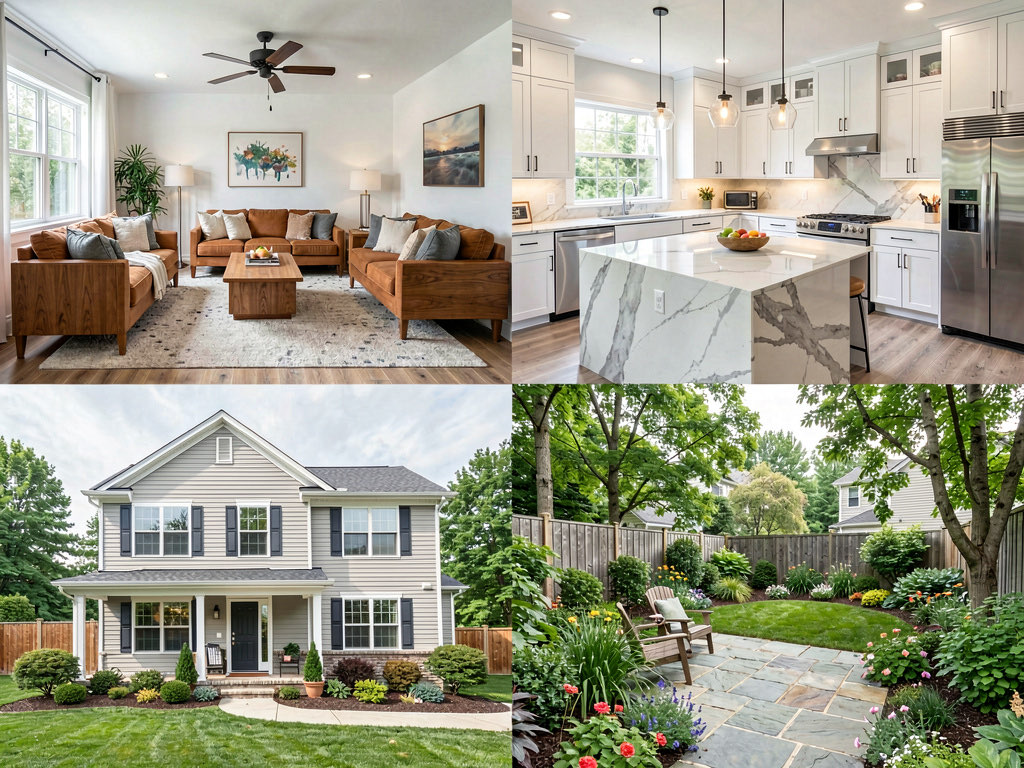
AI home design tools upload a photo of any room, exterior, or garden and generate a photorealistic redesign in 10 to 30 seconds. The best one in 2026 is Remodel AI — 8 tools (interior, exterior, staging, paint, flooring, landscape, object removal, furniture swap) with 3 free designs. Most competitors only handle interior rooms. This guide covers how AI home design actually works, what it costs, what it gets right, what it gets wrong, and which app to use depending on your project.
Two years ago, AI home design was a novelty — blurry outputs, limited styles, and results that looked more like watercolor paintings than real rooms. In 2026, the technology has caught up to the promise. Current models produce photorealistic redesigns that preserve your room's dimensions, window locations, and architectural details while replacing everything from the furniture to the flooring.
The practical result: you can try 10 different design directions for your kitchen, bedroom, bathroom, exterior, or garden in the time it takes to make coffee. No mood boards, no Pinterest spirals, no $5,000 designer retainer.
What is AI home design?
AI home design uses machine learning models trained on millions of interior and exterior photos to transform images of real spaces. You upload a photo of your room as it exists today, select a design style, and the AI generates an image of your room redesigned in that style.
The AI is not drawing from scratch. It is analyzing the structure of your space — where the walls are, where the windows fall, how the light enters — and rewriting the surfaces, furniture, and finishes while preserving the architecture. The result looks like a professional interior design rendering of your specific room, not a generic stock photo.
This is different from 3D room planners like SketchUp or Planner 5D, which require you to build a digital model of your room from scratch. AI design works from a photograph. Take a picture, pick a style, get a result. No modeling, no measurements, no technical skill required.
How AI home design works
The process is the same across every app, though the quality of results varies significantly.
Step 1: take a photo
Stand in the doorway of the room you want to redesign and take a photo with your phone. The doorway angle gives the widest view and captures the most information for the AI to work with. Natural light produces better results than artificial light.
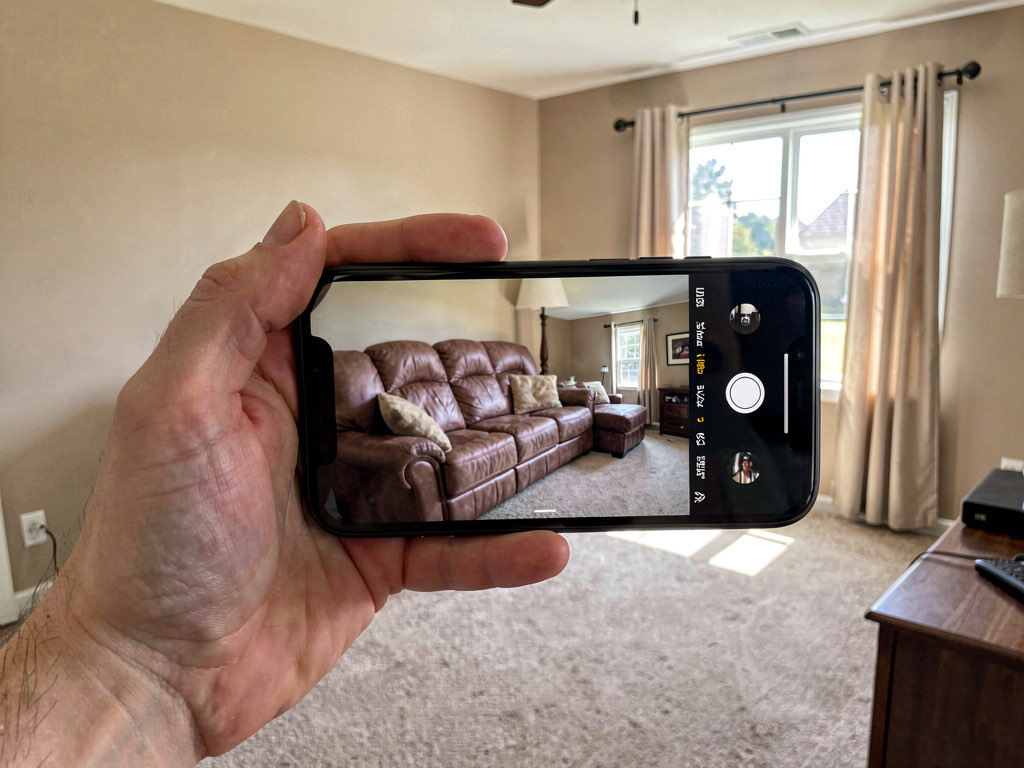
Tips for better results: keep the room relatively tidy (clutter confuses the AI), shoot during daylight hours, include at least one wall and the floor in the frame, and try multiple angles — the one showing the most of the room usually produces the best output.
Step 2: select a style
Most AI design apps offer 15 to 50+ design styles. Common options include modern, scandinavian, mid-century modern, farmhouse, industrial, minimalist, coastal, traditional, art deco, Japanese, Mediterranean, and more. Remodel AI offers 30+ interior styles, 11 exterior styles, and 10 garden styles — the widest selection of any app.
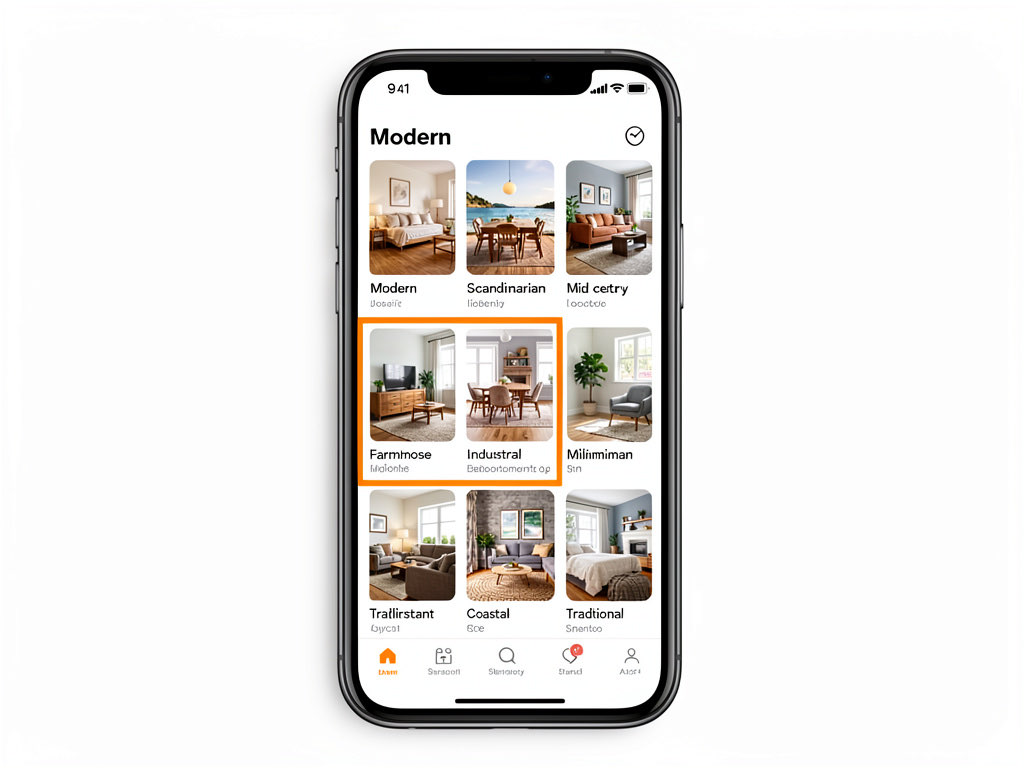
Pick the style closest to what you are imagining. If you are not sure what style you want, that is actually the best reason to use AI design — generate the same room in five different styles and see which one you respond to.
Step 3: generate and compare
Hit generate and wait 10 to 30 seconds. The AI produces a photorealistic image of your room in the selected style. The room structure stays the same — same walls, same windows, same ceiling height — but the furniture, finishes, colors, and details change to match the style.
Generate the same room in three to five styles and compare them side by side. The AI is fast enough that testing multiple directions costs almost nothing in time.
What you can redesign with AI
The best AI home design tools are not limited to living rooms. Here is what the current generation can handle.
Interior rooms
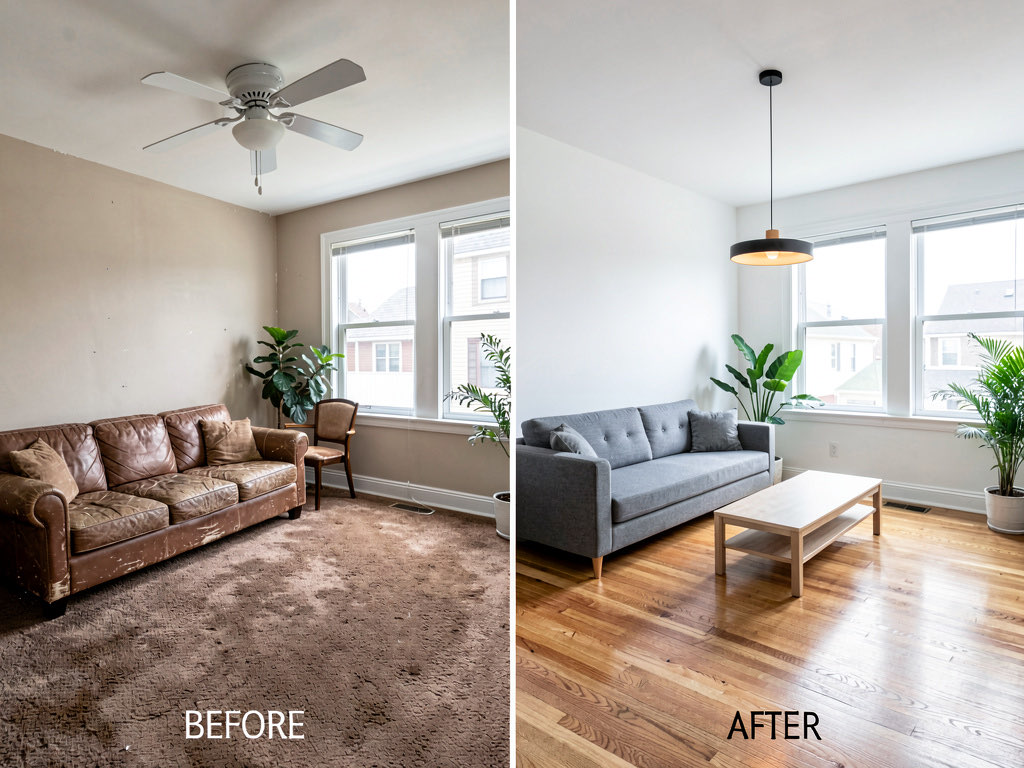
Living rooms, bedrooms, kitchens, bathrooms, dining rooms, home offices, entryways, nurseries — any interior space. The AI handles furnished and unfurnished rooms. Most apps let you specify the room type so the AI places appropriate furniture.
Kitchens
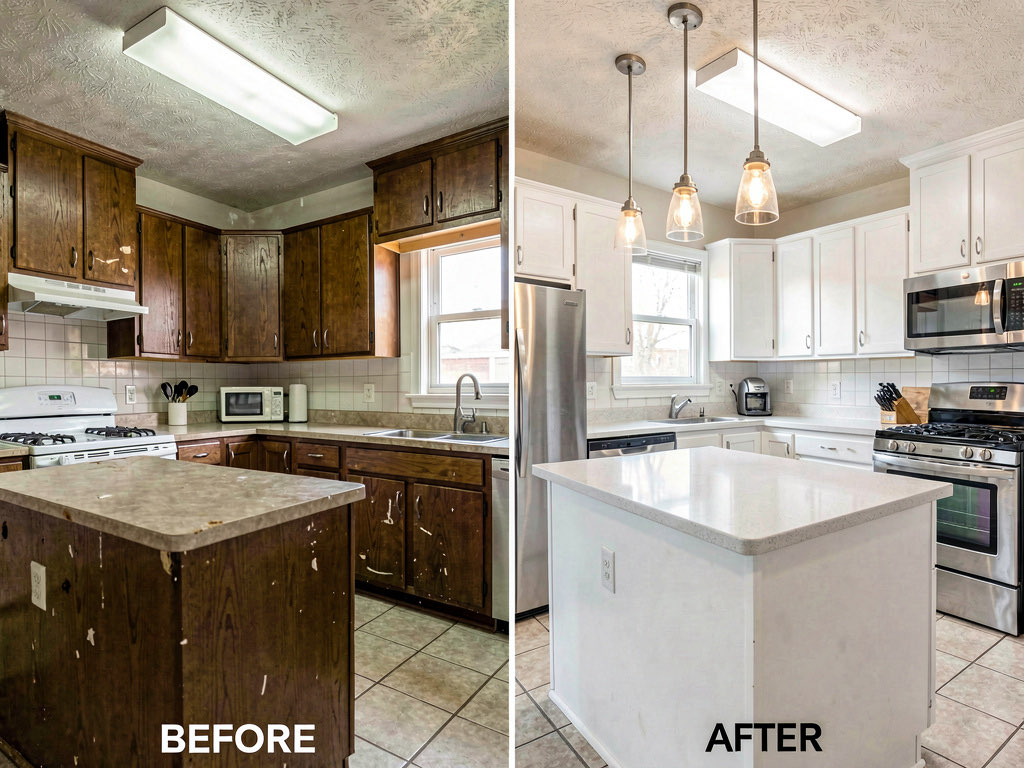
Kitchen redesigns are one of the most popular uses. The AI can change cabinets, countertops, backsplash, flooring, appliances, and lighting. It handles galley kitchens, L-shaped layouts, and islands. For a deeper look, see our AI kitchen design guide.
Exteriors
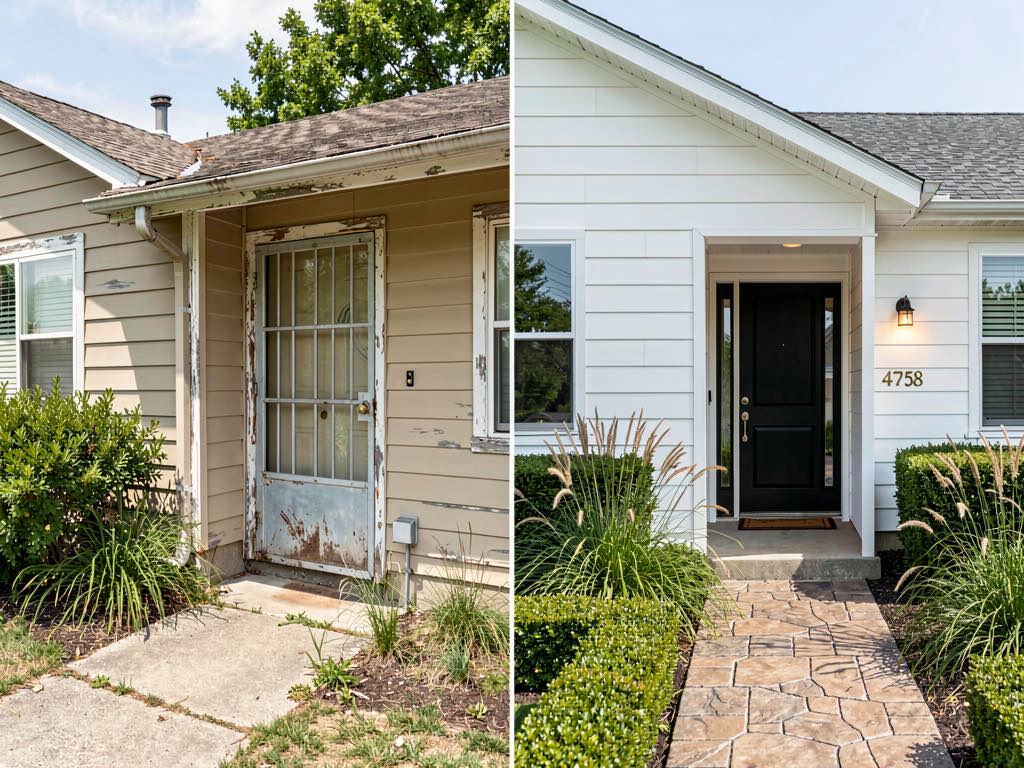
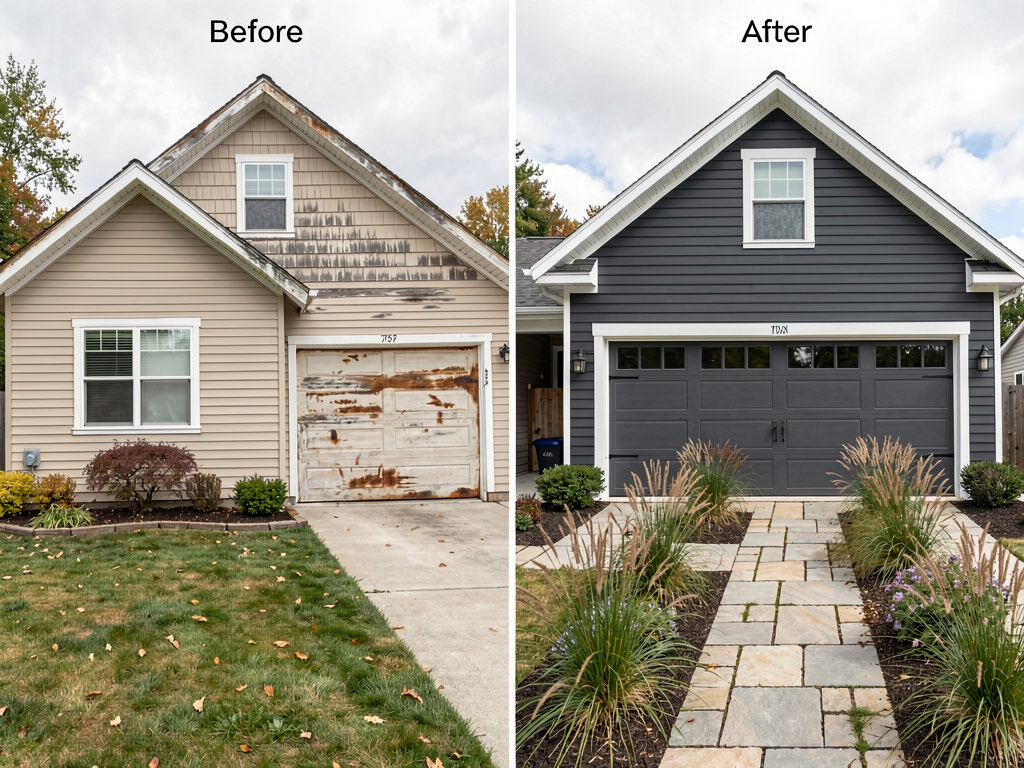
Upload a photo of your home's exterior and see it with new siding, paint, roofing, doors, windows, and landscaping. Exterior design is where Remodel AI has the biggest advantage over competitors — most apps either skip exterior design entirely or handle it poorly.
Gardens and landscaping
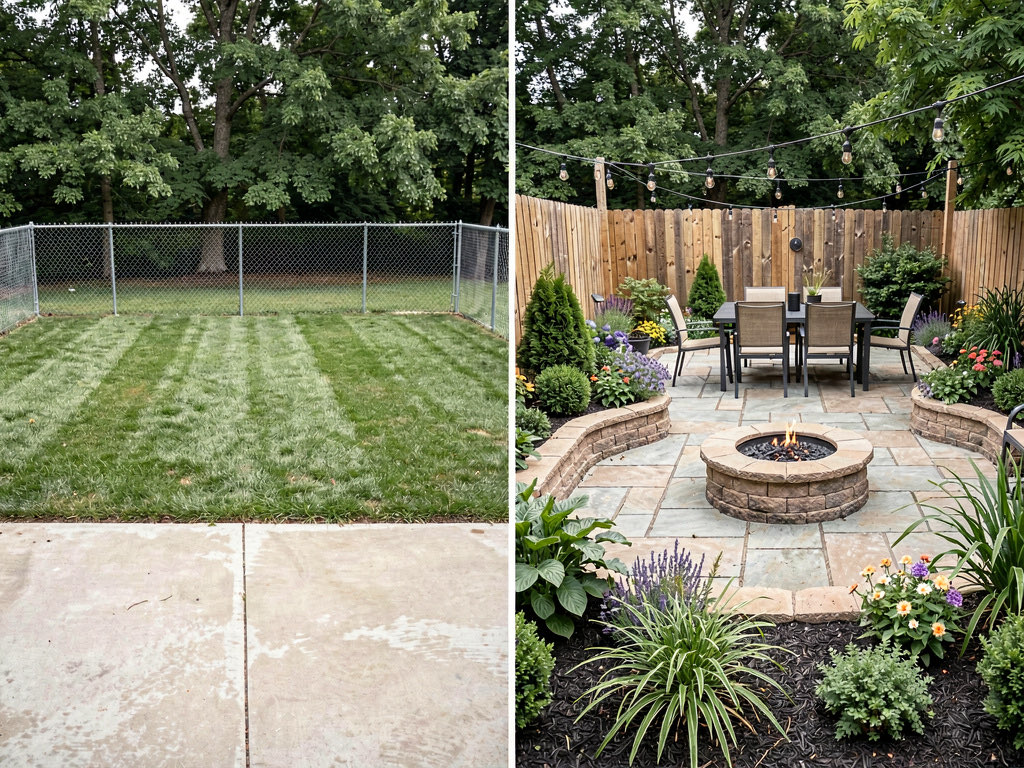
Garden and landscape design uses the same upload-and-generate flow. Upload a photo of your backyard, front yard, or patio and see it transformed with new plantings, hardscaping, outdoor furniture, and lighting. See our AI landscape design guide for a detailed walkthrough.
6 best AI home design apps in 2026
Not all AI design tools produce the same quality results. Here are the six best options, tested and compared.
| App | Free tier | Paid price | Interior | Exterior | Garden | Staging |
|---|---|---|---|---|---|---|
| Remodel AI | 3 designs | $29/mo | Yes (30+ styles) | Yes (11 styles) | Yes (10 styles) | Yes |
| AI Designer | 3 designs | $19/mo | Yes | Limited | No | No |
| RoomGPT | 1 design | $29/mo | Yes | No | No | No |
| Interior AI | 1 design | $39/mo | Yes | No | No | Yes |
| HomeDesigns AI | 3 designs | $29/mo | Yes | Yes | Yes | No |
| Planner 5D | Free (3D) | $25/mo | 3D only | No | No | No |
Remodel AI is the most complete option. It handles interior rooms, exteriors, gardens, staging, paint visualization, flooring preview, landscape design, object removal, and furniture swapping — 8 tools in one app. Most competitors focus only on interior rooms. The free tier gives you 3 full designs with no watermarks and no credit card required. Available on iOS, Android, and web.
AI Designer is a good second choice for interior-only projects. It produces quality results for rooms but does not handle exteriors or gardens.
See Your Room Redesigned
Download Remodel AI and transform any room in 30 seconds. 3 free designs, no signup.


RoomGPT was one of the earliest AI design tools. It handles interior rooms well but has fallen behind on features — no exterior, no garden, no staging.
Interior AI is popular for virtual staging (making empty rooms look furnished for real estate listings). If staging is your primary use case, it is worth trying alongside Remodel AI.
For detailed comparisons, see our roundup of the best AI interior design apps and the best free AI interior design apps.
What AI home design costs
The range is $0 to $99 per month. Here is how the pricing breaks down.
Free tier ($0): Most apps offer 1 to 3 free designs. Remodel AI gives 3 free designs with full access to all tools and styles. This is enough to test the technology and get a few useful results. No credit card required.
Basic plans ($10-$29/mo): 50 to 200 designs per month. Enough for a homeowner planning one or two rooms. Remodel AI's Pro plan is $29/mo with 100 designs.
Premium plans ($29-$49/mo): 200 to 500 designs per month. Good for someone remodeling multiple rooms or trying many style variations. Remodel AI's Premium plan is $49/mo with 300 designs.
Professional plans ($50-$99/mo): 500+ designs per month. Built for real estate agents, designers, and contractors who use the tool daily.
For comparison, hiring an interior designer costs $2,000 to $5,000 for a single room. A $29/month AI subscription that covers every room in your house is a different cost category entirely.
What AI home design gets right
Speed. A result in 10 seconds vs. 4 to 6 weeks from a designer.
Cost. Free to $49/month vs. $2,000 to $5,000+ for professional design.
Exploration. You can try 30 different styles on the same room without committing to anything. This is the real value — most people do not know what style they want until they see it in their space.
Your actual room. The AI works with YOUR room dimensions, YOUR windows, YOUR light. Pinterest photos of someone else's house are less useful because their room is a different shape and size.
What AI home design gets wrong
Fine details. AI occasionally generates a faucet with six handles, a window where there should be a wall, or furniture that floats slightly above the floor. The output is directional, not pixel-perfect.
Exact product matching. The AI generates a style, not a shopping list. It will show you what a mid-century modern living room looks like in your space, but it will not tell you which specific sofa that is or where to buy it.
Structural changes. AI redesigns surfaces and furnishings. It does not knock down walls, add windows, or change ceiling heights. If your renovation requires structural work, you still need an architect.
Scale accuracy. The AI occasionally places oversized furniture in small rooms or vice versa. Results improve when the original photo clearly shows the room's proportions.
AI home design vs. hiring a designer
The question is not whether AI replaces designers — it does not. The question is when to use which.
Use AI when: you are in the exploration phase and want to see multiple directions quickly, you have a clear vision and just need to confirm it works in your space, you are doing a cosmetic refresh (paint, furniture, accessories) and do not need technical drawings, or your budget does not allow for a designer.
Hire a designer when: you are doing structural work that requires drawings and permits, you need exact specifications for a contractor, the project budget exceeds $50,000 and mistakes are expensive, or you want someone to manage the entire project from concept to completion.
The smartest approach: use AI to narrow down the style, then bring the AI-generated images to a designer or contractor as a starting reference. This saves hours of back-and-forth and gives your contractor something concrete to bid on.

How to get started with AI home design for free
- Download Remodel AI on iOS, Android, or use the web app at remodelai.io/app
- Take a photo of the room, exterior, or garden you want to redesign
- Upload the photo and select the appropriate tool (interior, exterior, landscape, etc.)
- Choose a design style
- Generate and review the result in about 10 seconds
- Try 2 more styles with your remaining free designs
3 free designs, no credit card, no watermarks. That is enough to see what AI home design can do with your specific space.
Frequently asked questions
Is AI home design accurate?
AI home design produces photorealistic images that are directionally accurate — they show you what a style looks like in your specific room with your specific layout. They are not construction documents. Use AI output as a design direction, not a blueprint. The room proportions, window placements, and overall feel are preserved. Individual details like exact furniture dimensions may vary.
Can AI design my kitchen?
Yes. Kitchen redesigns are one of the most popular uses for AI home design. Upload a photo of your kitchen and see it with new cabinets, countertops, backsplash, flooring, and appliances in any style. Remodel AI handles kitchens well — see our AI kitchen design guide for a full walkthrough.
Is there a completely free AI home design tool?
Several apps offer free tiers. Remodel AI gives 3 free designs with access to all tools and all styles — no credit card, no watermarks. That is enough to test the technology on your own space. For more free options, see our guide to free AI interior design apps.
Can AI design exteriors and gardens?
Most AI design tools only handle interior rooms. Remodel AI is one of the few that handles interiors (30+ styles), exteriors (11 styles), and gardens (10 styles). This makes it the best choice if you are planning a whole-home project.
How is AI home design different from 3D room planners?
3D room planners (like Planner 5D, SketchUp, or RoomSketcher) require you to build a digital model of your room — measuring walls, placing doors and windows, adding furniture manually. AI home design works from a photograph. Take a picture, pick a style, get a result. No technical skill, no measurements, no 3D modeling. The tradeoff is that AI gives you a photorealistic image, not an interactive 3D model you can walk through.
Ready to Try AI Interior Design?
Upload a photo and redesign any room in seconds. 3 free designs, no signup required.