Home office design ideas that help you actually focus
Home office design ideas for every style and budget — desk placement, lighting, storage, and ergonomic setups that help you do real work from home.

Ryan H.
Founder of Remodel AI · April 6, 2026 · 12 min read
Most home office design ideas you find online are staged rooms with a $3,000 desk, a single notebook placed at a perfect angle, and zero evidence that anyone has ever worked there. That's not helpful. What you need is a workspace that handles video calls, accommodates eight hours of sitting, stores your actual stuff, and doesn't make you want to crawl back to bed. The good news is that a functional, good-looking home office doesn't require a dedicated room or a big budget.
Here are the approaches that work, organized by what actually matters: where you sit, what you see, and how the room supports the work you do.
1. The dedicated room setup
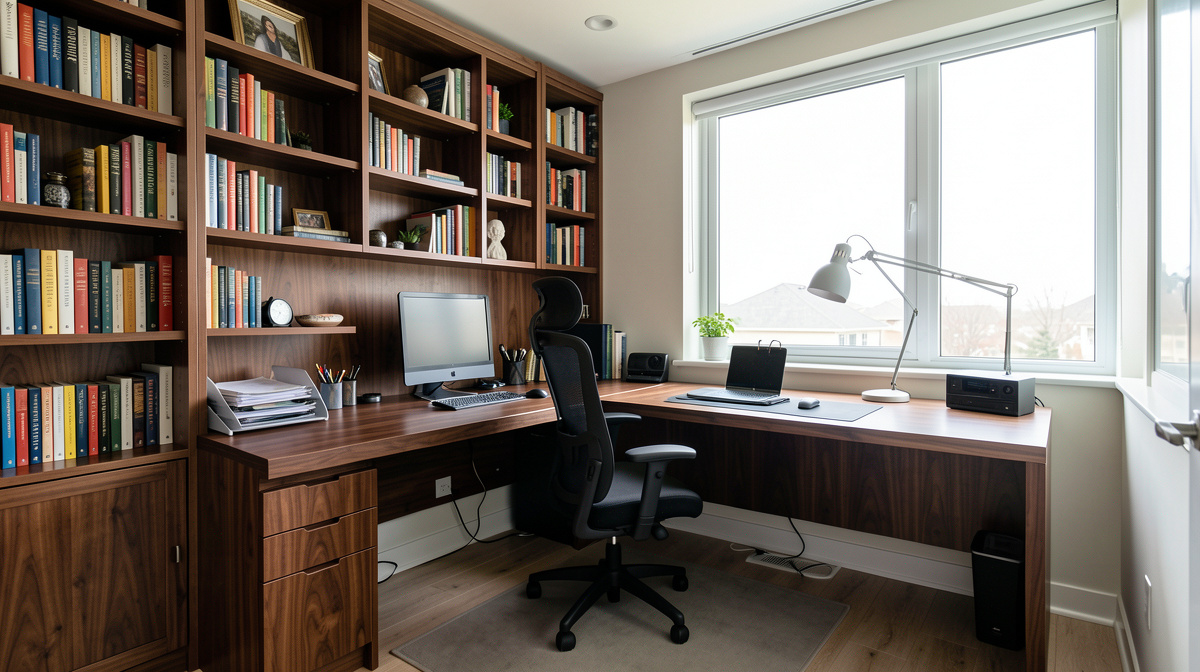
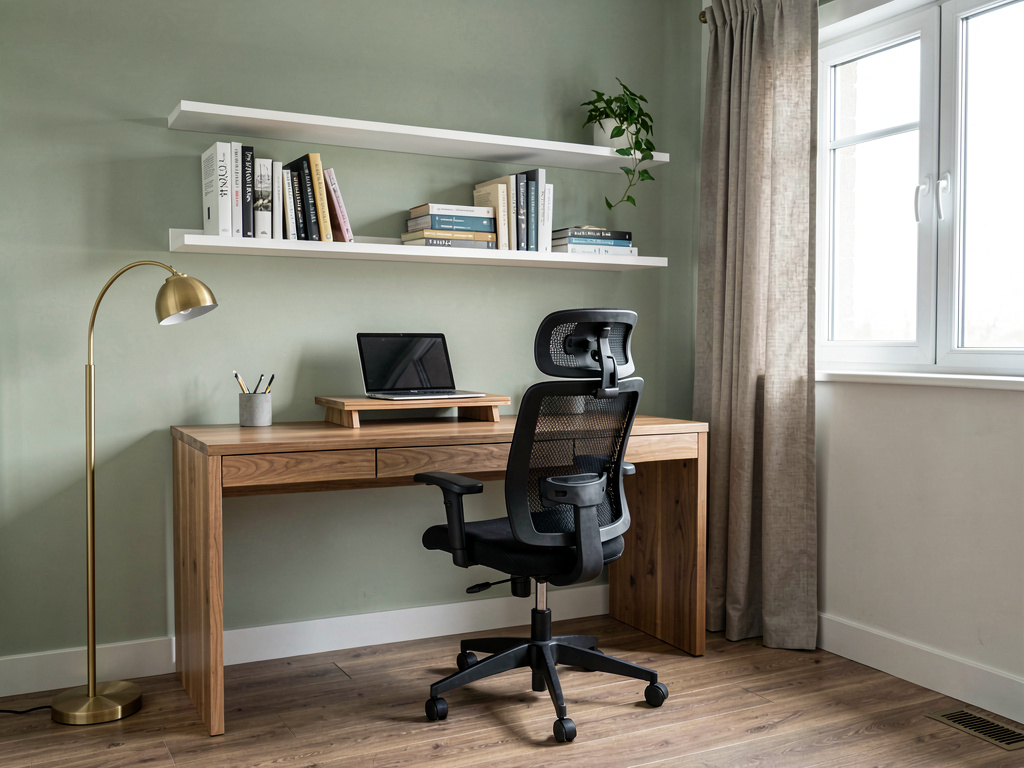
If you have a spare bedroom or den, converting it into a full-time office gives you the most flexibility. A 10x10 room fits an L-shaped desk (60" x 48"), a bookshelf, and a filing cabinet comfortably. The door is the biggest asset here — it separates work from life, reduces background noise on calls, and signals to anyone else in the house that you're working.
Place the desk so you face the door or a window, not a blank wall. Facing a wall creates a claustrophobic feeling that compounds over an eight-hour day. If the room has one window, position the desk perpendicular to it so natural light comes from the side rather than creating glare on your screen or backlighting you on video calls.
Cost estimate: $1,500-$4,000 for furniture, lighting, and storage. The biggest expense is the desk and chair — skimp on everything else before you skimp on those two.
2. Desk placement that works for video calls
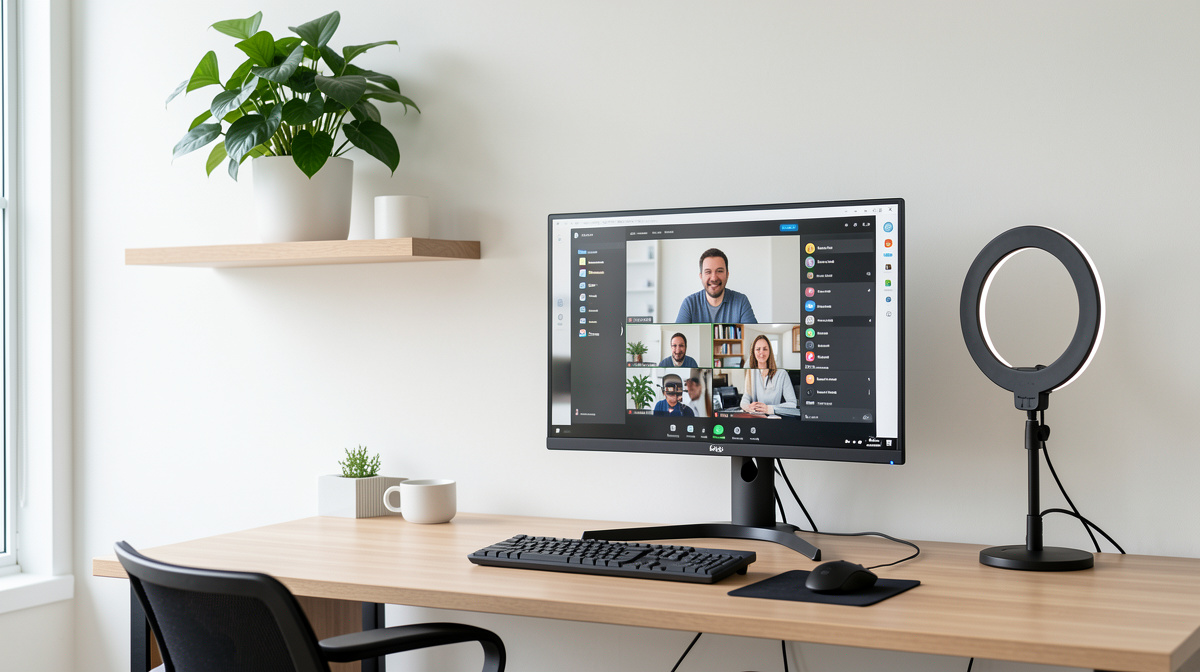
Video calls changed everything about home office design. Your background is now part of your professional image, and your lighting determines whether you look like a competent adult or a witness in a true crime documentary. The best setup puts a window in front of you or to the side (never behind you), a bookshelf or clean wall behind you, and your camera at eye level.
If you can't control the natural light, a desk lamp with a daylight bulb (5000K) placed behind your monitor or a small ring light clipped to your screen fixes the problem for $20-$50. The Wirecutter's 2025 home office guide found that front-facing natural light combined with a single adjustable desk lamp produces the most flattering and functional lighting setup for both video calls and focused work.
3. The living room corner office
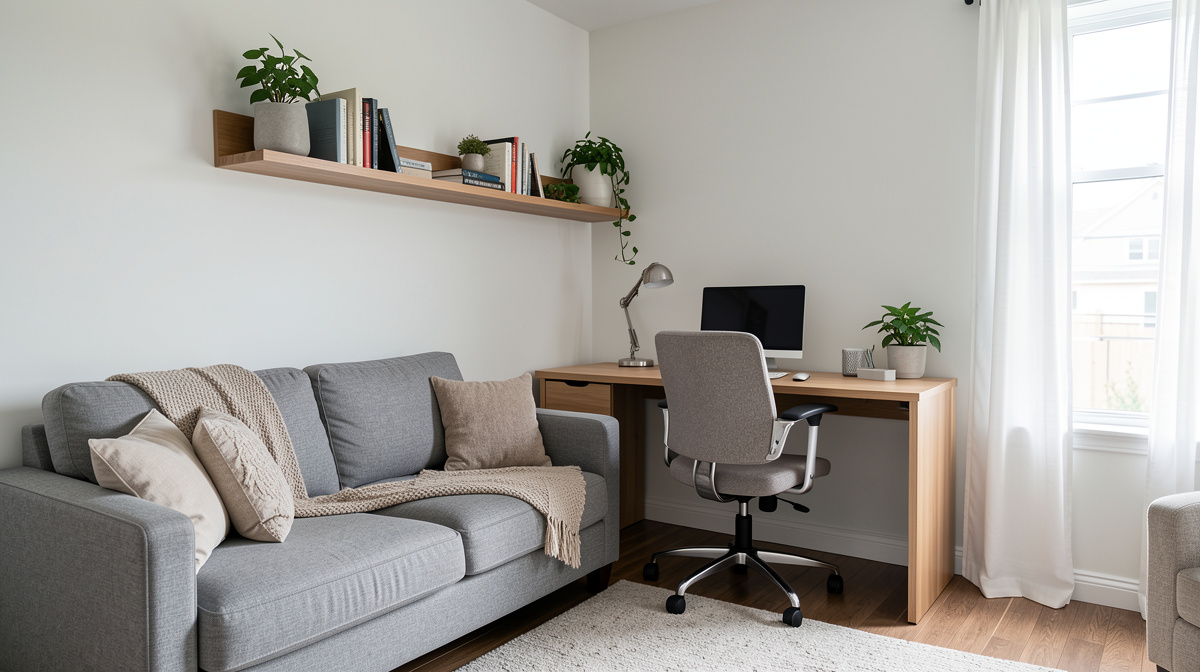
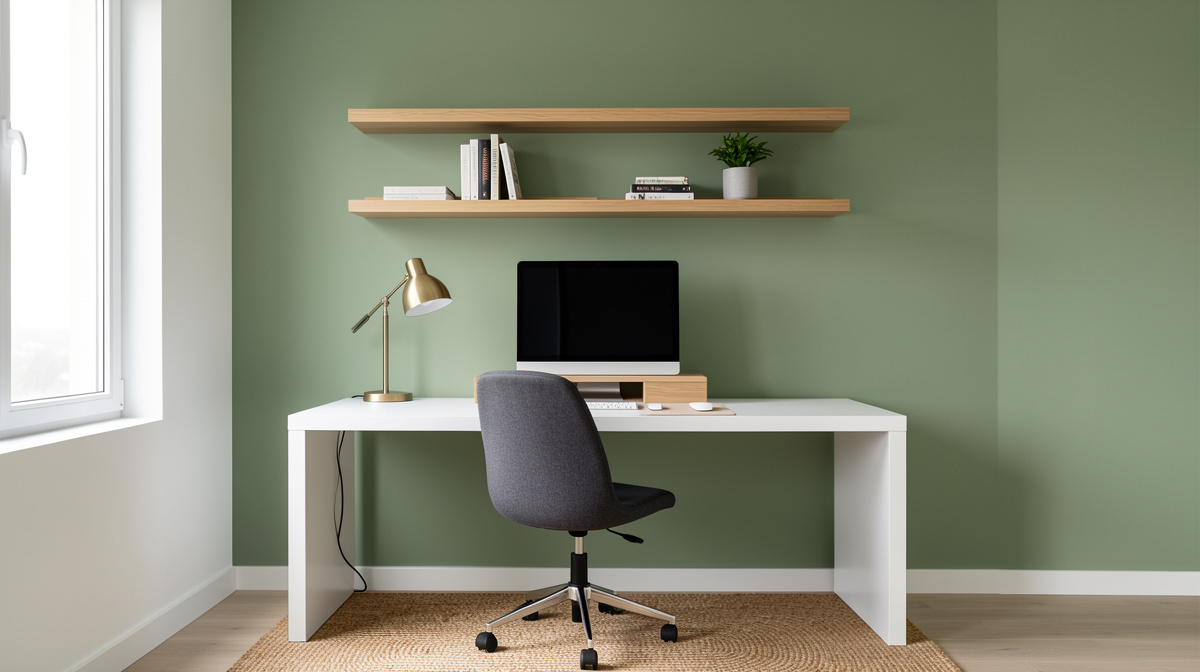
Not everyone has a spare room. A corner of the living room works if you design it right. The key is creating visual separation without walls. A wall-mounted floating desk (30" wide is enough for a laptop and monitor) keeps the floor clear. Floating shelves above it provide storage without a bulky bookcase. A small rug under the desk chair defines the "office zone" within the larger room.
The mistake most people make with a living room office is trying to hide it. A desk shoved in a corner with tangled cables looks worse than a desk that's designed to be seen. Treat it like furniture — match the desk finish to your other wood tones, use cable management clips ($5-$10), and add one personal item like a plant or a framed photo.
Cost estimate: $400-$1,200. A floating desk runs $100-$300, floating shelves $50-$150, a decent task chair $200-$500, and accessories $50-$200.
This approach works especially well in apartments where space is limited. For more ideas on making small rooms work harder, see our small living room ideas guide.
4. The modern home office
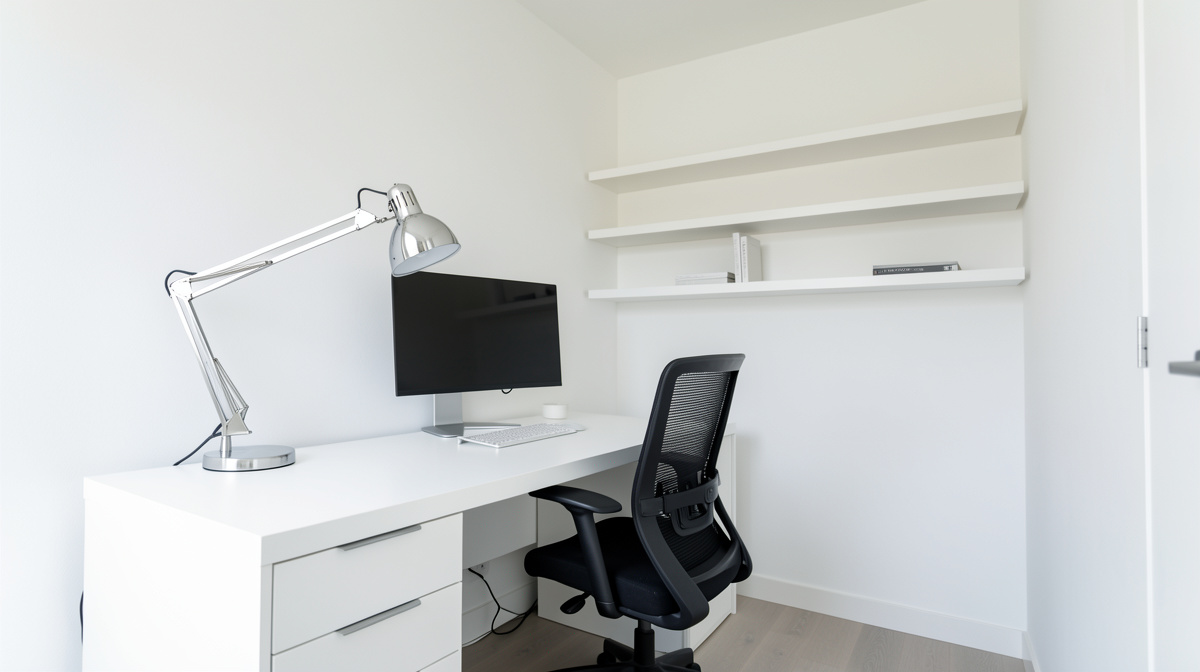
Clean lines, a neutral palette, and nothing on the desk that doesn't need to be there. A white or light wood desk with slim metal legs, a mesh ergonomic chair in black or gray, a single monitor on a monitor arm (which frees up desk space), one concrete or ceramic planter, and cable management that hides every wire. The walls are white or light gray with one piece of simple abstract art.
Modern offices work well for video calls because the clean background looks professional without being sterile. The color palette keeps the room feeling open even in small spaces. According to a 2025 survey by Steelcase, workers in uncluttered home offices reported 23% higher focus scores compared to those in visually busy environments, which tracks with what cognitive science has said about visual noise for decades.
Cost estimate: $1,200-$3,500. The ergonomic chair is the big ticket item ($300-$1,200). A clean modern desk runs $200-$800. Monitor arm $30-$100. Accessories $100-$300.
5. The Scandinavian home office
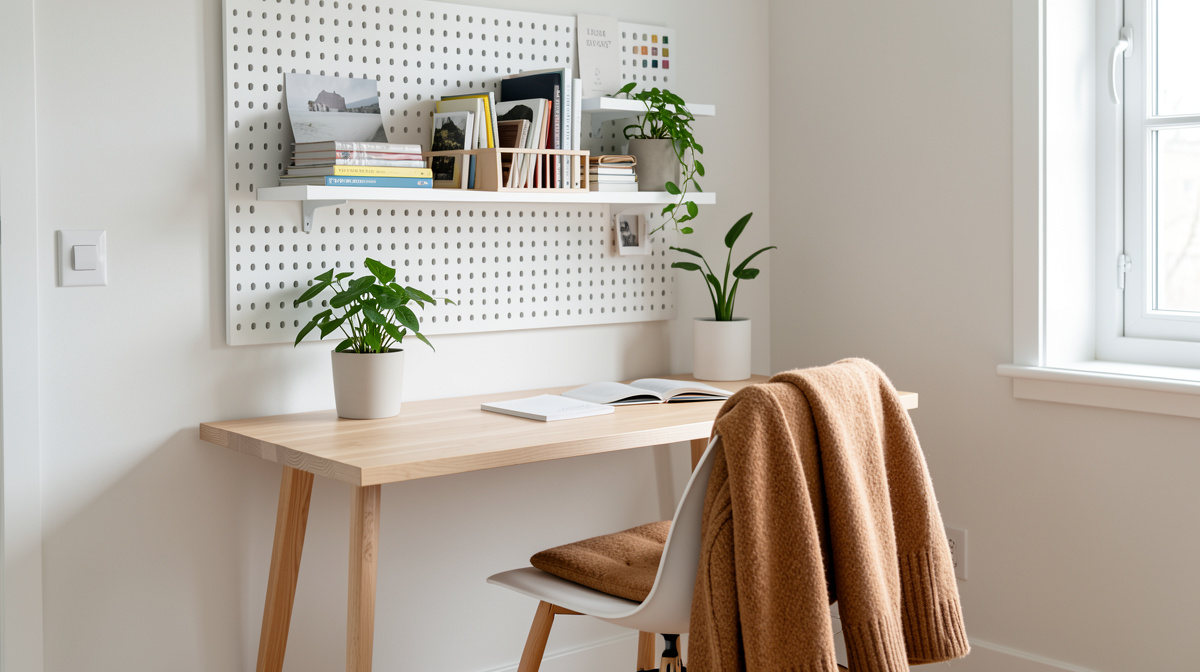
Light wood everywhere — birch, pine, or ash. White walls. A woven wool or cotton rug in cream or light gray. A pendant light with a paper or fabric shade instead of harsh overhead fluorescents. The desk is simple — a birch plywood top on tapered legs or a white laminate top on light wood legs. Storage comes from open shelving in the same light wood, with a few woven baskets to contain papers and supplies.
Scandinavian design works particularly well for home offices because it prioritizes natural light and calm materials. The lack of visual contrast reduces eye fatigue over long working hours. If your office gets limited natural light, lean into warm white bulbs (2700K-3000K) and add a table lamp with a fabric shade to mimic the soft, diffused quality of Nordic light.
Cost estimate: $800-$2,500. Scandinavian furniture is widely available at mid-range price points through IKEA, Article, and similar retailers.
6. The industrial home office
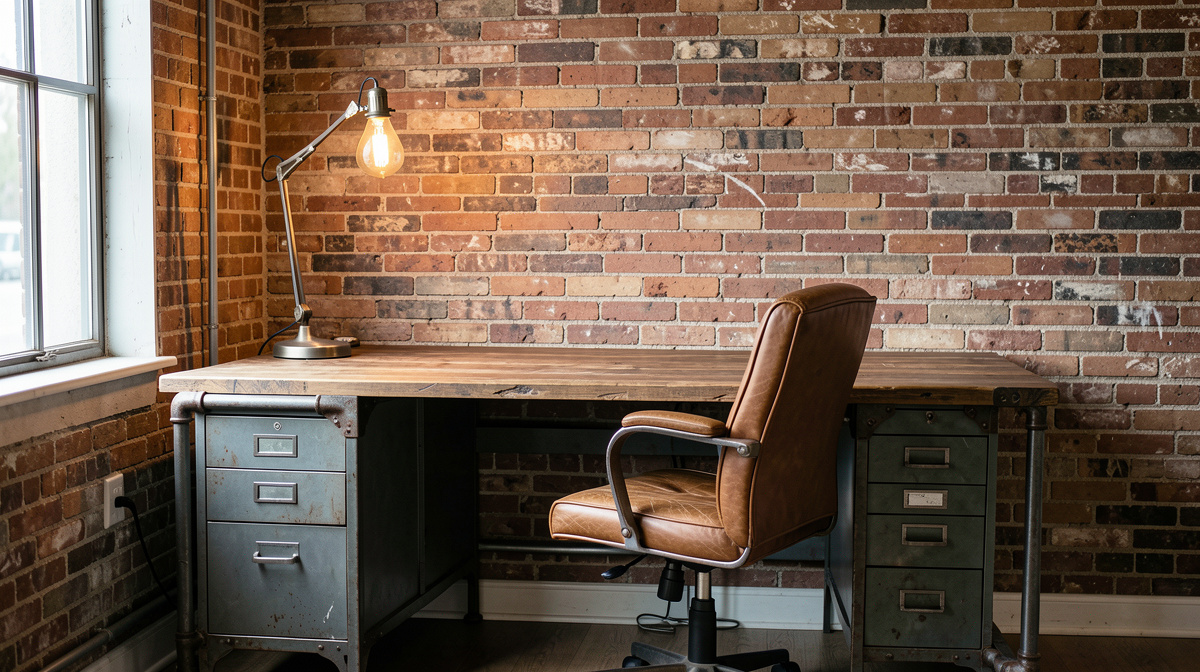
A desk made from reclaimed wood and black iron pipe legs, metal shelving units, Edison bulb pendant lights, exposed brick or concrete walls (or a convincing peel-and-stick wallpaper version). A distressed leather office chair or a vintage metal stool. Wire baskets and metal bins for storage. The color palette is browns, blacks, and grays with warm amber light.
Industrial offices have a natural authority on video calls — the textured background reads as intentional without trying too hard. This style also ages well because the materials are meant to show wear. A scratch on a reclaimed wood desk adds character. A scratch on a white laminate desk looks broken.
Cost estimate: $600-$2,000. This is one of the most budget-friendly styles because secondhand and thrift store finds actually look better than new items. A pipe desk can be DIY'd for $150-$300 in materials.
7. The traditional home office
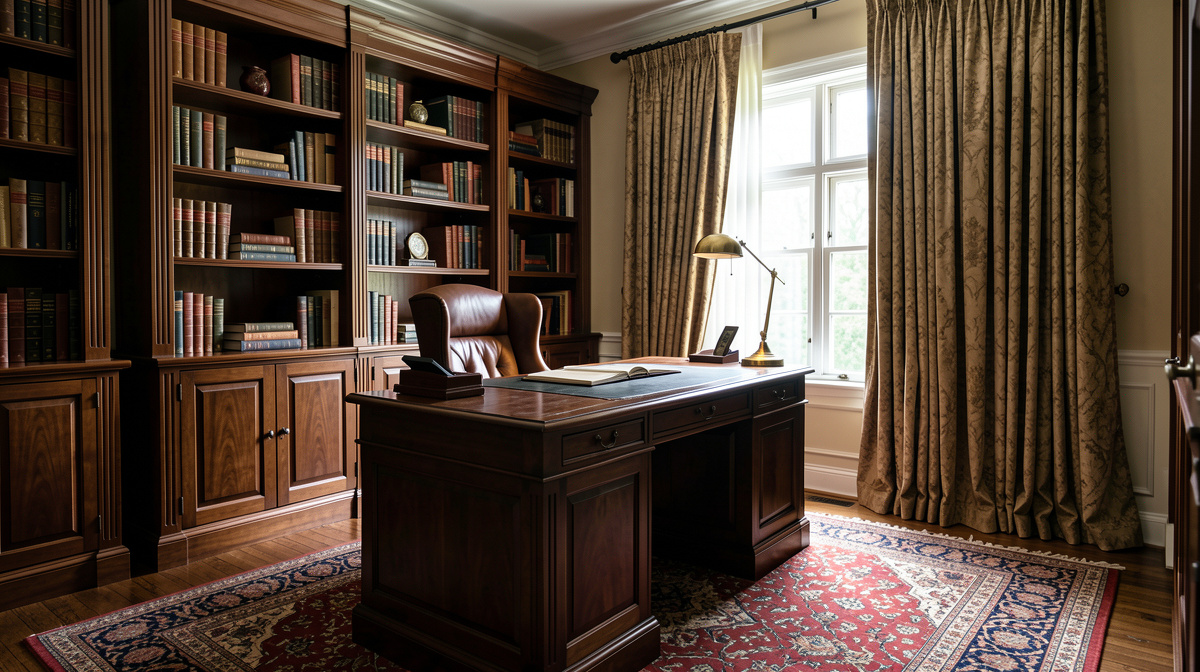
A solid wood desk in walnut or cherry with traditional details — raised panel sides, brass drawer pulls. A leather executive chair in brown or burgundy. Built-in or freestanding bookshelves flanking the desk, filled with actual books. A brass banker's lamp or a traditional green-shaded desk lamp. Crown molding, rich wall color (navy, hunter green, or warm gray), and a Persian or Oriental rug.
This style communicates permanence and seriousness, which is why lawyers, financial advisors, and executives tend to gravitate toward it. The downside is cost — real wood furniture and built-in shelving aren't cheap. The upside is that traditional office furniture holds its resale value better than any other style.
Cost estimate: $3,000-$10,000+. A quality wood desk alone runs $800-$3,000. Leather chair $500-$2,000. Built-in bookshelves $1,500-$5,000 if custom.
See Your Room Redesigned
Download Remodel AI and transform any room in 30 seconds. 3 free designs, no signup.


8. Lighting that works for screens and eyes
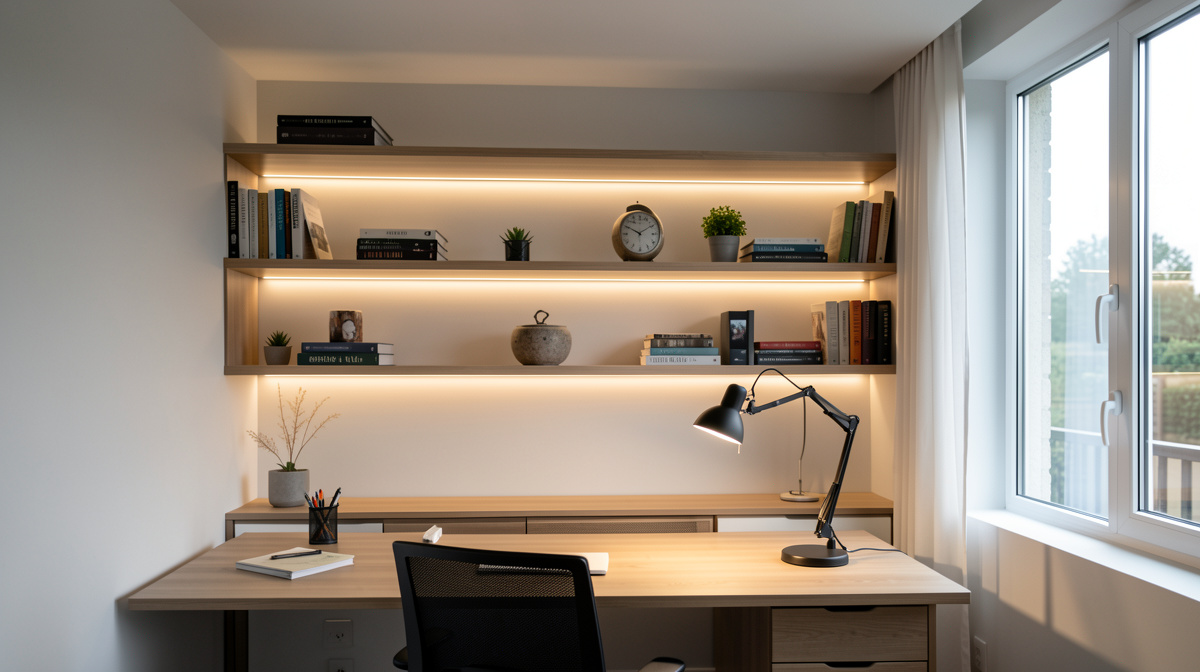
Good office lighting has three layers. Ambient light fills the room evenly — this can be overhead recessed lights, a ceiling fixture, or natural light from windows. Task light illuminates your desk and keyboard — a desk lamp with an adjustable arm lets you direct light where you need it without glare on your monitor. Bias lighting, a strip of LED lights behind your monitor, reduces eye strain by eliminating the contrast between a bright screen and a dark wall.
The single worst lighting setup (and the most common) is a single overhead fluorescent or LED panel with no other light source. It creates harsh shadows under your brow and nose on video calls and causes eye fatigue by the afternoon. Adding a $20 LED light strip behind your monitor and a $30-$60 desk lamp fixes both problems.
9. Storage that handles real clutter
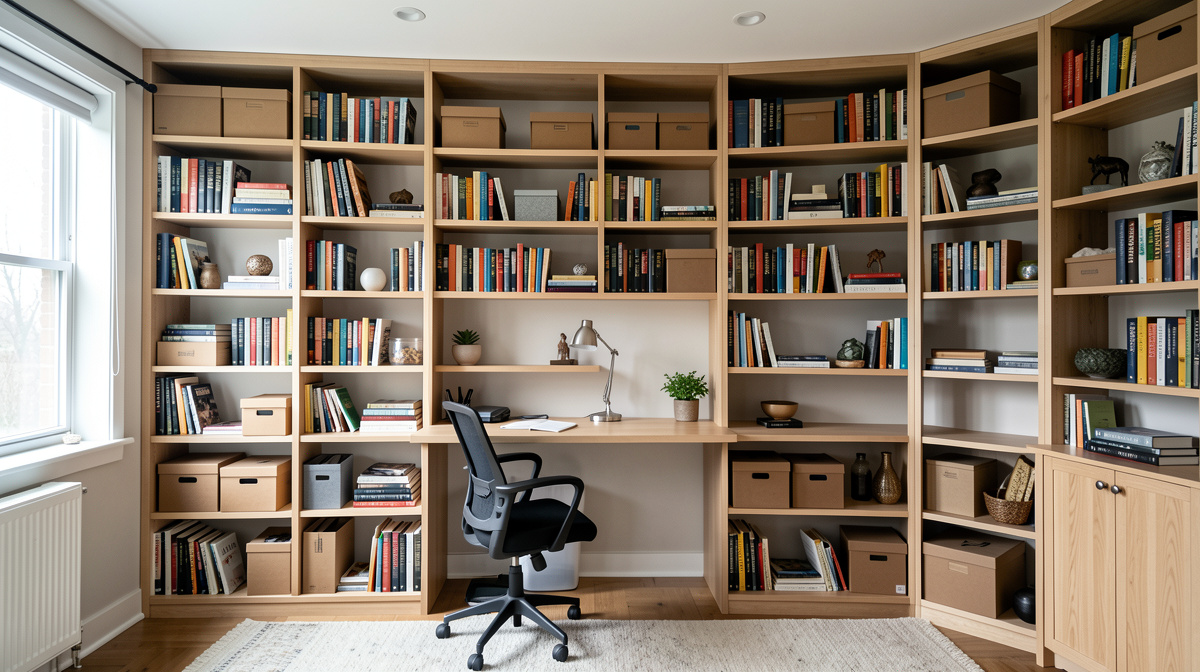
The Instagram version of a home office has one notebook and a plant on the desk. Real offices have cables, chargers, notebooks, pens, headphones, reference materials, tax documents, and whatever else accumulates over years of working. Storage design has to handle all of it.
The formula that works: closed storage for ugly stuff (cables, papers, office supplies) and open shelving for things that look good (books, plants, framed photos, decorative objects). A mix of 70% closed and 30% open keeps the room looking clean while giving you places to put everything. Wall-mounted shelves save floor space. A filing cabinet on wheels can slide under the desk when not in use.
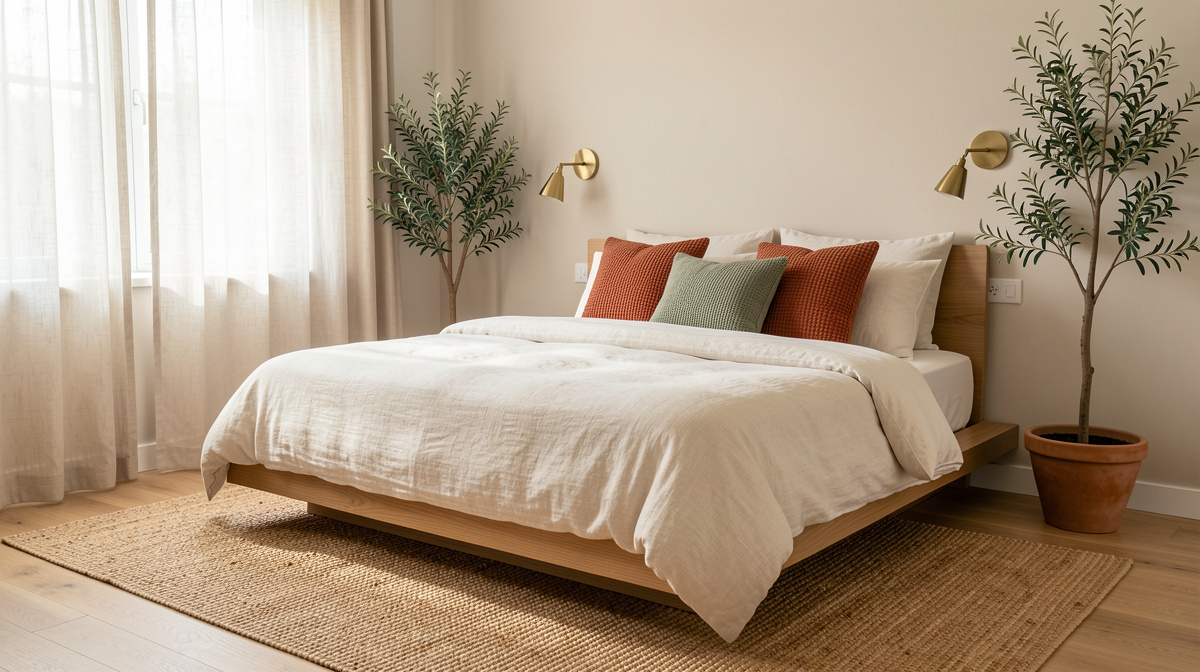
If your home office shares space with a bedroom, this balance matters even more — check our modern bedroom ideas for setups that combine sleep and work zones without either feeling compromised.
10. The dual-purpose room
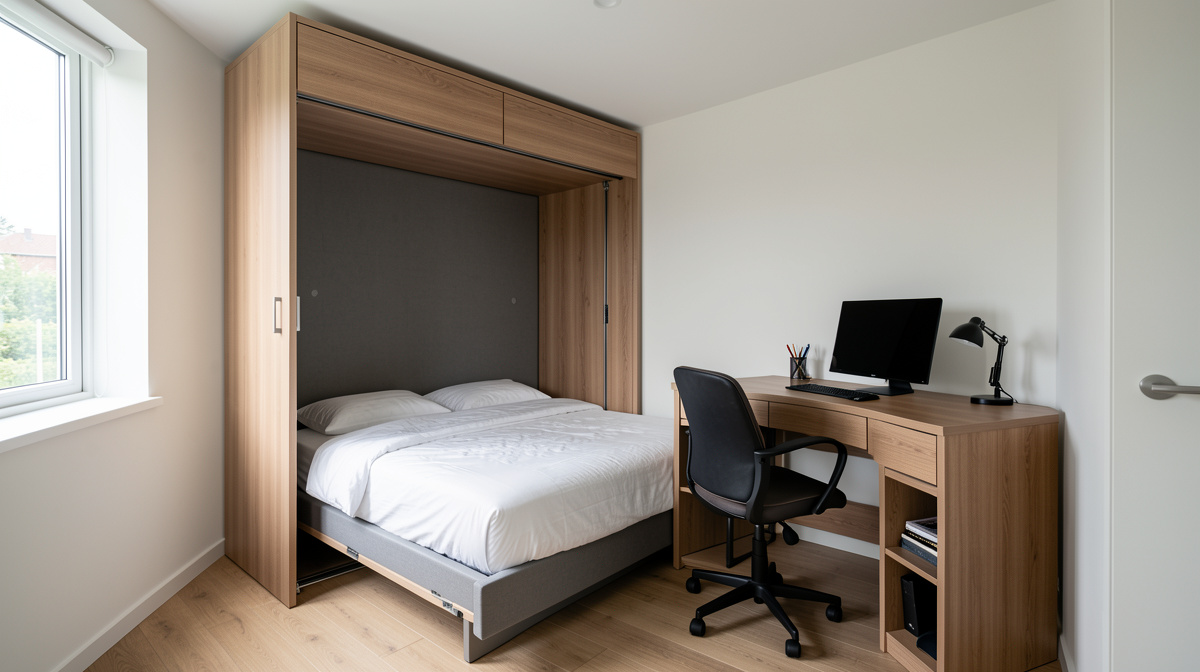
Most home offices share space with something else — a guest bedroom, a crafting area, a reading nook, or a playroom. The dual-purpose office works when you create clear zones. A Murphy bed or daybed along one wall keeps guest sleeping space available without dominating the room. A fold-down wall desk or a desk that doubles as a console table maintains the office function without permanent desk sprawl.
The best dual-purpose trick is a closet office. A standard 6-foot closet, with the doors removed and a desktop installed at desk height, creates a complete office that disappears when you close the closet doors. Add a power strip, a shelf above the desk, and a task light, and you have a fully functional workspace in zero square feet of room space.
Cost estimate: $500-$2,000 for a closet conversion. Murphy beds run $1,500-$4,000 installed.
11. Ergonomic considerations that actually matter
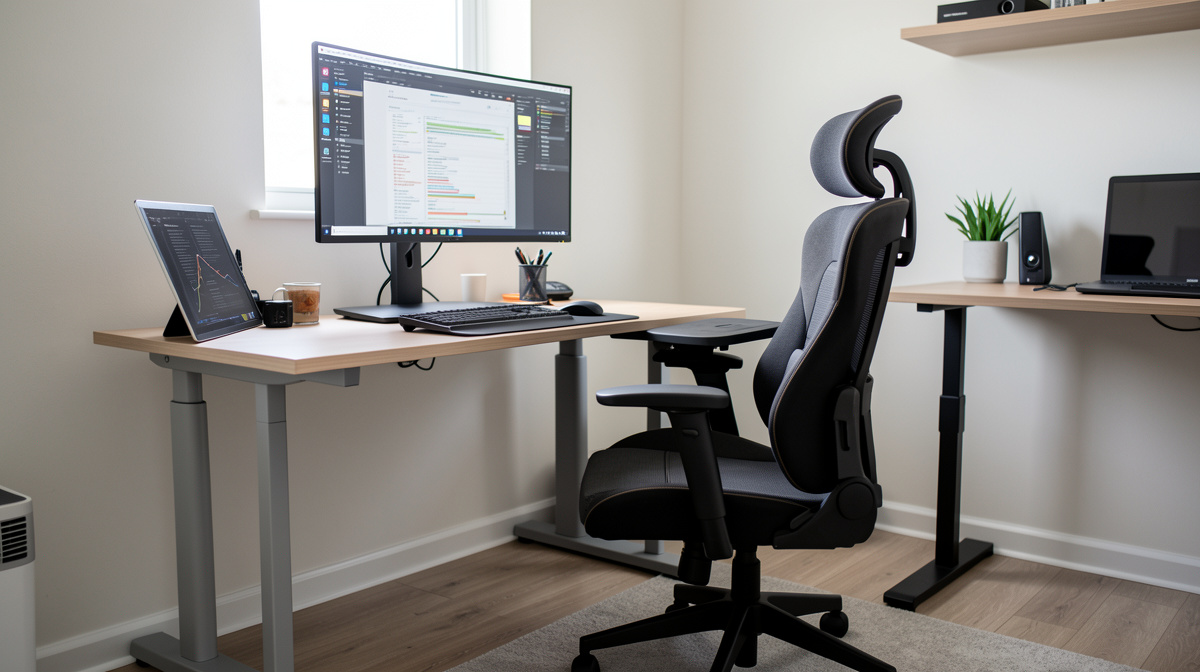
Your monitor should be at arm's length with the top of the screen at or just below eye level. Your elbows should be at 90 degrees when typing. Your feet should be flat on the floor or on a footrest. Your chair should support your lower back. These four things matter more than any aesthetic choice you make in the room.
A standing desk converter ($150-$400) lets you alternate between sitting and standing without replacing your desk. A monitor arm ($30-$100) adjusts height and distance precisely. An ergonomic keyboard ($50-$150) and mouse ($30-$80) reduce wrist strain. According to Cornell University's ergonomics research, proper workstation setup reduces reported musculoskeletal discomfort by 40-60% compared to unoptimized setups.
The chair is the single most important purchase. A good ergonomic chair ($300-$1,200) will outlast three cheap chairs ($80-$150 each) and save you from back pain. The Herman Miller Aeron, Steelcase Leap, and Autonomous ErgoChair are the three most recommended options across price points.
12. Cable management and tech integration
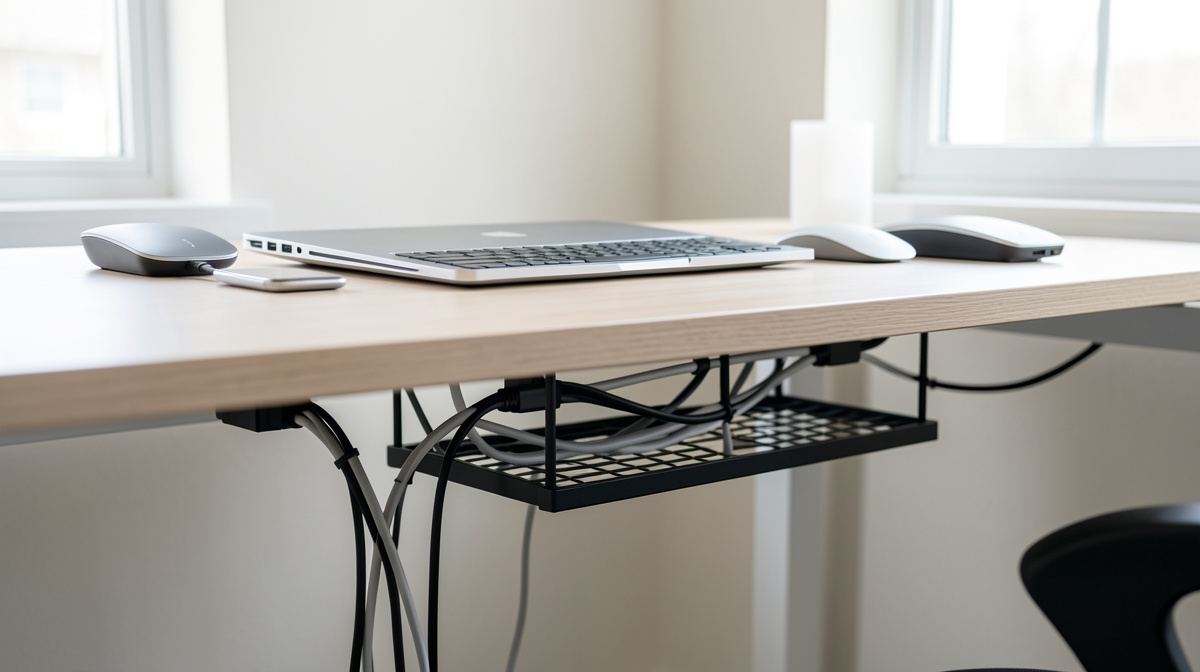
Nothing ruins a well-designed office faster than a tangle of cables visible from across the room. The fix is straightforward: a cable management tray under the desk ($15-$30) holds power strips and excess cable length. Adhesive cable clips ($5-$10 for a pack) route individual cables along the desk edge or wall. A wireless charging pad ($15-$30) eliminates one cable. Bluetooth keyboard and mouse eliminate two more.
For the desk surface itself, a single cable running to a USB-C hub or docking station can replace five or six individual cables. The hub connects your monitor, keyboard, mouse, charger, and any peripherals through one connection. The result is a desk with one cable instead of seven.
How to try these styles in your own room
You don't need to buy anything to see how a Scandinavian desk setup or an industrial bookshelf wall would look in your space. Remodel AI lets you upload a photo of your room and apply different design styles, so you can compare a modern office against a traditional one in your actual space before you commit to any purchases.
Frequently asked questions
What is the best desk placement for a home office?
Place your desk perpendicular to a window if possible — natural light from the side prevents glare on your screen and backlighting on video calls. Face the door if you can, which reduces the startle factor of someone walking in behind you. Avoid facing a blank wall, which creates a confined feeling that worsens over a full workday. If you have no window, a desk lamp with a daylight bulb compensates well.
How much does it cost to set up a home office?
A functional home office starts at $400-$600 for basics — a desk, a decent chair, a lamp, and minimal storage. A well-designed office with ergonomic furniture and good lighting runs $1,500-$4,000. A premium setup with a standing desk, high-end ergonomic chair, professional lighting, and custom storage can reach $5,000-$10,000. The chair and desk should get the largest share of your budget because they affect your comfort and productivity directly.
How do I make a home office work in a small space?
A wall-mounted floating desk takes no floor space when you're not using it. A closet conversion creates a full office that hides behind doors. A corner desk with a monitor arm keeps the footprint minimal while giving you usable workspace. Vertical storage — floating shelves and wall-mounted organizers — keeps the floor clear. Even a 4x4 foot area can function as a complete office with the right furniture choices.
What lighting is best for a home office?
Layer three types: ambient light for the room (overhead fixture or natural light), task light for your desk (adjustable desk lamp), and bias light behind your monitor (LED strip). Avoid a single overhead light as your only source — it causes eye fatigue and looks terrible on video calls. For bulbs, 4000K-5000K color temperature works best for focus and color accuracy during daytime work. Switch to 2700K-3000K in the evening if you work late.
Can a home office share space with a bedroom?
Yes, but define the zones. Place the desk as far from the bed as possible. Use a bookshelf, curtain, or room divider to create a visual boundary. Avoid working from the bed — it trains your brain to associate the bed with work stress, which interferes with sleep. A closet office with doors that close at the end of the workday is the best solution for bedroom offices because it fully separates the work zone from the sleep zone.
Related reading
Ready to Try AI Interior Design?
Upload a photo and redesign any room in seconds. 3 free designs, no signup required.