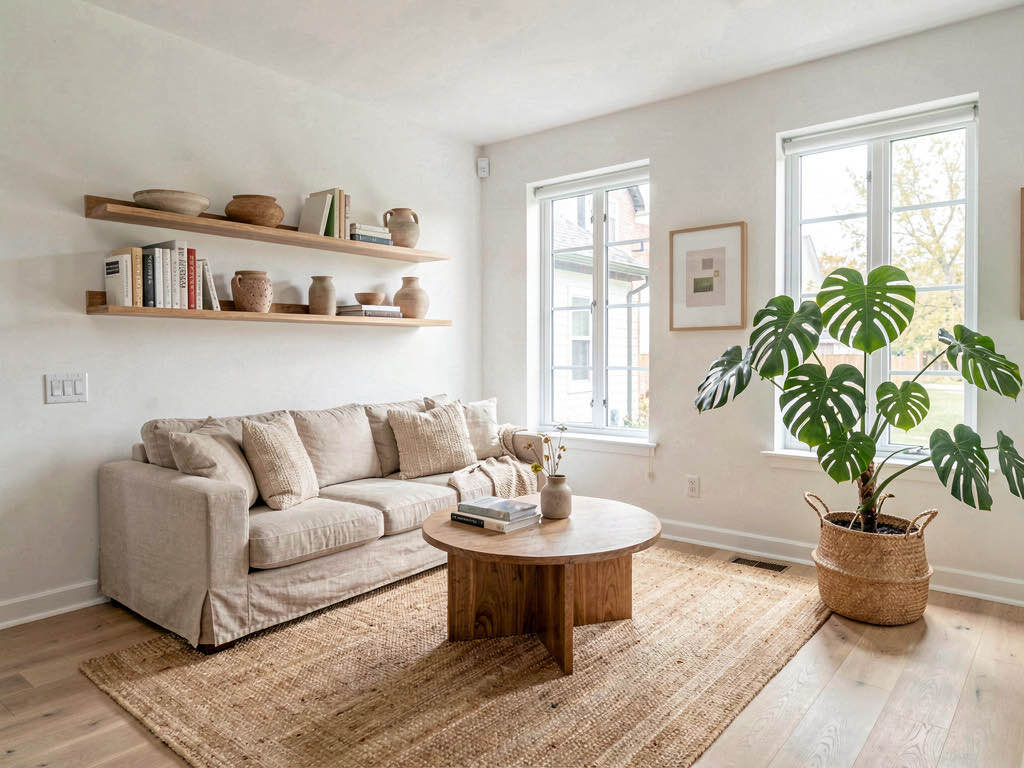
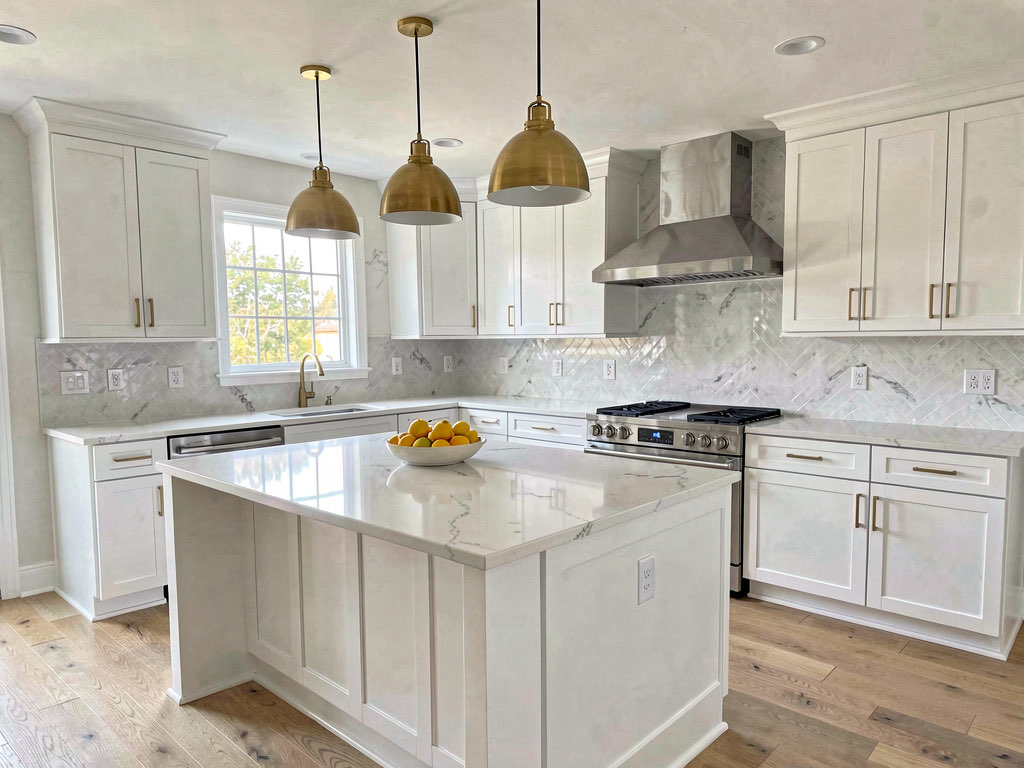
Remodel AI review 2026: what it does well, what it doesn't, and who it's for
I tested all 8 Remodel AI tools on real rooms — interior, exterior, staging, paint, floors. Honest scores, real screenshots, pricing breakdown. 3 free designs included.

Ryan H.
Founder of Remodel AI · April 4, 2026 · 8 min read

Remodel AI is an AI-powered home design app that lets you upload a photo of any room and see it redesigned in a different style. It works on interior rooms, exterior facades, gardens, and has a handful of specialized tools for flooring, paint, staging, and more.
This review covers the 2026 version — what changed since launch, what works well, what doesn't, and whether it's worth the subscription for your specific use case.
What Remodel AI actually is
At its core, Remodel AI takes a photo you upload and generates a new version of that same space in whatever design style you choose. The AI preserves the room's structure — walls, windows, doors, ceiling height — and transforms the visual elements: furniture, flooring, wall colors, lighting, fixtures, and decor.
It's available on iOS, Android, and as a web app that runs in your browser with no download required.
The app launched in 2023 and has generated over 2 million designs to date. The 2026 version includes 30+ interior styles, 11 exterior styles, 10 garden styles, and 8 distinct tools.
The 8 tools, tested
Most AI design apps offer one thing: upload a photo, get a redesigned version. Remodel AI bundles eight tools into one subscription, which is its main structural advantage over competitors like Interior AI or Remodeled AI.
Interior redesign
The core product. You upload a room photo, pick from 30+ styles (Modern, Scandinavian, Japandi, Farmhouse, Industrial, Coastal, and so on), and the AI generates a photorealistic redesign in about 10 seconds.
What works: The style accuracy is genuinely good. When you pick Japandi, the result looks Japandi — natural wood, muted tones, minimal furniture. Modern gives you clean lines and neutral palettes. The AI doesn't just slap a filter on your room; it actually replaces furniture, changes the flooring, updates the lighting, and adjusts the wall colors to match the chosen style.
What doesn't: About 20-25% of generations have artifacts — a chair leg that melts into the floor, a window frame that gets slightly distorted, or a lighting fixture that looks dreamy rather than real. Regenerating usually fixes it. This is standard across all AI design tools right now, not unique to Remodel AI.
Exterior design
Upload a photo of your home's facade and choose from 11 architectural styles: Modern, Craftsman, Colonial, Mediterranean, Farmhouse, Contemporary, Tudor, Victorian, Ranch, Mid-Century, and Coastal.
What works: Surprisingly good at changing siding materials, roof profiles, window styles, and front door designs while keeping the house shape recognizable. Useful for homeowners planning a facade renovation or choosing new siding.
Limitation: It sometimes struggles with complex landscaping in the foreground. If your yard takes up half the photo, the exterior changes can get muddled.
Virtual staging
Takes an empty room and fills it with furniture, decor, and lighting appropriate for the room type. Designed for real estate agents staging vacant listings.
What works: This is one of the strongest tools. An empty living room becomes a furnished space with a couch, coffee table, rug, and art within seconds. The furniture placement is usually sensible — couches go against walls, tables sit on rugs, floor lamps go in corners.
Who uses it: Real estate agents are probably the highest-value users here. Traditional staging costs $2,000-5,000 per room (according to HomeAdvisor). AI staging costs effectively nothing per room on a $29/month plan.
Floor replacement
Upload a room photo and preview different flooring options — hardwood in various species and finishes, tile, marble, concrete, and stone.
What works: Great for the very specific decision of "what would my kitchen look like with dark walnut floors instead of this white tile?" The AI isolates the floor and replaces it without changing anything else.
Wall paint
Visualize any wall color in your room. Select a wall area and the AI applies the color realistically, accounting for lighting and shadows.
What works: More useful than physical paint samples because you see the color at actual room scale — not on a 4-inch chip. Especially helpful for large walls where color choice has more visual impact.
Landscape design
10 garden styles: Japanese, Modern, Tropical, Mediterranean, Cottage, English Garden, Formal, Coastal, Desert, and Farmhouse.
What works: Good for backyard and front yard visualization. The AI replaces plants, hardscaping, and garden structures while keeping the house and fences intact.
Object removal
Remove furniture, clutter, or specific objects from a room photo.
What works: Clean removal of large items like a sofa or dining table. Less reliable with small clustered objects on countertops.
Furniture swap
Replace a specific piece of furniture while keeping everything else unchanged.
Limitation: This is the weakest tool in the set. The AI sometimes changes more than the intended piece, or the replacement doesn't match the room's perspective accurately. Useful for big swaps (replace a brown leather couch with a gray sectional) but unreliable for precision work.
See Your Room Redesigned
Download Remodel AI and transform any room in 30 seconds. 3 free designs, no signup.


Output quality: the honest numbers
After testing extensively across all 8 tools, here's the realistic quality breakdown:
- 70-75% of generations: Look photorealistic and usable immediately. You could show them to a contractor or use them as a renovation brief.
- 15-20% of generations: Have minor artifacts — a slightly warped edge, a texture that doesn't quite tile correctly, or lighting that's inconsistent. A quick regeneration usually fixes it.
- 5-10% of generations: Are clearly wrong — the AI misunderstood the room, placed furniture through a wall, or produced something obviously artificial. Regenerate and move on.
These numbers are consistent with other AI design tools in 2026. No app in the category hits 100% accuracy. The advantage of Remodel AI's speed (~10 seconds per generation) is that regenerating costs you 10 seconds, not $50.
Pricing in 2026
| Plan | Price | What you get |
|---|---|---|
| Free | $0 | 3 designs, all styles, all tools, no credit card |
| Pro | $29/month | Unlimited designs, HD downloads, all tools |
| Premium | $49/month | Higher quality renders, priority generation |
| Annual | ~40% discount | Pro at ~$17/month, Premium at ~$29/month |
The free tier is genuinely useful — 3 full-quality designs across all 8 tools and all 30+ styles. No watermarks, no feature locks. You can evaluate the quality on your actual room before paying anything.
At $29/month, the Pro plan makes financial sense if you're doing any renovation planning. A single 2-hour meeting with an interior designer runs $300-1,000. For the same price, you get unlimited AI designs for a month.
For a detailed pricing comparison, see our pricing page.
Who gets the most value
Homeowners planning a renovation (rating: 9/10) — This is the primary use case. If you're about to spend $15,000-50,000 on a kitchen or bathroom remodel, spending $29 to see 50 style options in your actual room first is absurdly good value. The AI output works as a contractor brief, eliminating the "is this what you meant?" cycle.
Real estate agents (rating: 8/10) — Virtual staging alone justifies the subscription. If you stage even one listing per month, the ROI is immediate compared to physical staging costs.
Interior designers (rating: 7/10) — Useful for the initial concept phase with clients. Generate 5 directions in 60 seconds instead of spending hours on mood boards. Not a replacement for professional rendering software, but a time-saver for the discovery phase.
Renters and casual users (rating: 6/10) — The free tier covers casual exploration well. If you just want to see what your apartment would look like in a different style, 3 free designs is enough. The paid plan is overkill unless you're actively decorating.
What Remodel AI doesn't do
Some things to know before you try it:
- It doesn't change room layouts. If you want to move a wall or reconfigure a kitchen island, you still need an architect or a floor plan tool. The AI works on the visual style of an existing layout.
- It doesn't produce construction drawings. The output is a photorealistic image, not a blueprint. You can't hand it to a contractor and say "build this exactly." But you can hand it to a contractor and say "this is the direction."
- It doesn't integrate with materials databases. The AI generates a look, not a shopping list. If you love the countertop in the render, you'll need to identify the material yourself (or show the image to a supplier, who can usually match it).
- It doesn't do video walkthroughs. Some competitors like Interior AI offer 3D flythrough videos. Remodel AI produces static images only.
Compared to competitors
For a detailed side-by-side comparison with Interior AI, Remodeled AI, RoomGPT, and others, see our best AI interior design apps comparison. The short version:
- Remodel AI vs. Interior AI: Remodel AI has more tools (8 vs. 3) and a free tier. Interior AI produces slightly higher quality renders at its Premium tier but costs $39+/month with no free option.
- Remodel AI vs. Remodeled AI: Remodel AI has more styles, more tools, and better output quality in our testing. Remodeled AI is cheaper ($13/month basic) with a free tier.
- Remodel AI vs. RoomGPT: Remodel AI has a subscription model vs. RoomGPT's credit-based pricing. For regular use, Remodel AI is cheaper. For one-off projects, RoomGPT's $9 credit pack might win.
The bottom line
Remodel AI is the most complete AI home design tool available in 2026. It combines the widest style range (30+), the most tools (8), and one of the better free tiers (3 full-quality designs, no card). The output quality is good — not perfect, but good enough to plan a renovation around.
If you're spending more than $5,000 on any home project, $29 for a month of unlimited design visualization is an easy decision. If you're just curious, the free tier costs you nothing but 60 seconds.
Try Remodel AI free — 3 designs, no credit card
Frequently asked questions
Is Remodel AI worth it in 2026?
For homeowners planning any renovation over $5,000, yes. The cost of one month's Pro subscription ($29) is less than a single hour with an interior designer. You can generate unlimited design concepts across all 30+ styles and all 8 tools. For casual users, the free tier (3 designs) covers exploration well without paying anything.
Is Remodel AI the same as Remodeled AI?
Different apps, similar names. Remodel AI (remodelai.io) has 30+ styles and 8 tools. Remodeled AI (remodeled.ai) has 15+ styles and fewer specialized tools. They're separate companies. For a detailed comparison, see our AI interior design apps comparison.
How much does Remodel AI cost per month?
Free tier: 3 designs, no credit card. Pro: $29/month for unlimited designs and HD downloads. Premium: $49/month for higher quality renders. Annual plans cut the price by about 40%.
Does Remodel AI work for kitchens and bathrooms?
Yes. Kitchens and bathrooms are the two most popular room types on the platform. The AI handles cabinets, countertops, tile, fixtures, and flooring well. For kitchen-specific results, see our AI kitchen remodel guide. For bathrooms, see the AI bathroom design guide.
What is the best alternative to Remodel AI?
Interior AI ($39/month, no free tier) is the best alternative for professional-quality renders. Remodeled AI ($13/month) is the best budget option. RoomGPT ($9-29 per credit pack) is best for one-time projects. See the full comparison for scores across all six apps we tested.
Ready to Try AI Interior Design?
Upload a photo and redesign any room in seconds. 3 free designs, no signup required.